


数据爬取实例演练
红牛分公司数据正则版
思路
登录网站,右键查看源代码,看到数据就直接存放在网页上
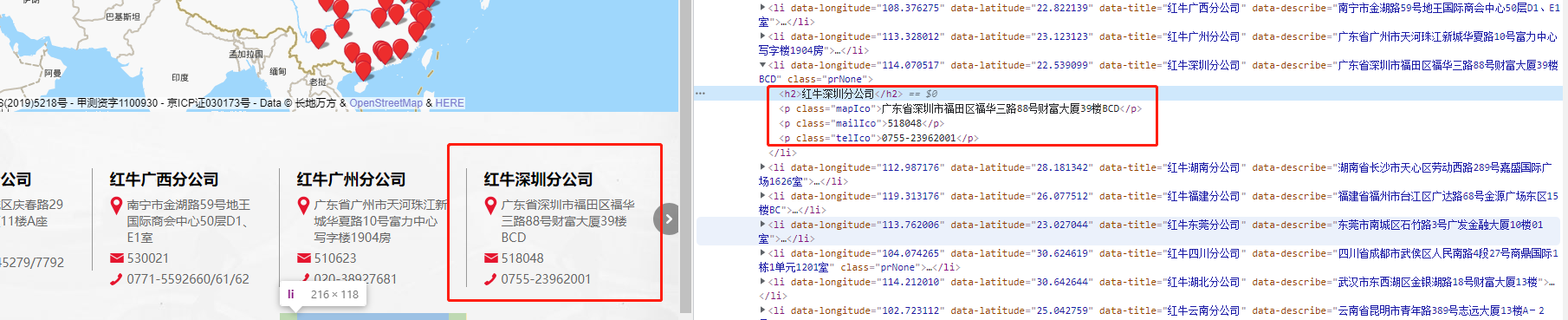
根据正则匹配出需要的数据。
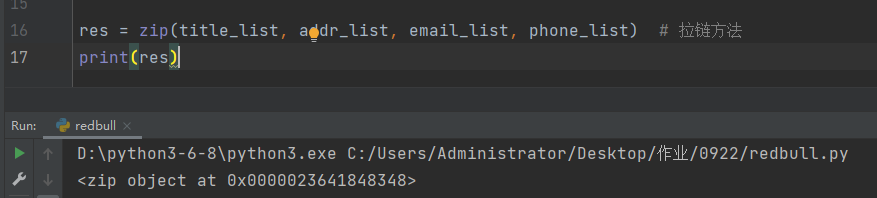
zip方法
可以把不同列表中的数据按照顺序逐次的组合起来。
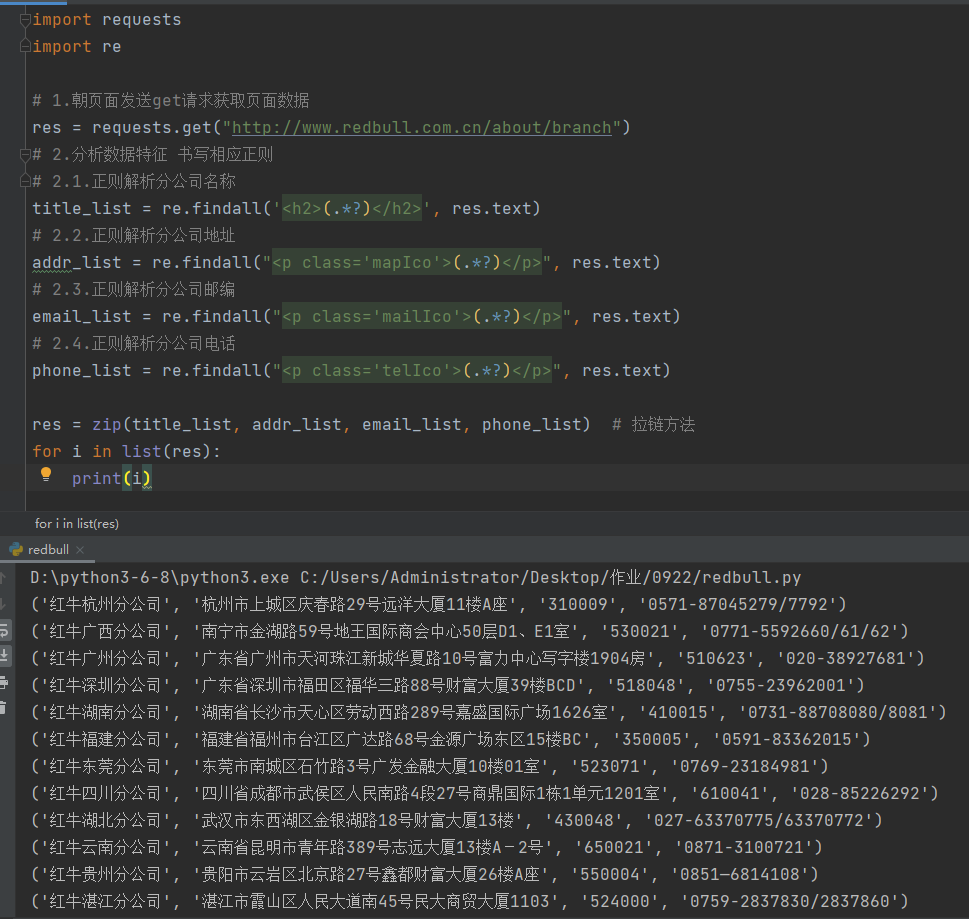
代码
import requests
import re

# 1.朝页面发送get请求获取页面数据
res = requests.get("http://www.redbull.com.cn/about/branch")
# 2.分析数据特征 书写相应正则
# 2.1.正则解析分公司名称
title_list = re.findall('<h2>(.*?)</h2>', res.text)
# 2.2.正则解析分公司地址
addr_list = re.findall("<p class='mapIco'>(.*?)</p>", res.text)
# 2.3.正则解析分公司邮编
email_list = re.findall("<p class='mailIco'>(.*?)</p>", res.text)
# 2.4.正则解析分公司电话
phone_list = re.findall("<p class='telIco'>(.*?)</p>", res.text)

res = zip(title_list, addr_list, email_list, phone_list)  # 拉链方法
for i in list(res):
    print(i)
糗事百科图片页爬取
正则版
import requests
import os
import re

if not os.path.exists(r'pic'):
    os.mkdir(r'pic')
'''正则'''
for i in range(1, 5):
    url = 'https://www.qiushibaike.com/imgrank/%s/' % i
    html = requests.get(url)
    res = html.text
    image_list = re.findall('img src="(.*?)" alt="糗事.*"', res)
    for link in image_list:
        rel_link = "https:" + link
        name = link.split('/').pop()
        list_name = os.path.join(r'pic', name)
        image = requests.get(rel_link)

        with open(list_name, 'wb') as f:
            f.write(image.content)
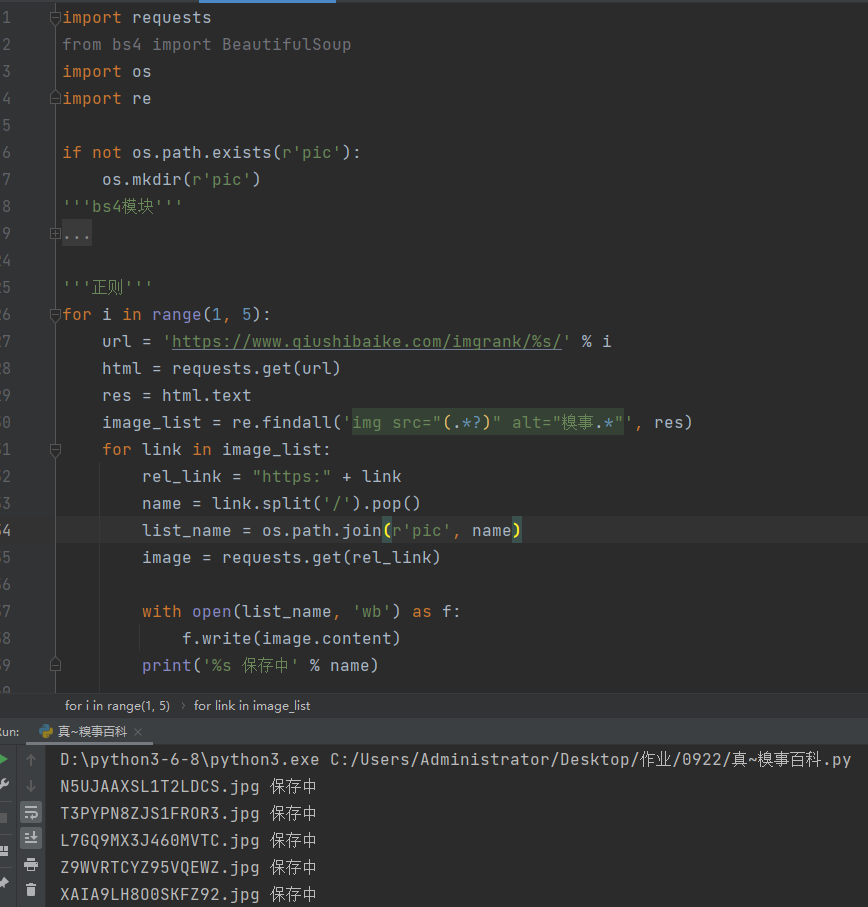
        print('%s 保存中' % name)
bs4版
import requests
from bs4 import BeautifulSoup
import os

if not os.path.exists(r'pic'):
    os.mkdir(r'pic')
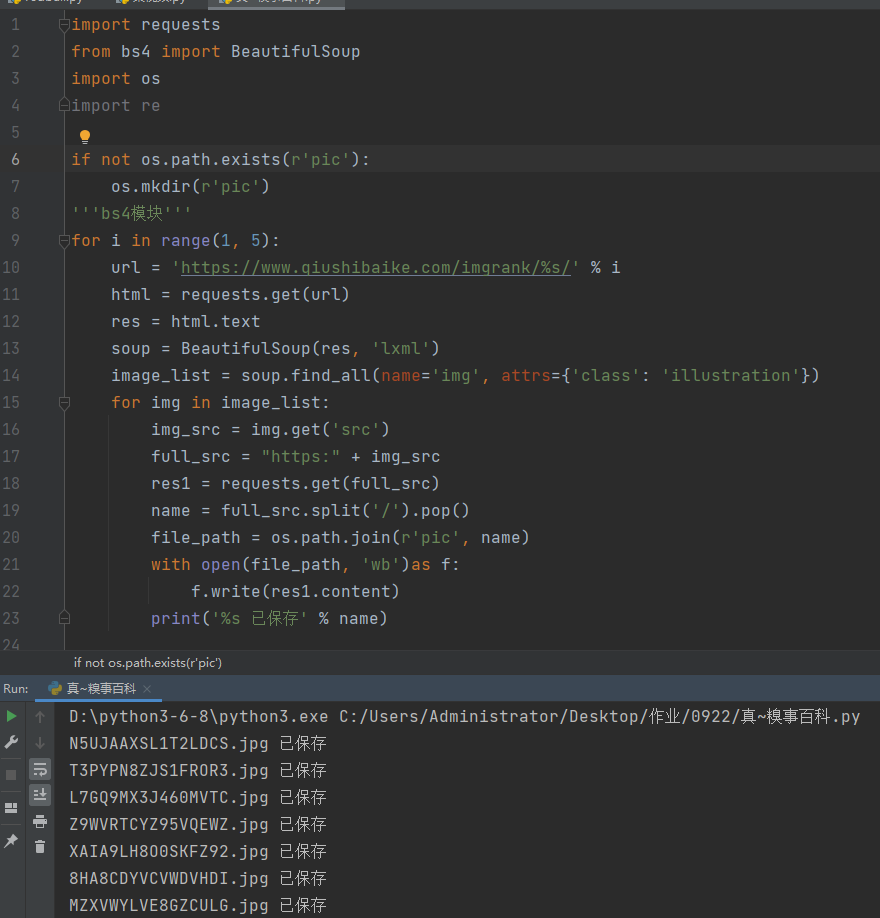
'''bs4模块'''
for i in range(1, 5):
    url = 'https://www.qiushibaike.com/imgrank/%s/' % i
    html = requests.get(url)
    res = html.text
    soup = BeautifulSoup(res, 'lxml')
    image_list = soup.find_all(name='img', attrs={'class': 'illustration'})
    for img in image_list:
        img_src = img.get('src')
        full_src = "https:" + img_src
        res1 = requests.get(full_src)
        name = full_src.split('/').pop()
        file_path = os.path.join(r'pic', name)
        with open(file_path, 'wb')as f:
            f.write(res1.content)
        print('%s 已保存' % name)
爬取优美图库高清图片
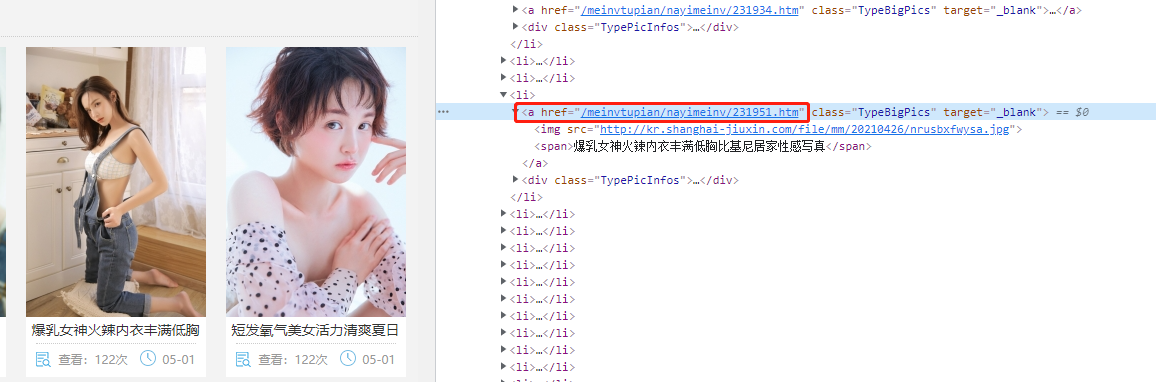
思路
登录网站,观察,可以看到一个对应的a链接,点击,确认可以通过该链接进入图片详情页,得到href数据,得到图片链接,由于不全,需要手动补全,再访问链接。
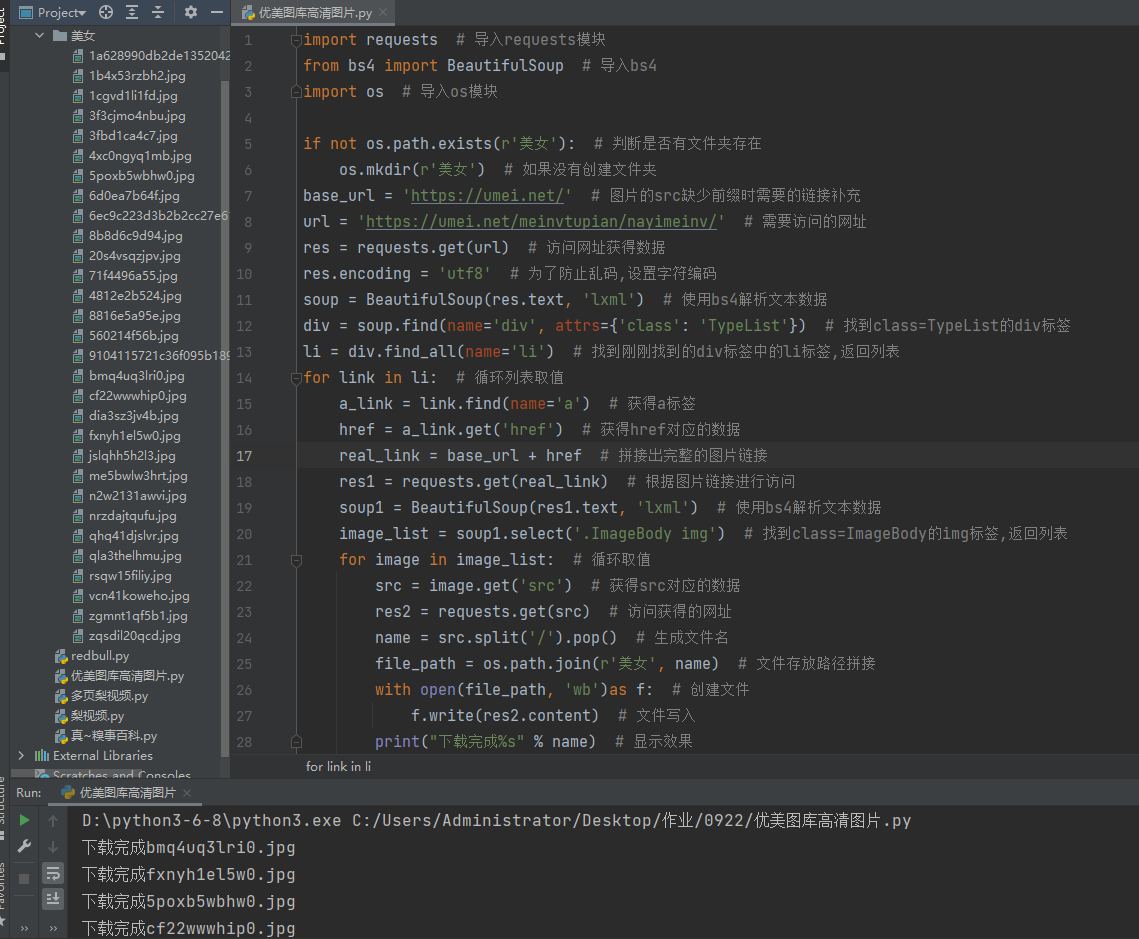
进入详情页之后,可以看到图片是直接放在网页上的,根据所在位置找到对应的img标签,然后通过该链接访问得到图片。

代码
import requests  # 导入requests模块
from bs4 import BeautifulSoup  # 导入bs4
import os  # 导入os模块

if not os.path.exists(r'美女'):  # 判断是否有文件夹存在
    os.mkdir(r'美女')  # 如果没有创建文件夹
base_url = 'https://umei.net/'  # 图片的src缺少前缀时需要的链接补充
url = 'https://umei.net/meinvtupian/nayimeinv/'  # 需要访问的网址
res = requests.get(url)  # 访问网址获得数据
res.encoding = 'utf8'  # 为了防止乱码,设置字符编码
soup = BeautifulSoup(res.text, 'lxml')  # 使用bs4解析文本数据
div = soup.find(name='div', attrs={'class': 'TypeList'})  # 找到class=TypeList的div标签
li = div.find_all(name='li')  # 找到刚刚找到的div标签中的li标签,返回列表
for link in li:  # 循环列表取值
    a_link = link.find(name='a')  # 获得a标签
    href = a_link.get('href')  # 获得href对应的数据
    real_link = base_url + href  # 拼接出完整的图片链接
    res1 = requests.get(real_link)  # 根据图片链接进行访问
    soup1 = BeautifulSoup(res1.text, 'lxml')  # 使用bs4解析文本数据
    image_list = soup1.select('.ImageBody img')  # 找到class=ImageBody的img标签,返回列表
    for image in image_list:  # 循环取值
        src = image.get('src')  # 获得src对应的数据
        res2 = requests.get(src)  # 访问获得的网址
        name = src.split('/').pop()  # 生成文件名
        file_path = os.path.join(r'美女', name)  # 文件存放路径拼接
        with open(file_path, 'wb')as f:  # 创建文件
            f.write(res2.content)  # 文件写入
        print("下载完成%s" % name)  # 显示效果
爬取梨视频数据
思路
登陆网站,得到观察出可以进入详情页的链接a所在的位置,通过筛选得到href的数值。
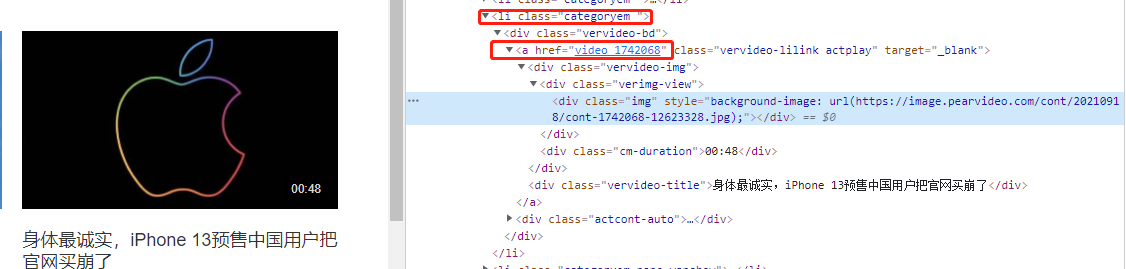
研究发现详情页视频数据并不是直接加载的,也就意味着朝拼接地址发送get请求没有丝毫作用。
内部动态请求的地址
https://www.pearvideo.com/videoStatus.jsp?contId=1742158&mrd=0.9094028515390931
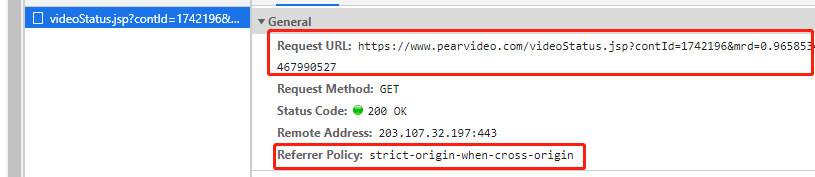
contId: 1742158
mrd: 0.9094028515390931 0到1之间的随机小数,没有意义

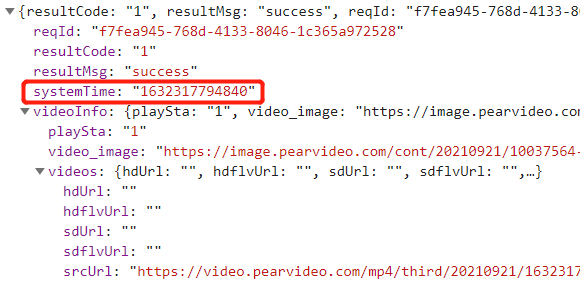
动态请求之后返回的核心数据
https://video.pearvideo.com/mp4/adshort/20210920/1632283823415-15771122_adpkg-ad_hd.mp4
真实视频地址
https://video.pearvideo.com/mp4/adshort/20210920/cont-1742158-15771122_adpkg-ad_hd.mp4
加粗部分为区别,需要进行替换
代码
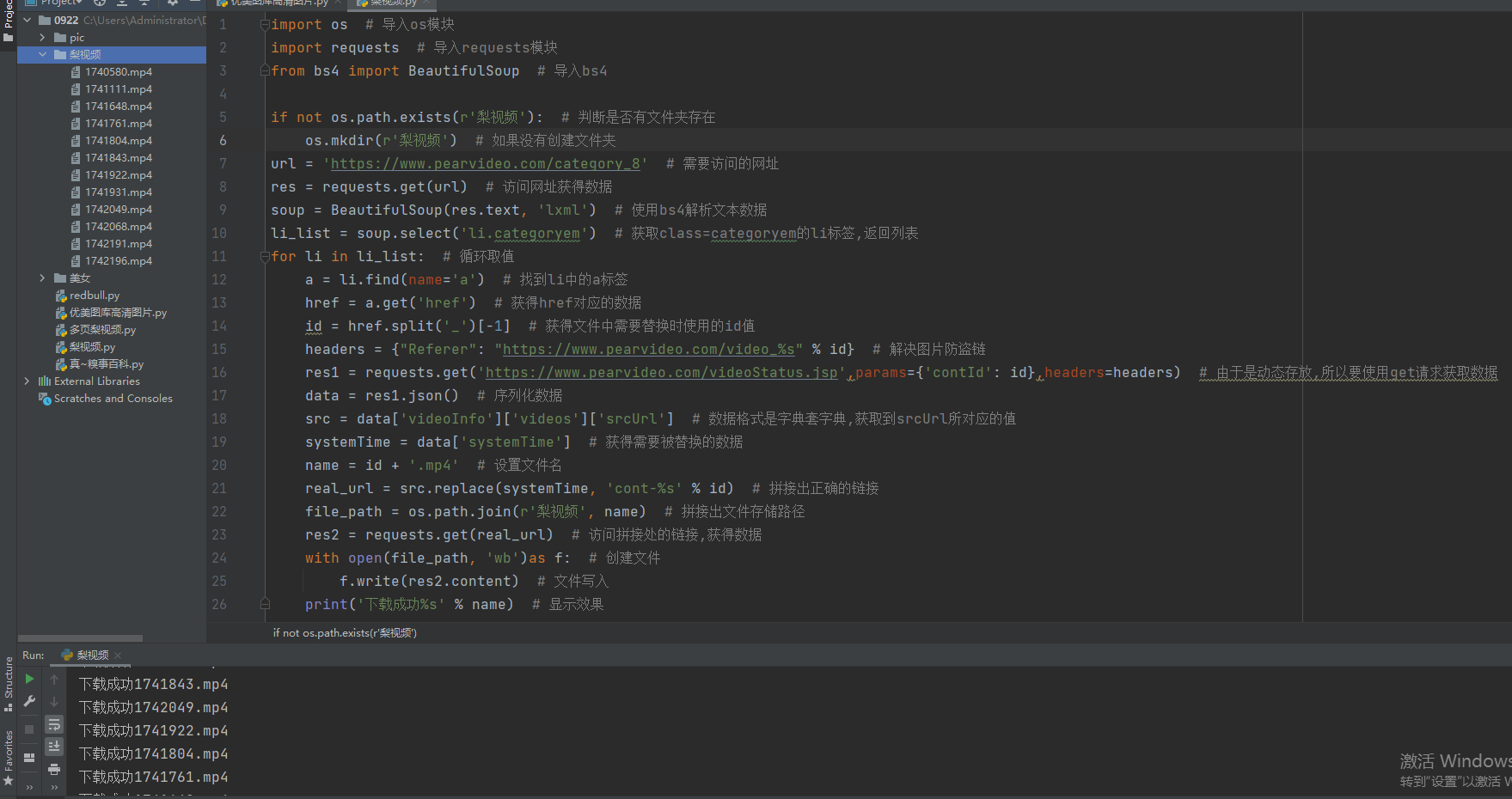
import os  # 导入os模块
import requests  # 导入requests模块
from bs4 import BeautifulSoup  # 导入bs4

if not os.path.exists(r'梨视频'):  # 判断是否有文件夹存在
    os.mkdir(r'梨视频')  # 如果没有创建文件夹
url = 'https://www.pearvideo.com/category_8'  # 需要访问的网址
res = requests.get(url)  # 访问网址获得数据
soup = BeautifulSoup(res.text, 'lxml')  # 使用bs4解析文本数据
li_list = soup.select('li.categoryem')  # 获取class=categoryem的li标签,返回列表
for li in li_list:  # 循环取值
    a = li.find(name='a')  # 找到li中的a标签
    href = a.get('href')  # 获得href对应的数据
    id = href.split('_')[-1]  # 获得文件中需要替换时使用的id值
    headers = {"Referer": "https://www.pearvideo.com/video_%s" % id}  # 解决图片防盗链
    res1 = requests.get('https://www.pearvideo.com/videoStatus.jsp',params={'contId': id},headers=headers)  # 由于是动态存放,所以要使用get请求获取数据
    data = res1.json()  # 序列化数据
    src = data['videoInfo']['videos']['srcUrl']  # 数据格式是字典套字典,获取到srcUrl所对应的值
    systemTime = data['systemTime']  # 获得需要被替换的数据
    name = id + '.mp4'  # 设置文件名
    real_url = src.replace(systemTime, 'cont-%s' % id)  # 拼接出正确的链接
    file_path = os.path.join(r'梨视频', name)  # 拼接出文件存储路径
    res2 = requests.get(real_url)  # 访问拼接处的链接,获得数据
    with open(file_path, 'wb')as f:  # 创建文件
        f.write(res2.content)  # 文件写入
    print('下载成功%s' % name)  # 显示效果
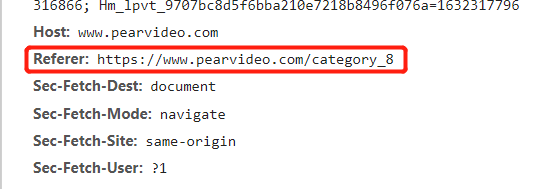
校验当前请求从何而来 如果是本网站则允许访问如果是其他网址则拒绝
在请求头中有一个专门用于记录从何而来的键值对:Referer键

 浙公网安备 33010602011771号