模拟登录实现流程梳理
1.超级鹰验证码图片识别函数
'''
思路:
    1.requests对网址发送请求获取图片
    2.下载图片图片到本地
    3.用超级鹰识别图片获取验证码
'''

import requests
from lxml import etree
from hashlib import md5


# 封装识别验证码图片的函数
# def getCodeText():
class Chaojiying_Client(object):

    def __init__(self, username, password, soft_id):
        self.username = username
        password = password.encode('utf8')
        self.password = md5(password).hexdigest()
        self.soft_id = soft_id
        self.base_params = {
            'user': self.username,
            'pass2': self.password,
            'softid': self.soft_id,
        }
        self.headers = {
            'Connection': 'Keep-Alive',
            'User-Agent': 'Mozilla/4.0 (compatible; MSIE 8.0; Windows NT 5.1; Trident/4.0)',
        }

    def PostPic(self, im, codetype):
        """
        im: 图片字节
        codetype: 题目类型 参考 http://www.chaojiying.com/price.html
        """
        params = {
            'codetype': codetype,
        }
        params.update(self.base_params)
        files = {'userfile': ('ccc.jpg', im)}
        r = requests.post('http://upload.chaojiying.net/Upload/Processing.php', data=params, files=files,
                          headers=self.headers)
        return r.json()

    def PostPic_base64(self, base64_str, codetype):
        """
        im: 图片字节
        codetype: 题目类型 参考 http://www.chaojiying.com/price.html
        """
        params = {
            'codetype': codetype,
            'file_base64': base64_str
        }
        params.update(self.base_params)
        r = requests.post('http://upload.chaojiying.net/Upload/Processing.php', data=params, headers=self.headers)
        return r.json()

    def ReportError(self, im_id):
        """
        im_id:报错题目的图片ID
        """
        params = {
            'id': im_id,
        }
        params.update(self.base_params)
        r = requests.post('http://upload.chaojiying.net/Upload/ReportError.php', data=params, headers=self.headers)
        return r.json()


# 调用超级鹰平台的示例程序进行验证码图片数据识别
if __name__ == '__main__':
    headers = {
        'User-Agent': 'Mozilla/5.0 (Windows NT 10.0; Win64; x64) AppleWebKit/537.36 (KHTML, like Gecko) Chrome/114.0.0.0 Safari/537.36'
    }

    url = 'https://so.gushiwen.cn/user/login.aspx?from=http://so.gushiwen.cn/user/collect.aspx'

    page_text = requests.get(url=url, headers=headers).text
    # 解析验证图片img中的src属性值
    # 实例化etree对象
    tree = etree.HTML(page_text)
    # 提取图片中的src
    code_img_src = 'https://so.gushiwen.cn' + tree.xpath('//*[@id="imgCode"]/@src')[0]
    print(code_img_src)
    img_data = requests.get(url=code_img_src, headers=headers).content
    # 将验证码图片保存到本地
    with open('./code.jpg', 'wb') as fp:
        fp.write(img_data)

    chaojiying = Chaojiying_Client('***36927494', 'qwerasdfzxcv1', '950161')  # 用户中心>>软件ID 生成一个替换 96001

    im = open('code.jpg', 'rb').read()  # 本地图片文件路径 来替换 a.jpg 有时WIN系统须要//
    print('验证码图片识别结果:{}'.format(chaojiying.PostPic(im, 1902)['pic_str']))  # 1902 验证码类型  官方网站>>价格体系 3.4+版 print 后要加()
    # print chaojiying.PostPic(base64_str, 1902)  #此处为传入 base64代码
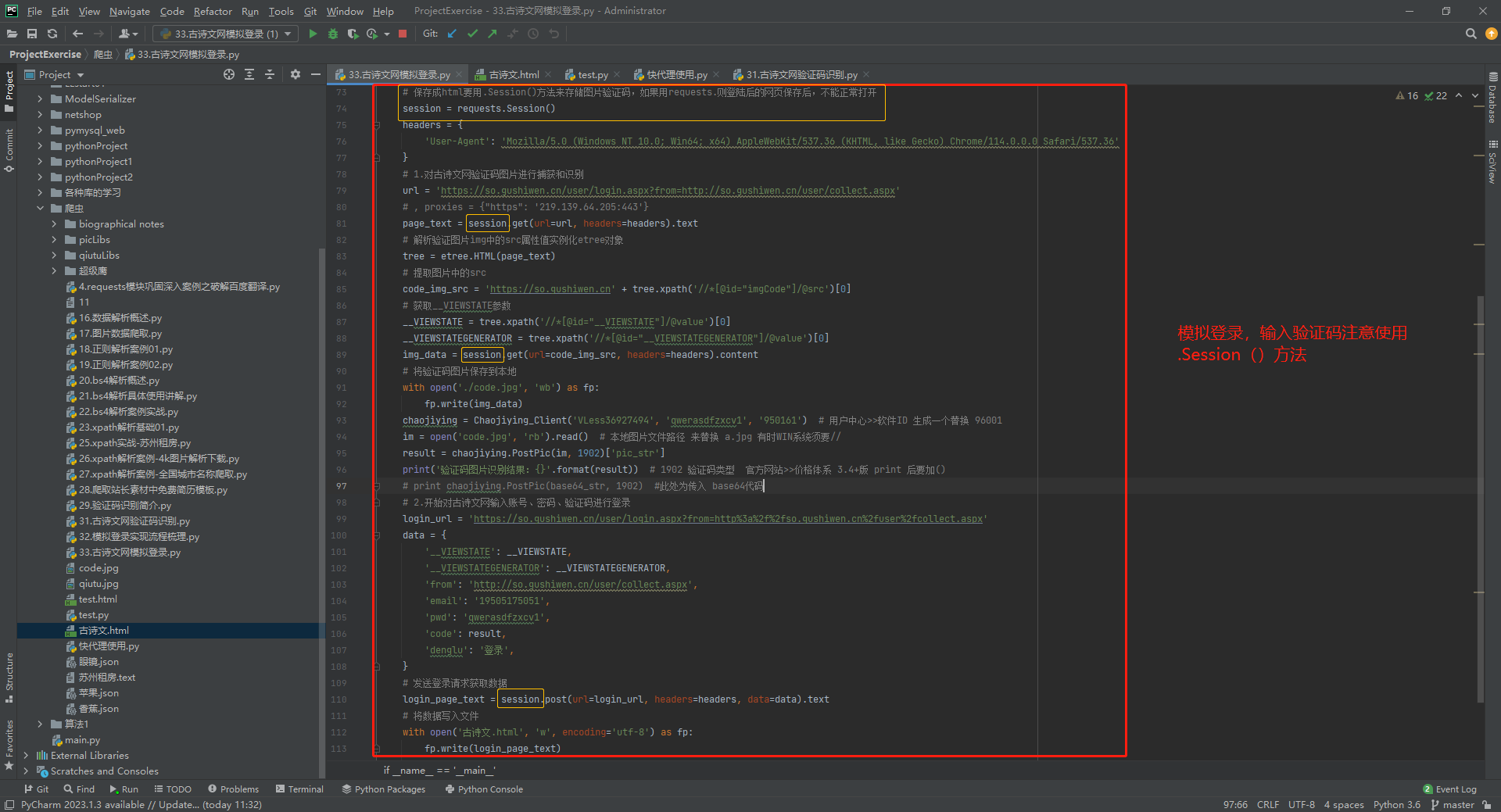
2.模拟登录,输入验证码注意使用:
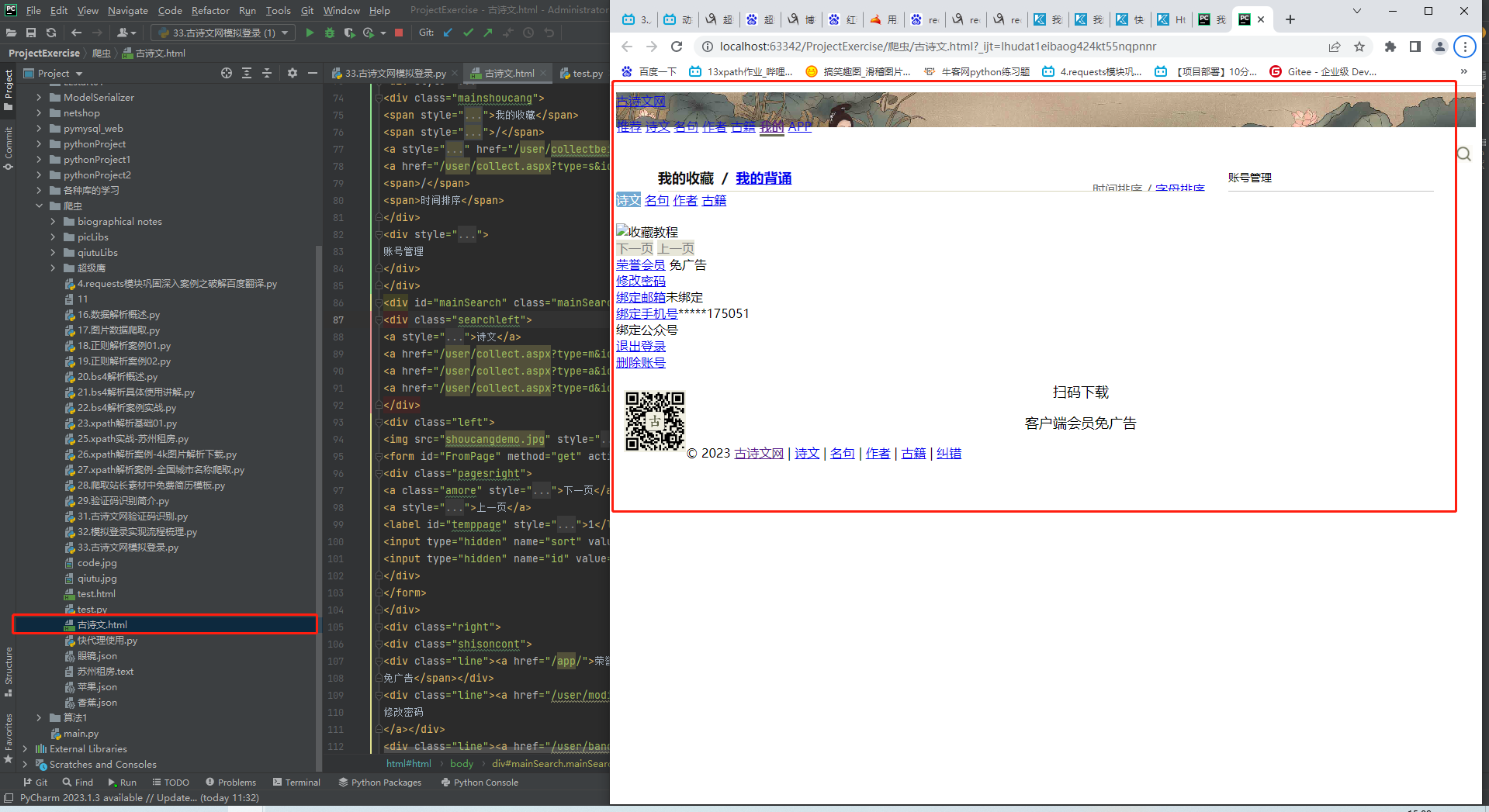
3.运行html文件的正确展示:
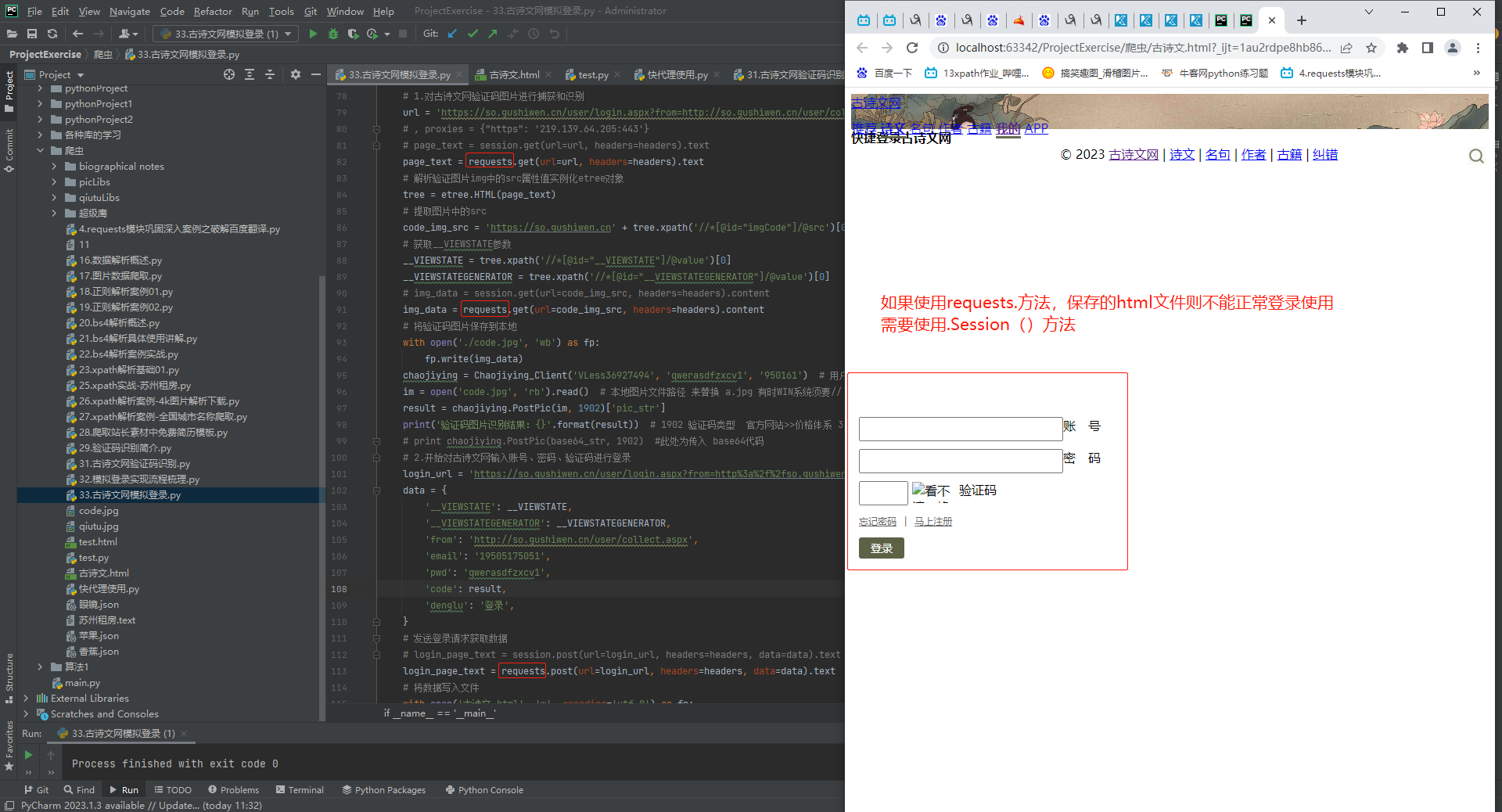
4.运行html文件的错误展示:

 浙公网安备 33010602011771号