SpringBoot 不能显示 jpeg 的图片
web:
   resources:
     static-locations: file:${vipsoft.item-images-path}

vipsoft:
  item-images-path: ./images
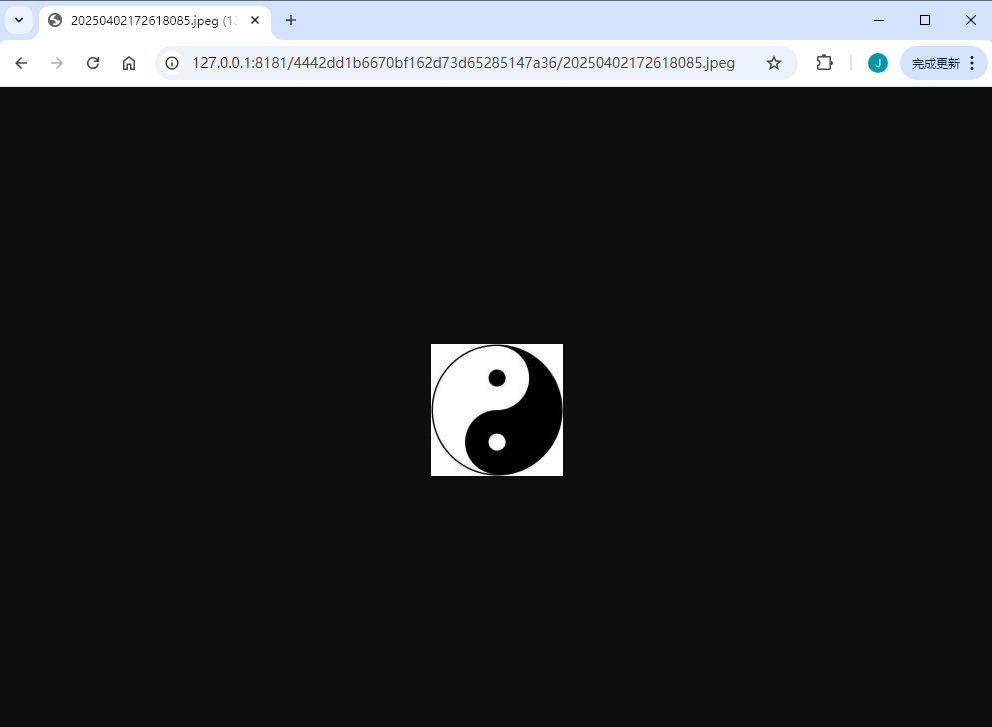
通过浏览器 http://localhost:8181/abc.jpeg 打不开。png、jpg的图片可以打开
但直接在浏览器中输入 D:\Project\Images\abc.jpeg 是可以打开的。
需要添加一下 MIME的配置
在 Spring Boot 中,MIME 类型(即 Content-Type)的配置可以通过以下几种方式管理:
1. 通过 WebMvcConfigurer 自定义 MIME 映射
如果 .jpeg 文件没有被正确识别,可以在 Spring Boot 配置类中手动添加 MIME 类型映射:
import org.springframework.context.annotation.Configuration;
import org.springframework.web.servlet.config.annotation.WebMvcConfigurer;

@Configuration
public class MimeConfig implements WebMvcConfigurer {

    @Override
    public void configureContentNegotiation(ContentNegotiationConfigurer configurer) {
        // 确保 .jpeg 扩展名映射到 image/jpeg
        configurer.mediaType("jpeg", MediaType.IMAGE_JPEG);
    }
}
或者,更直接的方式是修改 application.yml/application.properties:
spring:
  mvc:
    contentnegotiation:
      media-types:
        jpeg: image/jpeg
2. 检查 application.yml 静态资源配置
确保你的静态资源路径配置正确:
spring:
  web:
    resources:
      static-locations: file:///D:/Project/Images/
      # 或者直接使用 classpath: 或 file: 前缀
3. 检查 ResourceHttpRequestHandler 默认行为
Spring Boot 默认使用 ResourceHttpRequestHandler 处理静态资源,它会自动检测文件扩展名并设置 Content-Type。如果 .jpeg 没有被正确处理,可能是:
- 文件扩展名不匹配(如
.JPEGvs.jpeg) - 文件系统权限问题
- Spring Boot 版本问题(某些旧版本可能支持不全)
4. 手动添加 MIME 类型(适用于嵌入式 Tomcat/Jetty)
如果是嵌入式 Tomcat,可以在 application.yml 中配置:
server:
  tomcat:
    mime-mappings:
      .jpeg: image/jpeg
如果是 Jetty:
server:
  jetty:
    mime-mappings:
      .jpeg: image/jpeg
5. 检查文件是否存在(调试方法)
在 Controller 中添加调试端点,检查资源是否被正确映射:
import org.springframework.core.io.Resource;
import org.springframework.web.bind.annotation.GetMapping;
import org.springframework.web.bind.annotation.RestController;
import org.springframework.web.servlet.resource.ResourceResolver;

@RestController
public class DebugController {

    private final ResourceResolver resourceResolver;

    public DebugController(ResourceResolver resourceResolver) {
        this.resourceResolver = resourceResolver;
    }

    @GetMapping("/debug-check-jpeg")
    public String checkJpeg() {
        Resource resource = resourceResolver.resolveResource(
            null,
            "abc.jpeg",
            Collections.emptyList()
        );
        return "Exists: " + resource.exists();
    }
}
访问 http://localhost:8080/debug-check-jpeg,如果返回 false,说明路径配置有问题。
6. 强制设置 Content-Type(临时解决方案)
如果以上方法无效,可以手动拦截请求并设置 Content-Type:
import org.springframework.web.servlet.config.annotation.InterceptorRegistry;
import org.springframework.web.servlet.config.annotation.WebMvcConfigurer;
import org.springframework.web.servlet.HandlerInterceptor;

@Configuration
public class MimeFixConfig implements WebMvcConfigurer {

    @Override
    public void addInterceptors(InterceptorRegistry registry) {
        registry.addInterceptor(new HandlerInterceptor() {
            @Override
            public void afterCompletion(HttpServletRequest request, HttpServletResponse response, Object handler, Exception ex) {
                if (request.getRequestURI().endsWith(".jpeg")) {
                    response.setContentType("image/jpeg");
                }
            }
        });
    }
}
可能的原因总结
.jpeg扩展名未注册(Spring Boot 默认可能只认.jpg)。- 路径大小写敏感(Linux/Mac 环境下需注意)。
- 文件权限问题(确保应用有权限访问
D:\Project\Images\)。 - 浏览器缓存(尝试强制刷新或隐身模式访问)。
建议先尝试 方法1 或 方法4,通常能解决问题。如果仍然无效,请检查文件路径和权限。
本文来自博客园,作者:VipSoft 转载请注明原文链接:https://www.cnblogs.com/vipsoft/p/18806429

 浙公网安备 33010602011771号