 1 <!DOCTYPE html>
 2 <html>
 3     <head>
 4         <meta charset="utf-8">
 5         <title></title>
 6         <!--jquery 根据自己的路径引入或下载 -->
 7         <script src="js/jquery-1.9.1.min.js"></script>
 8         <style type="text/css">
 9
10             #main{
11                 width:50vw;height:60vh;margin-left:2vw
12             }
13         </style>
14     </head>
15     <body>
16
17             <div id="main"></div>
18         <script type="text/javascript" src="http://echarts.baidu.com/gallery/vendors/echarts/echarts.min.js"></script>
19         <script type="text/javascript">
20         // 饼状图插件的部分内容
21
22          var chart = echarts.init(document.getElementById('main'));
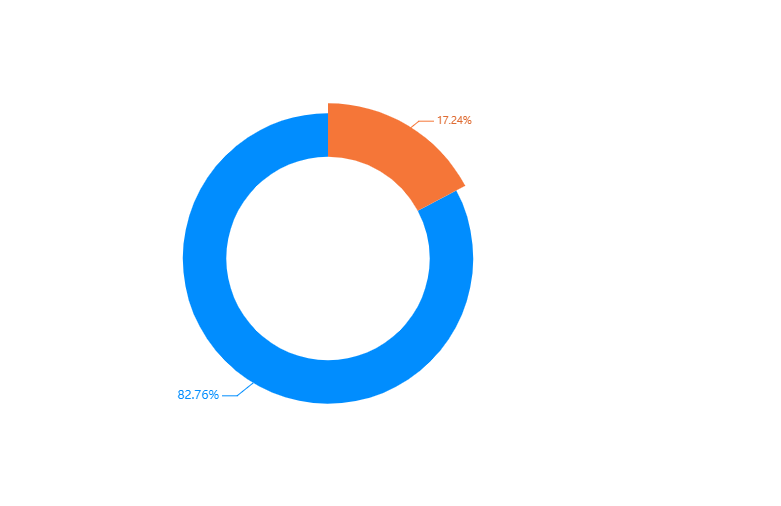
23           var optionbar = {
24                 color:['#df6c33','#018dfe'],//饼状图每部分的颜色
25                 tooltip: {
26                     trigger: 'item',
27                     // formatter: "{a} <br/>{b}: {c} ({d}%)",
28                     formatter: "{d}%",//鼠标滑过时候的显示
29                     // show:false,
30                 },
31                 series: [{
32                     // name: '客户',
33                     type: 'pie',
34                     radius: ['35%', '50%'],//控制饼状图的大小
35                     center: ['50%', '50%'],//控制饼状图所在的位置
36                     avoidLabelOverlap: true,
37
38                     label: {
39                         normal: {
40                             formatter: '{d}%' //自定义显示格式(b:name, c:value, d:百分比
41                         },
42                         emphasis: {
43                             show: true,
44                             textStyle: {
45                                 fontSize: '10',//字体大小
46                                 // fontWeight: 'bold'
47                             }
48                         }
49                     },
50                     labelLine: {
51                         normal: {
52                             show: true
53                         }
54                     },
55                     data: [20,96]//后台请求到的数据直接复制即可
56                 }]
57             };
58
59
60            chart.setOption(optionbar)
61             //设置默认选中高亮部分
62             chart.dispatchAction({
63                 type: 'highlight',
64                 seriesIndex: 0,
65                 dataIndex: 0
66             });
67             chart.on('mouseover', function(e) {
68             //当检测到鼠标悬停事件,取消默认选中高亮
69                 chart.dispatchAction({
70                     type: 'downplay',
71                     seriesIndex: 1,
72                     dataIndex: 0
73                 });
74             //高亮显示悬停的那块
75                 chart.dispatchAction({
76                     type: 'highlight',
77                     seriesIndex: 1,
78                     dataIndex: e.dataIndex
79                 });
80             });
81             //检测鼠标移出后显示之前默认高亮的那块
82             chart.on('mouseout', function(e) {
83                 chart.dispatchAction({
84                     type: 'highlight',
85                     seriesIndex: 0,
86                     dataIndex: 0
87             }); });
88
89
90
91
92
93
94         </script>
95     </body>
96 </html>
![]()





 浙公网安备 33010602011771号