
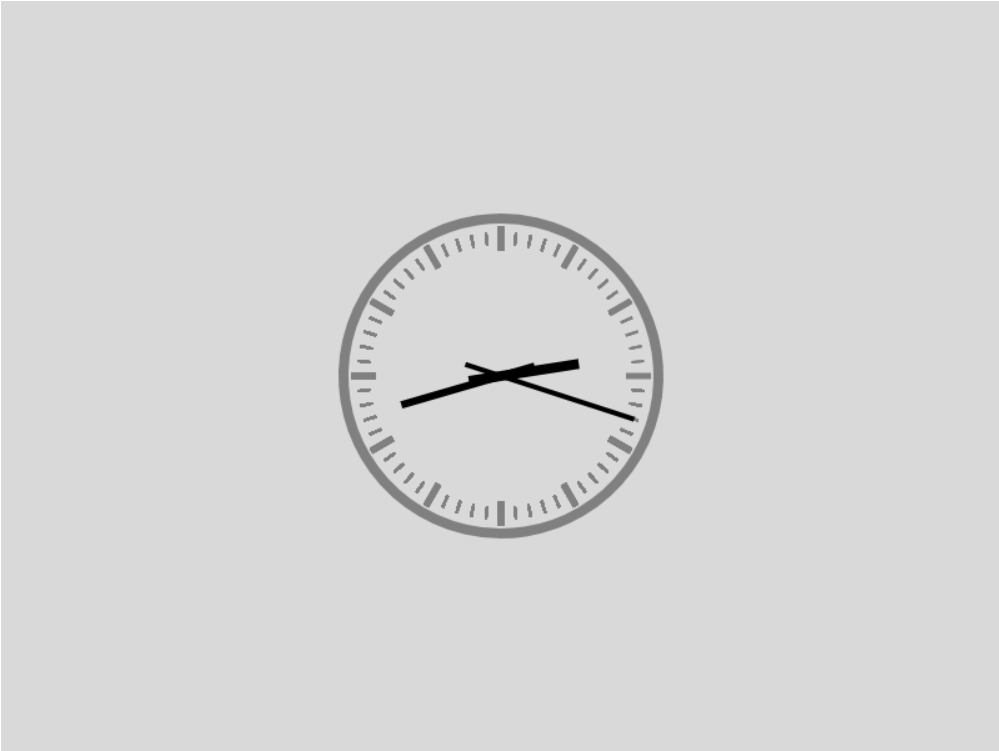
web 前端 canvas 绘制时钟
<!DOCTYPE html>
<html lang="en">
<head>
    <meta charset="UTF-8">
    <title>web前端作业2-时钟的绘制</title>
</head>
<body>
<canvas id='canvas' width="800" height="600"></canvas>
<script>
   function rotateFun(){
      var now= new Date();//获取当前时间对象,对以后指针旋转很重要

      var ctx=document.getElementById("canvas").getContext("2d");//取的画布环境

      ctx.clearRect(0,0,800,600);//在开始之前都要清空画布,因为不清空就会所有的痕迹在画布上显示

      ctx.save();//第一个保存状态
      ctx.fillStyle='rgba(66,66,66,0.2)';
      ctx.fillRect(0,0,800,600);
      //绘制已填色的矩形
      ctx.translate(400,300);
      //平移画布中心到中心
     // translate() 方法重新映射画布上的 (0,0) 位置

      //画12个小时
      ctx.save();
      //save() 方法把当前状态的一份拷贝压入到一个保存图像状态的栈中。这就允许您临时地改变图像状态,然后,通过调用 restore() 来恢复以前的值。
      for (var i = 0; i < 12; i++) {
        ctx.strokeStyle='gray';
        //strokeStyle 属性设置或返回用于笔触的颜色、渐变或模式。
        ctx.rotate(2*Math.PI/12);
        ctx.moveTo(120,0);
        ctx.lineTo(100,0);
        ctx.lineWidth=5;
        ctx.stroke();
        //stroke() 方法会实际地绘制出通过 moveTo() 和 lineTo() 方法定义的路径。默认颜色是黑色。
      }
      ctx.restore();

     //画60个分钟
      ctx.save();
      for (var i = 0; i <60 ;i++) {
        ctx.strokeStyle='gray';
        ctx.rotate(2*Math.PI/60);
        ctx.moveTo(115,0);
        ctx.lineTo(105,0);
        ctx.lineWidth=2;
        ctx.stroke();
      }
      ctx.restore();

      var hour=now.getHours();
      var min=now.getMinutes();
      var sec=now.getSeconds();

      //画秒针
      ctx.save();
      ctx.beginPath();
      ctx.rotate(sec*Math.PI/30);
      ctx.strokeStyle='black';
      ctx.lineWidth=4;
      ctx.moveTo(0,30);
      ctx.lineTo(0,-112);
      ctx.stroke();
      ctx.closePath();
      ctx.restore();

      //画分钟
      ctx.save();
      ctx.beginPath();
      ctx.rotate(min*Math.PI/30+sec*Math.PI/1800);
      ctx.strokeStyle='black';
      ctx.lineWidth=6;
      ctx.moveTo(0,28);
      ctx.lineTo(0,-83);
      ctx.stroke();
      ctx.closePath();
      ctx.restore();

      //画时钟
      ctx.save();
      ctx.beginPath();
      ctx.rotate(hour*Math.PI/6+min*Math.PI/360+sec*Math.PI/21600);
      ctx.strokeStyle='black';
      ctx.lineWidth=8;
      ctx.moveTo(0,26);
      ctx.lineTo(0,-63);
      ctx.stroke();
      ctx.closePath();
      ctx.beginPath();
      ctx.strokeStyle='gray';
      ctx.arc(0,0,126,0,2*Math.PI);
      ctx.stroke();
      ctx.closePath();
      ctx.restore();
      ctx.restore();

      window.requestAnimationFrame(rotateFun);
      //就形成了递归调用,设置应为这个函数多用在持续的动画中
   }

   rotateFun();
</script>
</body>
</html>

 浙公网安备 33010602011771号