

poi简单操作excel
<!--引入poi依赖-->
		<dependency>
			<groupId>org.apache.poi</groupId>
			<artifactId>poi-scratchpad</artifactId>
			<version>3.17</version>
		</dependency>

		<dependency>
			<groupId>org.apache.poi</groupId>
			<artifactId>poi-ooxml</artifactId>
			<version>3.17</version>
		</dependency>
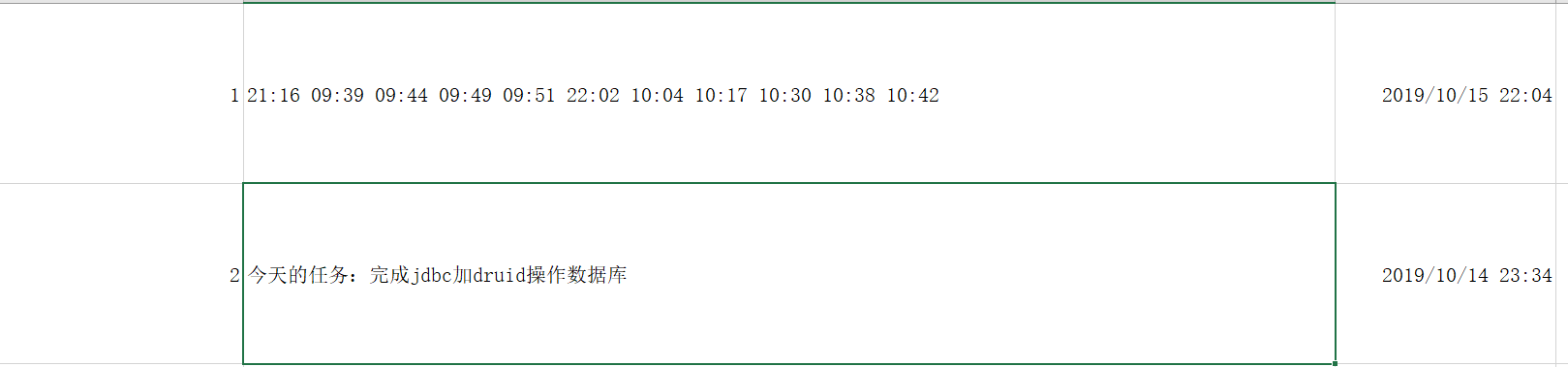
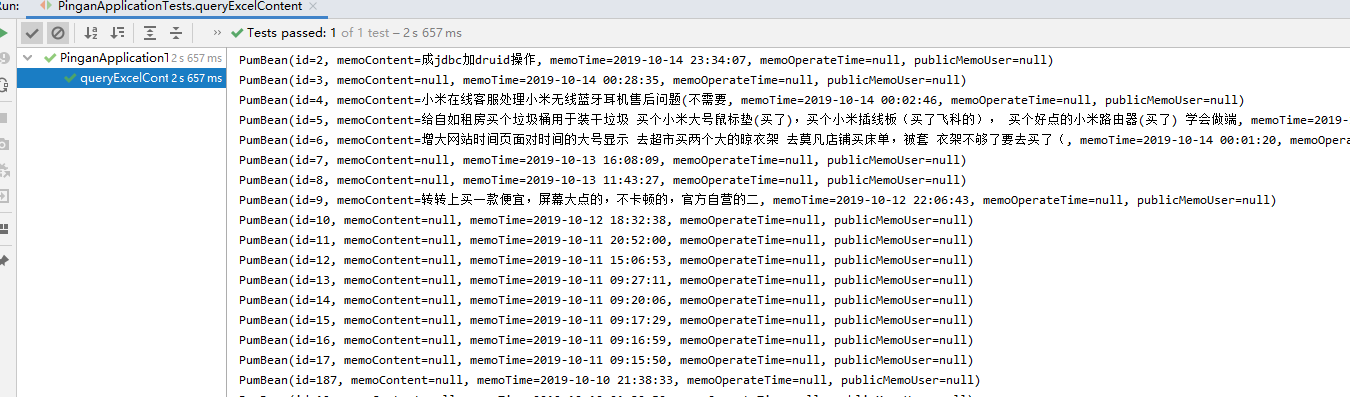
package com.java;


import com.java.bean.PumBean;
import com.java.mapper.PumMapper;
import lombok.extern.slf4j.Slf4j;
import org.apache.poi.ss.usermodel.Cell;
import org.apache.poi.ss.usermodel.CellType;
import org.apache.poi.ss.usermodel.Row;
import org.apache.poi.xssf.usermodel.XSSFSheet;
import org.apache.poi.xssf.usermodel.XSSFWorkbook;
import org.junit.Test;
import org.junit.runner.RunWith;
import org.springframework.beans.factory.annotation.Autowired;
import org.springframework.boot.test.context.SpringBootTest;
import org.springframework.test.context.junit4.SpringRunner;
import java.io.FileInputStream;
import java.text.SimpleDateFormat;
import java.util.ArrayList;
import java.util.Date;
import java.util.Iterator;
import java.util.List;


@RunWith(SpringRunner.class)
@SpringBootTest
@Slf4j
public class PinganApplicationTests{

    @Autowired
    private PumMapper pumMapper;

    @Test
    public void queryExcelContent() throws Exception{

        List<Object> objectList=new ArrayList<>();
        FileInputStream inputStream = new FileInputStream("E:\\工作簿.xlsx");
        XSSFWorkbook wb = new XSSFWorkbook(inputStream);
        //获取工作表对象
        XSSFSheet sheet = wb.getSheetAt(0);
        //得到行的迭代器
        Iterator<Row> iterator = sheet.iterator();
        int rowNum = 0;
        while (iterator.hasNext()) {
            Row row = iterator.next();
            //跳过标题行
//            if (rowNum == 0) {
//                rowNum++;
//                continue;
//            }
            //遍历,把每一行数据存到Object数组中
            Object[] obj = new Object[4];
            for (int i = 0; i < 3; i++) {
                // 获取到单元格内的数据,方法见下
                Cell cell=row.getCell(i);
                if (cell==null){
                    continue;
                }
                if (i==0){
                    cell.setCellType(CellType.STRING);
                    obj[i]=cell.getStringCellValue();
                    continue;
                }else if (i==1){
                    cell.setCellType(CellType.STRING);
                    obj[i]=cell.getStringCellValue();
                    continue;
                }else {
                    cell.setCellType(CellType.NUMERIC);
                    obj[i]=cell.getDateCellValue();
                    Date date=(Date) obj[i];
                    if (date==null){
                        continue;
                    }
                    SimpleDateFormat sdf = new SimpleDateFormat("yyyy-MM-dd HH:mm:ss");
                    String format = sdf.format(date);
                }
            }
            //将object对象保存到集合中
            objectList.add(obj);
        }

        List<PumBean> pumBeanList=new ArrayList<>();

        objectList.stream().forEach(a->{
            Object[] obj =(Object[])a;
            PumBean pumBean=new PumBean();
            for (int i=0;i<obj.length;i++){
                if (obj[i]==null){
                    continue;
                }
                if (i==2){
                    Date date=(Date) obj[i];
                    if (date==null){
                        continue;
                    }
                    SimpleDateFormat sdf = new SimpleDateFormat("yyyy-MM-dd HH:mm:ss");
                    String format = sdf.format(date);
                    pumBean.setMemoTime(format);
                    continue;
                }

                if (i==0){
                    pumBean.setId(Integer.parseInt(obj[i].toString()));
                }
                if (i==1){
                    String content = String.valueOf(obj[i]);
                    int length=content.length();


                    if (content.contains("今天的任务")){
                        System.out.println("length="+length);
                        System.out.println("content="+content);
                        content=content.substring(7,length-3);
                        System.out.println("【剪切后的关键字】:"+content);
                        pumBean.setMemoContent(content);
                    }
                }
            }
            pumBeanList.add(pumBean);
        });

        pumBeanList.forEach(a->{
            System.out.println(a);
        });

    }


}
本地处理的excel2019的版本

 浙公网安备 33010602011771号