背景
先看效果 (gif录制掉帧,请自行编译源码查看,效果比gif流畅)
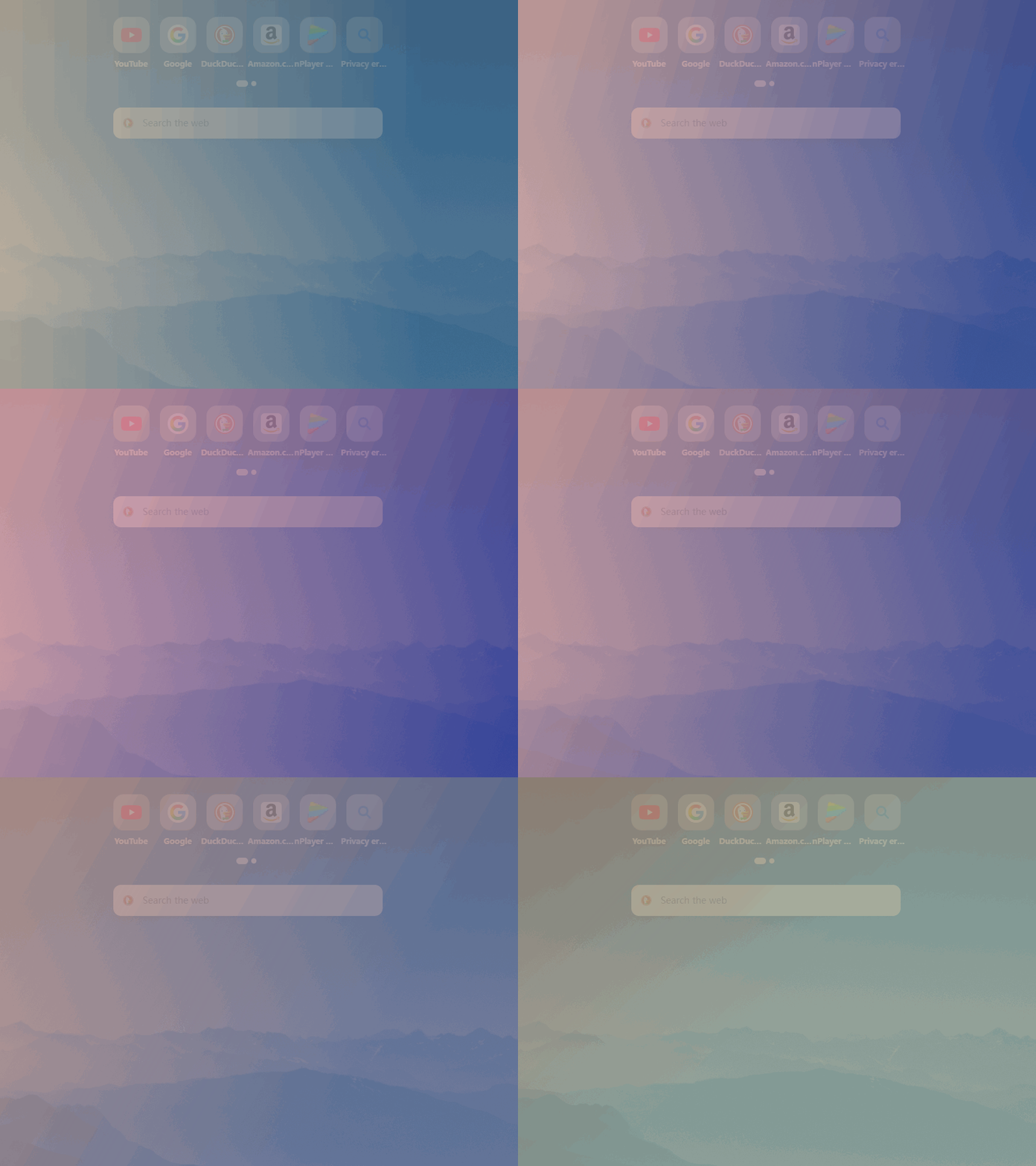
完整源码
#ifndef GRADIENTWIDGET_H
#define GRADIENTWIDGET_H

#include <QWidget>
#include <QColor>
#include <QPointF>

class QTimer;
class QParallelAnimationGroup;

class GradientWidget : public QWidget
{
	Q_OBJECT
		Q_PROPERTY(QColor startColor READ startColor WRITE setStartColor)
		Q_PROPERTY(QColor endColor READ endColor WRITE setEndColor)
		Q_PROPERTY(QPointF startPoint READ startPoint WRITE setStartPoint)
		Q_PROPERTY(QPointF endPoint READ endPoint WRITE setEndPoint)

public:
	GradientWidget(QWidget* parent = nullptr);
	~GradientWidget();

	QColor startColor() const;
	QColor endColor() const;
	QPointF startPoint() const;
	QPointF endPoint() const;

public slots:
	void setStartColor(const QColor& color);
	void setEndColor(const QColor& color);
	void setStartPoint(const QPointF& point);
	void setEndPoint(const QPointF& point);

protected:
	void paintEvent(QPaintEvent* event) override;
	void resizeEvent(QResizeEvent* event) override;
	// 添加鼠标事件以实现无边框窗口拖动
	void mousePressEvent(QMouseEvent* event) override;
	void mouseMoveEvent(QMouseEvent* event) override;

private slots:
	void updateAnimation();

private:
	QColor getRandomSoftColor();
	QPointF getRandomPointOnEdge();

	QTimer* m_timer;
	QParallelAnimationGroup* m_animationGroup;

	QColor m_startColor;
	QColor m_endColor;
	QPointF m_startPoint;
	QPointF m_endPoint;

	// 用于窗口拖动的成员变量
	QPoint m_dragPosition;
};

#endif // GRADIENTWIDGET_H
#include "gradientwidget.h"
#include <QPainter>
#include <QLinearGradient>
#include <QPaintEvent>
#include <QMouseEvent>
#include <QTimer>
#include <QRandomGenerator>
#include <QPropertyAnimation>
#include <QParallelAnimationGroup>
#include <QEasingCurve>

GradientWidget::GradientWidget(QWidget* parent)
    : QWidget(parent)
{
    // --- 新增:为半透明和无边框进行设置 ---
    setWindowFlags(Qt::FramelessWindowHint);
    setAttribute(Qt::WA_TranslucentBackground, true);

    // 初始化颜色和渐变点
    m_startColor = getRandomSoftColor();
    m_endColor = getRandomSoftColor();
    m_startPoint = getRandomPointOnEdge();
    m_endPoint = getRandomPointOnEdge();

    // 创建动画组
    m_animationGroup = new QParallelAnimationGroup(this);

    // 为四个属性创建动画
    auto setupAnimation = [this](const QByteArray& propertyName)
    {
        QPropertyAnimation* anim = new QPropertyAnimation(this, propertyName, this);
        anim->setDuration(5000); // 延长动画时间,让变化更柔和
        anim->setEasingCurve(QEasingCurve::InOutSine);
        m_animationGroup->addAnimation(anim);
        return anim;
    };

    setupAnimation("startColor");
    setupAnimation("endColor");
    setupAnimation("startPoint");
    setupAnimation("endPoint");

    // 创建定时器
    m_timer = new QTimer(this);
    connect(m_timer, &QTimer::timeout, this, &GradientWidget::updateAnimation);
    m_timer->start(4500); // 时间比动画时长略短,实现无缝连接

    updateAnimation(); // 立即开始第一次动画
}

GradientWidget::~GradientWidget() {}

void GradientWidget::paintEvent(QPaintEvent* event)
{
    Q_UNUSED(event);
    QPainter painter(this);
    painter.setRenderHint(QPainter::Antialiasing);

    // 注意:由于设置了WA_TranslucentBackground,我们不需要手动清除背景
    // 直接绘制带Alpha通道的渐变即可
    QLinearGradient gradient(m_startPoint, m_endPoint);
    gradient.setColorAt(0, m_startColor);
    gradient.setColorAt(1, m_endColor);
    painter.fillRect(rect(), gradient);
}

void GradientWidget::resizeEvent(QResizeEvent* event)
{
    updateAnimation();
    QWidget::resizeEvent(event);
}

// --- 新增:鼠标事件处理 ---
void GradientWidget::mousePressEvent(QMouseEvent* event)
{
    if (event->button() == Qt::LeftButton)
    {
        m_dragPosition = event->globalPos() - frameGeometry().topLeft();
        event->accept();
    }
}

void GradientWidget::mouseMoveEvent(QMouseEvent* event)
{
    if (event->buttons() & Qt::LeftButton)
    {
        move(event->globalPos() - m_dragPosition);
        event->accept();
    }
}

void GradientWidget::updateAnimation()
{
    m_animationGroup->stop();

    // 更新起始颜色动画的目标值
    auto startColorAnim = static_cast<QPropertyAnimation*>(m_animationGroup->animationAt(0));
    startColorAnim->setStartValue(m_startColor);
    startColorAnim->setEndValue(getRandomSoftColor()); // 使用新函数

    // 更新结束颜色动画的目标值
    auto endColorAnim = static_cast<QPropertyAnimation*>(m_animationGroup->animationAt(1));
    endColorAnim->setStartValue(m_endColor);
    endColorAnim->setEndValue(getRandomSoftColor()); // 使用新函数

    // 更新起始点动画的目标值
    auto startPointAnim = static_cast<QPropertyAnimation*>(m_animationGroup->animationAt(2));
    startPointAnim->setStartValue(m_startPoint);
    startPointAnim->setEndValue(getRandomPointOnEdge());

    // 更新结束点动画的目标值
    auto endPointAnim = static_cast<QPropertyAnimation*>(m_animationGroup->animationAt(3));
    endPointAnim->setStartValue(m_endPoint);
    endPointAnim->setEndValue(getRandomPointOnEdge());

    m_animationGroup->start();
}

/**
 * @brief 生成一个柔和的、半透明的随机颜色
 * RGB分量范围:60 ~ 230
 * Alpha分量固定:220 (约86%不透明度)
 */
QColor GradientWidget::getRandomSoftColor()
{
    int r = 60 + QRandomGenerator::global()->bounded(171); // 范围 60-230
    int g = 60 + QRandomGenerator::global()->bounded(171); // 范围 60-230
    int b = 60 + QRandomGenerator::global()->bounded(171); // 范围 60-230
    return QColor(r, g, b, 220); // 固定Alpha值
}


QPointF GradientWidget::getRandomPointOnEdge()
{
    if (width() == 0 || height() == 0) return QPointF(0, 0);
    int edge = QRandomGenerator::global()->bounded(4);
    switch (edge)
    {
    case 0: return QPointF(QRandomGenerator::global()->bounded(width()), 0); // Top
    case 1: return QPointF(width(), QRandomGenerator::global()->bounded(height())); // Right
    case 2: return QPointF(QRandomGenerator::global()->bounded(width()), height()); // Bottom
    case 3:
    default: return QPointF(0, QRandomGenerator::global()->bounded(height())); // Left
    }
}

// Getters and Setters
QColor GradientWidget::startColor() const { return m_startColor; }
QColor GradientWidget::endColor() const { return m_endColor; }
QPointF GradientWidget::startPoint() const { return m_startPoint; }
QPointF GradientWidget::endPoint() const { return m_endPoint; }

void GradientWidget::setStartColor(const QColor& color)
{
    m_startColor = color;
    update();
}

void GradientWidget::setEndColor(const QColor& color)
{
    m_endColor = color;
    update();
}

void GradientWidget::setStartPoint(const QPointF& point)
{
    m_startPoint = point;
    update();
}

void GradientWidget::setEndPoint(const QPointF& point)
{
    m_endPoint = point;
    update();
}
main.cpp
include "gradientwidget.h"
#include <QApplication>

int main(int argc, char* argv[])
{
	QApplication a(argc, argv);
	GradientWidget w;
	w.setWindowTitle("Dynamic Gradient Background");
	w.resize(800, 600);
	w.show();
	return a.exec();
}


 浙公网安备 33010602011771号