
6 个你绝对想不到但超好用的 CSS 小技巧
背景
在学习 CSS 时,你可能会忽略一些鲜为人知但实用的功能。下面介绍 几 个 CSS 小技巧,从背景聚焦效果到宽高比控制,让你的页面设计更灵活、更具视觉冲击力!
1. 父元素聚焦效果::focus-within
功能介绍:
当一个表单输入框获得焦点时,使用 :focus-within 可以让包含这个输入框的父元素也发生样式变化(例如改变背景色),以便用户更直观地知道当前正在操作哪个区域。
示例代码:
<style>
  .form-block {
    padding: 10px;
  }

  /* 当 .form-block 内有元素聚焦时,改变背景颜色 */
  .form-block:focus-within {
    background: red;
  }
</style>

<form>
  <div class="form-block">
    <span>姓名</span>
    <input data-required type="text" />
  </div>
  <div class="form-block">
    <span>年龄</span>
    <input type="text" />
  </div>
</form>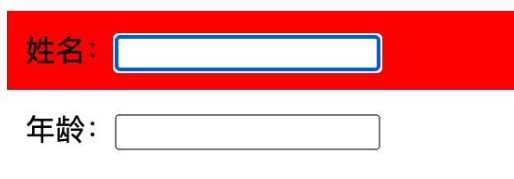
2. 自动标记必填项:使用 :has
功能介绍:
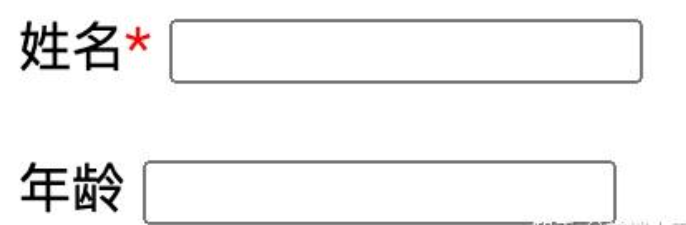
在表单中,为必填项的标签后自动添加红色星号,可以用 CSS 的 :has 伪类实现。这样做可以减少手动添加星号的繁琐工作。
示例代码:
/* 对于紧接着带有 data-required 属性的 input,自动在 span 后添加 "*" */
.form-block span:has(+ input[data-required])::after {
  content: "*";
  color: red;
}
3. 文章首字母下沉效果:使用 ::first-letter
功能介绍:
通过 ::first-letter 伪元素,可以为文章的首字母设置特殊样式(如增大、上浮等),实现杂志排版中常见的首字母下沉效果,让排版更有设计感。
示例代码:
<style>
  .content::first-letter {
    font-size: 4em;
    text-transform: uppercase;
    float: left;
    line-height: 1;
    margin-right: 10px;
  }
</style>

<div class="content">
  She lit the third match and an even more wonderful thing happened. There
  stood a Christmas tree hung with hundreds of candles, glittering with
  tinsel and colored balls. "Oh, how lovely!" exclaimed the little match
  seller, holding up the match. Then, the match burned her finger and
  flickered out.
</div>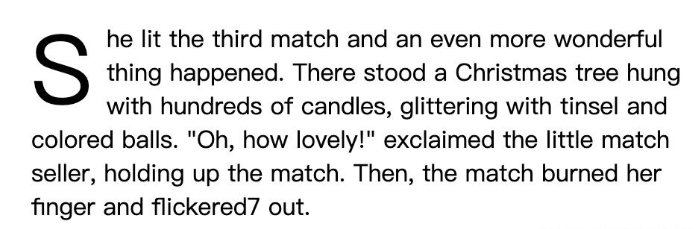
4. 自适应内容宽度:使用 fit-content
功能介绍:fit-content 属性可以使一个块级元素在保持块元素特性的同时,根据内容自适应宽度,避免宽度浪费空间。
示例代码:
<style>
  div {
    background-color: #8ca0ff;
    margin: 10px 0;
  }
  .fit-content {
    width: fit-content;
  }
</style>

<div class="fit-content">Text have fit-content.</div>
<div>Text don't have fit-content.</div>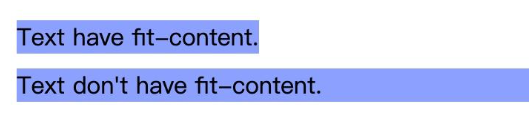
5. 动态计算高度:使用 calc()
功能介绍:
利用 calc() 函数,可以在 CSS 中动态计算长度值。例如,在一个容器中,将剩余高度自动分配给某个元素,避免手动计算。
示例代码:
<style>
  .container {
    height: 400px;
    border: 1px solid red;
  }
  .one {
    height: 100px;
    background: red;
  }
  .two {
    background: blue;
    /* 剩余高度自动计算 */
    height: calc(100% - 100px);
  }
</style>

<div class="container">
  <div class="one"></div>
  <div class="two"></div>
</div>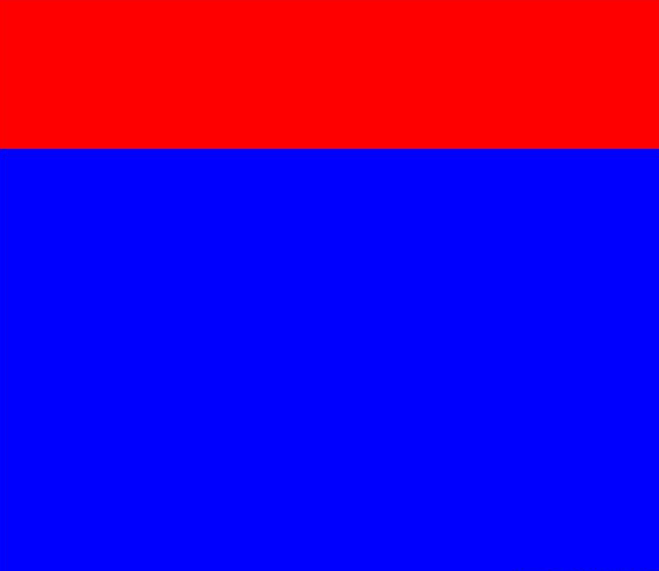
6. 保持宽高比例:使用 aspect-ratio
功能介绍:aspect-ratio 属性允许你轻松控制元素的宽高比,而不需要额外的 JavaScript 或繁琐的 CSS 调整。比如,可以让一个元素的高度是宽度的一半。
示例代码:
<style>
  .box {
    width: 100px;
    aspect-ratio: 1/2;
    background: red;
  }
</style>

<div class="box"></div>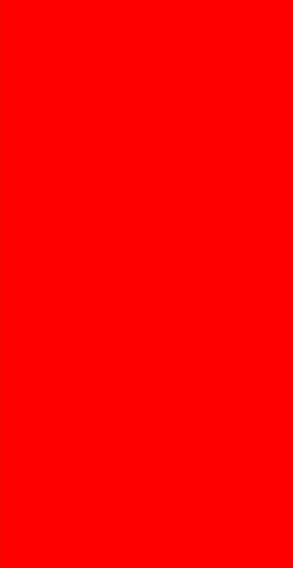
蓦然、回首,那人就在灯火阑珊处

 浙公网安备 33010602011771号