
大钱端_koa
KOA
nodejs 的进阶使用
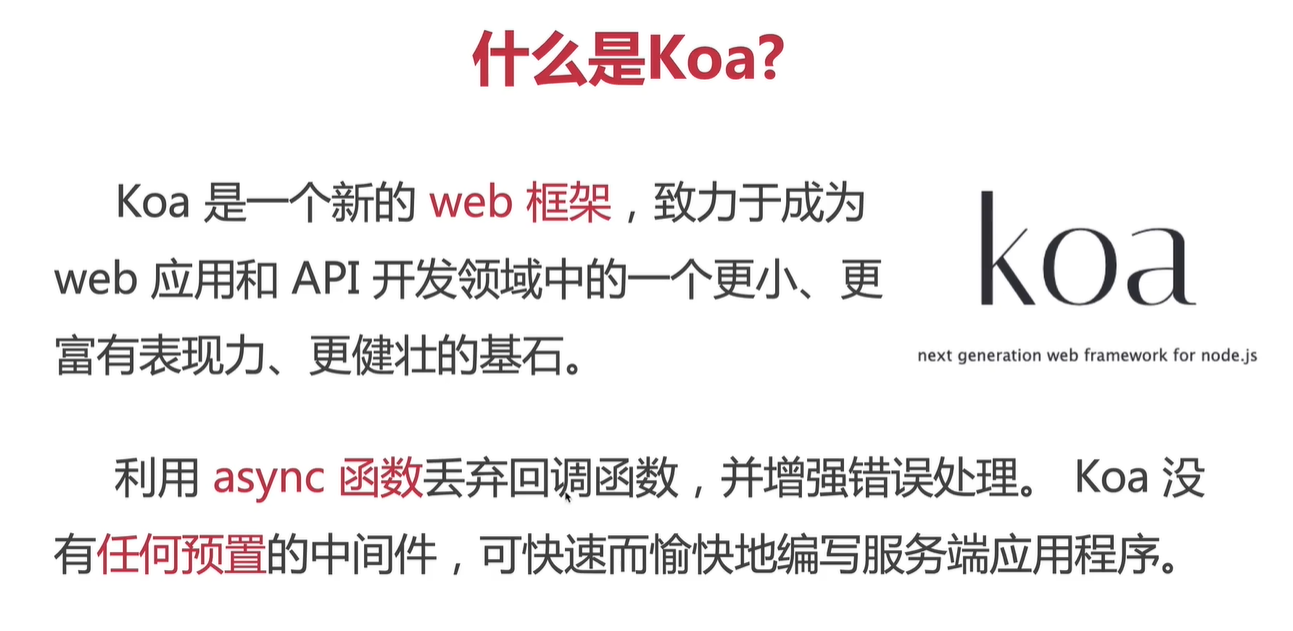
koa核心概念

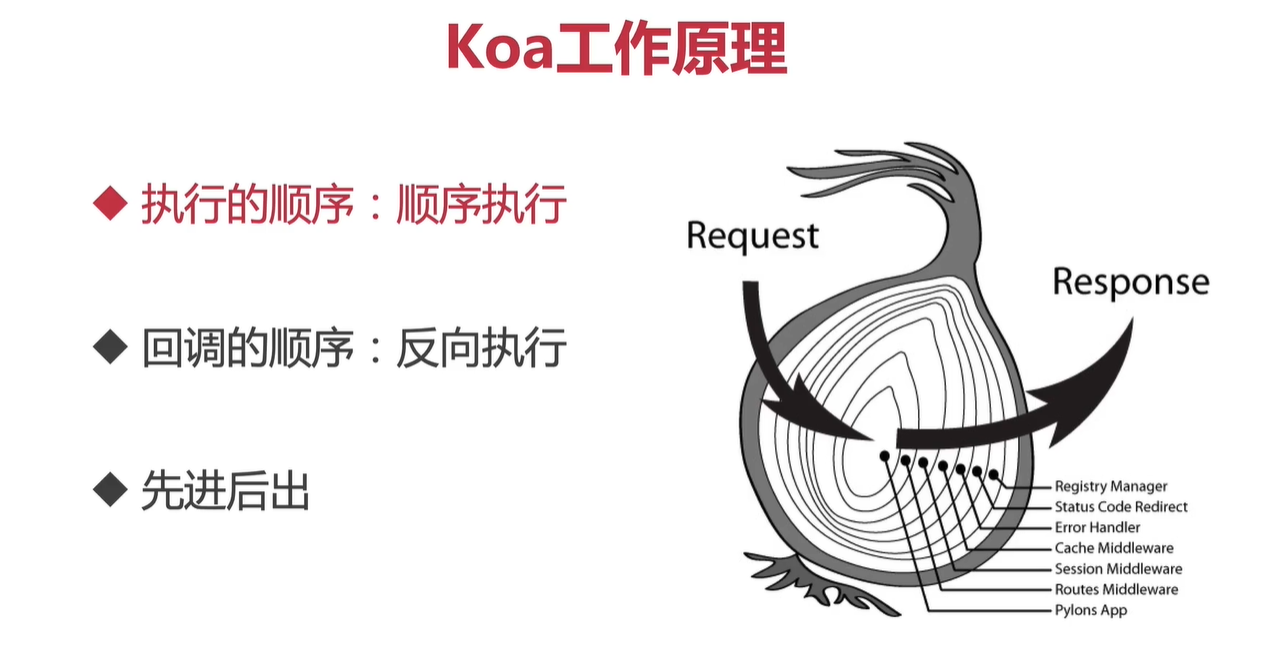
koa 工作原理
koa 中间件

-
koa-body
-
koa-router
-
koa-cors
-
koa-json json file look better
-
koa-combine-routers 路由压缩
Convenience middleware for composing multiple instances of koa-router. -
koa-static 静态资源压缩
Static file serving middleware for koa -
nodemon 开发过程中的热加载
Simple monitor script for use during development of a node.js app. -
webpack webpack-cli 支持es6语法
acks CommonJs/AMD modules for the browser. Allows to split your codebase into multiple bundles, which can be loaded on demand. Support loaders to preprocess files, i.e. json, jsx, es7, css, less, ... and your custom stuff. -
clean-webpack-plugin 编译前自动清除生成目录
-
webpack-node-externals
npm install -D webpack-node-externals -D开发模式npm install -D @babel/core @babel/node @babel/preset-env babel-loader cross-env -
webpack.config.js 配置
const path = require('path') const webpack = require('webpack') // 排除一些不会使用到的node模块 const nodeExternals = require('webpack-node-externals') const { CleanWebpackPlugin } = require('clean-webpack-plugin') const config = { target: "node", mode: "development", entry: { server: path.join(__dirname, "src/index.js") }, output: { filename: '[name].bundle.js', path: path.join(__dirname, "./dist") }, devtool: 'eval-source-map', module: { rules: [ { test: /\.{js|jsx}/, use: { loader: "babel-loader" }, exclude: [path.join(__dirname, "./node_modules")] } ] }, externals: [nodeExternals()], plugins: [ new CleanWebpackPlugin(), new webpack.DefinePlugin({ 'process.env': { NODE_ENV: (process.env.NODE_ENV === 'production' || process.env.NODE_ENV === 'prod') ? "'production'" : "'development'" } }) ], node: { console: true, global: true, process: true, Buffer: true, __filename: true, __dirname: true, setImmediate: true, path: true } } //调试webpack配置 console.log(config) module.exports = config -
调试webpack
npx node --insperk-brk ./node_modules/.bin/webpack --inline --progress chrome浏览器打开地址: chrome://inspect/#devices -
npm-check-updates
npm install -g npm-check-updates 检查更新 ncu 更新 ncu -u -
koa-compose 使用koa-compose 打包中间件
Compose Koa middleware const middleware = compose([ koaBody, statics(path.join(__dirname,"../public")), cors(), jsonUtil({ pretty:false , param:"pretty"}), helmet() ]) -
koa-compress
Compress middleware for Koa
webpack - DefinePlugin
The DefinePlugin allows you to create global constants which can be configured at compile time. This can be useful for allowing different behavior between development builds and production builds. If you perform logging in your development build but not in the production build you might use a global constant to determine whether logging takes place. That's where DefinePlugin shines, set it and forget it rules for development and production builds.
-
webpack-merge - Merge designed for Webpack
webpack-merge provides a
mergefunction that concatenates arrays and merges objects creating a new object. If functions are encountered, it will execute them, run the results through the algorithm, and then wrap the returned values within a function again.This behavior is particularly useful in configuring webpack although it has uses beyond it. Whenever you need to merge configuration objects, webpack-merge can come in handy.
There's also a webpack specific merge variant known as
merge.smartthat's able to take webpack specifics into account (i.e., it can flatten loader definitions).
webpack.config.prod.js 增加压缩插件
terser-webpack-plugin js压缩插件
const webpackMerge = require('webpack-merge')
const baseWebpackConfig = require('../webpack.config')

const terserWebpackPlugin = require('terser-webpack-plugin')

const webpackConfig = webpackMerge(baseWebpackConfig, {
  mode: 'production',
  stats: { children: false },
  optimization: {
    minimize: true,
    minimizer: [
      new TerserPlugin({
        terserOptions: {
          ecma: undefined,
          warnings: false,
          parse: {},
          compress: {},
          mangle: true, // Note `mangle.properties` is `false` by default.
          module: false,
          output: null,
          toplevel: false,
          nameCache: null,
          ie8: false,
          keep_classnames: undefined,
          keep_fnames: false,
          safari10: false,
        },
      }
      )],
  },

})


module.exports = webpackConfig
koa 打包应用优化
SplitChunksPlugin
Originally, chunks (and modules imported inside them) were connected by a parent-child relationship in the internal webpack graph. The CommonsChunkPlugin was used to avoid duplicated dependencies across them, but further optimizations were not possible.
Since webpack v4, the CommonsChunkPlugin was removed in favor of optimization.splitChunks.
module.exports = {
  //...
  optimization: {
    splitChunks: {
      cacheGroups: {
        commons: {
          test: /[\\/]node_modules[\\/]/,
          name: 'vendors',
          chunks: 'all'
        }
      }
    }
  }
};

 浙公网安备 33010602011771号