
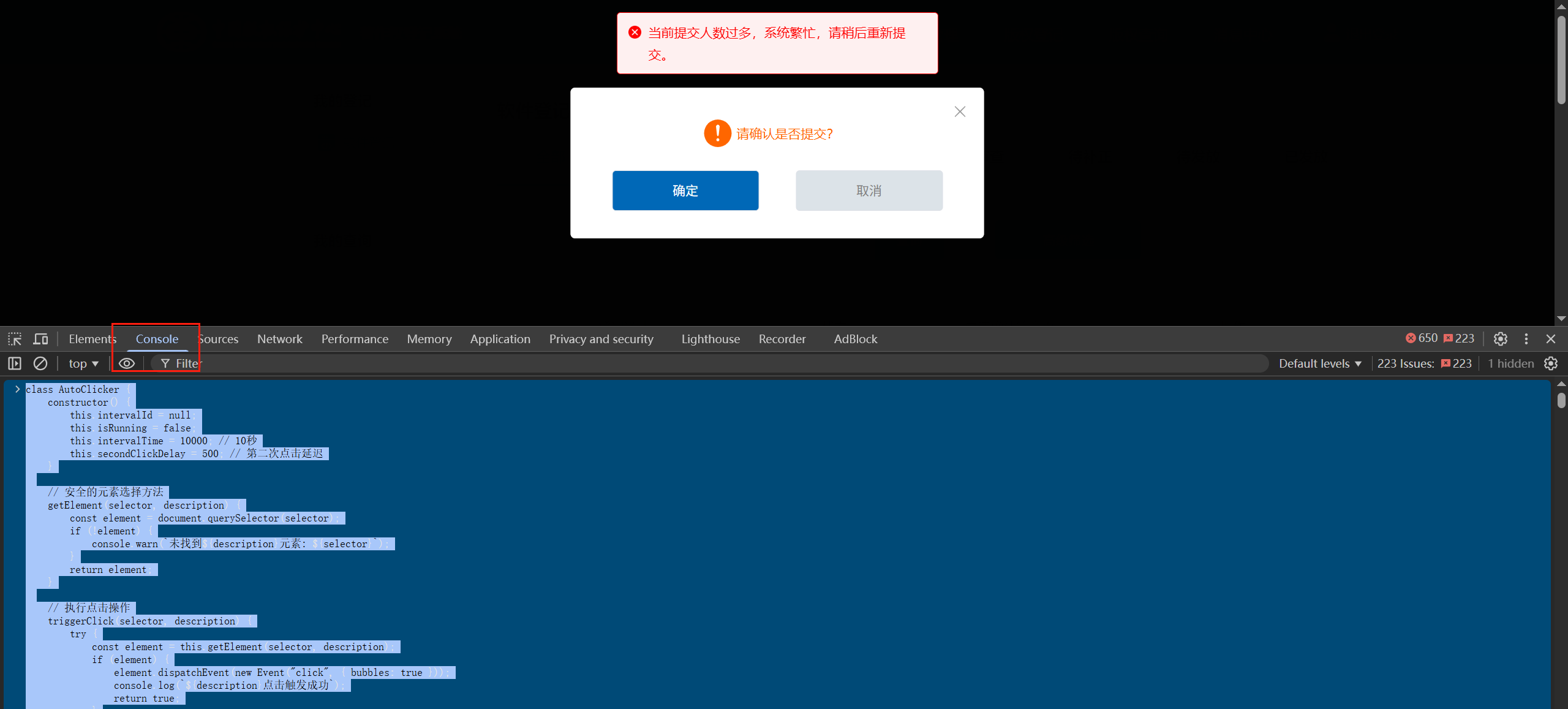
中国版权保护中心-软件著作权申请提交一直提示“当前提交人数过多,系统繁忙,请稍后重试”
class AutoClicker {
    constructor() {
        this.intervalId = null;
        this.isRunning = false;
        this.intervalTime = 10000; // 10秒
        this.secondClickDelay = 500; // 第二次点击延迟
    }

    // 安全的元素选择方法
    getElement(selector, description) {
        const element = document.querySelector(selector);
        if (!element) {
            console.warn(`未找到${description}元素: ${selector}`);
        }
        return element;
    }

    // 执行点击操作
    triggerClick(selector, description) {
        try {
            const element = this.getElement(selector, description);
            if (element) {
                element.dispatchEvent(new Event("click", { bubbles: true }));
                console.log(`${description}点击触发成功`);
                return true;
            }
            return false;
        } catch (error) {
            console.error(`${description}点击出错:`, error);
            return false;
        }
    }

    // 主执行逻辑
    executeClicks() {
        if (!this.isRunning) return;

        console.log(`[${new Date().toLocaleTimeString()}] 开始执行点击序列`);

        // 第一次点击
        const firstClickSuccess = this.triggerClick(
            "#app > div.account_container > div > div.account_right > div.account_right_list > div.account_list > ul.account_list_content.opus_query.g_clearfix.soft_register > li:nth-child(1) > div.option > button:nth-child(2)",
            "主按钮"
        );

        // 只有第一次点击成功才执行第二次点击
        if (firstClickSuccess) {
            setTimeout(() => {
                this.triggerClick(
                    "body > div.carousel.carouselFixed > div > div > div.hd-msg-box-footer > button.hd-btn.blue.medium",
                    "弹窗确认按钮"
                );
            }, this.secondClickDelay);
        }
    }

    // 启动定时器
    start() {
        if (this.isRunning) {
            console.log("定时器已经在运行中");
            return;
        }

        this.isRunning = true;
        console.log("自动点击器启动");

        // 立即执行一次
        this.executeClicks();

        // 设置定时执行
        this.intervalId = setInterval(() => {
            this.executeClicks();
        }, this.intervalTime);
    }

    // 停止定时器
    stop() {
        this.isRunning = false;
        if (this.intervalId) {
            clearInterval(this.intervalId);
            this.intervalId = null;
            console.log("自动点击器已停止");
        }
    }

    // 重置定时器
    restart(newIntervalTime = null) {
        this.stop();
        if (newIntervalTime) {
            this.intervalTime = newIntervalTime;
        }
        setTimeout(() => this.start(), 100);
    }
}

// 使用示例
const clicker = new AutoClicker();

// 启动自动点击
clicker.start();

// 如果需要停止,可以调用:
// clicker.stop();

// 如果需要重新启动并修改间隔时间(比如改为15秒):
// clicker.restart(15000);
把上述代码粘贴到console,直接回车

 浙公网安备 33010602011771号