
使用mqtt.fx与onenet服务器模拟通讯
设备与onenet服务器之间的通讯
1. 登录onenet平台
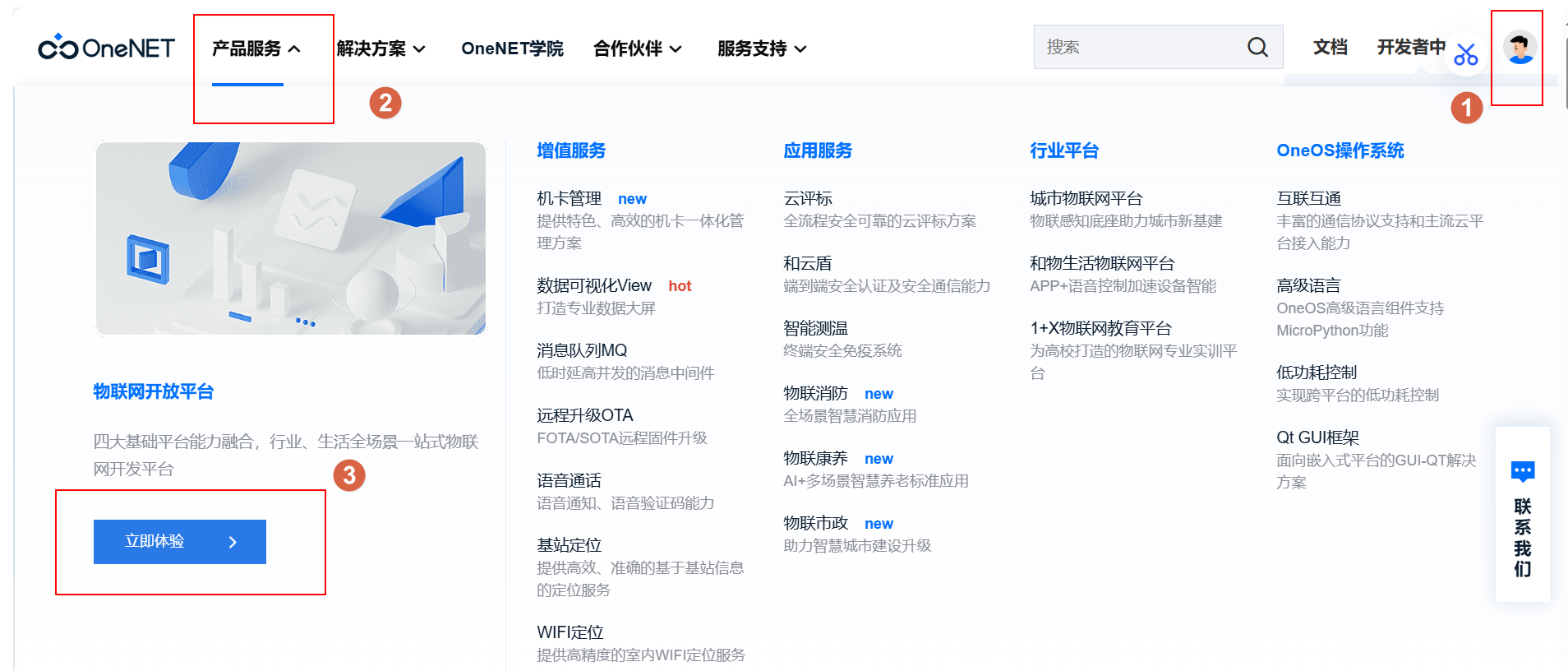
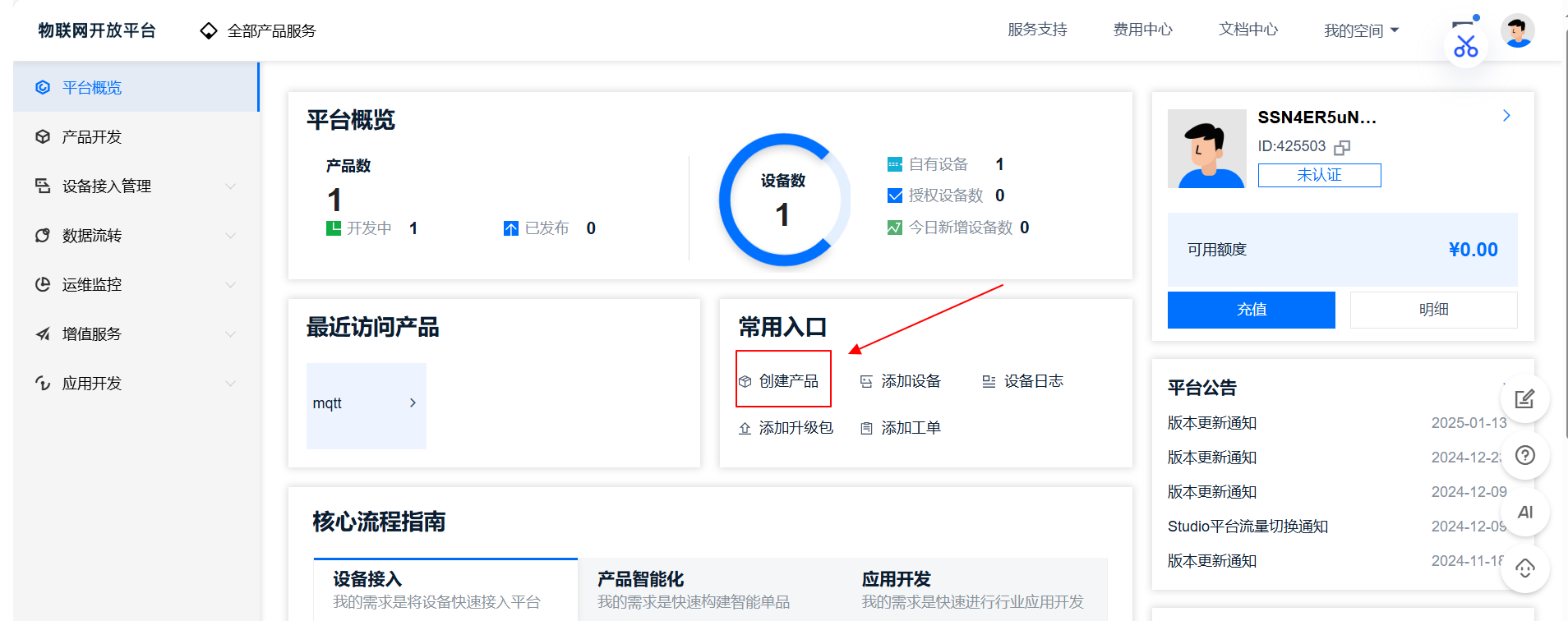
2.创建产品
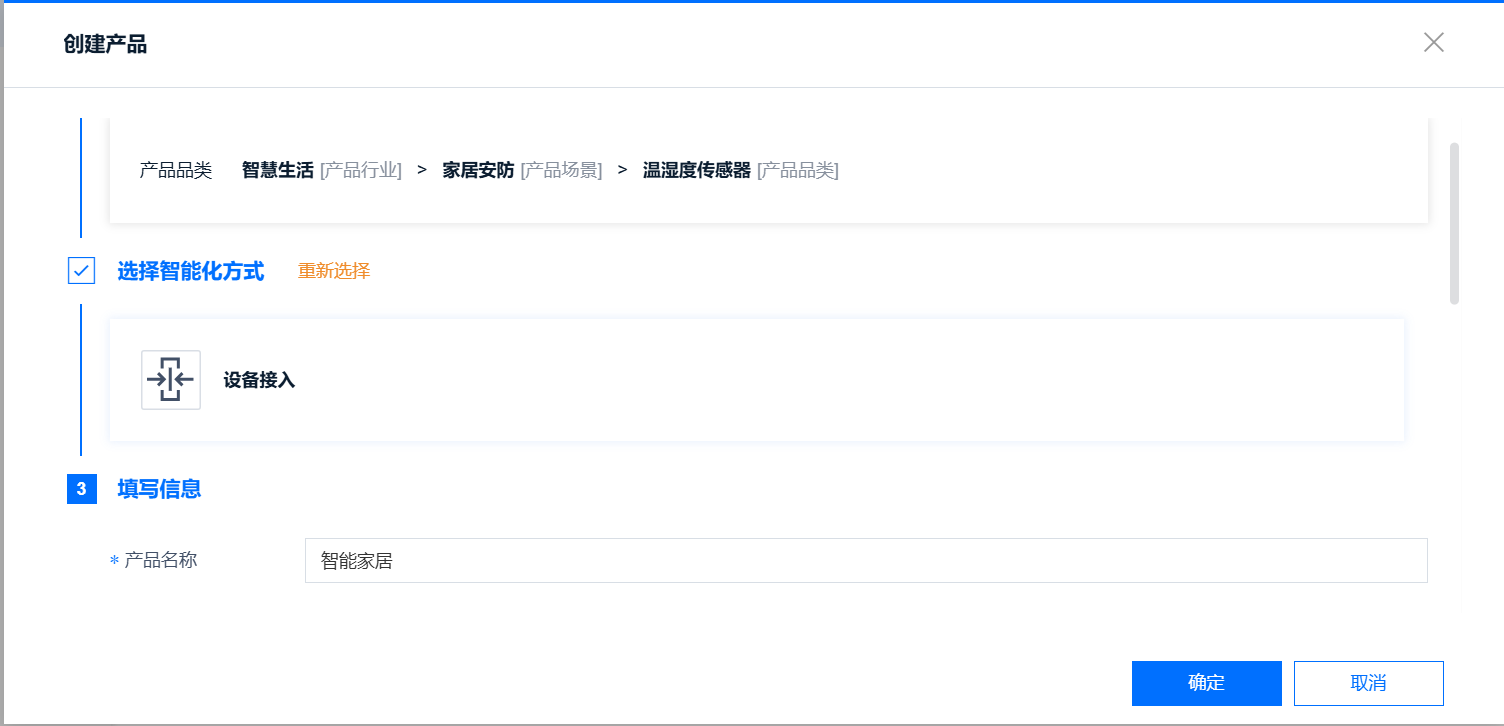
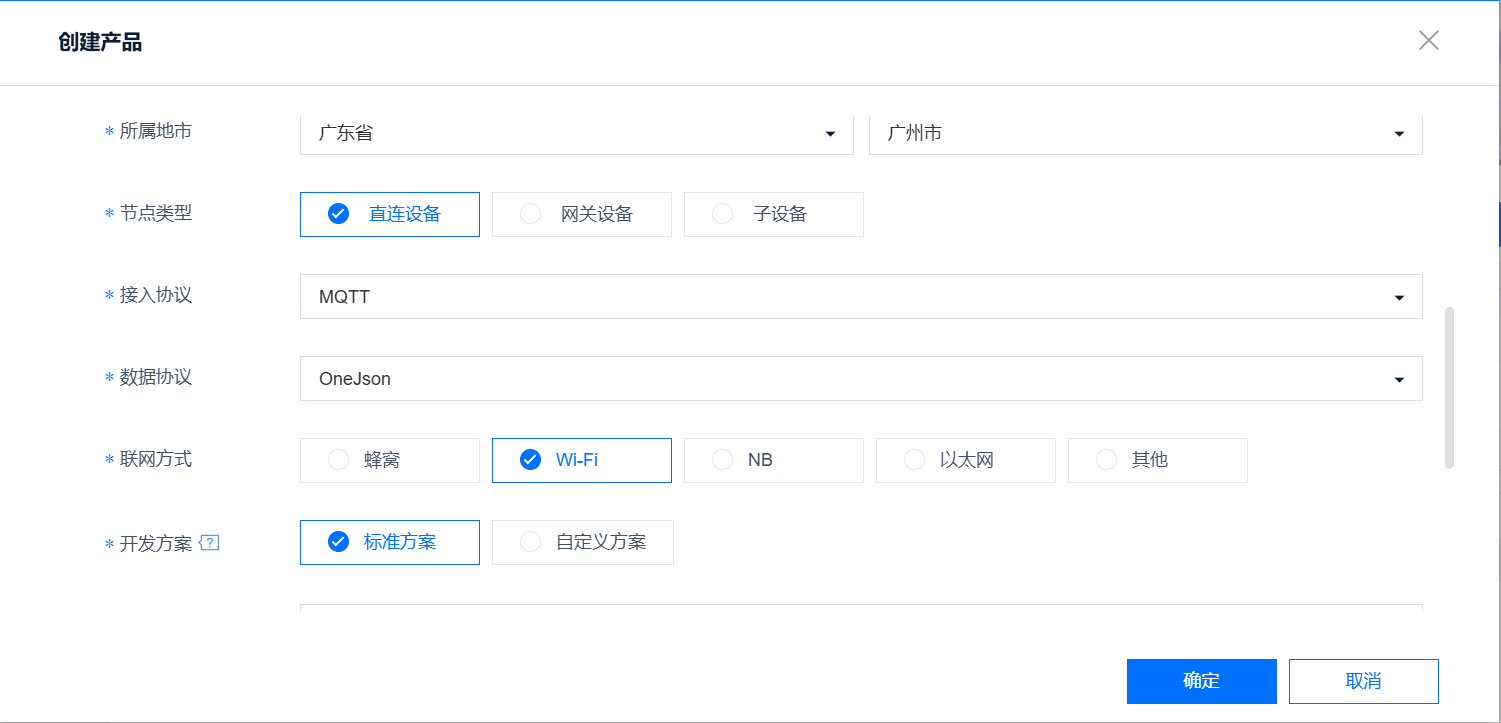
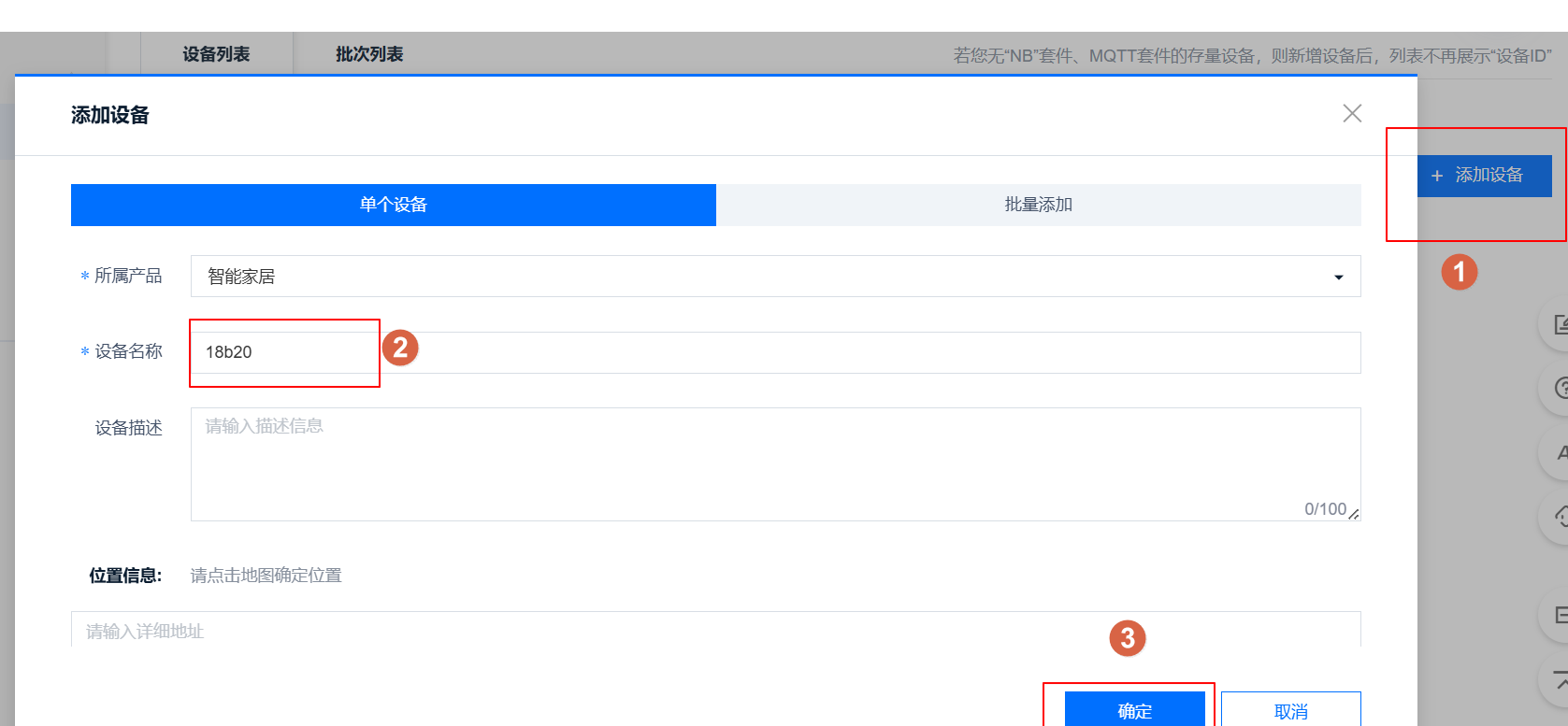
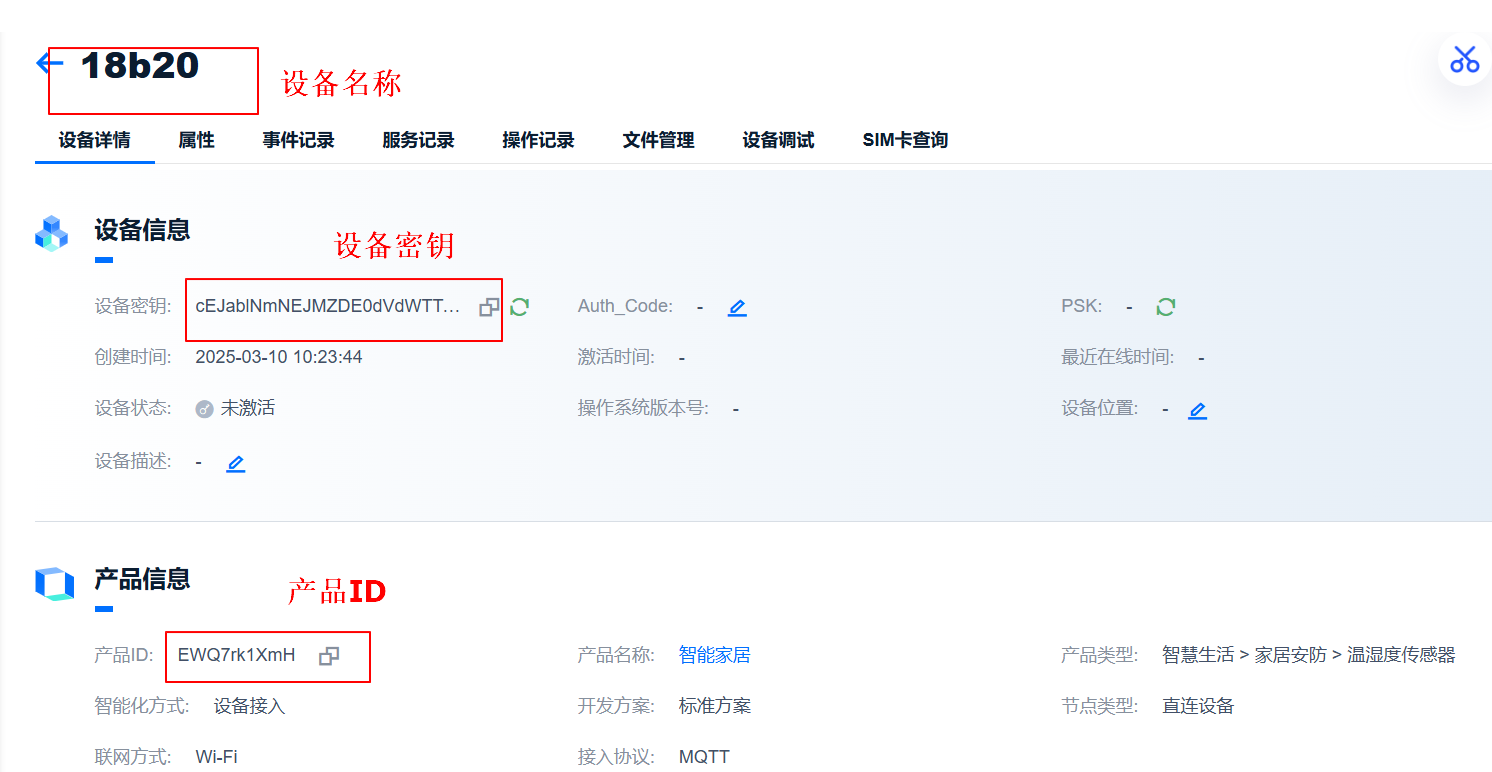
3.设备管理
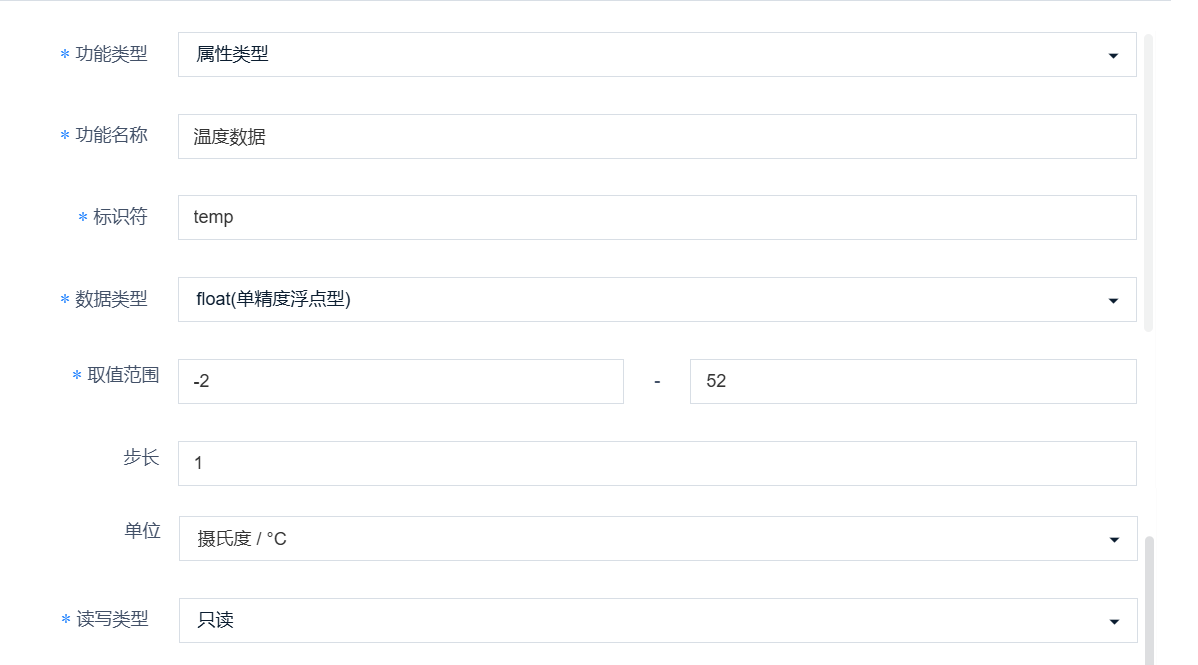
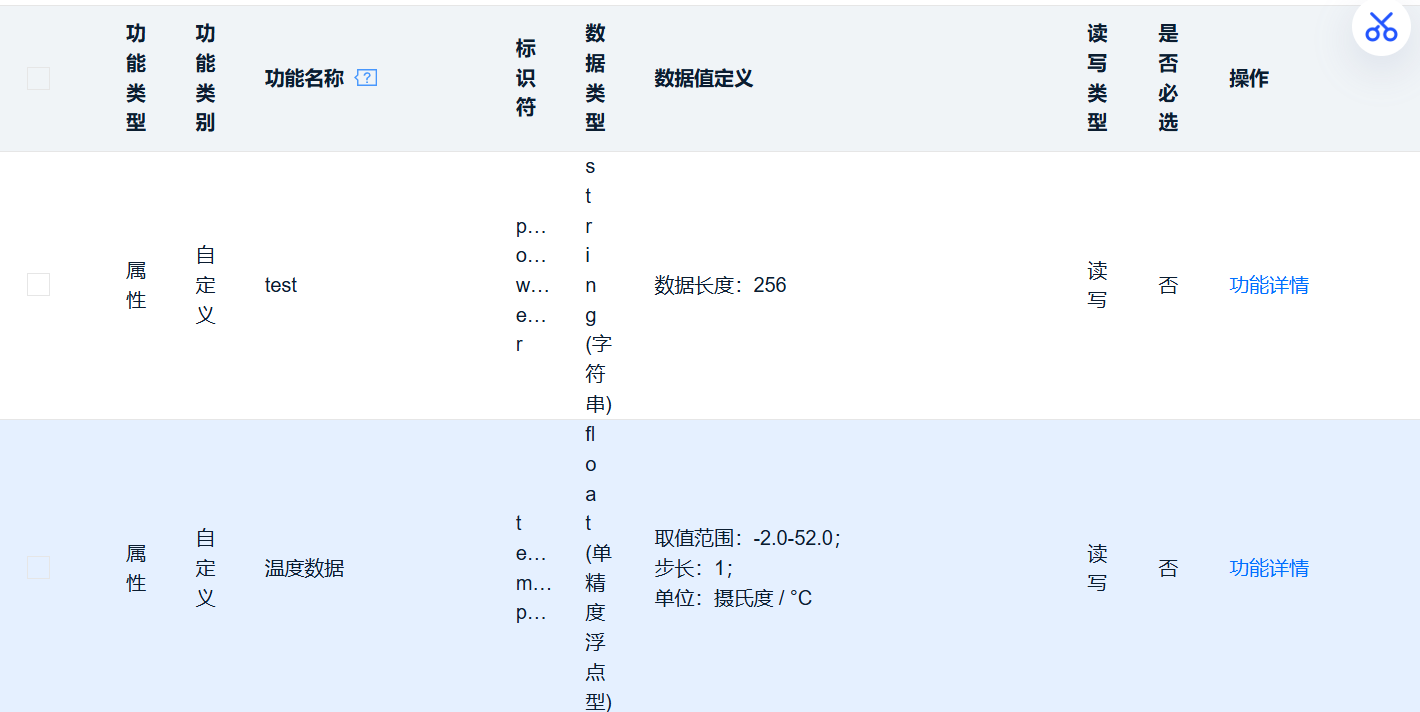
1)创建两个进行测试功能



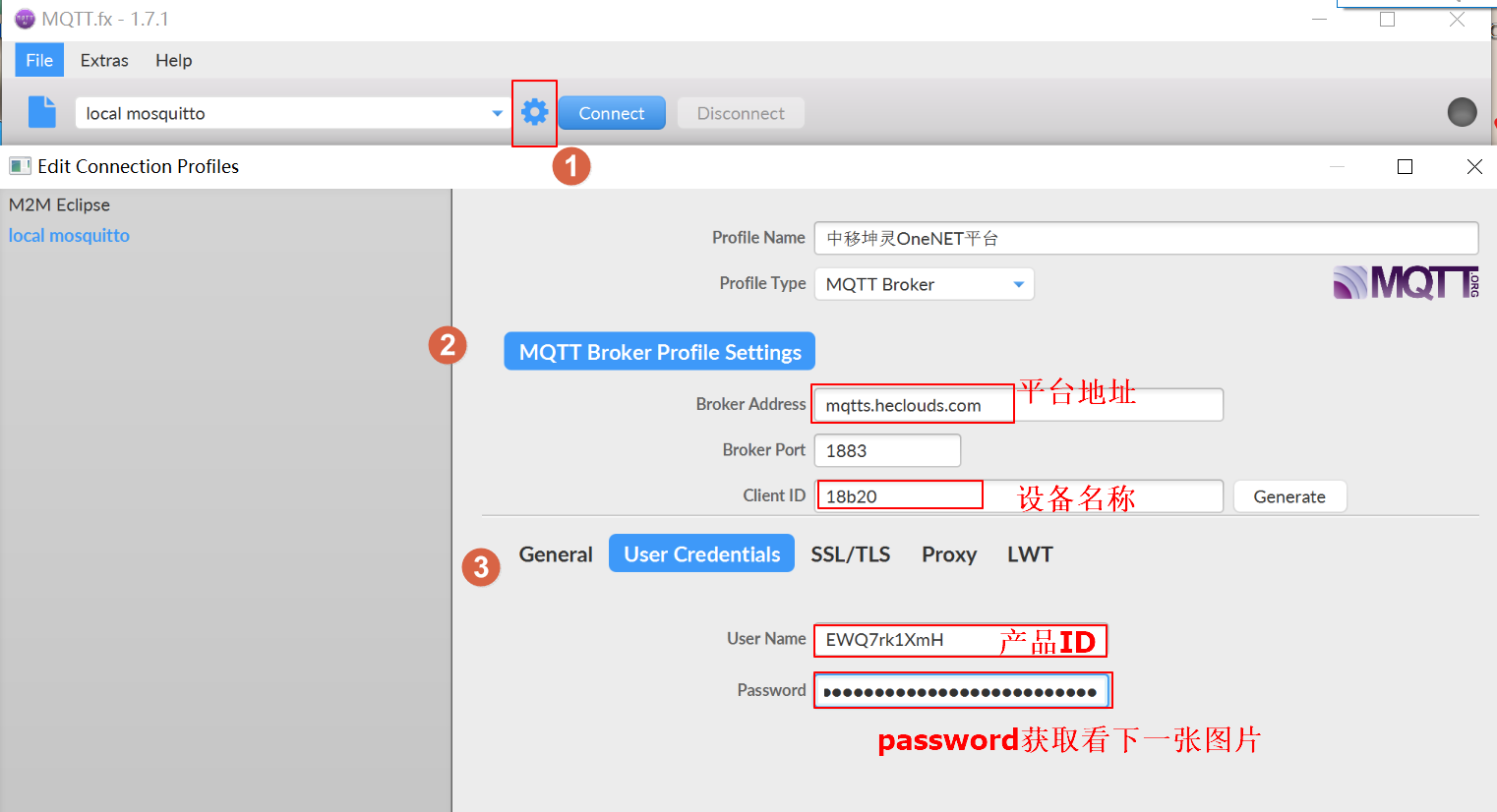
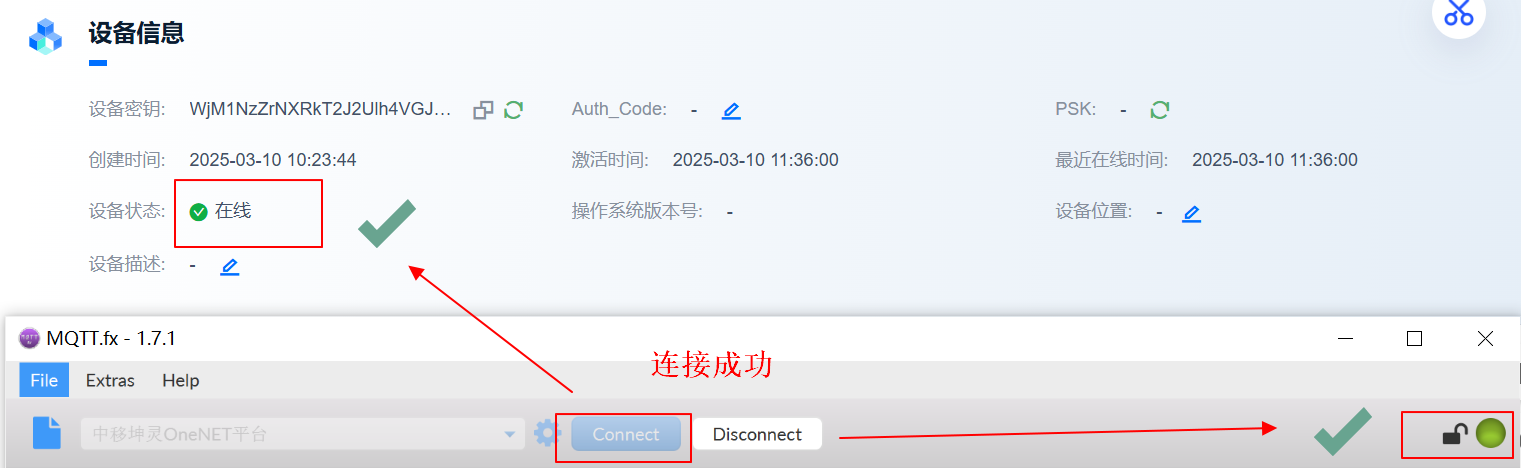
4.MQTTfx测试
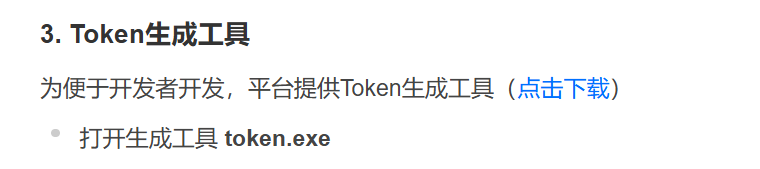
password计算工具官网下载:OneNET - 中国移动物联网开放平台
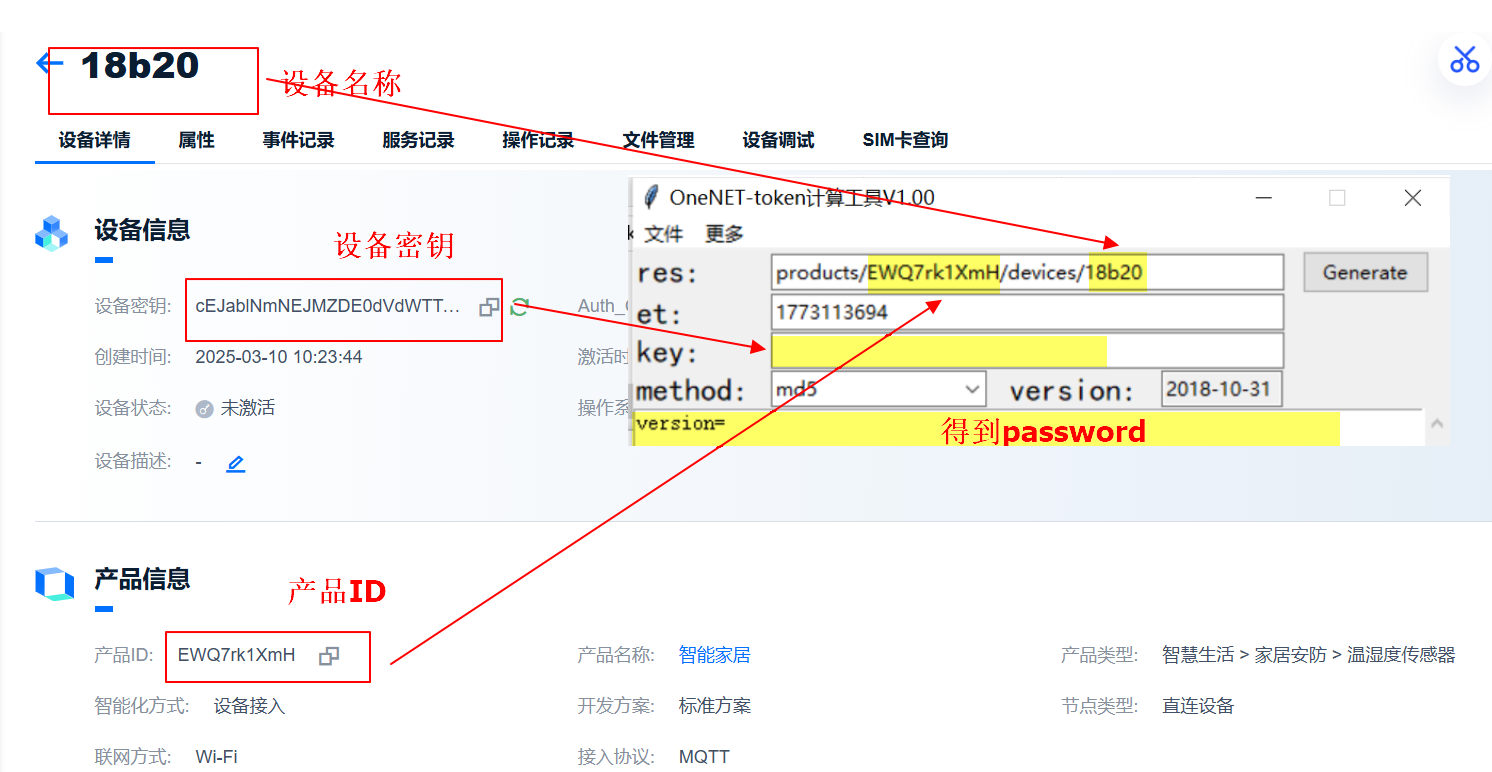
图中et为token生成的password的过期时间,需要转换为时间戳再进行填写,转换工具链接如下:https://tool.lu/timestamp/
!!!!注意:转换的时间戳必须是当前时间之后的时间或者日期
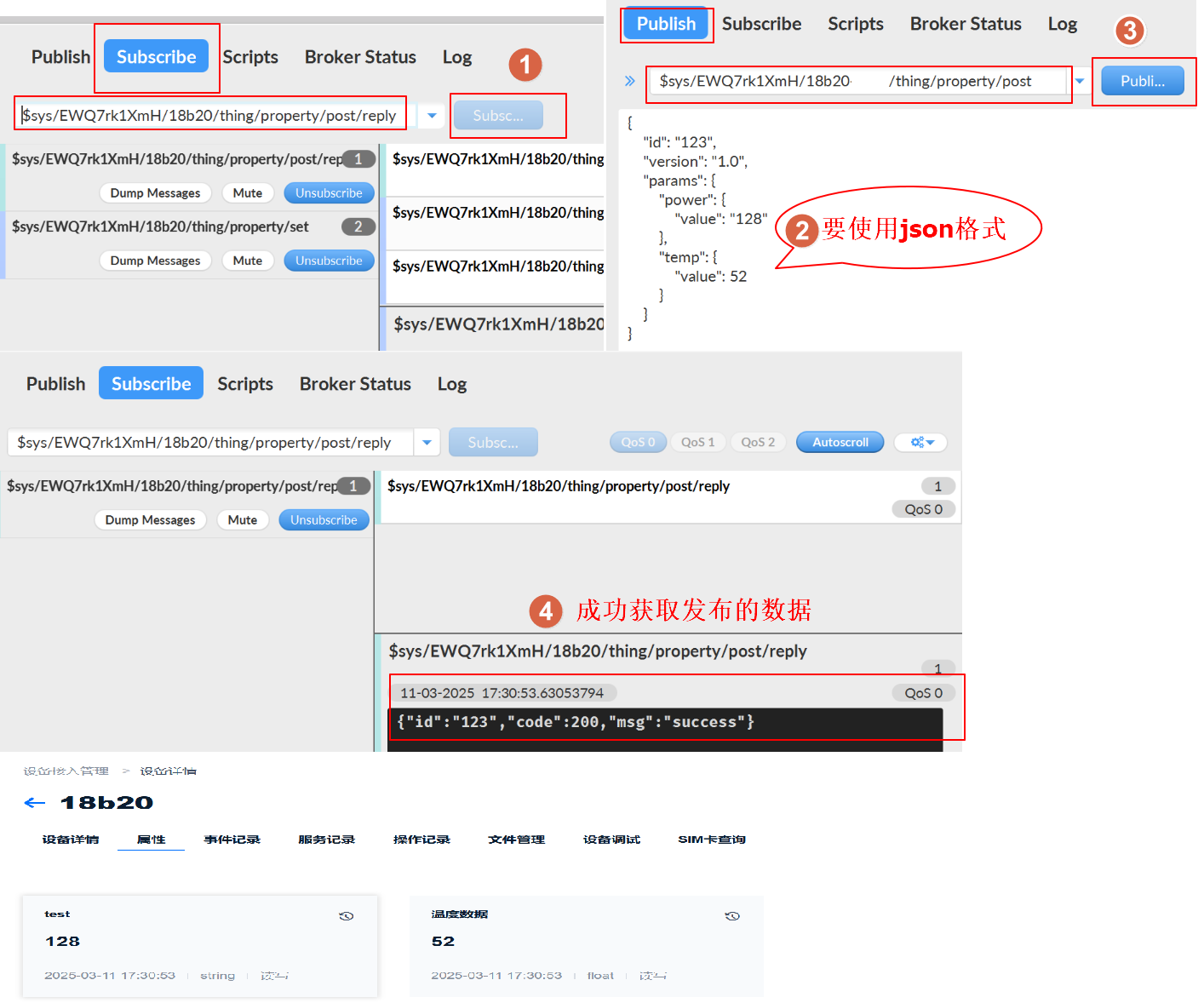
1)订阅属性上报结果通知消息
Subscribe的topic:
$sys/改成自己的产品ID/改成自己的设备名称/thing/property/post/reply
publish的topic:
$sys/改成自己的产品ID/改成自己的设备名称/thing/property/post
{
    "id": "123",			//消息id号,用户自定义,String类型的数字,长度限制13位。
    "version": "1.0",		//物模型版本号,可选字段,不填默认为1.0
    "params": {				//请求参数,用户自定义,标准json格式。
        "power": {
            "value": "128"
        },
        "temp": {
            "value": 52
        }
    }
}
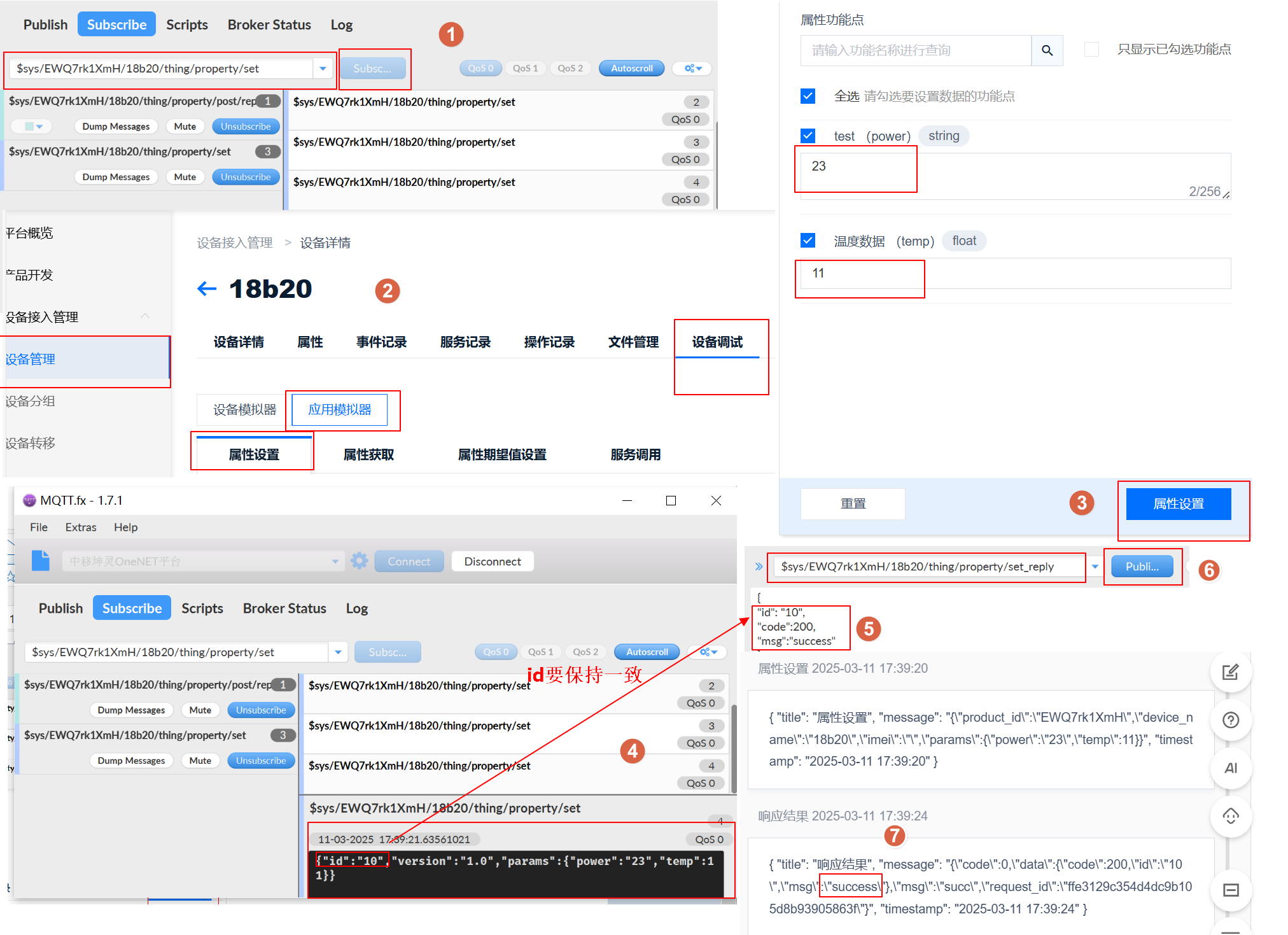
2)设备侧需要收到平台下发的数据,需要订阅
Subscribe的topic:
$sys/改成自己的产品ID/改成自己的设备名称/thing/property/set
publish的topic(已不使用):
$sys/改成自己的产品ID/改成自己的设备名称/thing/property/set_reply
2026.4.1onenet文档中心中可查看其topic,修改如下:
publish的topic:
$sys/改成自己的产品ID/改成自己的设备名称/thing/sub/property/set_reply
{
"id": "10",
"code":200,
"msg":"success"
}
使用流程参考官网文档:OneNET - 中国移动物联网开放平台

 浙公网安备 33010602011771号