中文词频统计与词云生成
作业要求:https://edu.cnblogs.com/campus/gzcc/GZCC-16SE1/homework/2822
一. 下载一长篇中文小说。
下载了《都市愛情故事》
二. 从文件读取待分析文本,处理标点符号和格式符。
代码如下:
|
1
2
3
4
|
text=open('60380.txt',encoding='utf-8').read()
|
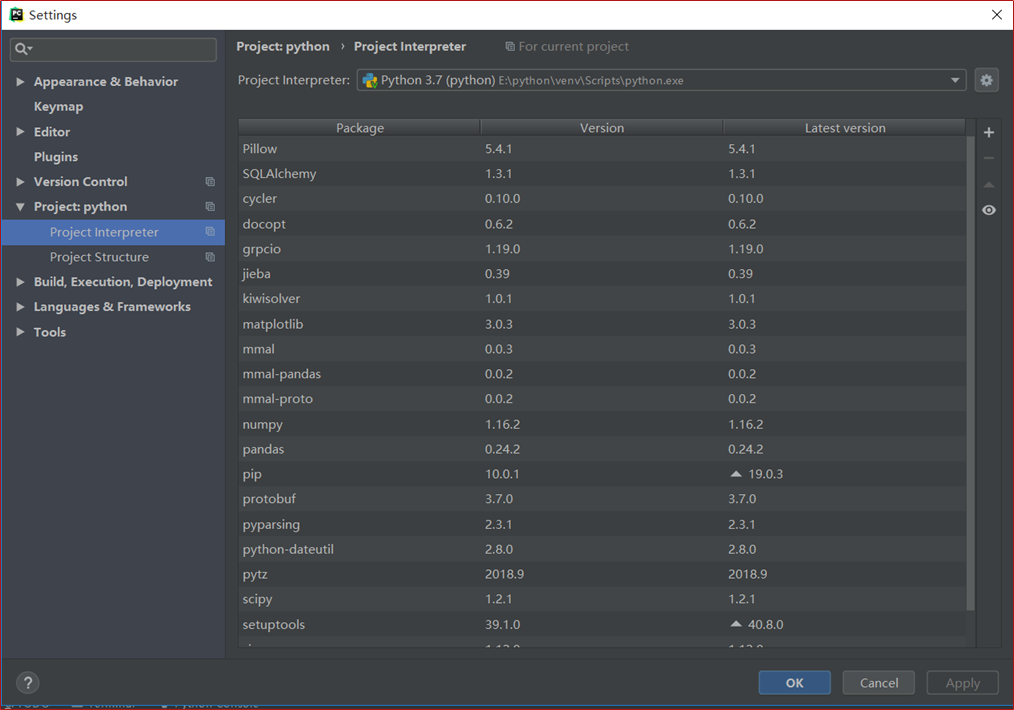
三. 安装并使用jieba进行中文分词。
安装图:
代码如下:
|
1
2
|
import jiebatext=jieba.lcut(text); |
四. 更新词库,加入所分析对象的专业词汇。
代码如下:
|
1
2
|
jieba.load_userdict('ci.txt')text=jieba.lcut(text); |
五. 生成词频统计
代码如下:
|
1
2
3
4
5
|
dict={}for i in tokens: if i not in dict: dict[i]=tokens.count(i)print(dict) |
六. 排序
代码如下:
|
1
2
|
word=list(dict.items())word.sort(key=lambda x: x[1], reverse=True) |
七. 排除语法型词汇,代词、冠词、连词等停用词。
代码如下:
|
1
2
|
# 去除词汇,代词、冠词、连词等停用词
tokens = [token for token in text if token not in stops] |
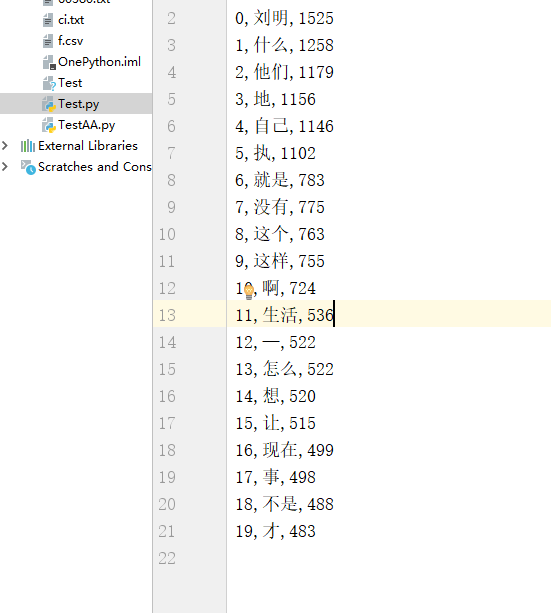
八. 输出词频最大TOP20,把结果存放到文件里
代码如下:
|
1
2
3
4
5
|
result=[]for i in range(20): result.append(word[i])pd.DataFrame(data=result).to_csv('f.csv',encoding='utf-8')print(result) |
文件图:
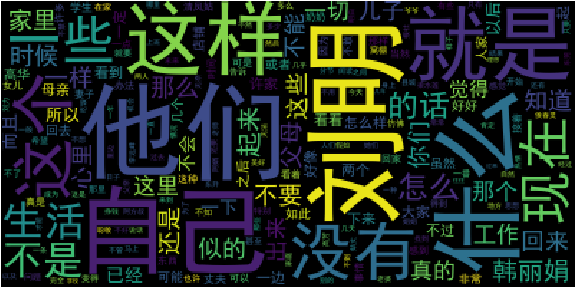
九. 生成词云。
词云图:
十. 总体代码。
代码如下:
|
1
2
3
4
5
6
7
8
9
10
11
12
13
14
15
16
17
18
19
20
21
22
23
24
25
26
27
28
29
30
31
32
33
34
35
36
37
38
39
40
41
42
|
import jiebaimport pandas as pdfrom wordcloud import WordCloudimport matplotlib.pyplot as plt# 读取文本文件,去除符号text=open('60380.txt',encoding='utf-8').read()
# 加入词库jieba.load_userdict('ci.txt')text=jieba.lcut(text);# 去除词汇,代词、冠词、连词等停用词# 去除词汇,代词、冠词、连词等停用词
tokens = [token for token in text if token not in stops]# 生成词汇统计字典dict={}for i in tokens: if i not in dict: dict[i]=tokens.count(i)print(dict)# 排序word=list(dict.items())word.sort(key=lambda x: x[1], reverse=True)# 输出词频最大TOP20,把结果存放到文件里result=[]for i in range(20): result.append(word[i])pd.DataFrame(data=result).to_csv('f.csv',encoding='utf-8')print(result)# 生成词云cut_text = " ".join(tokens)mywc = WordCloud(background_color='black').generate(cut_text)plt.imshow(mywc)plt.axis("off")plt.show() |

 浙公网安备 33010602011771号