


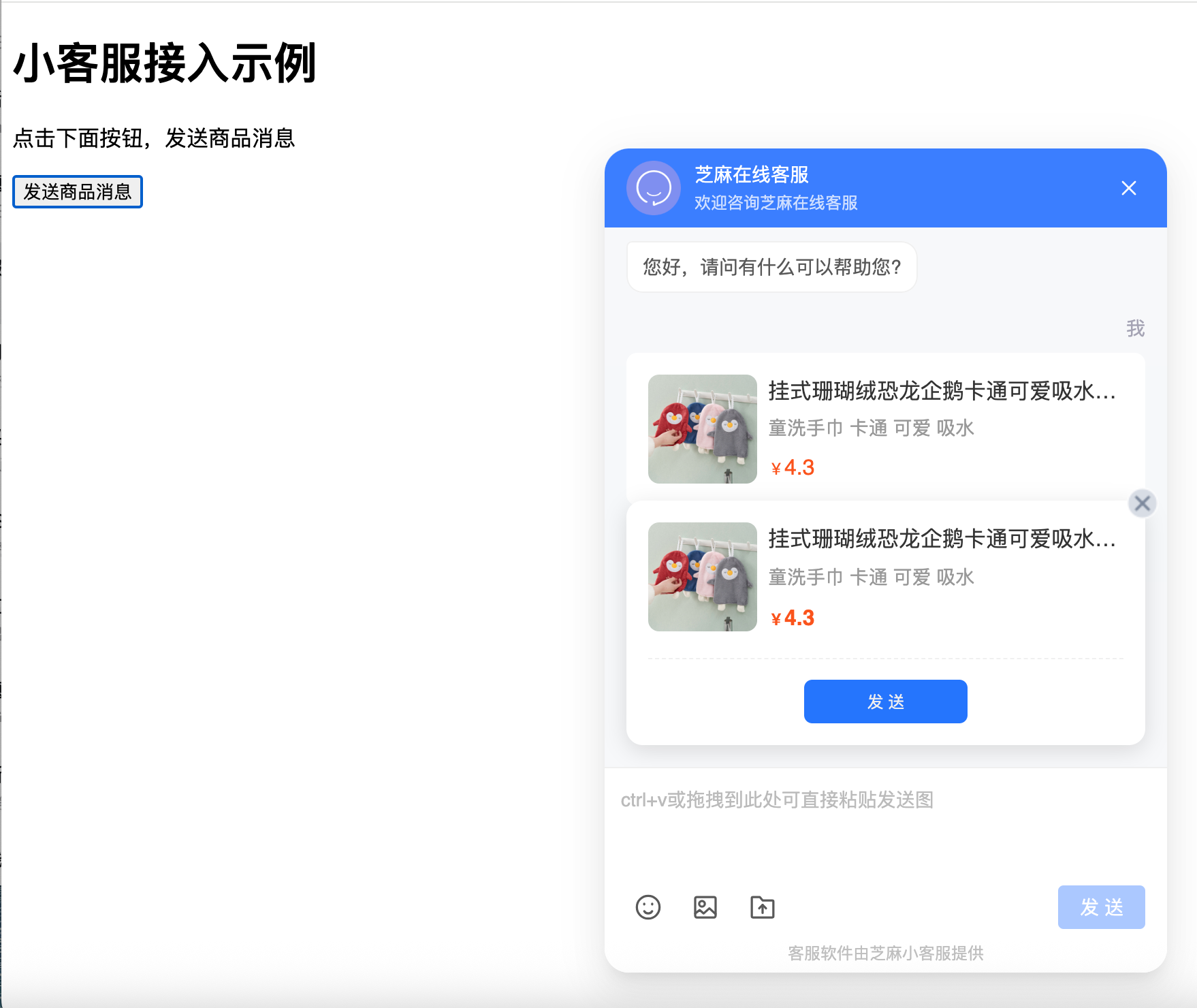
这个是完整的前端代码,效果图见上图
<!DOCTYPE html>
<html lang="zh-CN">
  <head>
    <meta charset="UTF-8" />
    <meta name="viewport" content="width=device-width, initial-scale=1.0" />
    <title>Document</title>
  </head>
  <body>
    <h1>小客服接入示例</h1>
    <p>点击下面按钮,发送商品消息</p>
    <button onclick="sendGoodsMsg()">发送商品消息</button>

    <script type="text/javascript">
      // 引入小客服接入脚本
      (function (z, h, i, m, a, j, s) {
        z[i] =
          z[m] ||
          function () {
            (z[m].a = z[m].a || []).push(arguments);
          };
        (j = h.createElement(i)), (s = h.getElementsByTagName(i)[0]);
        j.async = true;
        j.charset = 'UTF-8';
        j.setAttribute(
          'data-json',
          JSON.stringify({
            id: 11919,
            token: 'ea5353bbd1b130cfc23e0ff9ae3c9e09',
            image: '/static/home/img/logo_x120.png',
            customer: 0, // 控制是否显示客服图标,0为显示,1为不显示
            language: 'ZH', // 控制显示语言,ZH为中文,EN为英文
          })
        );
        j.id = 'xiaokefu_js';
        j.src =
          'https://pcjs.xiaokefu.com.cn/static/pc_Access/dist/pcAccess.js?version=' +
          parseInt(new Date().getTime() / 3600000);
        s.parentNode.insertBefore(j, s);
      })(window, document, 'script', '_xiaokefu');

      // 自动发送商品消息
      document.addEventListener('ZMReady', function (e) {
        console.log('小客服接入成功');
        // 延时200ms后发送商品消息
        setTimeout(function () {
          sendGoodsMsg();

          // 请求接口并发送商品消息
          // getGoodsInfo();
        }, 200);
      });

      // 发送消息函数
      function sendGoodsMsg() {
        window.ZM.open('graphicTemplate', {
          tmptype: 'goods',
          tmpTitle: '挂式珊瑚绒恐龙企鹅卡通可爱吸水儿童洗手巾',
          tmpDescription: '童洗手巾 卡通 可爱 吸水',
          tmpThumb:
            'https://xkf-upload-oss.xiaokefu.com.cn/static/img/preview-template.jpg',
          tmporderstaffurl: '',
          tmpValue: 4.3,
          tmpUrl: '',
          isauto: 0,
        });
      }

      // 示例:请求接口并发送商品消息
      function getGoodsInfo() {
        fetch('https://xxx.com/api/xxx')
          .then((response) => response.json())
          .then((data) => {
            console.log('接口返回数据:', data);
            // 假设拿到数据后发送商品消息
            sendGoodsMsg(data);
          })
          .catch((error) => {
            console.error('请求失败:', error);
          });
      }
    </script>
  </body>
</html>

 浙公网安备 33010602011771号