

UIDynamic-吸附-重力-碰撞-物理仿真动画
现实生活中:
运动场物理仿真器
跑步物理仿真行为
人==仿真元素
创建步骤:
1.创建物理仿真器,并且指定仿真范围
2.创建物理仿真行为,并且指定仿真元素
3.将物理仿真行为添加到仿真器中
Demo:
#pragma mark -懒加载,创建物理仿真器,并且指定仿真范围
- (UIDynamicAnimator*)dynamicAni
{
if(!_dynamicAni) {
// 1.创建物理仿真器,并且指定仿真范围
_dynamicAni= [[UIDynamicAnimator alloc] initWithReferenceView:self.view];
}
return_dynamicAni;
}
#pragma mark -点击屏幕响应事件
- (void)touchesBegan:(NSSet )touches withEvent:(UIEvent)event
{
//获取当前触摸手指,以及位置
//UITouch *touch = [touches anyObject];
//CGPoint point = [touch locationInView:self.view];
//重力
[self gravity];
//碰撞
//[self collision];
//吸附
//[self snapWithPoint:point];
}
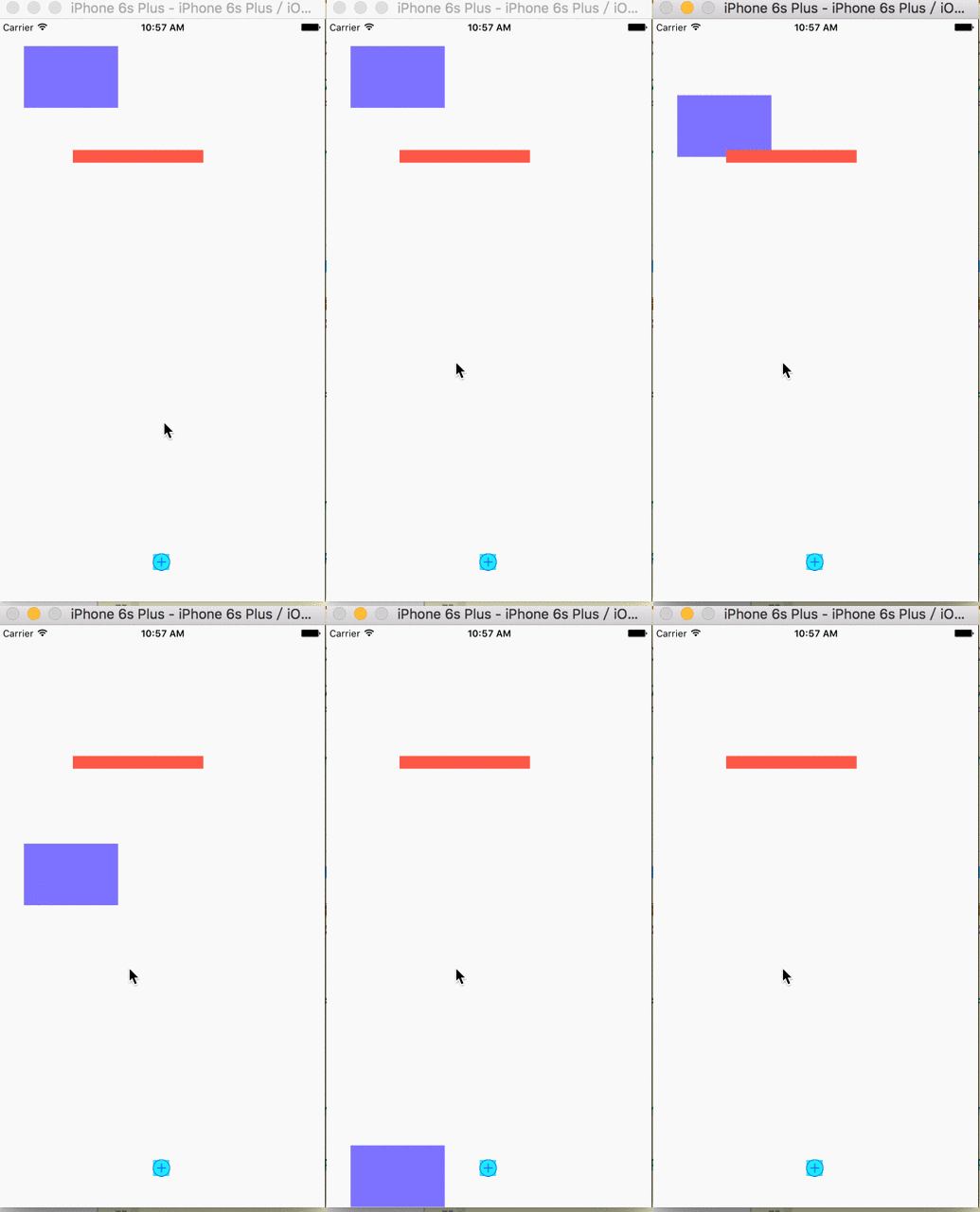
#pragma mark -重力
- (void)gravity
{
// 1.创建物理仿真器,并且指定仿真范围
// 2.创建物理仿真行为,并且指定仿真元素
UIGravityBehavior*gravity = [[UIGravityBehavior alloc] initWithItems:@[self.purView]];
//设置重力的方向
//gravity.gravityDirection = CGVectorMake(1, 0);
//gravity.gravityDirection = CGVectorMake(0, -1);
//gravity.gravityDirection = CGVectorMake(1, 1);
//设置重力的角度
//gravity.angle = M_PI_2;
//设置重力的加速度
//gravity.magnitude = 100.0;
// 3.将物理仿真行为添加到仿真器中
[self.dynamicAni addBehavior:gravity];
}
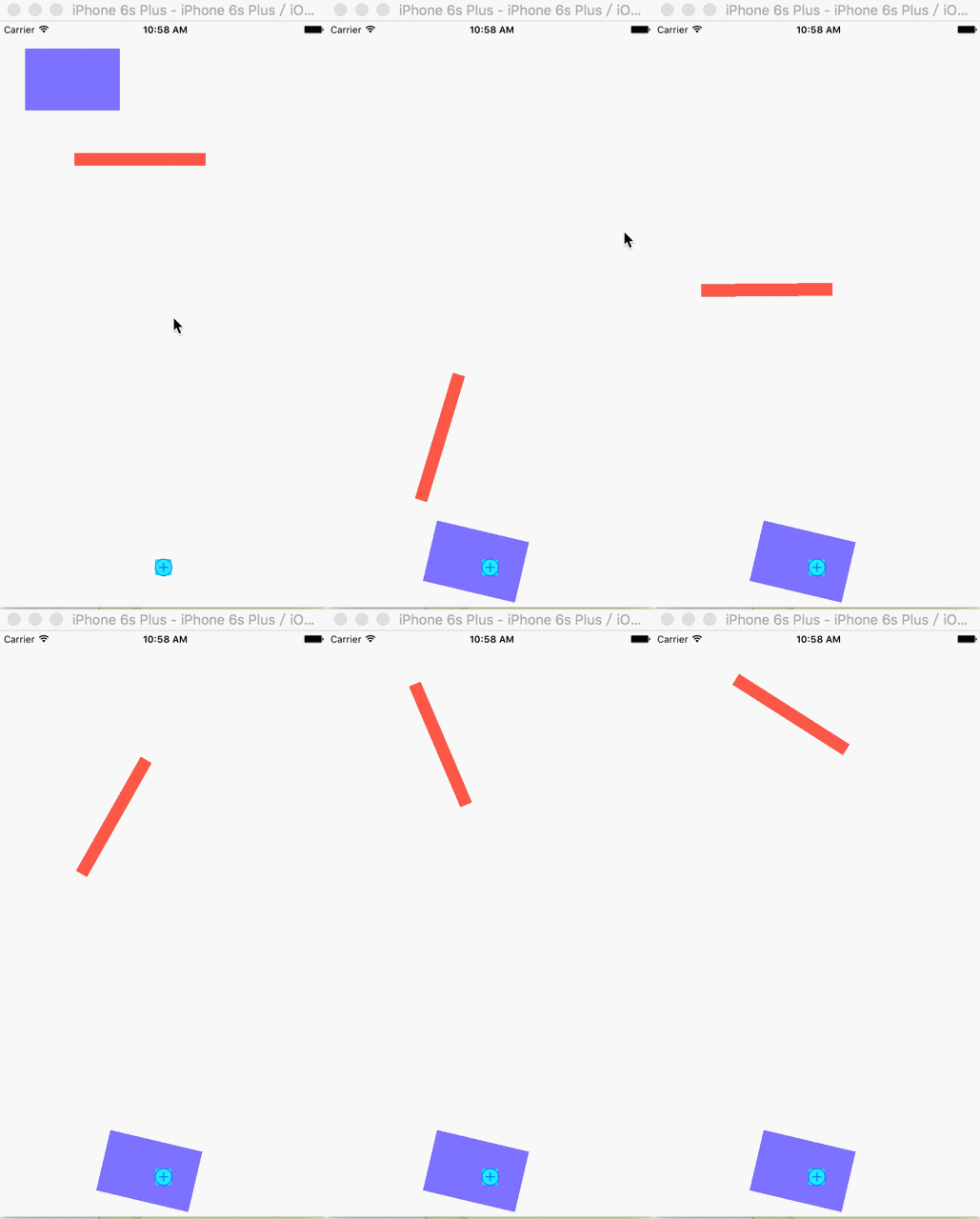
#pragma mark -碰撞,有重力方能碰撞
- (void)collision
{
// 1.创建物理仿真器,并且指定仿真范围
// 2.创建物理仿真行为,并且指定仿真元素
// 2.1创建重力仿真行为
UIGravityBehavior*gravity = [[UIGravityBehavior alloc] initWithItems:@[self.purView]];
gravity.magnitude=3;
// 2.2创建碰撞仿真行为
UICollisionBehavior*collision = [[UICollisionBehavior alloc] initWithItems:@[self.purView,self.redView]];
//碰撞模式
//collision.collisionMode = UICollisionBehaviorModeItems;
//是否设置碰撞的边界,默认边界为物理仿真器边界
//collision.translatesReferenceBoundsIntoBoundary = YES;
//添加直线边界
//[collision addBoundaryWithIdentifier:@"line" fromPoint:CGPointMake(0, 400) toPoint:CGPointMake(320, 500)];
//添加图形的边界,贝赛尔曲线边界
UIBezierPath*path = [UIBezierPath bezierPathWithOvalInRect:self.view.frame];
[collision addBoundaryWithIdentifier:@"rect" forPath:path];
// 3.将物理仿真行为添加到仿真器中
[self.dynamicAni addBehavior:gravity];
[self.dynamicAni addBehavior:collision];
}
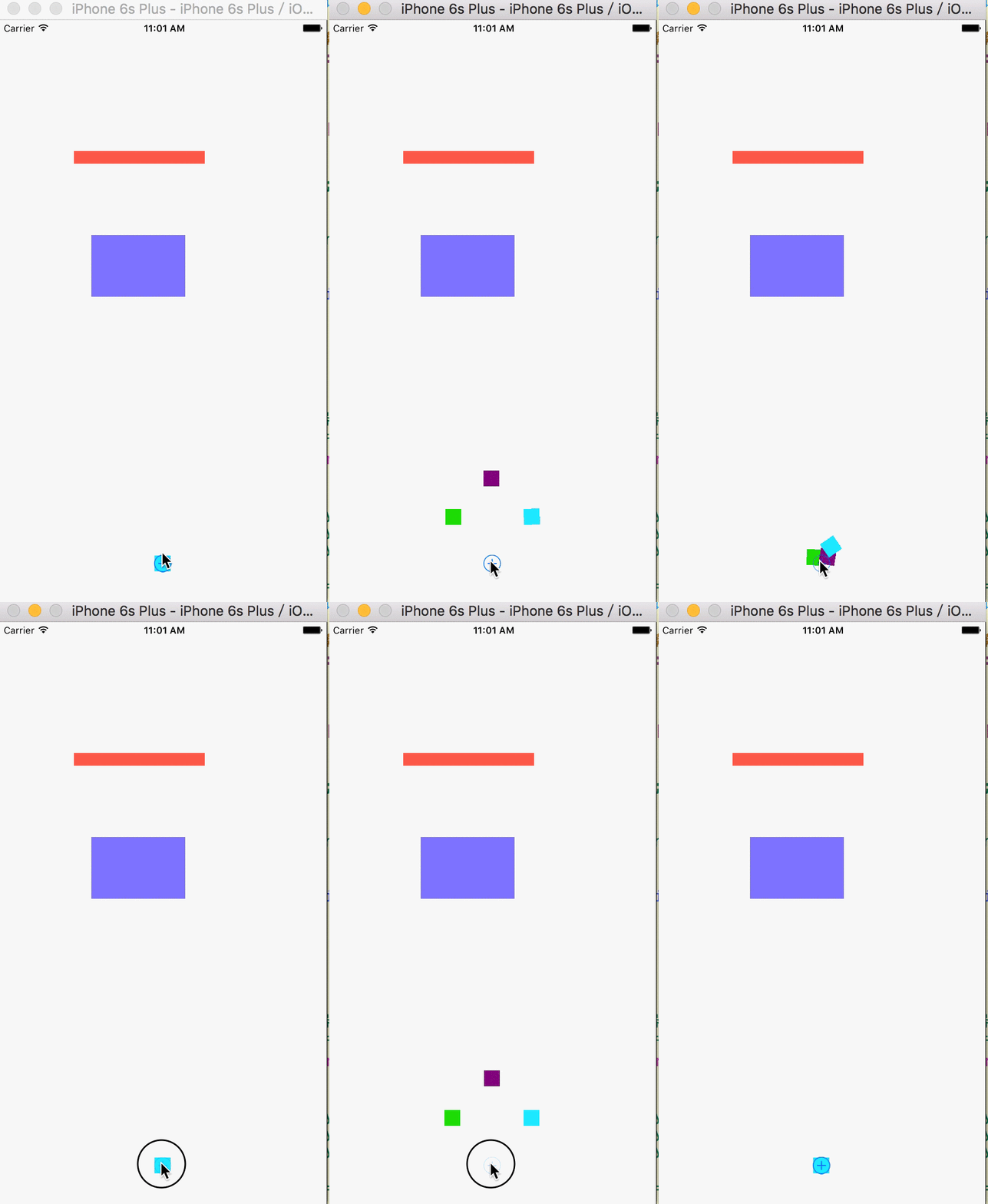
#pragma mark -吸附
- (void)snapWithPoint:(CGPoint)point
{
// 1.创建物理仿真器,并且指定仿真范围
// 2.创建物理仿真行为,并且指定仿真元素
UISnapBehavior*snap = [[UISnapBehavior alloc] initWithItem:self.purViewsnapToPoint:point];
//设置吸附行为的"减震", 0.0~1.0
snap.damping=.5;
//注意:使用吸附行为,默认只有一次,如若想要多次必须移除之前的行为再重新添加
[self.dynamicAni removeAllBehaviors];
// 3.将物理仿真行为添加到仿真器中
[self.dynamicAni addBehavior:snap];
}
#pragma mark - QZone
- (void)QZoneAnimation
{
UIButton *addButton = [UIButton buttonWithType:UIButtonTypeContactAdd];
addButton.center=CGPointMake(kScreenW/2,kScreenH-50);
[addButton addTarget:self action:@selector(addButtonAction) forControlEvents:UIControlEventTouchUpInside];
[self.view addSubview:addButton];
//初始化弹出的控件
UIView*view1 = [[UIView alloc] initWithFrame:CGRectMake(0,0,20,20)];
view1.backgroundColor= [UIColor greenColor];
view1.center=CGPointMake(kScreenW/2,kScreenH-50);
view1.tag=101;
UIView*view2 = [[UIView alloc] initWithFrame:CGRectMake(0,0,20,20)];
view2.backgroundColor= [UIColor purpleColor];
view2.center=CGPointMake(kScreenW/2,kScreenH-50);
view2.tag=102;
UIView*view3 = [[UIView alloc] initWithFrame:CGRectMake(0,0,20,20)];
view3.backgroundColor= [UIColor cyanColor];
view3.center=CGPointMake(kScreenW/2,kScreenH-50);
view3.tag=103;
[self.view insertSubview:view1 belowSubview:addButton];
[self.view insertSubview:view2 belowSubview:addButton];
[self.view insertSubview:view3 belowSubview:addButton];
}
#pragma mark - addButtonAction
- (void)addButtonAction
{
//吸附
//计算坐标
CGPoint point1 =CGPointMake(kScreenW/2-50,kScreenH-60-50);
CGPoint point2 =CGPointMake(kScreenW/2,kScreenH-60-100);
CGPoint point3 =CGPointMake(kScreenW/2+50,kScreenH-60-50);
CGPoint point =CGPointMake(kScreenW/2,kScreenH-50);
UIView view1 = (UIView)[self.view viewWithTag:101];
UIView view2 = (UIView)[self.view viewWithTag:102];
UIView view3 = (UIView)[self.view viewWithTag:103];
// 2.物理仿真行为
UISnapBehaviorsnap1 = [[UISnapBehavior alloc] initWithItem:view1 snapToPoint:point1];
UISnapBehaviorsnap2 = [[UISnapBehavior alloc] initWithItem:view2 snapToPoint:point2];
UISnapBehavior*snap3 = [[UISnapBehavior alloc] initWithItem:view3 snapToPoint:point3];
UISnapBehaviorsnap4 = [[UISnapBehavior alloc] initWithItem:view1 snapToPoint:point];
UISnapBehaviorsnap5 = [[UISnapBehavior alloc] initWithItem:view2 snapToPoint:point];
UISnapBehavior*snap6 = [[UISnapBehavior alloc] initWithItem:view3 snapToPoint:point];
if(_isSnap) {
[self.dynamicAniremoveAllBehaviors];
// 3.将物理仿真行为添加到仿真器中
[self.dynamicAni addBehavior:snap1];
[self.dynamicAni addBehavior:snap2];
[self.dynamicAni addBehavior:snap3];
}else{
[self.dynamicAni removeAllBehaviors];
snap4.damping=.8;
snap5.damping=.8;
snap6.damping=.8;
// 3.将物理仿真行为添加到仿真器中
[self.dynamicAni addBehavior:snap4];
[self.dynamicAni addBehavior:snap5];
[self.dynamicAni addBehavior:snap6];
}
_isSnap= !_isSnap;
}
重力:
碰撞:
吸附:

分散:

 浙公网安备 33010602011771号