
Android发送自定义广播(标准广播)
新建广播接收器
右击包名->New->Other->Broadcast Receiver
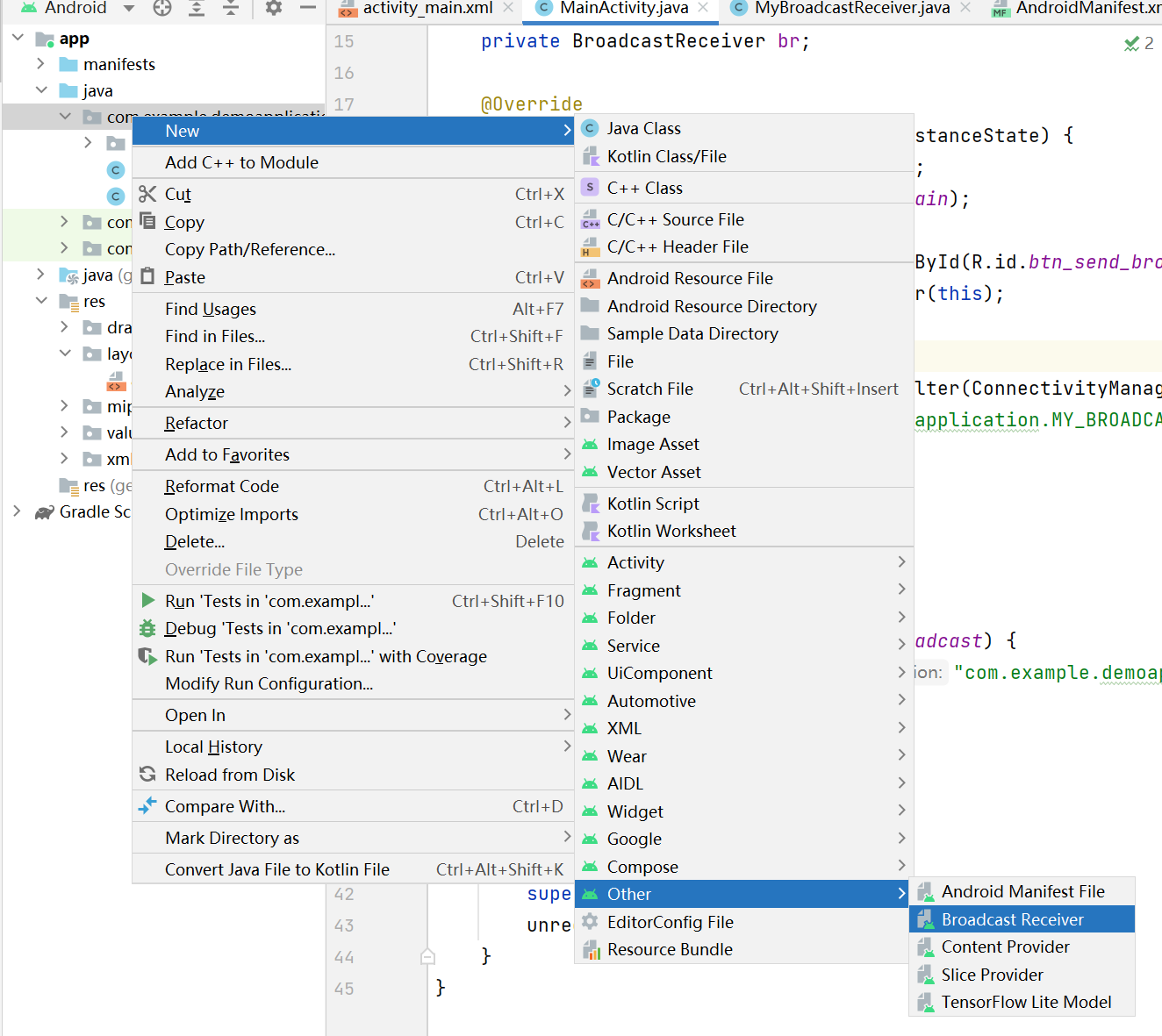
编写接收器逻辑代码
package com.example.demoapplication;

import android.content.BroadcastReceiver;
import android.content.Context;
import android.content.Intent;

import com.example.demoapplication.utils.ToastUtils;

public class MyBroadcastReceiver extends BroadcastReceiver {

    @Override
    public void onReceive(Context context, Intent intent) {
        ToastUtils.ShowShort(context, "MyBroadcastReceiver copy that");
    }
}
在activity_main.xml中修改布局
<?xml version="1.0" encoding="utf-8"?>
<LinearLayout xmlns:android="http://schemas.android.com/apk/res/android"
    xmlns:app="http://schemas.android.com/apk/res-auto"
    xmlns:tools="http://schemas.android.com/tools"
    android:layout_width="match_parent"
    android:layout_height="match_parent"
    tools:context=".MainActivity">

    <Button
        android:id="@+id/btn_send_broadcast"
        android:layout_width="match_parent"
        android:layout_height="wrap_content"
        android:text="Send Broadcast"
        android:textAllCaps="false"
        />

</LinearLayout>
编写MainActivity中的代码逻辑
public class MainActivity extends AppCompatActivity implements View.OnClickListener {

    private BroadcastReceiver br;

    @Override
    protected void onCreate(Bundle savedInstanceState) {
        super.onCreate(savedInstanceState);
        setContentView(R.layout.activity_main);

        Button btnSendBroadcast = findViewById(R.id.btn_send_broadcast);
        btnSendBroadcast.setOnClickListener(this);

        br = new MyBroadcastReceiver();
        IntentFilter filter = new IntentFilter(ConnectivityManager.CONNECTIVITY_ACTION);
        filter.addAction("com.example.demoapplication.MY_BROADCAST");
        this.registerReceiver(br, filter);

    }

    @Override
    public void onClick(View v) {
        if (v.getId() == R.id.btn_send_broadcast) {
            Intent intent = new Intent("com.example.demoapplication.MY_BROADCAST");
            sendBroadcast(intent);
        }
    }

    @Override
    protected void onDestroy() {
        super.onDestroy();
        unregisterReceiver(br);
    }
}
自定义Toast工具类(不重要)
public class ToastUtils {
    public static void ShowShort(Context context, String content){
        Toast.makeText(context, content, Toast.LENGTH_SHORT).show();
    }

    public static void ShowLong(Context context, String content){
        Toast.makeText(context, content, Toast.LENGTH_LONG).show();
    }
}

 浙公网安备 33010602011771号