



禁用与启用网络适配器
我的办公电脑无法使用网线连接办公室的交换机,又因为是台式机,尝试过使用那种USB的无线网卡,经常掉线不说,拷贝东西的时候它也掉线、掉网速,正好家里有台闲置的路由器,拿来桥接一下(路由器连接办公WiFi,电脑使用网线连接路由器),可是依然偶尔的提示无网络连接,需要重启网络适配器。
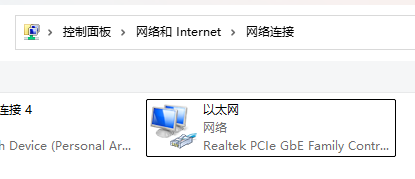
为了避免每次都手动去禁用、启用它,前段时间写了一个批处理脚本来帮助我一键禁用重启网络适配器
点击查看代码
@echo off
:: netsh interface show interface
netsh interface set interface 以太网 disabled
timeout /t 2
netsh interface set interface 以太网 enabled
Python实现:
点击查看代码
import subprocess
import re

def get_all_adapters():
    """获取所有网络适配器的名称"""
    # 执行命令获取适配器信息
    result = subprocess.run(
        ["netsh", "interface", "show", "interface"],
        capture_output=True,
        text=True,
        encoding="gbk"  # 适配中文系统
    )
    # 正则匹配适配器名称(提取"状态"后的名称)
    adapter_pattern = re.compile(r"(\S+?)\s+?(\S+?)\s+?(.+?)\s*$", re.MULTILINE)
    adapters = []
    for line in result.stdout.splitlines():
        match = adapter_pattern.match(line.strip())
        if match and match.group(2) in ["已启用", "已禁用"]:  # 过滤有效适配器
            adapters.append(match.group(3).strip())
    return adapters

def restart_adapter(adapter_name):
    """禁用并启用指定网络适配器"""
    try:
        # 禁用适配器
        subprocess.run(
            ["netsh", "interface", "set", "interface", adapter_name, "admin=disable"],
            check=True,
            capture_output=True
        )
        print(f"✅ 已禁用适配器:{adapter_name}")

        # 启用适配器
        subprocess.run(
            ["netsh", "interface", "set", "interface", adapter_name, "admin=enable"],
            check=True,
            capture_output=True
        )
        print(f"✅ 已启用适配器:{adapter_name}")
    except subprocess.CalledProcessError as e:
        print(f"❌ 操作适配器 {adapter_name} 失败:{e.stderr.decode('gbk', errors='ignore')}")

if __name__ == "__main__":
    print("🔍 正在获取所有网络适配器...")
    adapters = get_all_adapters()
    if not adapters:
        print("❌ 未找到可用的网络适配器")
    else:
        print(f"📋 找到 {len(adapters)} 个适配器:{adapters}")
        print("\n🔄 开始重启所有适配器...")
        for adapter in adapters:
            restart_adapter(adapter)
        print("\n✅ 所有适配器重启完成!")
温馨提示:需要管理员权限运行!!!
点此下载已经编译好的程序

 浙公网安备 33010602011771号