

20241321 2024-2025-2 《Python程序设计》实验四报告
课程:《Python程序设计》
班级: 2413
姓名: 顾创
学号:20241321
实验教师:王志强
实验日期:2025年5月14日
必修/选修: 公选课
1.实验内容
(一)实验内容
利用所学python知识,结合网络资源,爬取天气数据,包括天气温度,空气质量,根据第二天气温气候,在前一天21点发送到指定微信,从而实现自动化微信提醒,避免出现第二天草上6点临时取消跑操。
同时可以根据第二天情况来决定衣服厚度以及是否带伞等,避免自己忘记。
(二)实验要求
(1)程序能运行,功能丰富。(需求提交源代码,并建议录制程序运行的视频)
(2)综合实践报告,要体现实验分析、设计、实现过程、结果等信息,格式规范,逻辑清晰,结构合理。
(3)在实践报告中,需要对全课进行总结,并写课程感想体会、意见和建议等。
2. 实验过程及结果
(一) 环境搭载
(1)pycharm环境配置:
pip环境配置:
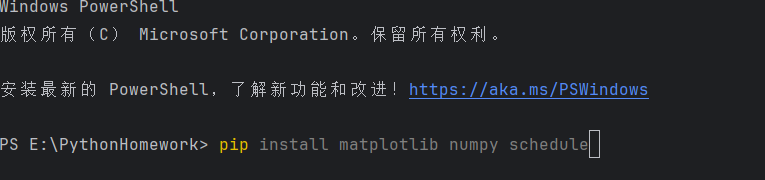
配置完成:

强制让当前 Python 环境安装依赖
python -m pip install matplotlib numpy schedule
选择python解释器,创建虚拟空间
:
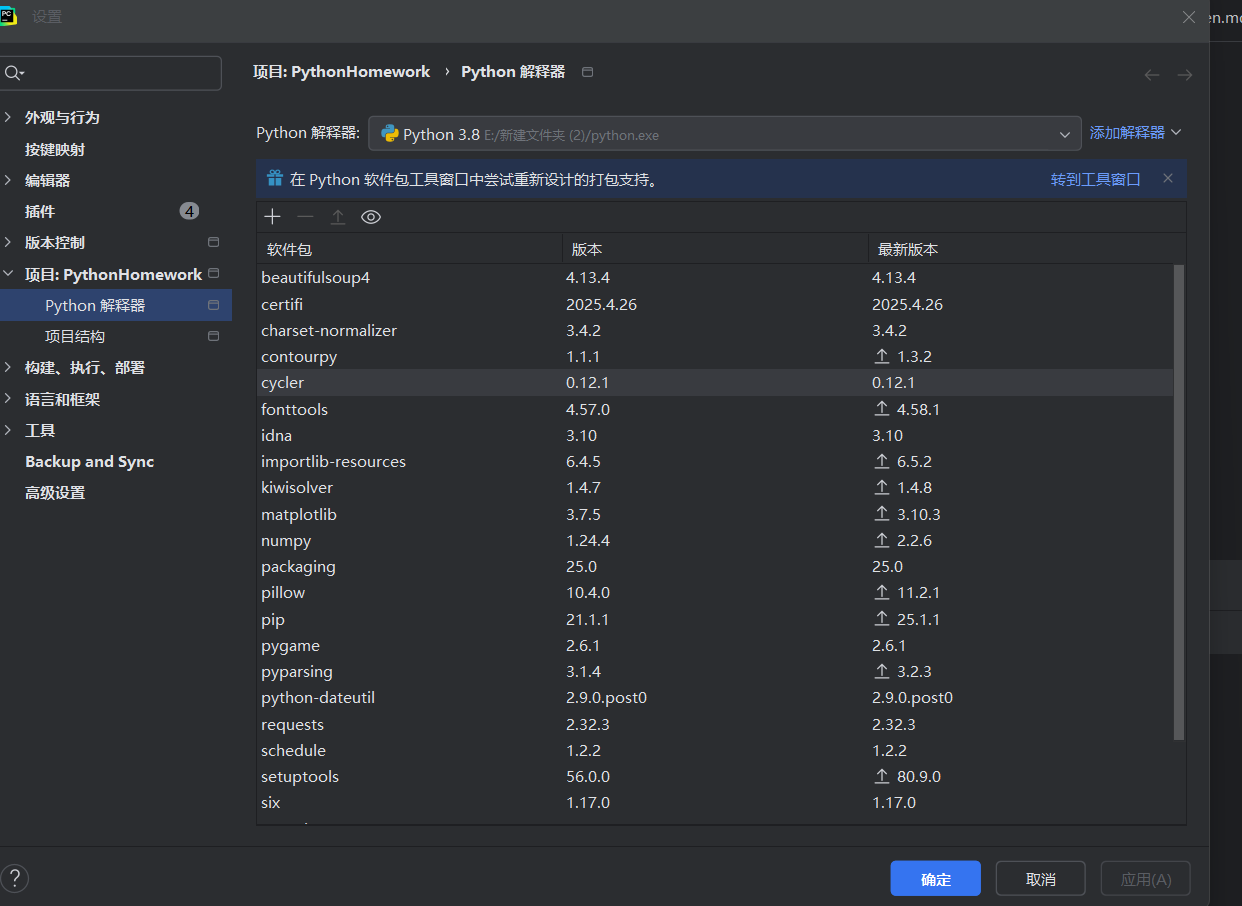
激活虚拟环境:

在虚拟环境里重新安装所有依赖
pip install requests matplotlib schedule numpy
检查配置: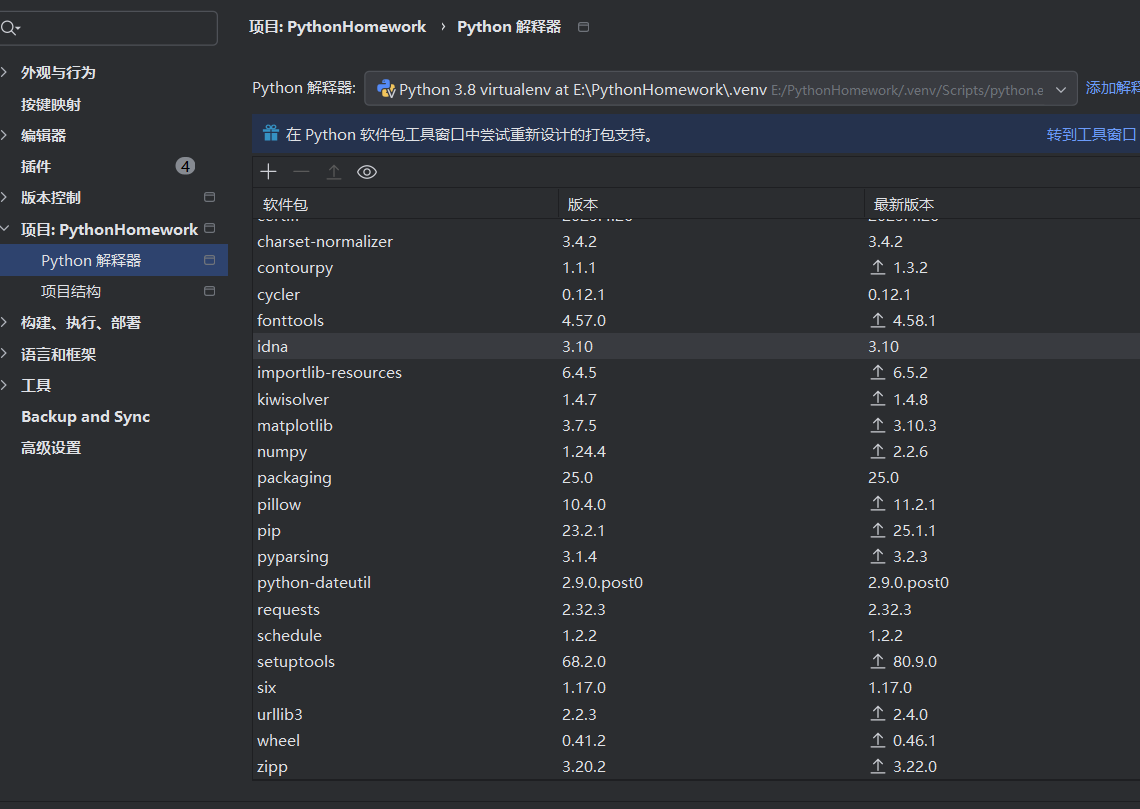
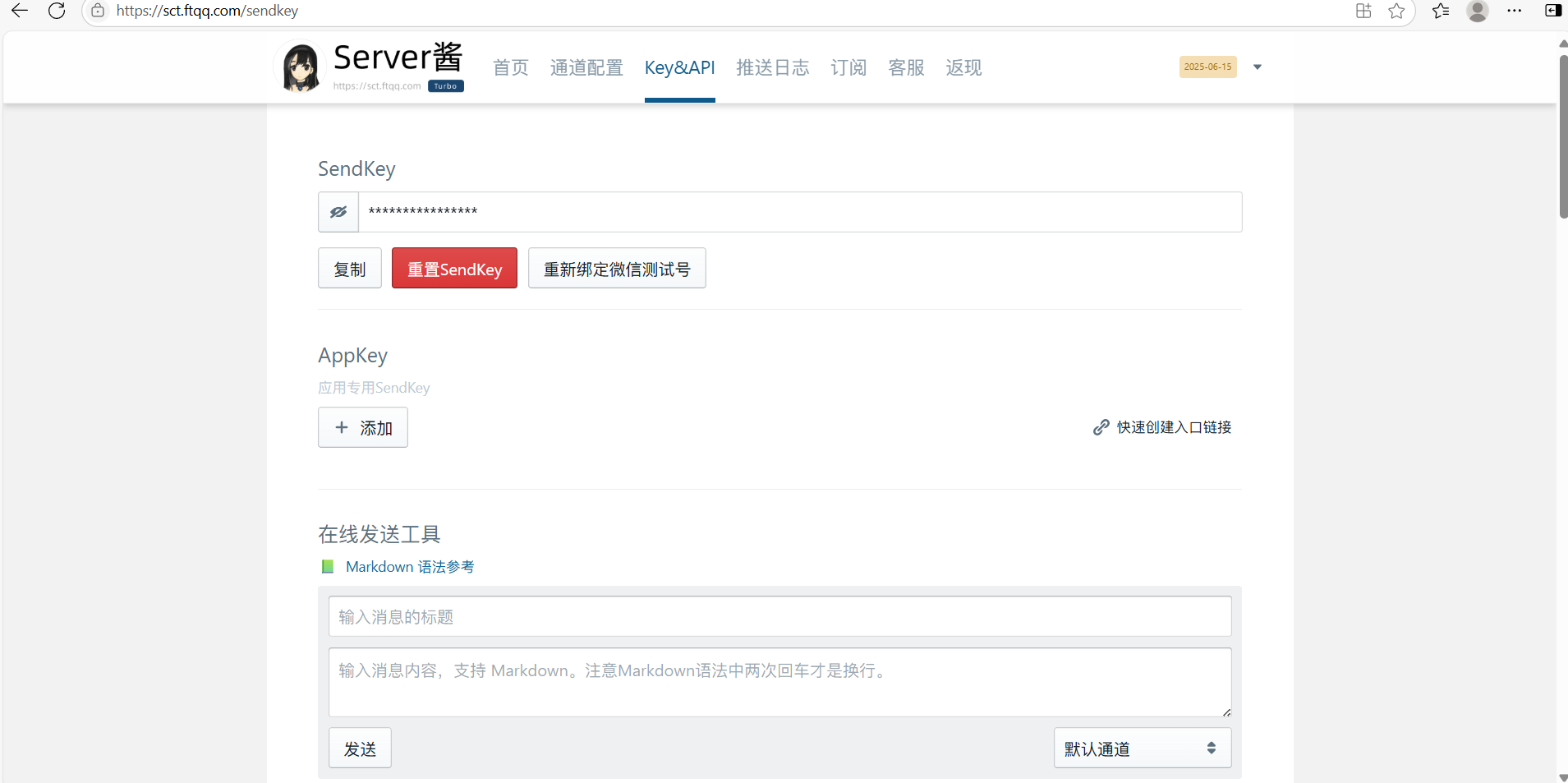
(2)注册sever酱:
网页搜索sever酱,用所需微信绑定,找到key密钥界面,报管好,以备后续发送通知的程序中使用:
(二)程序设计的重要流程
1.整体架构
(1)配置模块:定义全局参数,如 API 密钥、城市代码、URL等
(2)日志模块:设置日志记录,方便监控和排查问题,前期没有配置,导致了很多问题找不到。
(3)数据获取与解析模块:负责从中国天气网抓取并解析天气和空气质量数据
(4)状态判断模块:根据天气和空气质量数据用条件判断次日是否适合跑操(核心作用)
(5)通知模块:通过 Server 酱 API 发送微信通知
(6)定时任务模块:设置每天固定时间执行上述流程
2.重要流程:
(1). 数据获取与解流程
天气数据爬取:从中国天气网特定城市页面获取未来 3 天天气预报
weather_data = fetch_weather_data(logger)
空气质量数据爬取:从专门的空气质量页面获取 AQI 指数
aqi = fetch_air_quality(logger)
数据解析:使用 BeautifulSoup 解析 HTML,提取日期、天气状况、温度、风力等信息
(2) 跑操状态判断逻辑
判断条件:满足以下任一条件则不适合跑操
天气预报包含雨雪等恶劣天气关键词
风力达到或超过设定阈值(6 级)
空气质量指数达到或超过设定阈值(150)
(3). 微信通知发送流程
response = requests.post(PUSH_URL, data=payload)
通知内容:包含今日和明日天气信息、空气质量指数以及跑操状态判断结果
发送方式:通过 HTTP POST 请求调用 Server 酱 API,将信息推送到微信
(4). 定时任务实现
调度器:使用 APScheduler 的 BlockingScheduler 实现定时任务
触发方式:使用 cron 表达式指定每天固定时间执行
任务内容:调用daily_notification_job函数执行完整的数据获取、判断和通知流程
(以上为流程的具体设计文本)
(三)具体代码的详细介绍
1.导入库
import requests
from bs4 import BeautifulSoup
import logging
from apscheduler.schedulers.blocking import BlockingScheduler
import matplotlib
import matplotlib.pyplot as plt
import io
import base64
import re
import sys
requests:发送 HTTP 请求获取网页数据
BeautifulSoup:解析 HTML 页面
logging:记录程序运行日志
BlockingScheduler:实现定时任务
sys:获取命令行参数(基于代码一直出错,因此用于测试)
2.全局配置
PUSH_KEY = "SCT282155Tbsscmv2v2zHLna06jIuvwZgv"
PUSH_URL = f"https://sctapi.ftqq.com/{PUSH_KEY}.send"
CITY_CODE = "101010100"
BASE_URL = f"https://www.weather.com.cn/weather/{CITY_CODE}.shtml"
AIR_QUALITY_URL = f"https://www.weather.com.cn/air/{CITY_CODE}.html"
NOTIFICATION_HOUR = 21
NOTIFICATION_MINUTE = 21
WIND_THRESHOLD = 6
AQI_THRESHOLD = 150
RAIN_KEYWORDS = ["雨", "雷", "雹", "雪", "雾", "霾"]
LOG_FILE = "weather_crawler.log"
MATPLOTLIB_FONT = "SimHei"
(1)打开中国天气网(https://www.weather.com.cn/)
搜索目标城市,获得北京的代码
(2)风力等级标准
WIND_THRESHOLD = 6
(3)RAIN_KEYWORDS = ["雨", "雷", "雹", "雪", "雾", "霾"]
天气描述中包含这些关键词时,视为不适宜跑操的天气 ,中国天气网的天气描述可能包含“多云转小雨”等组合词,只要包含任一关键词即触发条件。
(4)爬取天气网基础气候以及空气质量
BASE_URL = f"https://www.weather.com.cn/weather/{CITY_CODE}.shtml"
AIR_QUALITY_URL = f"https://www.weather.com.cn/air/{CITY_CODE}.html"
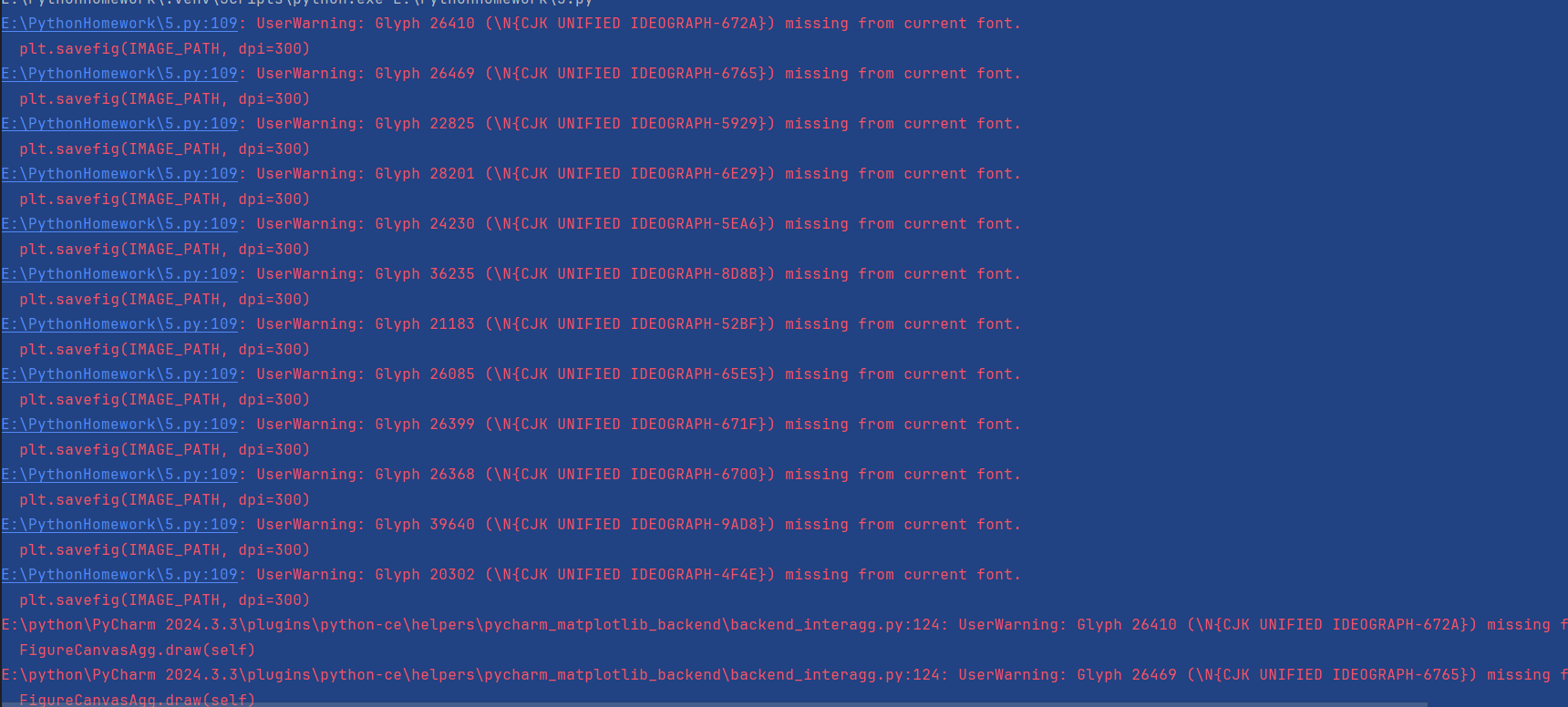
(5)一定要设置中文字体,不然空气质量无法读取
MATPLOTLIB_FONT = "SimHei"
3、日志系统初始化
def setup_logging():
    logger = logging.getLogger(__name__)
    logger.setLevel(logging.INFO)
获取当前模块的logger(名称为__main__),并且记录INFO及以上级别日志(DEBUG会被忽略)
ile_handler = logging.FileHandler(LOG_FILE, encoding="utf-8")
file_handler.setFormatter(formatter)
此处为文件处理器:将日志写入文件,encoding="utf-8"防止中文乱码 ,否则到时候,获取空气适量会失败。
stream_handler = logging.StreamHandler()
    stream_handler.setFormatter(formatter)
将日志输出到命令行窗口
这部分主要是借助AI来记录日志,这样容易排查出之后遇到的问题。
4.天气数据抓取:
    headers = {
        "User-Agent": "Mozilla/5.0 (Windows NT 10.0; Win64; x64) Chrome/114.0.0.0 Safari/537.36",
        "Referer": "https://www.weather.com.cn/"
    }
请求头模拟真实浏览器, 告诉网站请求来源,避免被网站识别为爬虫
 response = requests.get(BASE_URL, headers=headers, timeout=15)
        response.encoding = "utf-8"
        if response.status_code != 200:
            logger.error(f"请求失败,状态码:{response.status_code}")
            return None
手动设置编码,避免乱码,中国天气网使用UTF-8,检 查HTTP状态码,非200表示请求失败(如404页面不存在,500服务器错误) ,请求失败则直接返回,终止函数执行。
        items = container.find_all("li", limit=3)
        return parse_forecast_items(items, logger)
提取前3天数据(limit=3):今日、明日、后天
中国天气网的7天预报中,第一个li通常是“今天”,第二个是“明天”,依此类推
5.天气数据的解析
def parse_forecast_items(items, logger):
    forecast = []
    for idx, item in enumerate(items):
        try:
            date = item.find("h1").get_text(strip=True)
            weather = item.find("p", class_="wea").get_text(strip=True)
            temp = item.find("p", class_="tem").get_text(strip=True)
            wind = item.find("p", class_="win").get_text(strip=True)

            max_temp, min_temp = parse_temperature(temp)
            wind_level = parse_wind_level(wind)

            forecast.append({
                "date": date,
                "weather": weather,
                "max_temp": max_temp,
                "min_temp": min_temp,
                "wind_level": wind_level,
                "day_index": idx  # 0:今日,1:明日,2:后天
            })
        except Exception as e:
            logger.error(f"解析第{idx+1}天数据失败:{str(e)}")
            continue
    return forecast if forecast else None
日期:item.find("h1").get_text(strip=True)从<h1标签提取,strip()去除首尾空格
天气状况:item.find("p", class_="wea").get_text(strip=True)从class="wea"的<p标签提取(如 “晴转多云”)
温度:item.find("p", class_="tem").get_text(strip=True)
格式为 “32℃/22℃”,调用parse_temperature处理
风力:item.find("p", class_="win").get_text(strip=True)
请求头设置:模拟 Chrome 浏览器的User-Agent和Referer,降低被网站识别为爬虫的风险
关键作用:绕过部分反爬机制,确保请求成功
状态码检查:若状态码非200(如404/500),记录错误并返回None
HTML 解析:使用BeautifulSoup和lxml解析器
输入包含每日天气数据的 HTML 列表项(items)和日志记录器(logger),输出结构化的天气数据列表(每个元素为字典,包含日期、天气、温度、风力等信息),从 HTML 元素中提取并解析具体天气信息,处理格式转换和异常情况.
6.跑操状态判断
def check_running_status(forecast, aqi):
    tomorrow = next((d for d in forecast if d["day_index"] == 1), None)
    if not tomorrow:
        return "⚠️ 未获取到明日天气数据,跑操状态未知"
    has_rain = any(keyword in tomorrow["weather"] for keyword in RAIN_KEYWORDS)
    has_strong_wind = tomorrow["wind_level"] >= WIND_THRESHOLD
    has_pollution = aqi >= AQI_THRESHOLD
    reasons = []
    if has_rain:
        reasons.append(f"天气{tomorrow['weather']}(含降雨相关关键词)")
    if has_strong_wind:
        reasons.append(f"风力{tomorrow['wind_level']}级(≥{WIND_THRESHOLD}级)")
    if has_pollution:
        reasons.append(f"AQI{aqi}(≥{AQI_THRESHOLD},中度污染及以上)")

    if reasons:
        return f"🚫 明日不跑操!原因:{', '.join(reasons)}"
    else:
        return "✅ 明日正常跑操"
使用生成器表达式从forecast中筛选出day_index=1的元素(明日数据,然后next函数返回第一个匹配项,若无则返回None,若天气描述为“小雨转中雨”,关键词“雨”会被匹配到 , 若需更精确匹配(如仅匹配完整天气类型),需调整关键词或使用正则表达式。
风力等级判断:≥6级触发禁止条件
has_strong_wind = tomorrow["wind_level"] >= WIND_THRESHOLD
AQI判断:≥150(中度污染及以上)触发禁止条件
has_pollution = aqi >= AQI_THRESHOLD
7.微信通知发送
def send_notification(forecast, aqi, logger):
    if len(forecast) < 2:
        logger.warning(f"仅获取到{len(forecast)}天数据,不足2天,跳过通知")
        return False
    content = f"""
🌞 今日({forecast[0]['date']})
天气:{forecast[0]['weather']}
温度:{forecast[0]['min_temp']}~{forecast[0]['max_temp']}℃
风力:{forecast[0]['wind_level']}级

🌡️ 明日({forecast[1]['date']})
天气:{forecast[1]['weather']}
温度:{forecast[1]['min_temp']}~{forecast[1]['max_temp']}℃
风力:{forecast[1]['wind_level']}级
空气质量:{"良好" if aqi < AQI_THRESHOLD else f"污染(AQI{aqi})"}

{check_running_status(forecast, aqi)}
    """.strip()
    payload = {"title": f"{city_name} 明日天气及跑操提醒", "desp": content}

    try:
        logger.info("发送通知到Server酱...")
        response = requests.post(PUSH_URL, data=payload, timeout=15)
        result = response.json()
            logger.info("通知发送成功,Server酱返回:" + result["message"])
            return True
        else:
            logger.error(f"Server酱错误:{result['message']}(code={result['code']})")
            return False
    except Exception as e:
        logger.error(f"发送通知失败:{str(e)}", exc_info=True)
        return False
至少需要今日(day_index=0)和明日(day_index=1)数据,否则通知无意义,因此小于2天则直接返回。 构造通知内容,使用emoji提升可读性,并且因为emoji可能在某些终端显示为方块,需确保接收端支持 。""".strip() .strip()去除首尾多余空格和换行符. result = response.json() 解析Server酱返回的JSON结果.最后code=0:成功 , code=400:参数错误, code=410:SendKey无效 。处理请求异常 。用except Exception as e:判断(网络中断、Server酱服务器故障)。
8、定时任务
weather_data = fetch_weather_data(logger)
aqi = fetch_air_quality(logger)
按顺序执行数据抓取,状态判断,通知发送
if weather_data:
        send_notification(weather_data, aqi, logger)
    else:
        logger.warning("未获取到有效天气数据,可能页面结构变更或网络异常")

    logger.info("===== 任务执行完毕 =====\n")
判断天气数据是否有效(非None且至少2天)
scheduler = BlockingScheduler() 创建阻塞式调度器(程序会一直运行,直到手动终止)
scheduler.add_job(
    daily_notification_job,
    "cron",
    hour=NOTIFICATION_HOUR,
    minute=NOTIFICATION_MINUTE,
    args=[logger],
    name="Daily Weather Notification"
)
调度方式:cron表达式(定时任务),小时:21点,分钟:0分(可根据想要的时间调整),用args 传递给任务函数的参数列表
9.主程序入口
if __name__ == "__main__":
    logger = setup_logging()
    if len(sys.argv) > 1 and sys.argv[1] == "--test":
        mock_forecast = [
            {"date": "6月8日", "weather": "晴", "max_temp": 32, "min_temp": 22, "wind_level": 3, "day_index": 0},
            {"date": "6月9日", "weather": "雷阵雨", "max_temp": 28, "min_temp": 20, "wind_level": 7, "day_index": 1}
        ]
        # 模拟AQI=180(中度污染)
        send_notification(mock_forecast, aqi=180, logger=logger)
    else:
        # 生产模式:启动定时任务
        scheduler = BlockingScheduler()
        scheduler.add_job(...)
        scheduler.start()
主函数启动定时任务。
 if len(sys.argv) > 1 and sys.argv[1] == "--test":
     (day_index=0和1)
        mock_forecast = [
            {"date": "6月8日", "weather": "晴", "max_temp": 32, "min_temp": 22, "wind_level": 3, "day_index": 0},
            {"date": "6月9日", "weather": "雷阵雨", "max_temp": 28, "min_temp": 20, "wind_level": 7, "day_index": 1}
        ]
      send_notification(mock_forecast, aqi=180, logger=logger)
上市为构造模拟数据,包含随机连续两日,这是为了当依赖的天气爬取不可用或不稳定时,使用模拟数据可以独立验证核心代码逻辑。
(四)完整代码
import requests
from bs4 import BeautifulSoup
import logging
from apscheduler.schedulers.blocking import BlockingScheduler
import matplotlib
import matplotlib.pyplot as plt
import io
import base64
import re
import sys

PUSH_KEY = "SCT282155Tbsscmv2v2zHLna06jIuvwZgv"
PUSH_URL = f"https://sctapi.ftqq.com/{PUSH_KEY}.send"
CITY_CODE = "101010100"  # 北京代码,可在中国天气网查询其他城市
BASE_URL = f"https://www.weather.com.cn/weather/{CITY_CODE}.shtml"
AIR_QUALITY_URL = f"https://www.weather.com.cn/air/{CITY_CODE}.html"
NOTIFICATION_HOUR = 21
NOTIFICATION_MINUTE =21
WIND_THRESHOLD = 6
AQI_THRESHOLD = 150
RAIN_KEYWORDS = ["雨", "雷", "雹", "雪", "雾", "霾"]
LOG_FILE = "weather_crawler.log"
MATPLOTLIB_FONT = "SimHei"

matplotlib.use("Agg")
plt.rcParams["font.family"] = MATPLOTLIB_FONT
plt.rcParams["axes.unicode_minus"] = False

def setup_logging():
    logger = logging.getLogger(__name__)
    logger.setLevel(logging.INFO)
    formatter = logging.Formatter('%(asctime)s - %(levelname)s - %(message)s')
    file_handler = logging.FileHandler(LOG_FILE, encoding="utf-8")
    stream_handler = logging.StreamHandler()
    logger.addHandler(file_handler)
    logger.addHandler(stream_handler)
    return logger

def fetch_weather_data(logger):
    headers = {
        "User-Agent": "Mozilla/5.0 (Windows NT 10.0; Win64; x64) AppleWebKit/537.36 (KHTML, like Gecko) Chrome/114.0.0.0 Safari/537.36",
        "Referer": "https://www.weather.com.cn/"
    }
    try:
        response = requests.get(BASE_URL, headers=headers, timeout=15)
        response.encoding = "utf-8"
        if response.status_code != 200:
            logger.error(f"天气数据请求失败,状态码:{response.status_code}")
            return None
        soup = BeautifulSoup(response.text, "lxml")
        container = soup.find("div", id="7d") or soup.find("div", class_="t")
        if not container:
            logger.error("未找到天气数据容器")
            return None
        items = container.find_all("li", limit=3)
        return parse_forecast_items(items, logger)
    except Exception as e:
        logger.error(f"获取天气数据失败:{str(e)}", exc_info=True)
        return None


def parse_forecast_items(items, logger):
    forecast = []
    for idx, item in enumerate(items):
        try:
            date = item.find("h1").get_text(strip=True)
            weather = item.find("p", class_="wea").get_text(strip=True)
            temp = item.find("p", class_="tem").get_text(strip=True)
            wind = item.find("p", class_="win").get_text(strip=True)

            max_temp, min_temp = parse_temperature(temp)
            wind_level = parse_wind_level(wind)

            forecast.append({
                "date": date,
                "weather": weather,
                "max_temp": max_temp,
                "min_temp": min_temp,
                "wind_level": wind_level,
                "day_index": idx
            })
        except Exception as e:
            logger.error(f"解析第{idx + 1}天数据失败:{str(e)}", exc_info=True)
            continue
    return forecast if forecast else None


def parse_temperature(temp_str):
    try:
        temps = temp_str.split("/")
        return int(temps[0].replace("℃", "")), int(temps[1].replace("℃", ""))
    except:
        return 0, 0


def parse_wind_level(wind_str):
    match = re.search(r"\d+", wind_str)
    return int(match.group()) if match else 0

def fetch_air_quality(logger):
    headers = {
        "User-Agent": "Mozilla/5.0 (Windows NT 10.0; Win64; x64) AppleWebKit/537.36 (KHTML, like Gecko) Chrome/114.0.0.0 Safari/537.36",
        "Referer": "https://www.weather.com.cn/air/",
        "Accept": "text/html,application/xhtml+xml,application/xml;q=0.9,image/avif,image/webp,image/apng,*/*;q=0.8",
        "Accept-Language": "zh-CN,zh;q=0.9",
        "Connection": "keep-alive"
    }

    try:
        logger.info(f"正在请求空气质量数据:{AIR_QUALITY_URL}")
        response = requests.get(AIR_QUALITY_URL, headers=headers, timeout=15)
        response.encoding = "utf-8"

        if response.status_code != 200:
            logger.warning(f"空气质量请求失败,状态码:{response.status_code},使用默认值")
            return 100

        soup = BeautifulSoup(response.text, "lxml")
        # 最新页面AQI位于<div class="aqi_num">标签内
        aqi_elem = soup.find("div", class_="aqi_num")
        return int(aqi_elem.text) if aqi_elem else 100

    except Exception as e:
        logger.error(f"获取空气质量失败:{str(e)}", exc_info=True)
        return 100

def check_running_status(forecast, aqi):
    tomorrow = next((d for d in forecast if d["day_index"] == 1), None)
    if not tomorrow:
        return "⚠️ 未获取到明日天气数据,跑操状态未知"

    has_rain = any(keyword in tomorrow["weather"] for keyword in RAIN_KEYWORDS)
    has_strong_wind = tomorrow["wind_level"] >= WIND_THRESHOLD
    has_pollution = aqi >= AQI_THRESHOLD

    if has_rain or has_strong_wind or has_pollution:
        reasons = []
        if has_rain: reasons.append(f"天气{tomorrow['weather']}")
        if has_strong_wind: reasons.append(f"风力{tomorrow['wind_level']}级")
        if has_pollution: reasons.append(f"AQI{aqi}污染")
        return f"🚫 明日不跑操!原因:{', '.join(reasons)}"
    else:
        return "✅ 明日正常跑操"

def send_notification(forecast, aqi, logger):
    if not forecast or len(forecast) < 2:
        logger.warning("有效数据不足,跳过通知")
        return False

    city_name = "北京"
    title = f"{city_name} 明日天气及跑操提醒"
    content = f"""
🌞 今日天气({forecast[0]['date']})
天气:{forecast[0]['weather']}
温度:{forecast[0]['min_temp']}~{forecast[0]['max_temp']}℃
风力:{forecast[0]['wind_level']}级

🌡️ 明日天气({forecast[1]['date']})
天气:{forecast[1]['weather']}
温度:{forecast[1]['min_temp']}~{forecast[1]['max_temp']}℃
风力:{forecast[1]['wind_level']}级
空气质量:{"良好" if aqi < AQI_THRESHOLD else f"污染(AQI{aqi})"}

{check_running_status(forecast, aqi)}
    """.strip()

    payload = {"title": title, "desp": content}
    try:
        logger.info("正在发送微信通知...")
        response = requests.post(PUSH_URL, data=payload, timeout=15)
        result = response.json()
        if result.get("code") == 0:
            logger.info("通知发送成功")
            return True
        else:
            logger.error(f"通知发送失败:{result.get('message')}")
            return False
    except Exception as e:
        logger.error(f"发送通知时出错:{str(e)}", exc_info=True)
        return False


def daily_notification_job(logger):
    logger.info("===== 天气提醒任务开始执行 =====")

    weather_data = fetch_weather_data(logger)
    aqi = fetch_air_quality(logger)

    if weather_data:
        send_notification(weather_data, aqi, logger)
    else:
        logger.warning("未获取到有效天气数据,任务终止")

    logger.info("===== 任务执行完毕 =====\n")


if __name__ == "__main__":
    logger = setup_logging()

    if len(sys.argv) > 1 and sys.argv[1] == "--test":
        mock_forecast = [
            {"date": "6月8日", "weather": "晴", "max_temp": 32, "min_temp": 22, "wind_level": 3, "day_index": 0},
            {"date": "6月9日", "weather": "雷阵雨", "max_temp": 28, "min_temp": 20, "wind_level": 7, "day_index": 1}
        ]
        send_notification(mock_forecast, aqi=180, logger=logger)
    else:
        scheduler = BlockingScheduler()
        scheduler.add_job(
            daily_notification_job,
            "cron",
            hour=NOTIFICATION_HOUR,
            minute=NOTIFICATION_MINUTE,
            args=[logger],
            name="Daily Weather Notification"
        )

        logger.info(f"定时任务已设置:每天{NOTIFICATION_HOUR}:{NOTIFICATION_MINUTE}自动发送通知")
        logger.info("程序运行中... (按Ctrl+C退出)")
        scheduler.start()
(五)实验结果:
开始响应
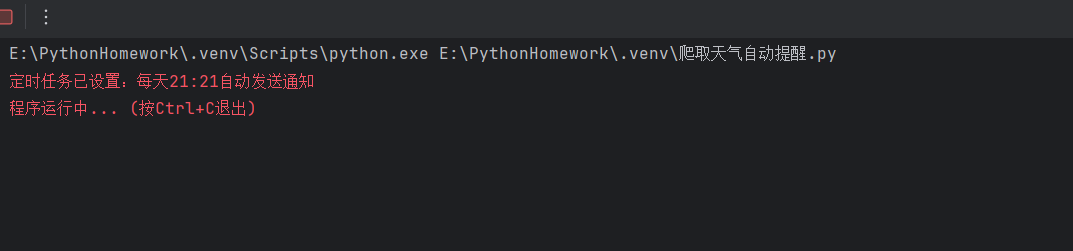
响应成功后:

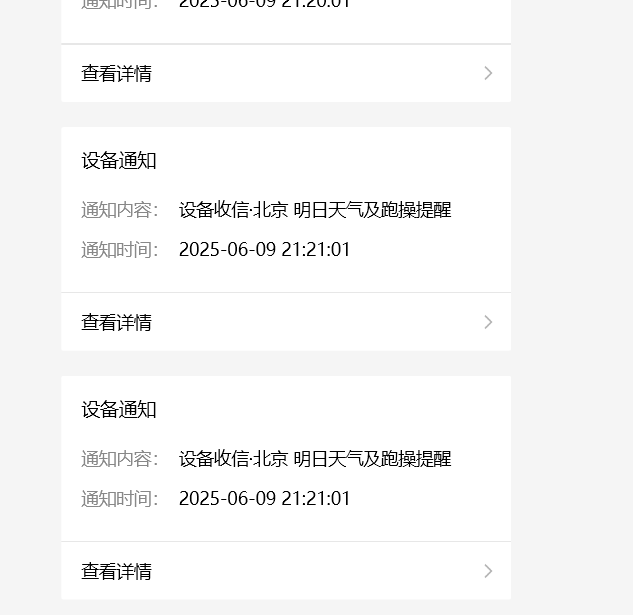
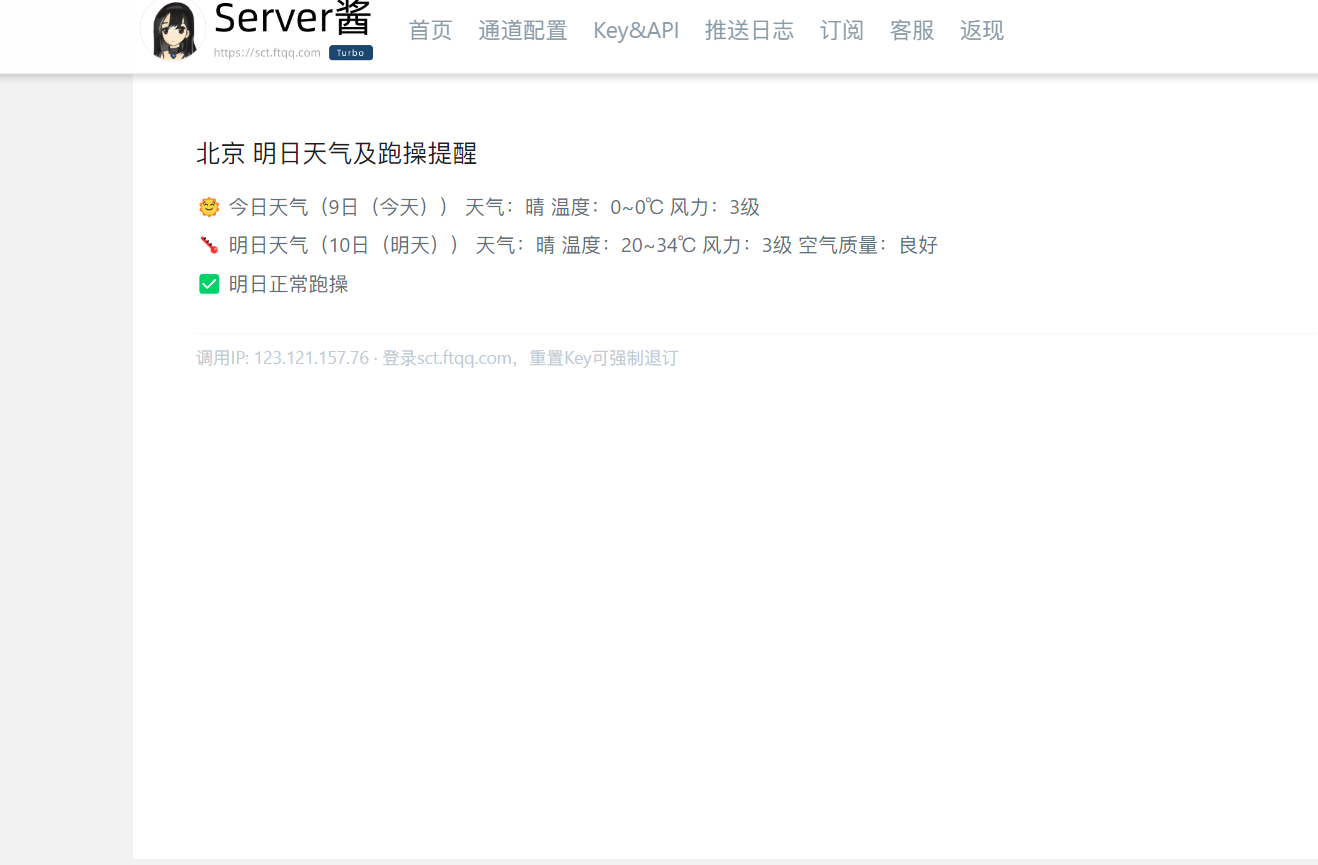
--完整视频链接:https://www.bilibili.com/video/BV1BKTCzXEsD/?spm_id_from=333.1387.list.card_archive.click&vd_source=d9be1080691540d259131ac0bab93c9c
(六)将代码上传至码云
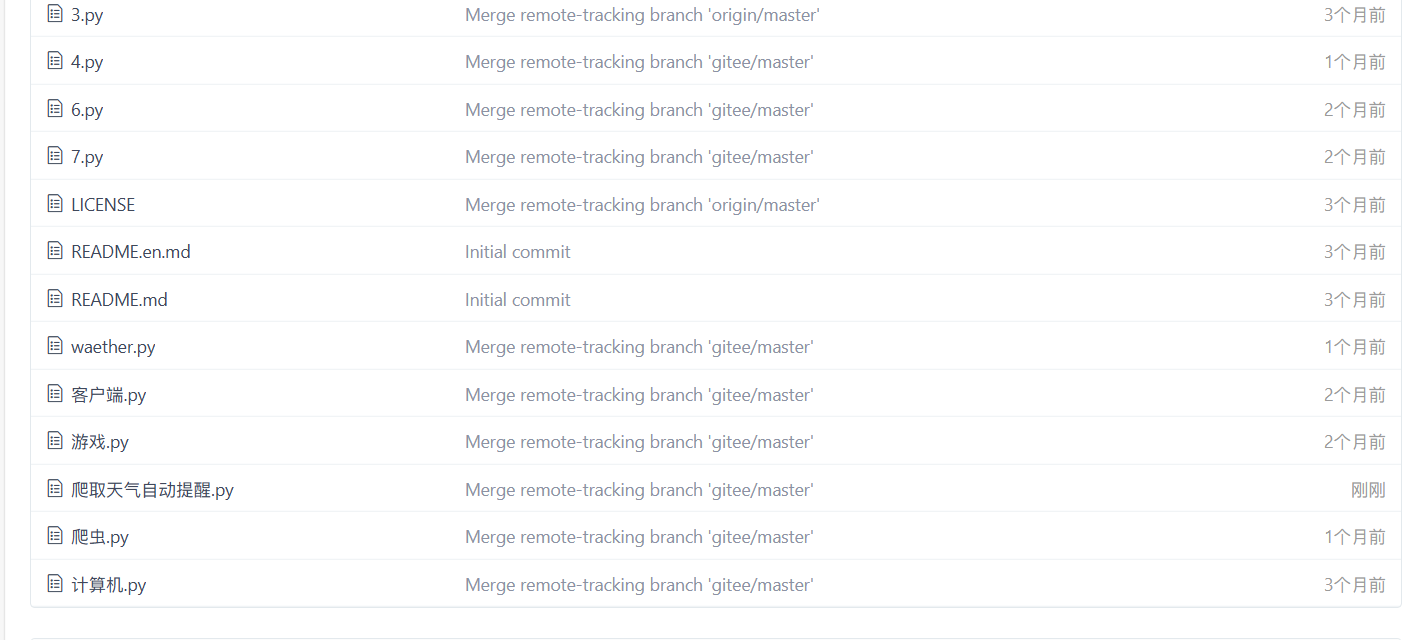
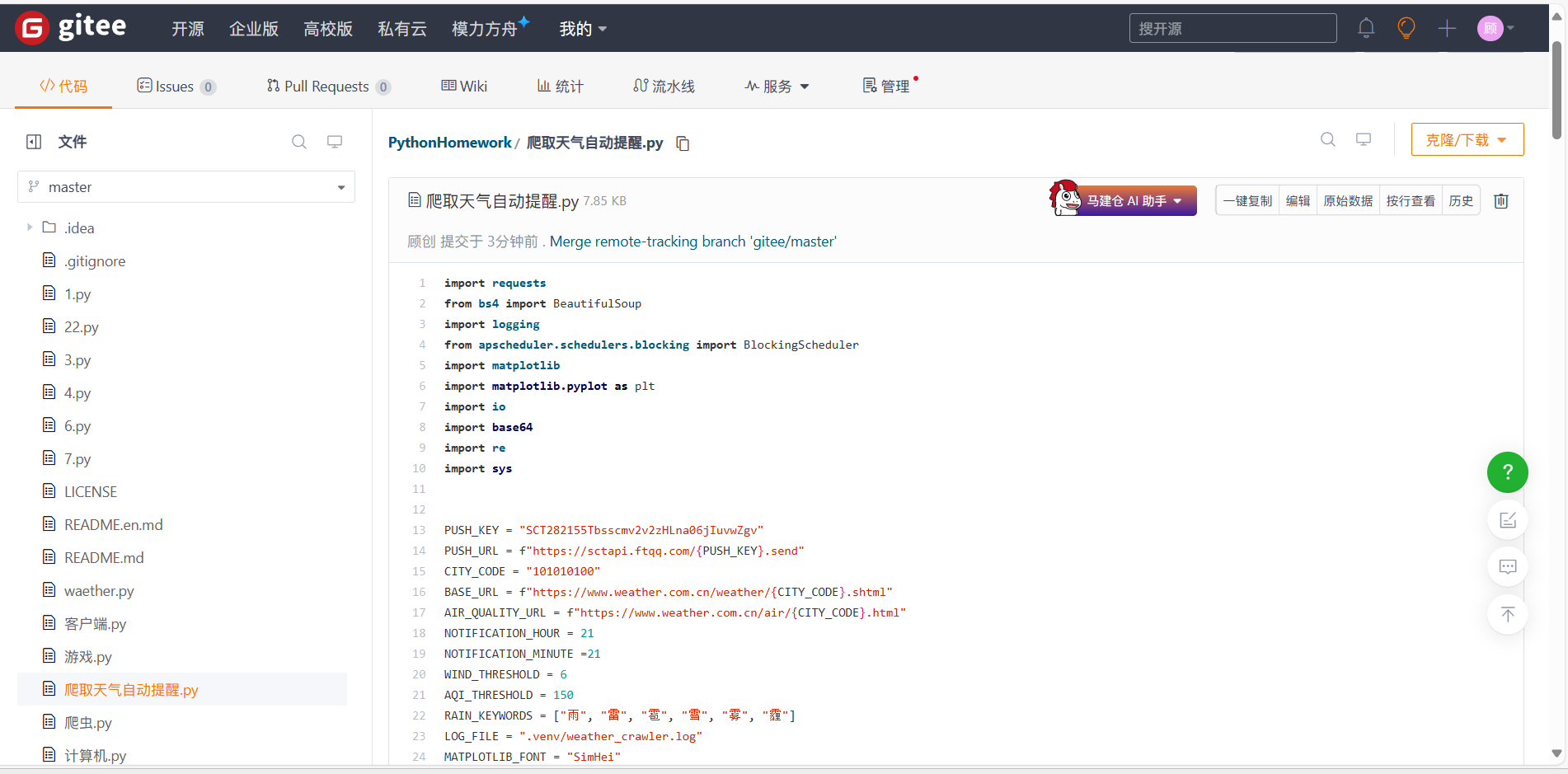
码云链接:https://gitee.com/gu-chuanggo/PythonHomework/blob/master/爬取天气自动提醒.py
3. 实验过程中遇到的问题和解决过程
- 问题1:一开始使用的是和风天气的API,但无法实现
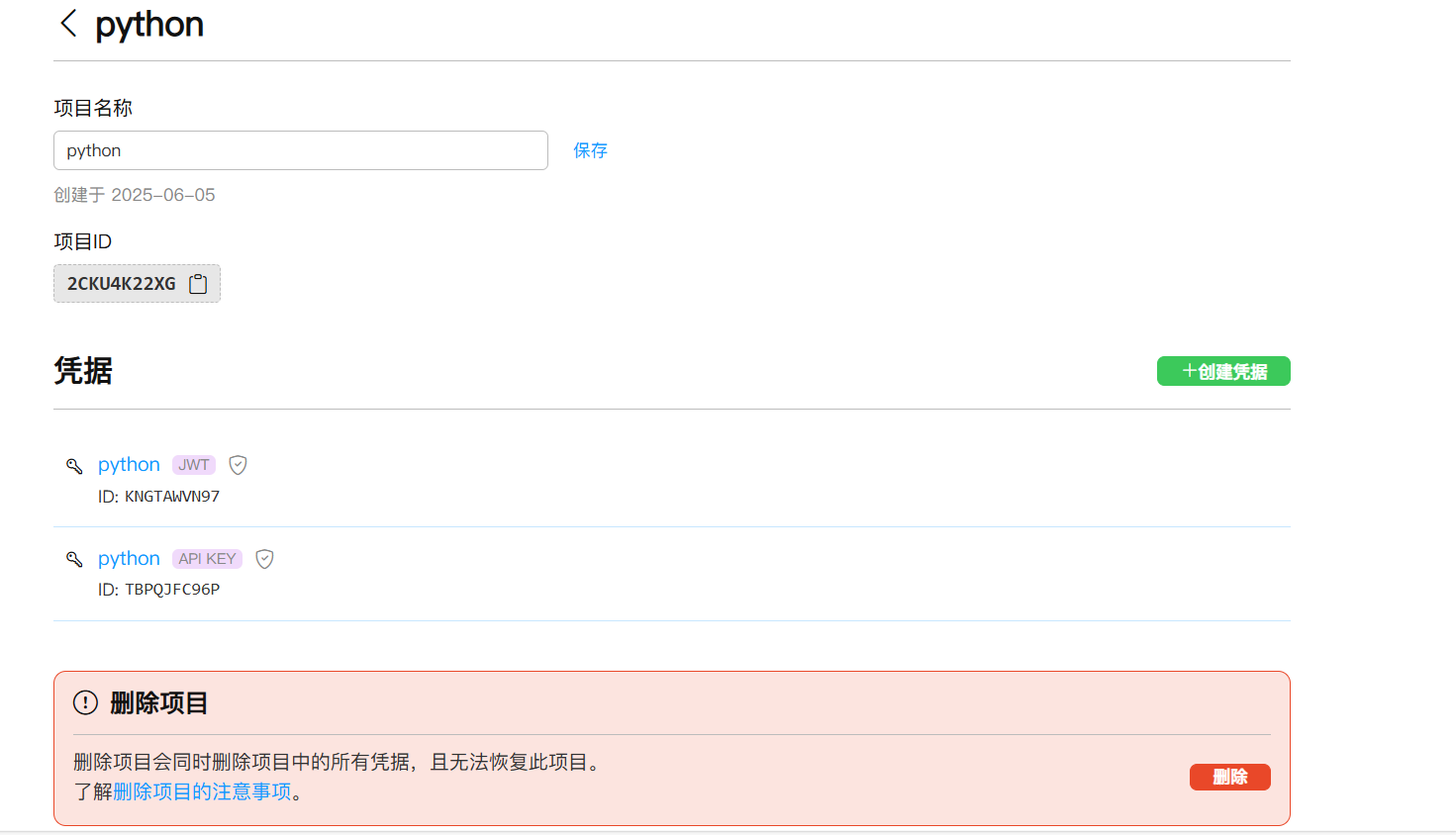

- 问题1解决方案:不使用天气API,直接爬取中国天气网
- 问题2:在qq邮箱和微信提醒中选择
- 问题2解决方案:qq邮箱要开启SMTP服务,不稳定,选择qq邮箱
- 问题3:实验前的准备环境出错
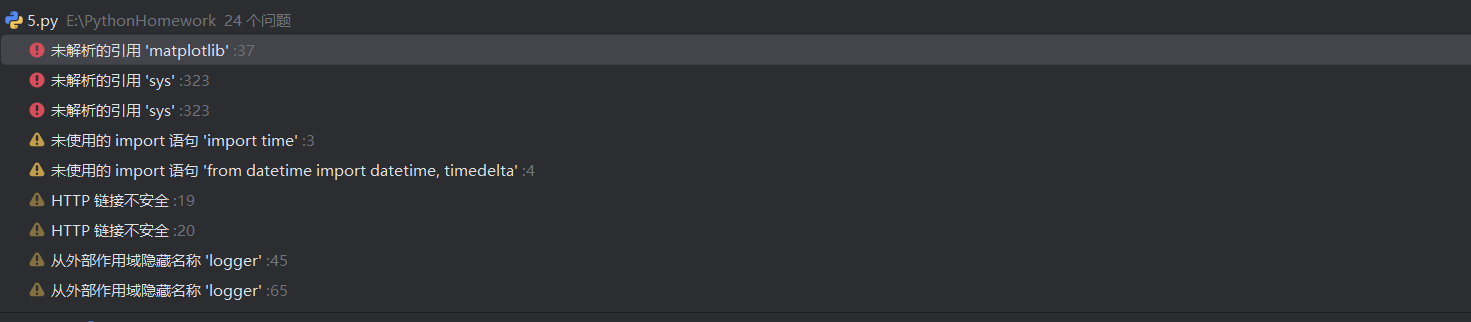
- 问题3解决方案:寻找python解释器,创造虚拟空间
- 问题4:获取空气质量一直失败
- 问题4解决方案:先检查网页结构是否变化,正确后发现是中文字体未配置的原因,在代码中加入。
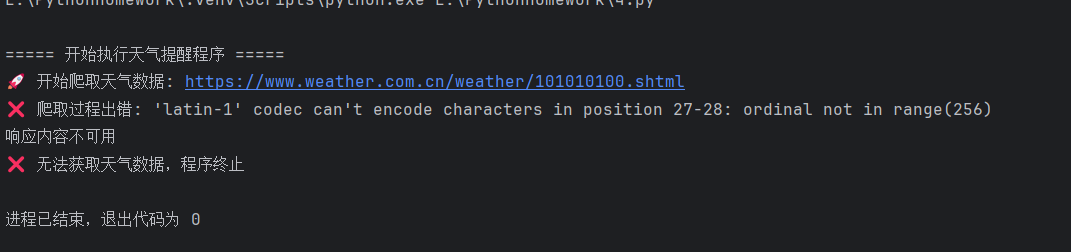
问题5:普通爬取失败
![]()
- 问题5解决方案:请求头模拟真实浏览器, 告诉网站请求来源,避免被网站识别为爬虫
- 问题6:不知道哪里出的问题
- 问题6解决方案:加入报错日志
其他(感悟、思考等)
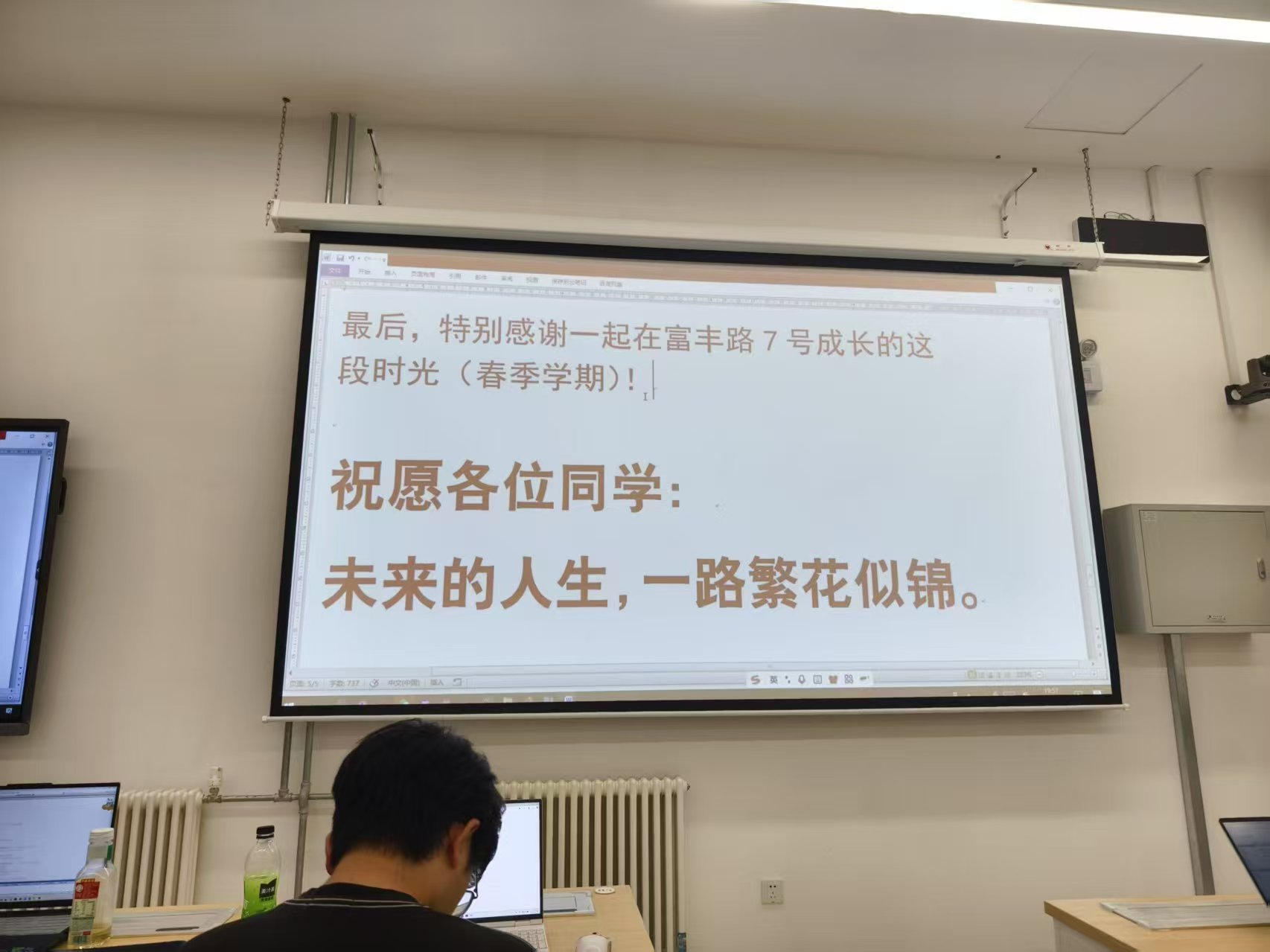
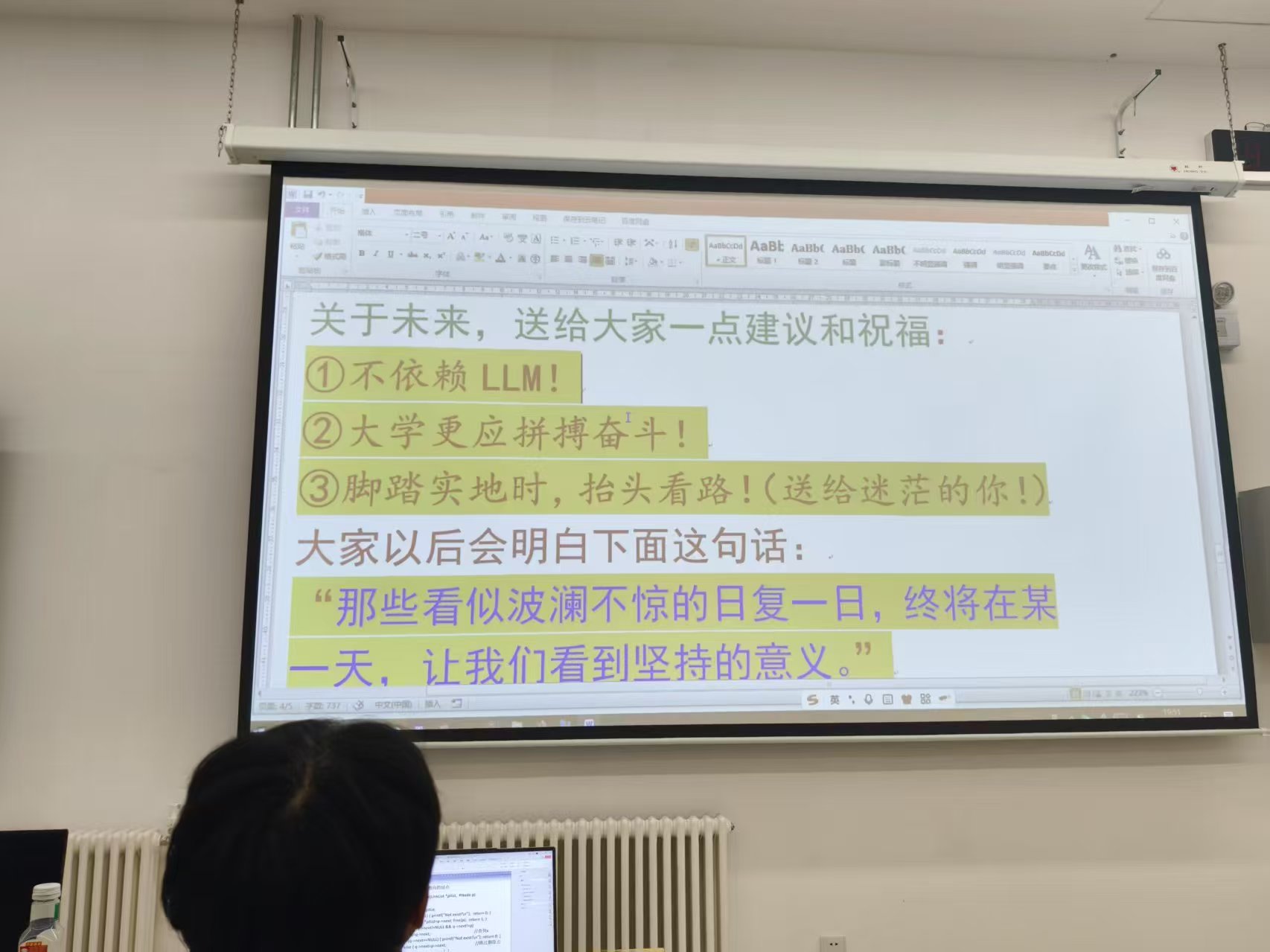
从第一节软教四到最后一次实验,一学期的python学习转瞬即逝。虽然学了很久,但最后一次实验依旧很困难,真正开始做的时候就一直报错,不断地去找AI询问,再不断更改,通过这次实验,又新学到了很多东西,果然老师只是引路人,只有不断自我实践,才能收获更多知识。写到这,顿感轻松,终于结束了每天的实验设计。回想起第一节课王老师用盖浇饭和蛋炒饭比作面向对象和面向过程,再到最后的告别。我相信我们会继续学习python,学习更多的python应用,在编程路上越走越远!

 浙公网安备 33010602011771号