

vue3: pdf.js using typescript
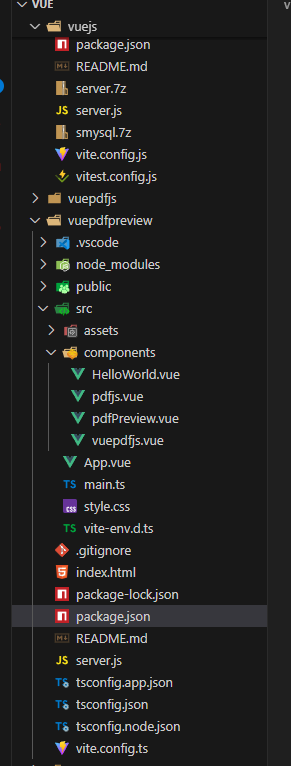
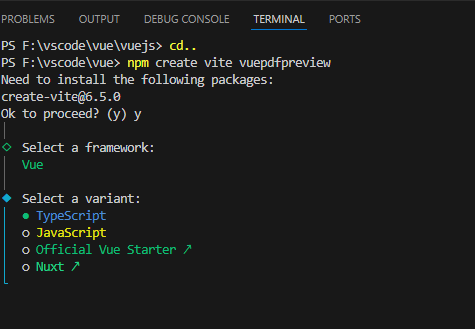
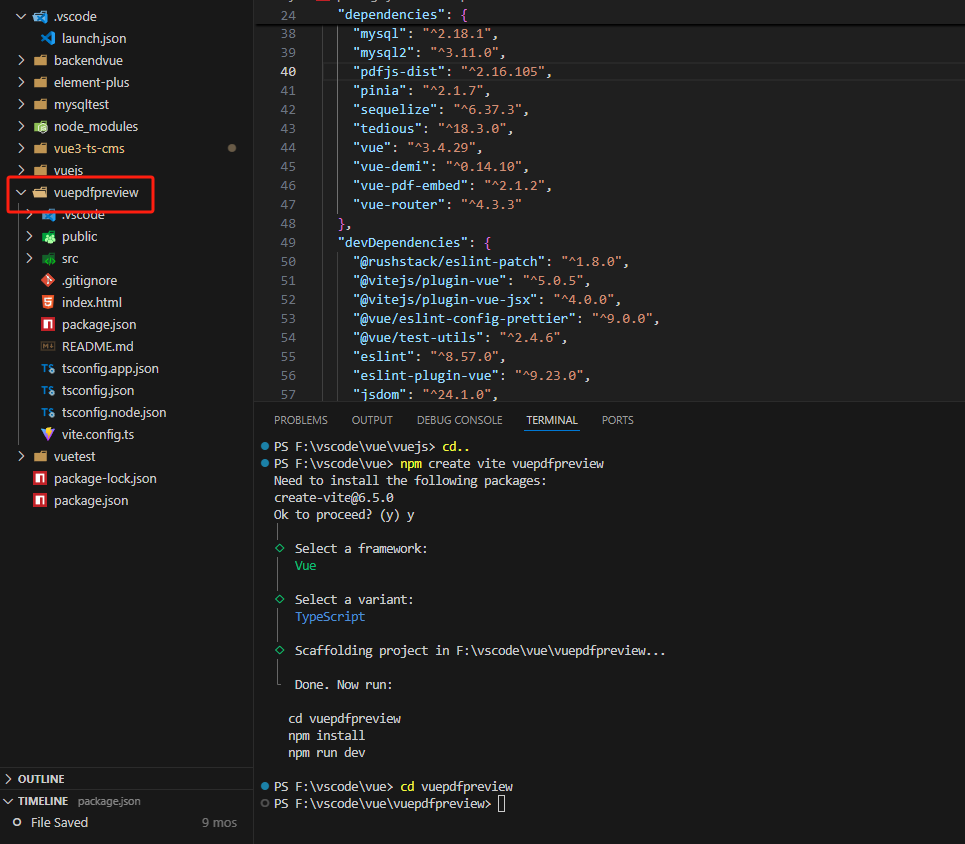
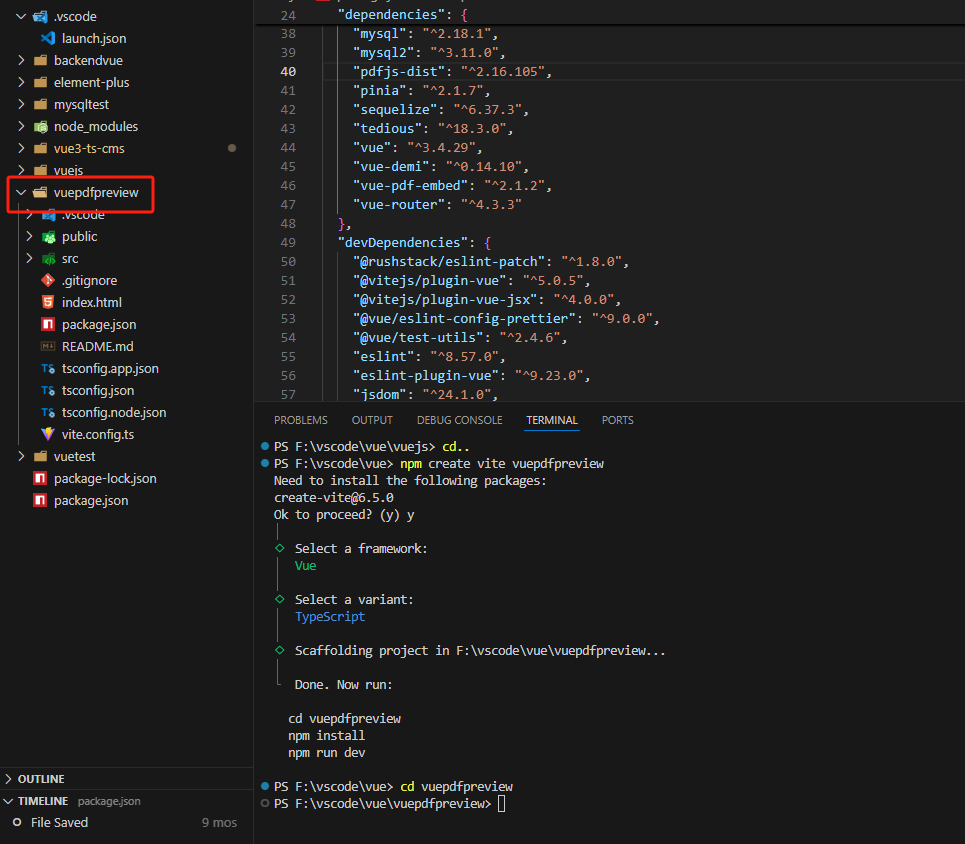
npm create vite vuepdfpreview  //创建项目

npm install vue-pdf-embed
npm install vue3-pdfjs
npm install pdfjs-dist@2.16.105
{
  "name": "vuepdfpreview",
  "private": true,
  "version": "0.0.0",
  "type": "module",
  "scripts": {
    "dev": "vite",
    "build": "vue-tsc -b && vite build",
    "preview": "vite preview"
  },
  "dependencies": {
    "concurrently": "^9.1.2",
    "express": "^5.1.0",
    "pdfjs-dist": "^2.6.347",
    "vue": "^3.5.13",
    "vue-pdf-embed": "^2.1.2",
    "vue3-pdfjs": "^0.1.6"
  },
  "devDependencies": {
    "@types/express": "^4.17.17",
    "@types/node": "^20.9.0",
    "@vitejs/plugin-vue": "^5.2.3",
    "@vue/tsconfig": "^0.7.0",
    "concurrently": "^9.1.2",
    "typescript": "~5.8.3",
    "vite": "^6.3.5",
    "vue-tsc": "^2.2.8"
  }
}
<!--
 *                                |~~~~~~~|
 *                                |       |
 *                                |       |
 *                                |       |
 *                                |       |
 *                                |       |
 *     |~.\\\_\~~~~~~~~~~~~~~xx~~~         ~~~~~~~~~~~~~~~~~~~~~/_//;~|
 *     |  \  o \_         ,XXXXX),                         _..-~ o /  |
 *     |    ~~\  ~-.     XXXXX`)))),                 _.--~~   .-~~~   |
 *      ~~~~~~~`\   ~\~~~XXX' _/ ';))     |~~~~~~..-~     _.-~ ~~~~~~~
 *               `\   ~~--`_\~\, ;;;\)__.---.~~~      _.-~
 *                 ~-.       `:;;/;; \          _..-~~
 *                    ~-._      `''        /-~-~
 *                        `\              /  /
 *                          |         ,   | |
 *                           |  '        /  |
 *                            \/;          |
 *                             ;;          |
 *                             `;   .       |
 *                             |~~~-----.....|
 *                            | \             \
 *                           | /\~~--...__    |
 *                           (|  `\       __-\|
 *                           ||    \_   /~    |
 *                           |)     \~-'      |
 *                            |      | \      '
 *                            |      |  \    :
 *                             \     |  |    |
 *                              |    )  (    )
 *                               \  /;  /\  |
 *                               |    |/   |
 *                               |    |   |
 *                                \  .'  ||
 *                                |  |  | |
 *                                (  | |  |
 *                                |   \ \ |
 *                                || o `.)|
 *                                |`\\) |
 *                                |       |
 *                                |       |
 *
 * @Author: geovindu
 * @Date: 2025-05-08 20:54:24
 * @LastEditors: geovindu
 * @LastEditTime: 2025-05-08 22:22:28
 * @FilePath: \vue\vuepdfpreview\src\App.vue
 * @Description: geovindu
 * @lib,packpage:
 * npm install vue-pdf-embed
 * npm install vue3-pdfjs
 *  npm install pdfjs-dist@2.16.105
 * @IDE: vscode
 * @jslib: node 20 vue.js 3.0
 * @OS: windows10
 * @database: mysql 8.0  sql server 2019 postgreSQL 16
 * Copyright (c) geovindu 2025 by geovindu@163.com, All Rights Reserved.
 -->


<template>
<div class="pdf-container">
    <PDFView :pdfUrl="pdfUrl" v-if="pdfUrl" />
    <div v-else >加载中...</div>
  <div>
    <a href="https://vite.dev" target="_blank">
      <img src="/vite.svg" class="logo" alt="Vite logo" />
    </a>
    <a href="https://vuejs.org/" target="_blank">
      <img src="./assets/vue.svg" class="logo vue" alt="Vue logo" />
    </a>
  </div>
  <HelloWorld msg="Vite + Vue" />
 </div>
 </template>
 <script setup lang="ts">

 import HelloWorld from './components/HelloWorld.vue'
 //import PDFView from "./components/pdfPreview.vue" // 可以
 import PDFView from "./components/pdfjs.vue"   //可以
 //import jsPdf from "http://localhost:5173/pdfs/01.pdf"
 const pdfUrl = "./pdfs/09.pdf"
 </script>


<style scoped>
.logo {
  height: 6em;
  padding: 1.5em;
  will-change: filter;
  transition: filter 300ms;
}
.logo:hover {
  filter: drop-shadow(0 0 2em #646cffaa);
}
.logo.vue:hover {
  filter: drop-shadow(0 0 2em #42b883aa);
}
</style>
<!--
 *                        ::
 *                       :;J7, :,                        ::;7:
 *                       ,ivYi, ,                       ;LLLFS:
 *                       :iv7Yi                       :7ri;j5PL
 *                      ,:ivYLvr                    ,ivrrirrY2X,
 *                      :;r@Wwz.7r:                :ivu@kexianli.
 *                     :iL7::,:::iiirii:ii;::::,,irvF7rvvLujL7ur
 *                    ri::,:,::i:iiiiiii:i:irrv177JX7rYXqZEkvv17
 *                 ;i:, , ::::iirrririi:i:::iiir2XXvii;L8OGJr71i
 *               :,, ,,:   ,::ir@mingyi.irii:i:::j1jri7ZBOS7ivv,
 *                  ,::,    ::rv77iiiriii:iii:i::,rvLq@huhao.Li
 *              ,,      ,, ,:ir7ir::,:::i;ir:::i:i::rSGGYri712:
 *            :::  ,v7r:: ::rrv77:, ,, ,:i7rrii:::::, ir7ri7Lri
 *           ,     2OBBOi,iiir;r::        ,irriiii::,, ,iv7Luur:
 *         ,,     i78MBBi,:,:::,:,  :7FSL: ,iriii:::i::,,:rLqXv::
 *         :      iuMMP: :,:::,:ii;2GY7OBB0viiii:i:iii:i:::iJqL;::
 *        ,     ::::i   ,,,,, ::LuBBu BBBBBErii:i:i:i:i:i:i:r77ii
 *       ,       :       , ,,:::rruBZ1MBBqi, :,,,:::,::::::iiriri:
 *      ,               ,,,,::::i:  @arqiao.       ,:,, ,:::ii;i7:
 *     :,       rjujLYLi   ,,:::::,:::::::::,,   ,:i,:,,,,,::i:iii
 *     ::      BBBBBBBBB0,    ,,::: , ,:::::: ,      ,,,, ,,:::::::
 *     i,  ,  ,8BMMBBBBBBi     ,,:,,     ,,, , ,   , , , :,::ii::i::
 *     :      iZMOMOMBBM2::::::::::,,,,     ,,,,,,:,,,::::i:irr:i:::,
 *     i   ,,:;u0MBMOG1L:::i::::::  ,,,::,   ,,, ::::::i:i:iirii:i:i:
 *     :    ,iuUuuXUkFu7i:iii:i:::, :,:,: ::::::::i:i:::::iirr7iiri::
 *     :     :rk@Yizero.i:::::, ,:ii:::::::i:::::i::,::::iirrriiiri::,
 *      :      5BMBBBBBBSr:,::rv2kuii:::iii::,:i:,, , ,,:,:i@petermu.,
 *           , :r50EZ8MBBBBGOBBBZP7::::i::,:::::,: :,:,::i;rrririiii::
 *               :jujYY7LS0ujJL7r::,::i::,::::::::::::::iirirrrrrrr:ii:
 *            ,:  :@kevensun.:,:,,,::::i:i:::::,,::::::iir;ii;7v77;ii;i,
 *            ,,,     ,,:,::::::i:iiiii:i::::,, ::::iiiir@xingjief.r;7:i,
 *         , , ,,,:,,::::::::iiiiiiiiii:,:,:::::::::iiir;ri7vL77rrirri::
 *          :,, , ::::::::i:::i:::i:i::,,,,,:,::i:i:::iir;@Secbone.ii:::
 *
 * @Author: geovindu
 * @Date: 2025-05-08 21:00:52
 * @LastEditors: geovindu
 * @LastEditTime: 2025-05-08 22:47:03
 * @FilePath: \vue\vuepdfpreview\src\components\pdfjs.vue
 * @Description: geovindu
 * @lib,packpage:
 *
 * @IDE: vscode
 * @jslib: node 20 vue.js 3.0
 * @OS: windows10
 * @database: mysql 8.0  sql server 2019 postgreSQL 16
 * Copyright (c) geovindu 2025 by geovindu@163.com, All Rights Reserved.
 -->
<template>
    <div class="pdf-container">
      <div v-if="loading" class="text-center py-8">加载中...</div>
      <div v-else-if="error" class="text-center py-8 text-red-500">{{ error }}</div>
      <div v-else>
        <div class="flex justify-between items-center mb-4">
          <div class="flex space-x-2">
            <button @click="zoomIn" class="px-3 py-1 bg-blue-500 text-white rounded hover:bg-blue-600">放大</button>
            <button @click="zoomOut" class="px-3 py-1 bg-blue-500 text-white rounded hover:bg-blue-600">缩小</button>
            <button @click="downloadPDF" class="px-3 py-1 bg-green-500 text-white rounded hover:bg-green-600">下载文档</button>
          </div>
          <div class="text-center">
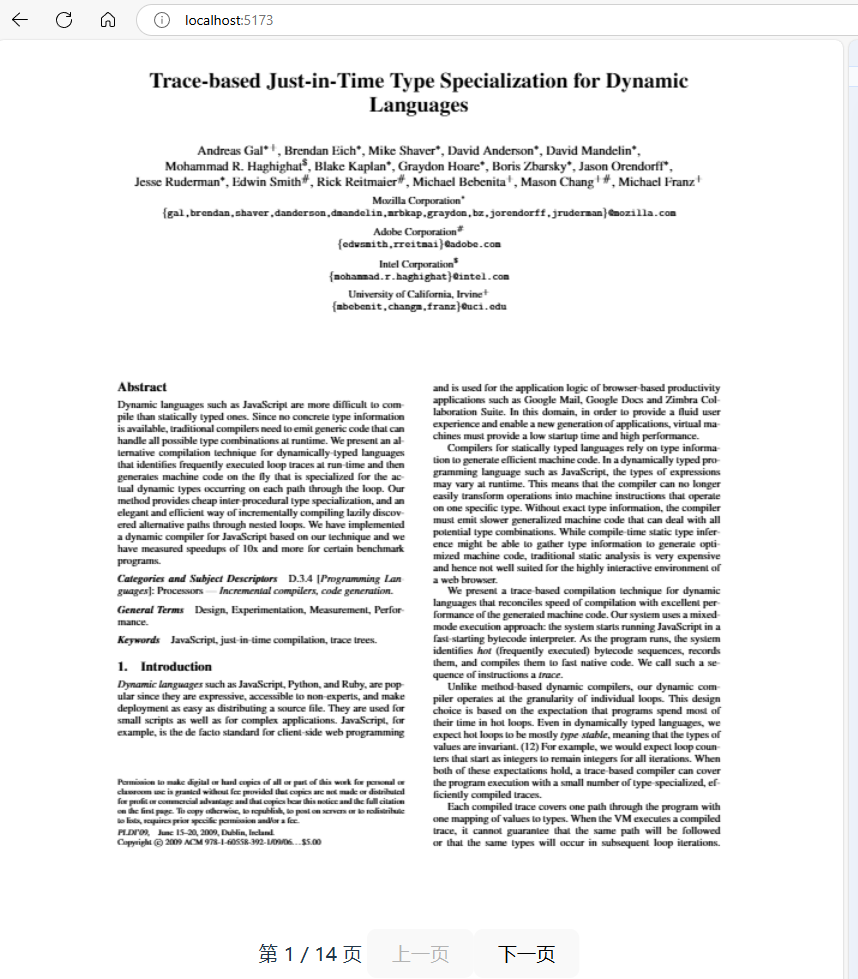
            第 {{ currentPage }} / {{ totalPages }} 页
            <button @click="prevPage" :disabled="currentPage <= 1" class="px-3 py-1 bg-gray-200 rounded hover:bg-gray-300">上一页</button>
            <button @click="nextPage" :disabled="currentPage >= totalPages" class="px-3 py-1 bg-gray-200 rounded hover:bg-gray-300">下一页</button>
          </div>
        </div>
        <div id="pdf-container" class="w-full h-[600px] border border-gray-300 overflow-auto">
          <canvas ref="pdfCanvas"></canvas>
        </div>
      </div>
    </div>
  </template>

  <script setup>
  import { ref, onMounted, reactive } from 'vue';
  import * as pdfjsLib from 'pdfjs-dist';

  // 设置 worker 路径
  pdfjsLib.GlobalWorkerOptions.workerSrc = '/pdfjs/pdf.worker.js';

  const props = defineProps({
    pdfUrl: { type: String, required: true }
  });

  const pdfCanvas = ref(null);
  const loading = ref(true);
  const error = ref('');
  const currentPage = ref(1);
  const totalPages = ref(0);
  const scale = ref(1.0);
  let pdfDoc = null;

  const renderPage = async (num) => {
    try {
      const page = await pdfDoc.getPage(num);
      const viewport = page.getViewport({ scale: scale.value });

      // 设置 canvas 尺寸
      pdfCanvas.value.width = viewport.width;
      pdfCanvas.value.height = viewport.height;

      // 渲染页面
      const renderContext = {
        canvasContext: pdfCanvas.value.getContext('2d'),
        viewport: viewport
      };

      await page.render(renderContext).promise;
      currentPage.value = num;
    } catch (err) {
      console.error('渲染页面失败:', err);
      error.value = `渲染失败: ${err.message}`;
    }
  };

  const prevPage = () => {
    if (currentPage.value > 1) {
      renderPage(currentPage.value - 1);
    }
  };

  const nextPage = () => {
    if (currentPage.value < totalPages.value) {
      renderPage(currentPage.value + 1);
    }
  };

  const zoomIn = () => {
    scale.value += 0.1;
    renderPage(currentPage.value);
  };

  const zoomOut = () => {
    if (scale.value > 0.2) {
      scale.value -= 0.1;
      renderPage(currentPage.value);
    }
  };

  const downloadPDF = () => {
    const link = document.createElement('a');
    link.href = props.pdfUrl;
    link.download = props.pdfUrl.split('/').pop();
    link.click();
  };

  onMounted(async () => {
    try {
      // 加载 PDF
      const loadingTask = pdfjsLib.getDocument(props.pdfUrl);
      pdfDoc = await loadingTask.promise;
      totalPages.value = pdfDoc.numPages;

      // 渲染第一页
      renderPage(1);
      loading.value = false;
    } catch (err) {
      console.error('加载 PDF 失败:', err);
      error.value = `加载失败: ${err.message}`;
      loading.value = false;
    }
  });
  </script>

  <style scoped>
  .pdf-container {
    max-width: 1000px;
    margin: 0 auto;
  }

  #pdf-container canvas {
    max-width: 100%;
    display: block;
    margin: 0 auto;
  }
  </style>
<!--
 *                        ::
 *                       :;J7, :,                        ::;7:
 *                       ,ivYi, ,                       ;LLLFS:
 *                       :iv7Yi                       :7ri;j5PL
 *                      ,:ivYLvr                    ,ivrrirrY2X,
 *                      :;r@Wwz.7r:                :ivu@kexianli.
 *                     :iL7::,:::iiirii:ii;::::,,irvF7rvvLujL7ur
 *                    ri::,:,::i:iiiiiii:i:irrv177JX7rYXqZEkvv17
 *                 ;i:, , ::::iirrririi:i:::iiir2XXvii;L8OGJr71i
 *               :,, ,,:   ,::ir@mingyi.irii:i:::j1jri7ZBOS7ivv,
 *                  ,::,    ::rv77iiiriii:iii:i::,rvLq@huhao.Li
 *              ,,      ,, ,:ir7ir::,:::i;ir:::i:i::rSGGYri712:
 *            :::  ,v7r:: ::rrv77:, ,, ,:i7rrii:::::, ir7ri7Lri
 *           ,     2OBBOi,iiir;r::        ,irriiii::,, ,iv7Luur:
 *         ,,     i78MBBi,:,:::,:,  :7FSL: ,iriii:::i::,,:rLqXv::
 *         :      iuMMP: :,:::,:ii;2GY7OBB0viiii:i:iii:i:::iJqL;::
 *        ,     ::::i   ,,,,, ::LuBBu BBBBBErii:i:i:i:i:i:i:r77ii
 *       ,       :       , ,,:::rruBZ1MBBqi, :,,,:::,::::::iiriri:
 *      ,               ,,,,::::i:  @arqiao.       ,:,, ,:::ii;i7:
 *     :,       rjujLYLi   ,,:::::,:::::::::,,   ,:i,:,,,,,::i:iii
 *     ::      BBBBBBBBB0,    ,,::: , ,:::::: ,      ,,,, ,,:::::::
 *     i,  ,  ,8BMMBBBBBBi     ,,:,,     ,,, , ,   , , , :,::ii::i::
 *     :      iZMOMOMBBM2::::::::::,,,,     ,,,,,,:,,,::::i:irr:i:::,
 *     i   ,,:;u0MBMOG1L:::i::::::  ,,,::,   ,,, ::::::i:i:iirii:i:i:
 *     :    ,iuUuuXUkFu7i:iii:i:::, :,:,: ::::::::i:i:::::iirr7iiri::
 *     :     :rk@Yizero.i:::::, ,:ii:::::::i:::::i::,::::iirrriiiri::,
 *      :      5BMBBBBBBSr:,::rv2kuii:::iii::,:i:,, , ,,:,:i@petermu.,
 *           , :r50EZ8MBBBBGOBBBZP7::::i::,:::::,: :,:,::i;rrririiii::
 *               :jujYY7LS0ujJL7r::,::i::,::::::::::::::iirirrrrrrr:ii:
 *            ,:  :@kevensun.:,:,,,::::i:i:::::,,::::::iir;ii;7v77;ii;i,
 *            ,,,     ,,:,::::::i:iiiii:i::::,, ::::iiiir@xingjief.r;7:i,
 *         , , ,,,:,,::::::::iiiiiiiiii:,:,:::::::::iiir;ri7vL77rrirri::
 *          :,, , ::::::::i:::i:::i:i::,,,,,:,::i:i:::iir;@Secbone.ii:::
 *
 * @Author: geovindu
 * @Date: 2025-05-08 21:00:52
 * @LastEditors: geovindu
 * @LastEditTime: 2025-05-0823:20:31
 * @FilePath: \vue\vuepdfpreview\src\components\pdfPreview.vue
 * @Description: geovindu
 * @lib,packpage:
 *
 * @IDE: vscode
 * @jslib: node 20 vue.js 3.0
 * @OS: windows10
 * @database: mysql 8.0  sql server 2019 postgreSQL 16
 * Copyright (c) geovindu 2025 by geovindu@163.com, All Rights Reserved.
 -->
 <template>
    <div class="pdf-container">
      <div v-if="loading" class="text-center py-8">加载中...</div>
      <div v-else-if="error" class="text-center py-8 text-red-500">{{ error }}</div>
      <div v-else>
        <!-- 控制工具栏 -->
        <div class="flex justify-between items-center mb-4">
          <div class="flex space-x-2">
            <button @click="zoomIn" class="px-3 py-1 bg-blue-500 text-white rounded hover:bg-blue-600">
              <i class="fa fa-search-plus mr-1"></i> 放大
            </button>
            <button @click="zoomOut" class="px-3 py-1 bg-blue-500 text-white rounded hover:bg-blue-600">
              <i class="fa fa-search-minus mr-1"></i> 缩小
            </button>
            <button @click="downloadPDF" class="px-3 py-1 bg-green-500 text-white rounded hover:bg-green-600">
              <i class="fa fa-download mr-1"></i> 下载文档
            </button>
          </div>
          <div class="text-center">
            缩放比例: {{ scale }}%
          </div>
        </div>

        <!-- PDF 容器 -->
        <div id="pdf-container" class="w-full h-[600px] border border-gray-300 overflow-auto">
          <vue-pdf-embed
            ref="pdfEmbedRef"
            :source="state.source"
            :page="state.pageNum"
            :scale="scale / 100"
            textLayer
          />
        </div>

        <!-- 页码控制 -->
        <div class="mt-4 text-center">
          第 {{ state.pageNum }} / {{ state.numPages }} 页
          <button @click="prevPage" :disabled="state.pageNum <= 1" class="px-3 py-1 bg-gray-200 rounded hover:bg-gray-300 mx-2">
            上一页
          </button>
          <button @click="nextPage" :disabled="state.pageNum >= state.numPages" class="px-3 py-1 bg-gray-200 rounded hover:bg-gray-300 mx-2">
            下一页
          </button>
        </div>
      </div>
    </div>
  </template>

  <script setup>
  import { reactive, onMounted, ref } from 'vue';
  import VuePdfEmbed from 'vue-pdf-embed';
  import { createLoadingTask } from 'vue3-pdfjs';

  const props = defineProps({
    pdfUrl: {
      type: String,
      required: true
    }
  });

  const pdfEmbedRef = ref(null);
  const state = reactive({
    source: props.pdfUrl,
    pageNum: 1,
    numPages: 0
  });

  const loading = ref(true);
  const error = ref('');
  const scale = ref(100); // 初始缩放比例为 100%

  // 加载 PDF
  onMounted(() => {
    const loadingTask = createLoadingTask(state.source);

    loadingTask.promise
      .then((pdf) => {
        console.log('PDF 加载成功,总页数:', pdf.numPages);
        state.numPages = pdf.numPages;
        loading.value = false;
      })
      .catch((err) => {
        console.error('PDF 加载失败:', err);
        error.value = `加载失败: ${err.message}`;
        loading.value = false;
      });
  });

  // 翻页控制
  const prevPage = () => {
    if (state.pageNum > 1) {
      state.pageNum--;
    }
  };

  const nextPage = () => {
    if (state.pageNum < state.numPages) {
      state.pageNum++;
    }
  };

  // 缩放控制
  const zoomIn = () => {
    scale.value = Math.min(scale.value + 25, 400); // 最大缩放 400%
  };

  const zoomOut = () => {
    scale.value = Math.max(scale.value - 25, 50); // 最小缩放 50%
  };

  // 下载 PDF
  const downloadPDF = () => {
    try {
      // 尝试使用 vue-pdf-embed 提供的下载功能
      if (pdfEmbedRef.value && pdfEmbedRef.value.download) {
        pdfEmbedRef.value.download();
      } else {
        //  fallback 方法
        const link = document.createElement('a');
        link.href = props.pdfUrl;
        link.download = props.pdfUrl.split('/').pop() || 'document.pdf';
        link.click();
      }
    } catch (e) {
      console.error('下载失败:', e);
      error.value = '下载失败,请尝试右键另存为';

      // 最终 fallback: 直接打开 PDF URL
      window.open(props.pdfUrl, '_blank');
    }
  };
  </script>

  <style scoped>
  .pdf-container {
    max-width: 1000px;
    margin: 0 auto;
  }

  #pdf-container canvas {
    max-width: 100%;
    display: block;
    margin: 0 auto;
  }
  </style>
server.js
const cors = require('cors');
app.use(cors());q
const express = require('express');
const path = require('path');
const app = express();
const port = 3000;

// 静态文件服务
app.use(express.static(path.join(__dirname, 'public')));
app.use('/pdfjs', express.static(path.join(__dirname, 'node_modules/pdfjs-dist/build')));
app.use('/pdfjs/web', express.static(path.join(__dirname, 'node_modules/pdfjs-dist/web')));

// 假设 PDF 文件位于 public/pdf 目录下
app.get('/pdfs/:filename', (req, res) => {
  res.sendFile(path.join(__dirname, 'punpm blic/pdf', req.params.filename));
});

app.listen(port, () => {
  console.log(`服务器运行在 http://localhost:${port}`);
});
main.ts
import { createApp } from 'vue'
import VuePdfEmbed from "vue-pdf-embed"
import { createLoadingTask } from "vue3-pdfjs"
import './style.css'
import App from './App.vue'

createApp(App).mount('#app')
index.html:
<!doctype html>
<html lang="en">
  <head>
    <meta charset="UTF-8" />
    <link rel="icon" type="image/svg+xml" href="/vite.svg" />
    <meta name="viewport" content="width=device-width, initial-scale=1.0" />
    <title>Vite + Vue + TS</title>
  </head>
  <body>
    <div id="app"></div>
    <script type="module" src="/src/main.ts"></script>
  </body>
</html>
哲学管理(学)人生, 文学艺术生活, 自动(计算机学)物理(学)工作, 生物(学)化学逆境, 历史(学)测绘(学)时间, 经济(学)数学金钱(理财), 心理(学)医学情绪, 诗词美容情感, 美学建筑(学)家园, 解构建构(分析)整合学习, 智商情商(IQ、EQ)运筹(学)生存.---Geovin Du(涂聚文)

 浙公网安备 33010602011771号