
async与await的使用
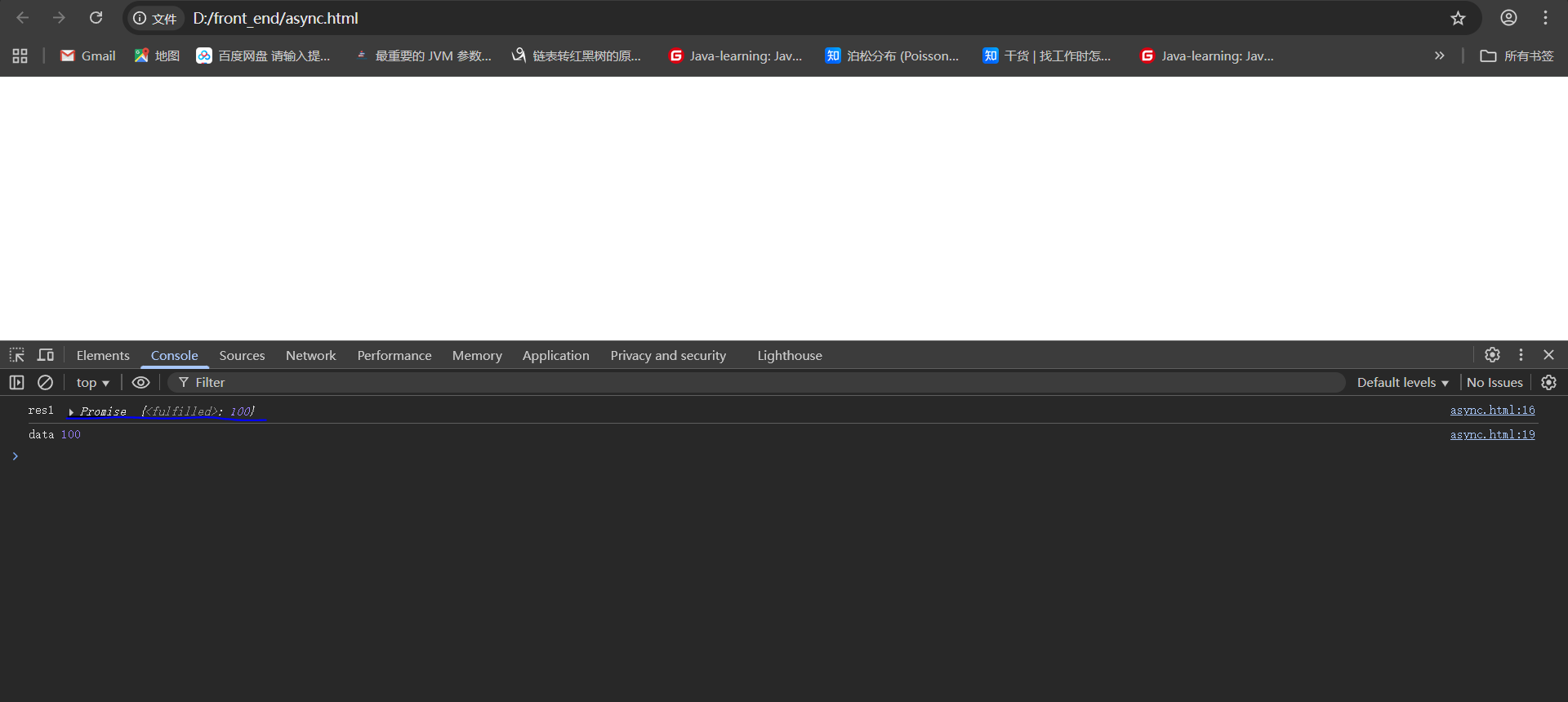
async与await也能处理异步请求与promise一样,执行async函数,返回的是一个Promise对象
<!DOCTYPE html>
<html>
<head>
<meta charset="utf-8">
<script src="https://code.jquery.com/jquery-3.6.0.min.js"></script>
<title>promise-ajax</title>
</head>
<body>
<script type="text/javascript">
    async function fn1(){

    return 100; //相当于return promise.resolve(100);
}

const res1 = fn1(); //执行async函数,返回的是一个Promise对象
console.log('res1', res1); //promise对象
res1.then(data => {

    console.log('data', data); //100
});


</script>

</body>
</html>
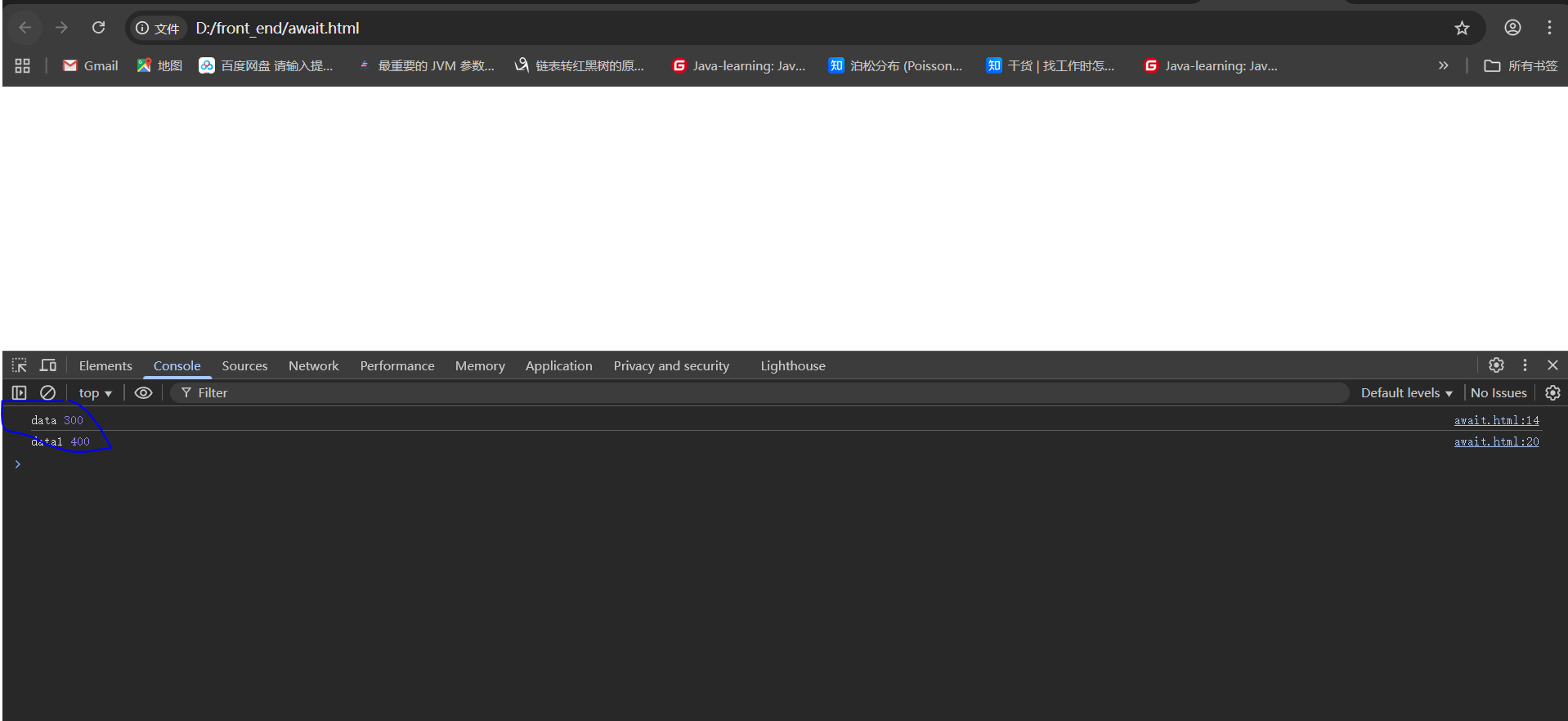
await 相当于 promise的then
<!DOCTYPE html>
<html>
<head>
<meta charset="utf-8">
<script src="https://code.jquery.com/jquery-3.6.0.min.js"></script>
<title>promise-ajax</title>
</head>
<body>
<script type="text/javascript">
    !(async function (){

        const p1 = Promise.resolve(300);
        const data = await p1; //await 相当于 promise的then
        console.log('data', data); //data 300
    })();

    !(async function () {

        const data1 = await 400; //await Promise.resolve(400)
        console.log('data1', data1); //data1 400
    })();

</script>

</body>
</html>
1.await发送ajax请求并返回结果
<!DOCTYPE html>
<html>
<head>
<meta charset="utf-8">
<script src="https://code.jquery.com/jquery-3.6.0.min.js"></script>
<title>promise-ajax</title>
</head>
<body>
<script type="text/javascript">
    async function getData() {
        const response = await fetch('http://localhost:30000/test/say');
        const data = await response.text();
        return data;
    }

    // Get the return value using await
    async function handleData() {
        try {
            const result = await getData();
            console.log('Result:', result);
            // You can use the result here
        } catch (error) {
            console.error('Error:', error);
        }
    }

handleData();

</script>

</body>
</html>
2.完整的方式
<!DOCTYPE html>
<html>
<head>
<meta charset="utf-8">
<script src="https://code.jquery.com/jquery-3.6.0.min.js"></script>
<title>promise-ajax</title>
</head>
<body>
<script type="text/javascript">
    // Async function that returns a value
async function fetchData(url) {
    try {
        const response = await fetch(url);
        if (!response.ok) {
            throw new Error(`HTTP error! status: ${response.status}`);
        }
        const data = await response.text();
        return data;
    } catch (error) {
        console.error('Fetch error:', error);
        throw error;
    }
}

// Method 1: Using await in another async function
async function useWithAwait() {
    try {
        const url = 'http://localhost:30000/test/say';
        const result = await fetchData(url);
        console.log('Using await:', result);
        return result; // This can be awaited by another function
    } catch (error) {
        console.error('Error in useWithAwait:', error);
    }
}

// Method 2: Using .then() method
function useWithThen() {
    const url = 'http://localhost:30000/test/say';
    fetchData(url)
        .then(result => {
            console.log('Using .then():', result);
            // You can use the result here
        })
        .catch(error => {
            console.error('Error in useWithThen:', error);
        });
}

// Usage
useWithAwait();
useWithThen();

</script>

</body>
</html>

 浙公网安备 33010602011771号