3、第十 - WEB开发进阶 - WEB前端框架介绍
Web框架:其实就是socket间的数据传输。
Python3 string(字符串) 转换到 bytes(字节) 的三种方式:(编写socket传输中,经常用到 ,重点)
import hashlib

m = hashlib.md5()
第一种
m.update(b'fffff')
第二种
m.update(bytes('chen',encoding='utf8'))
#第三种
m.update(('chen').encode('utf-8'))

ret =  m.hexdigest()
print(ret) 打印MD5值
1、原始版本:使用socket库编写的一个简单的socket框架
import  socket

def handle_request(client):
    buf = client.recv(1024)
    #发送,转换成字节类型
    client.send(b'HTTP/1.1 200 OK\r\n\r\n') #定义状态码
    client.send('<h1>Hello,EveryOne</h1>'.encode('utf-8')) # 让浏览器解析html标签,

def main():
    sock = socket.socket(socket.AF_INET,socket.SOCK_STREAM)
    sock.bind(('127.0.0.1',8001))
    sock.listen(5)

    while True:
        conn,addr = sock.accept()
        handle_request(conn)
        conn.close()

if __name__ == '__main__':
    main()
效果:
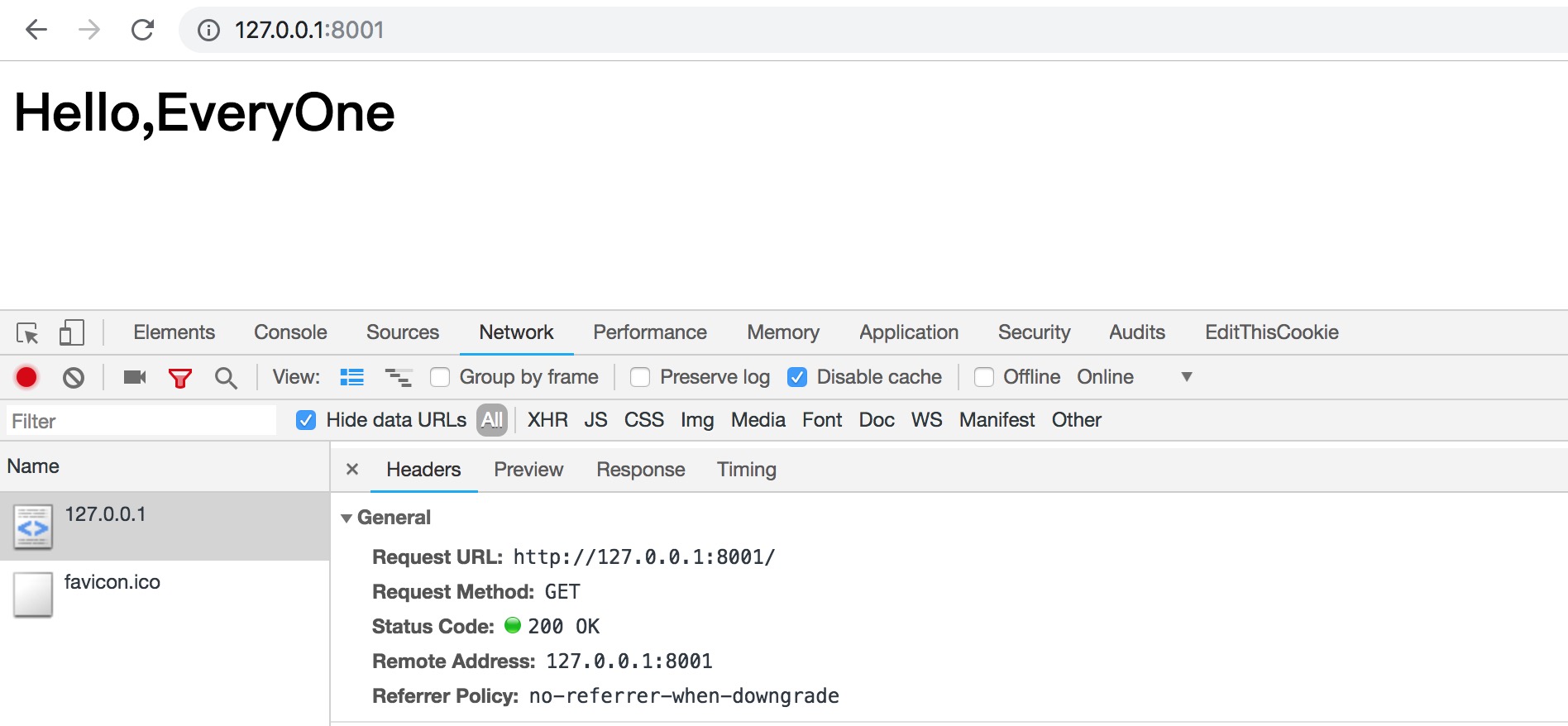
2、简化版本:使用 wsgiref 也可以完成一个简单的socket编写
from wsgiref.simple_server import make_server

def RunServer(environ,start_response):
    # environ  客户发来的所有数据
    # start_response 封装要返回给用户的数据,响应头状态
    start_response('200 OK',[('Content-Type','text/html')])
    return ['<h1> Hello,EveryOne</h1>'.encode('utf-8'),]

if __name__ == '__main__':
    httpd = make_server('127.0.0.1',9000,RunServer)
    httpd.serve_forever()
效果:
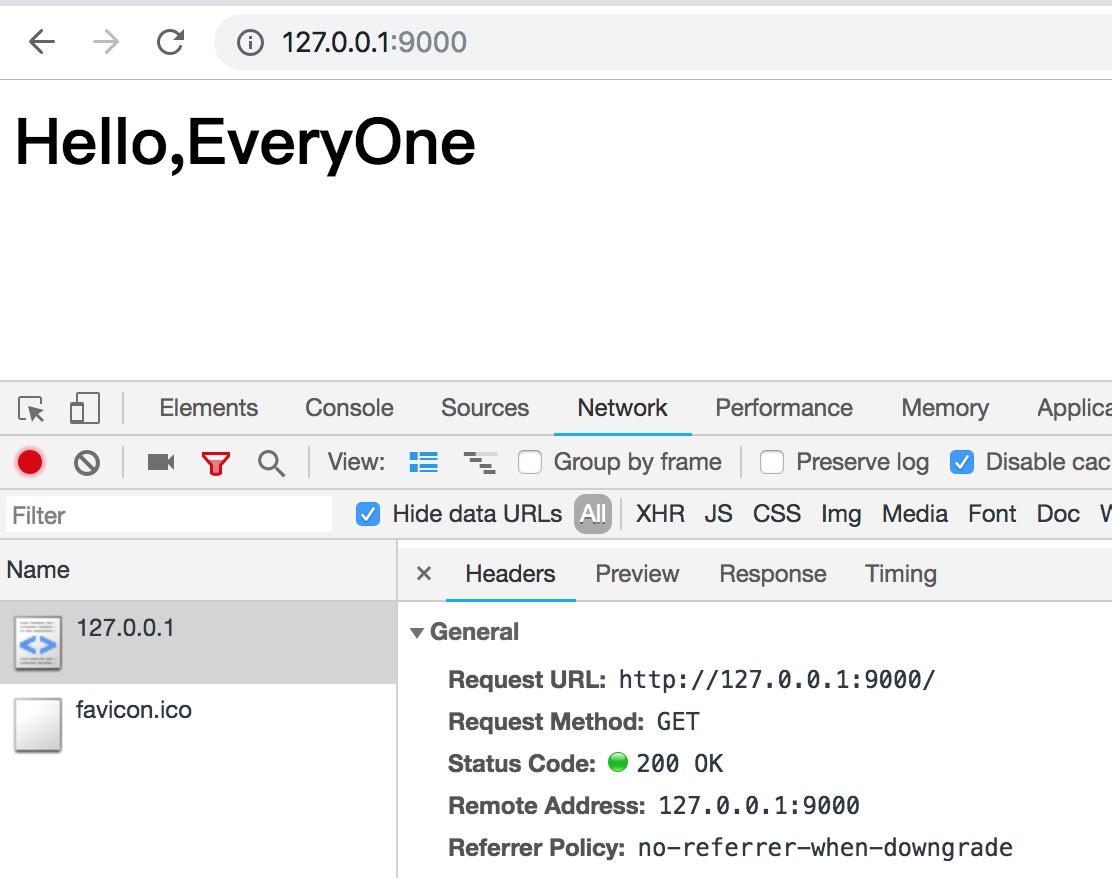
我们平常听的比较多的WEB框架就是MVC框架或者MTV的框架。其实简单来说 就是代码的习惯或者模型。
WEB框架
    MVC
    	Model  	   View         Controller
    	数据库	   模板文件       业务处理

    MTV
    	Model      Tempalte 	View
    	数据库	   模板文件       业务处理
通常来讲,一个URL有不同的子页面访问,用户可能访问index或date之类 。总之,后面接的参数URL不一样,得到的页面展示不一样。
1、可通过PY脚本的处理方式,得到效果
from wsgiref.simple_server import make_server

#定义的处理方法
def handle_index():
    return ['<h1>Hello,index</h1>'.encode('utf-8'), ]

def handle_date():
    return ['<h1>Hello,Date</h1>'.encode('utf-8'),]


#定义字典:抓取URL总子页面信息与处理方法的对应关系。(注意字典中values不括号)
URL_DIR = {
    '/index/\d+':handle_index, #对于读取多页数据,可通过正则表达匹配
    '/date':handle_date
}

def RunServer(environ,start_response):
    #environ 接收用户数据
    #start_response 返回数据给用户
    start_response('200 OK',[('Content-Type','text/html')])

    #获取客户端访问URL后缀,可通过pycharm中断点查出获取的,要截取参数。
    curent_url  = environ['PATH_INFO']

    #判断是否URL_DIR中
    func = None
    if curent_url in URL_DIR:
        func = URL_DIR[curent_url]
    #访问的链接如果在URL_DIR中,则返回字典中Values
    if func:
        return func()
    else:
       #页面不存在返回404页面
        return ['<h2>404</h2>'.encode('utf-8'),]

#定义入口
if __name__ == '__main__':
    httpd = make_server('127.0.0.1',9001,RunServer)
    httpd.serve_forever()
可通过访问页面信息,得出不同的效果:
http://127.0.0.1:9001/index
http://127.0.0.1:9001/date
http://127.0.0.1:9001
2、可对号入座,把脚本拆分成为MVC框架的模块。
如:目录划分 创建一个web目录,包括子目录 model、view、controller (结构划分完成,便于后面代码修改)
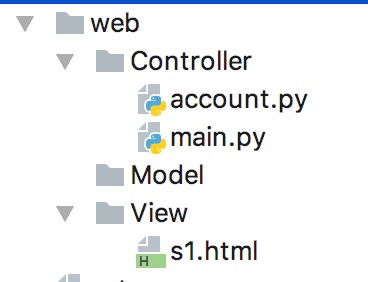
主配置文件为:main.py
from wsgiref.simple_server import make_server
import account

URL_DIR = {
    '/index':account.handle_index,
    '/date':account.handle_date,
}

def RunServer(environ,start_response):

    start_response('200 OK',[('Content-Type','text/html')])
    curent_url  = environ['PATH_INFO']
    func = None
    if curent_url in URL_DIR:
        func = URL_DIR[curent_url]

    if func:
        return func()
    else:
        return ['<h1> 404 !!! </h1>'.encode('utf-8'),]

if __name__ == '__main__':
    httpd = make_server('127.0.0.1',9002,RunServer)
    httpd.serve_forever()
逻辑处理文件为:account.py
import time

def handle_index():
    v = str(time.time())
    f = open('../View/s1.html',mode='rb')
    data = f.read()
    f.close()
    data = data.replace(b'@uuuu',v.encode('utf-8'))
    return [data,]

def handle_date():
    return ['<h1>Hello,Date</h1>'.encode('utf-8'),]
模板文件为:s1.html
<!DOCTYPE html>
<html lang="en">
<head>
    <meta charset="UTF-8">
    <title>Title</title>
</head>
<body>
    <h1>Index @uuuu</h1>
</body>
</html>
可通过访问页面信息,得出不同的效果:
http://127.0.0.1:9001/index
http://127.0.0.1:9001/date
http://127.0.0.1:9001
~~ 以上 ~~
人有傲骨终不贱,脚踏实地见真章;
超出预期为工作,价值体现显能力。


 浙公网安备 33010602011771号