
vscode 按 tab 自动补全 vue 插件
1. 在vscode中 搜索 HTML Snippets ,并安装
2
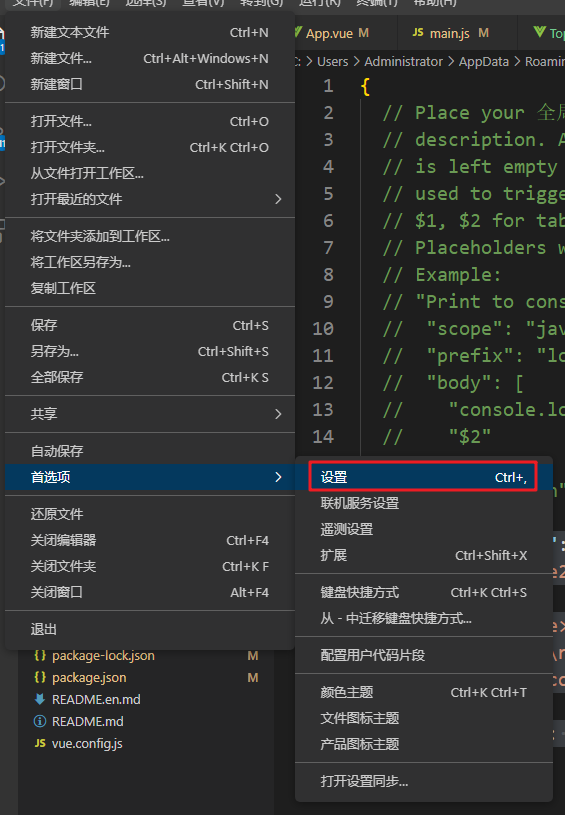
3
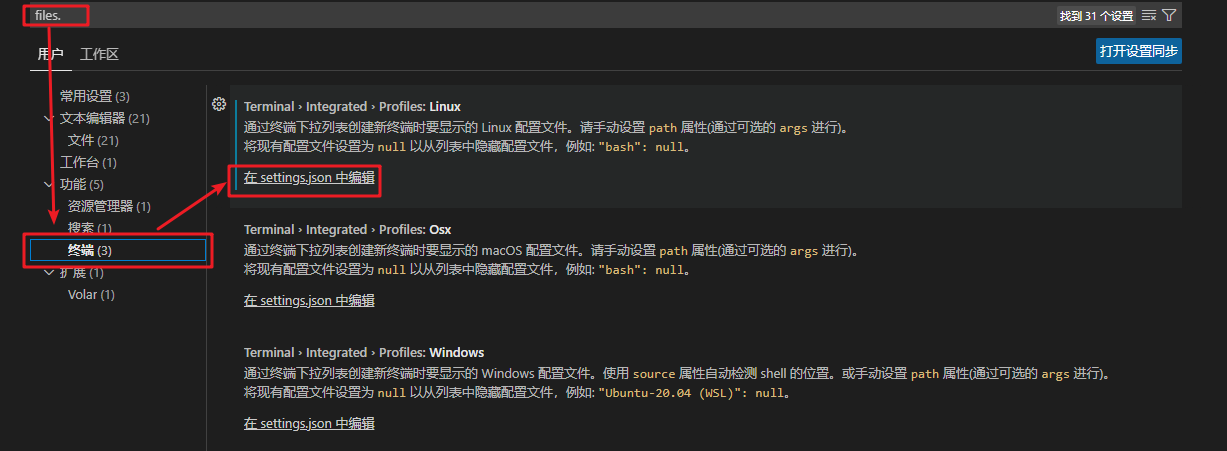
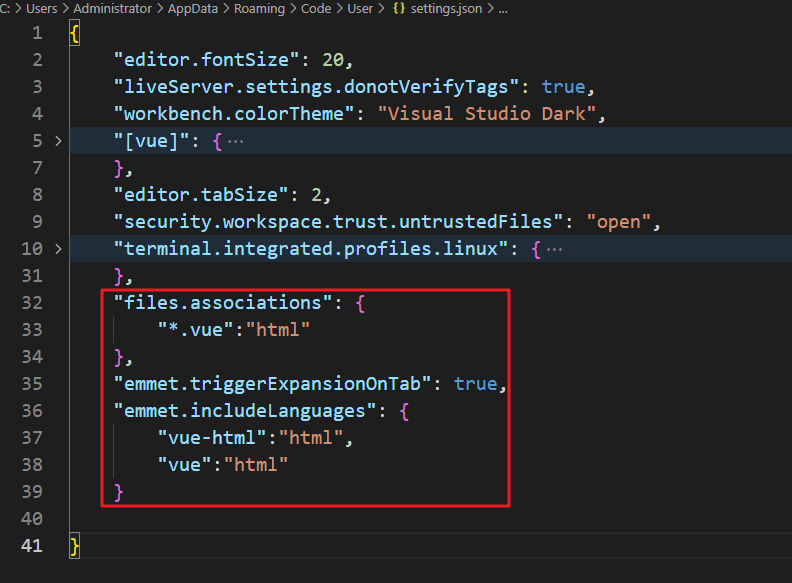
4 . 在配置项中 复制 粘贴下面的代码
 "files.associations": {
        "*.vue":"html"
    },
    "emmet.triggerExpansionOnTab": true,
    "emmet.includeLanguages": {
        "vue-html":"html",
        "vue":"html"
    }


1. 在vscode中 搜索 HTML Snippets ,并安装
2
3
4 . 在配置项中 复制 粘贴下面的代码
"files.associations": { "*.vue":"html" }, "emmet.triggerExpansionOnTab": true, "emmet.includeLanguages": { "vue-html":"html", "vue":"html" }

 浙公网安备 33010602011771号