



vue使用方案的抽取过程
第一步:是将vue挂载到index.js中的id为app的dom中
main.js:
import Vue from 'vue';

new Vue({
  el: "#app",
})
index.html
<!DOCTYPE html>
<html lang="zh-CN">

<head>
  <meta charset="UTF-8">
  <title>Document</title>
  <link rel="stylesheet" href="">
</head>

<body>
  <div id="app">

  </div>
</body>

</html>
(一般这个文件不再改变)
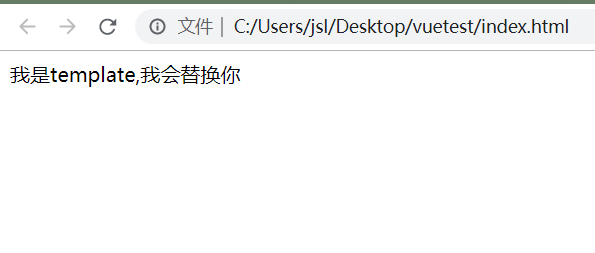
第二步:是了解一个编译规则,tremplate中的内容会替换el中dom的所有东西
import Vue from 'vue';

new Vue({
  el: "#app",
  template:`<div>我是template,我会替换你</div>`,
})
<!DOCTYPE html>
<html lang="zh-CN">

<head>
    <meta charset="UTF-8">
    <title>Document</title>
    <link rel="stylesheet" href="  ">
</head>

<body>
    <div id="app"></div>
    <script src="./dist/bundle.js"></script>
</body>

</html>
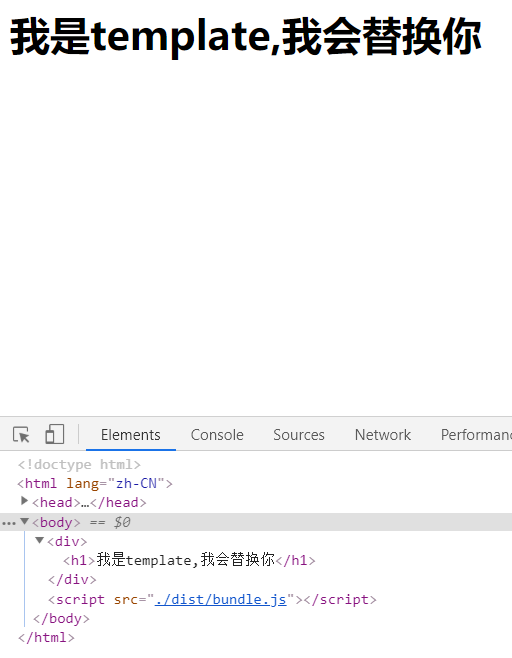
第三步:在外部编写一个组件,在Vue实例中注册一个子组件,使用到template中
import Vue from 'vue';

const App ={
  template:`<div><h1>{{message}}</h1></div>`,
  data(){
    return{
      message:'我是template,我会替换你'
    }
  }
}
new Vue({
  el: "#app",
  template:"<App/>",
  components:{
    App
  }
})
第四步:把子组件对象app抽离出去,到app.js中,并用export default导出,在main.js中导入
import Vue from 'vue';
import App from './vue/app';

new Vue({
  el: "#app",
  template:"<App/>",
  components:{
    App
  }
})
export default  {
  template: `<div><h1>{{message}}</h1></div>`,
  data() {
    return {
      message: '我是template,我会替换你'
    }
  }
}
第五步:将template与script分离,即引入.vue文件
<<template>
  <div>
    <h1>
      {{message}}
    </h1>
  </div>
</template>


<script>
export default {
  data() {
    return {
      message: '我是template,我会替换你'
    }
  }
}
</script>


<style lang='less' scoped>
</style>
import Vue from 'vue';
import App from './vue/app.vue';

new Vue({
  el: "#app",
  template:"<App/>",
  components:{
    App
  }
})
大家可以进群交流学习,老师讲的十分仔细!
vue学习链接

 浙公网安备 33010602011771号