
Android Sensor App demo相关
public class MainActivity extends AppCompatActivity implements SensorEventListener {

    private SensorManager mSensorManager;
    private Sensor mSensorAcc, mSensorMag;
    private TextView tvAcc, tvMag;

    @Override
    protected void onCreate(Bundle savedInstanceState) {
        super.onCreate(savedInstanceState);
        setContentView(R.layout.activity_main);
        Toolbar toolbar = findViewById(R.id.toolbar);
        setSupportActionBar(toolbar);

        tvAcc = findViewById(R.id.tvAcc);
        tvMag = findViewById(R.id.tvMag);
        mSensorManager = (SensorManager) getSystemService(Context.SENSOR_SERVICE);
		 //!< 通过getSystemService获得SensorManager实例对象 >! NoteBy: yujixuan
        mSensorAcc = mSensorManager.getDefaultSensor(Sensor.TYPE_ACCELEROMETER);
		 //!< 通过SensorManager 获取sensor对象 >! NoteBy: yujixuan
    }

    @Override
    public final void onSensorChanged(SensorEvent event) {
        float x = event.values[0];
        float y = event.values[1];
        float z = event.values[2];
        if(event.sensor == mSensorAcc)
            tvAcc.setText("x:" + x + "\ny:" + y + "\nz:" + z);
    }

    @Override
    protected void onResume() {
        super.onResume();
        mSensorManager.registerListener(this, mSensorAcc, SensorManager.SENSOR_DELAY_NORMAL);
    }

    @Override
    protected void onPause() {
        super.onPause();
        mSensorManager.unregisterListener(this);
    }
}
实现的步骤:
- 通过调用通过getSystemService获得传感器服务,实现返回的是封装了SensorService的SensorManager对象
- 通过SensorManager 来获得指定类型的传感器对象,用来获得传感器的数据
- 通过SensorManager.registerListener注册SensorEventListener监听器,监听传感器
- 实现对sensor上报数据内容的具体操作
以下是在Android Studio中实际demo
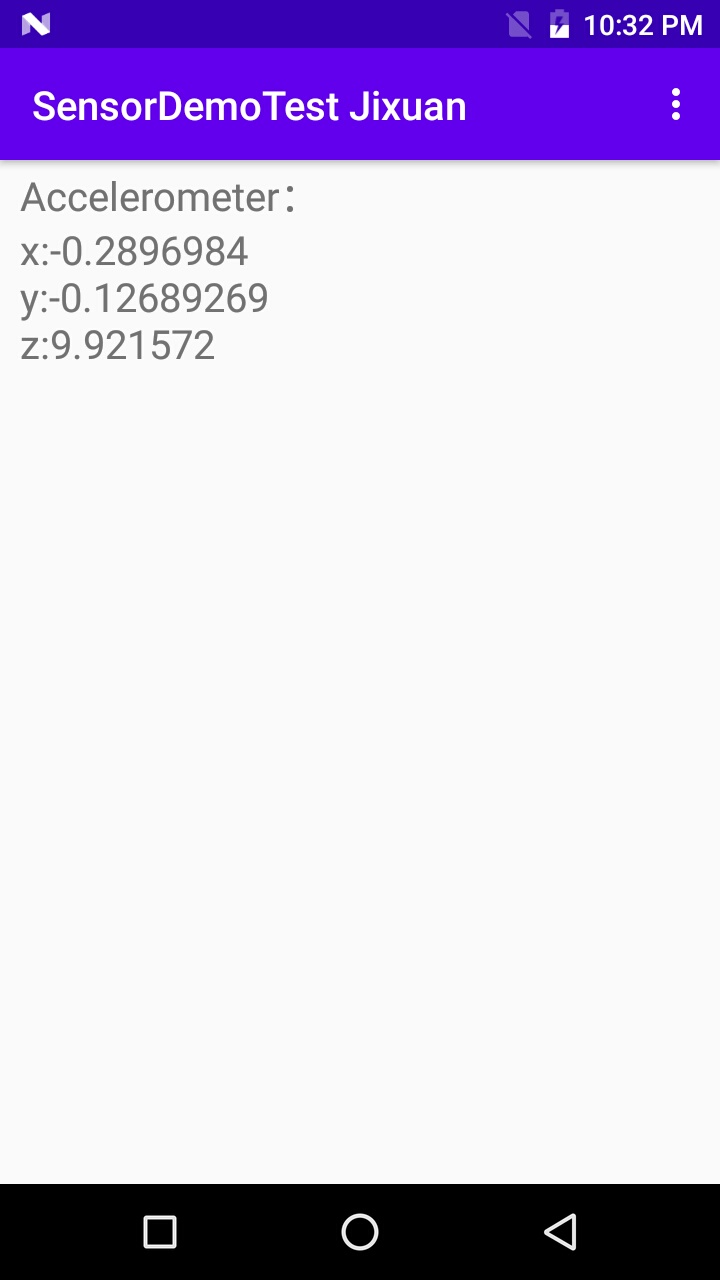
ServiceManage 管理:
通过上面的demo代码段可以发现,app中并未直接使用sensor service,而是用过Activity调用父类的方法获取SensorManger对象 用来操作;
应用程序demo和service运行在不同的进程中,需要进程间通信,android中使用Binder实现这一过程; 通过ServiceManage 封装共享服务,只暴露操作接口,操作细节;
这里获取到的实例对象即SensorManage,维护对其管理Service的引用,各个app提出Service操作申请,Manager将操作申请交由其管理的Service处理,然后将处理结果再交给用户程序或回调用户注册的监听接口。
看下SensorManage的实现:
代码路径:rameworks\base\core\java\android\hardware\SensorManager.java
public abstract class SensorManager {
     protected static final String TAG = "SensorManager";
    public static final int RAW_DATA_Z = 5;

    /** Standard gravity (g) on Earth. This value is equivalent to 1G */
    public static final float STANDARD_GRAVITY = 9.80665f;

    /** Sun's gravity in SI units (m/s^2) */
    public static final float GRAVITY_SUN             = 275.0f;
    /** Mercury's gravity in SI units (m/s^2) */
    public static final float GRAVITY_MERCURY         = 3.70f;
    /** Venus' gravity in SI units (m/s^2) */
    public static final float GRAVITY_VENUS           = 8.87f;
    /** Earth's gravity in SI units (m/s^2) */
    public static final float GRAVITY_EARTH           = 9.80665f;
......
    public SensorManager() {
    }
    protected abstract List<Sensor> getFullSensorList();
    protected abstract List<Sensor> getFullDynamicSensorList();
    @Deprecated
    public int getSensors() {
        return getLegacySensorManager().getSensors();
    }
    public List<Sensor> getSensorList(int type) {
        // cache the returned lists the first time
        List<Sensor> list;
        final List<Sensor> fullList = getFullSensorList();
        synchronized (mSensorListByType) {
            list = mSensorListByType.get(type);
            if (list == null) {
                if (type == Sensor.TYPE_ALL) {
                    list = fullList;
                } else {
                    list = new ArrayList<Sensor>();
                    for (Sensor i : fullList) {
                        if (i.getType() == type)
                            list.add(i);
                    }
                }
                list = Collections.unmodifiableList(list);
                mSensorListByType.append(type, list);
            }
        }
        return list;
    }
    @Deprecated
    public boolean registerListener(SensorListener listener, int sensors) {
        return registerListener(listener, sensors, SENSOR_DELAY_NORMAL);
    }
    public void unregisterListener(SensorEventListener listener, Sensor sensor) {
        if (listener == null || sensor == null) {
            return;
        }

        unregisterListenerImpl(listener, sensor);
    }
    public boolean flush(SensorEventListener listener) {
        return flushImpl(listener);
    }
.......
}
通过SensorManager类的定义可知,它是个抽象类,类中封装了各类方法供app去调用;实际的对象它的子类,SystemSensorManager集成重写了相关方法,以下是SystemSensorManager;
代码路径:frameworks\base\core\java\android\hardware\SystemSensorManager.java
public class SystemSensorManager extends SensorManager {
    //TODO: disable extra logging before release
    private static boolean DEBUG_DYNAMIC_SENSOR = true;

    private static native void nativeClassInit();
    private static native long nativeCreate(String opPackageName);
    private static native boolean nativeGetSensorAtIndex(long nativeInstance,
            Sensor sensor, int index);
    private static native void nativeGetDynamicSensors(long nativeInstance, List<Sensor> list);
    private static native boolean nativeIsDataInjectionEnabled(long nativeInstance);
    private static final Object sLock = new Object();
    @GuardedBy("sLock")
    private static boolean sNativeClassInited = false;
    @GuardedBy("sLock")
    private static InjectEventQueue sInjectEventQueue = null;

    private final ArrayList<Sensor> mFullSensorsList = new ArrayList<>();
    private List<Sensor> mFullDynamicSensorsList = new ArrayList<>();
    private boolean mDynamicSensorListDirty = true;

    private final HashMap<Integer, Sensor> mHandleToSensor = new HashMap<>();
......
    public SystemSensorManager(Context context, Looper mainLooper) {
        synchronized(sLock) {
            if (!sNativeClassInited) {
                sNativeClassInited = true;
                nativeClassInit();
            }
        }

        mMainLooper = mainLooper;
        mTargetSdkLevel = context.getApplicationInfo().targetSdkVersion;
        mContext = context;
        mNativeInstance = nativeCreate(context.getOpPackageName());

        // initialize the sensor list
        for (int index = 0;;++index) {
            Sensor sensor = new Sensor();
            if (!nativeGetSensorAtIndex(mNativeInstance, sensor, index)) break;
            mFullSensorsList.add(sensor);
            mHandleToSensor.put(sensor.getHandle(), sensor);
        }
    }
......
    @Override
    protected List<Sensor> getFullSensorList() {
        return mFullSensorsList;
......
        private static abstract class BaseEventQueue {
        private static native long nativeInitBaseEventQueue(long nativeManager,
                WeakReference<BaseEventQueue> eventQWeak, MessageQueue msgQ,
                String packageName, int mode, String opPackageName);
        private static native int nativeEnableSensor(long eventQ, int handle, int rateUs,
                int maxBatchReportLatencyUs);
        private static native int nativeDisableSensor(long eventQ, int handle);
        private static native void nativeDestroySensorEventQueue(long eventQ);
        private static native int nativeFlushSensor(long eventQ);
        private static native int nativeInjectSensorData(long eventQ, int handle,
    }
......
    }
内容比较多,都是对sensor相关功能接口的封装,不详细分析实现,贴出的代码主要是,在SystemSensorManager 定义使用了大量的native方法; 即对应JNI 库中的本地方法;
主要调用部分在其构造函数的实现,依次调用了:
nativeClassInit();
nativeCreate
        for (int index = 0;;++index) {
            Sensor sensor = new Sensor();
            if (!nativeGetSensorAtIndex(mNativeInstance, sensor, index)) break;
            mFullSensorsList.add(sensor);
            mHandleToSensor.put(sensor.getHandle(), sensor);
        }
对应本地C库中的调用,看下JNI的实现;
代码路径:./base/core/jni/android_hardware_SensorManager.cpp
关键函数:
int register_android_hardware_SensorManager(JNIEnv *env)
{
    RegisterMethodsOrDie(env, "android/hardware/SystemSensorManager",
            gSystemSensorManagerMethods, NELEM(gSystemSensorManagerMethods));

    RegisterMethodsOrDie(env, "android/hardware/SystemSensorManager$BaseEventQueue",
            gBaseEventQueueMethods, NELEM(gBaseEventQueueMethods));

    gBaseEventQueueClassInfo.clazz = FindClassOrDie(env,
            "android/hardware/SystemSensorManager$BaseEventQueue");

    gBaseEventQueueClassInfo.dispatchSensorEvent = GetMethodIDOrDie(env,
            gBaseEventQueueClassInfo.clazz, "dispatchSensorEvent", "(I[FIJ)V");

    gBaseEventQueueClassInfo.dispatchFlushCompleteEvent = GetMethodIDOrDie(env,
            gBaseEventQueueClassInfo.clazz, "dispatchFlushCompleteEvent", "(I)V");

    gBaseEventQueueClassInfo.dispatchAdditionalInfoEvent = GetMethodIDOrDie(env,
            gBaseEventQueueClassInfo.clazz, "dispatchAdditionalInfoEvent", "(III[F[I)V");

    return 0;
}
以gSystemSensorManagerMethods为例:
static const JNINativeMethod gSystemSensorManagerMethods[] = {
    {"nativeClassInit",
            "()V",
            (void*)nativeClassInit },
    {"nativeCreate",
             "(Ljava/lang/String;)J",
             (void*)nativeCreate },

    {"nativeGetSensorAtIndex",
            "(JLandroid/hardware/Sensor;I)Z",
            (void*)nativeGetSensorAtIndex },

    {"nativeGetDynamicSensors",
            "(JLjava/util/List;)V",
            (void*)nativeGetDynamicSensors },

    {"nativeIsDataInjectionEnabled",
            "(J)Z",
            (void*)nativeIsDataInjectionEnabled},
};
 浙公网安备 33010602011771号