
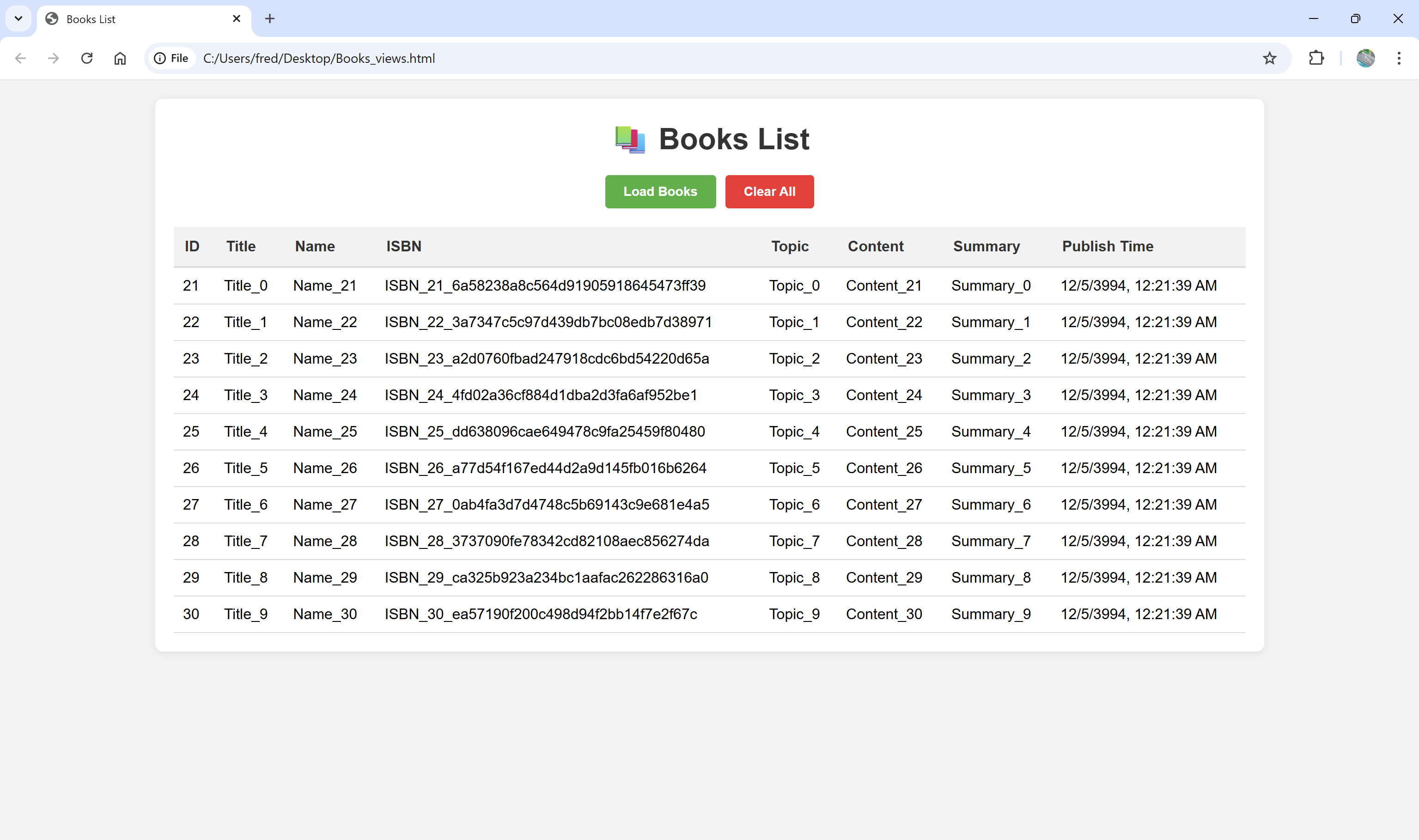
C# WebAPI generate services,render in Chrome via html and javascript
//WebAPI

namespace BooksServices
{
    public class Program
    {
        public static void Main(string[] args)
        {
            Console.WriteLine(DateTime.Now);
            var builder = WebApplication.CreateBuilder(args);

            //Add CORS policy
            builder.Services.AddCors(options =>
            {
                options.AddPolicy("AllowAll",
                    builder =>
                    {
                        builder.AllowAnyOrigin()
                        .AllowAnyMethod()
                        .AllowAnyHeader();
                    });
            });
            builder.Services.AddControllers();

            var app = builder.Build();

            app.UseCors("AllowAll");
            app.MapControllers();
            app.Run();
        }
    }
}


using BooksServices.Models;
using Microsoft.AspNetCore.Cors;
using Microsoft.AspNetCore.Http;
using Microsoft.AspNetCore.Mvc;

namespace BooksServices.Controllers
{

    [ApiController]
    [Route("api/[controller]")]
    public class BooksController : ControllerBase
    {
        static int idx = 0;

        [HttpGet]
        public IActionResult GetBooks()
        {
            List<Book> booksList = new List<Book>();
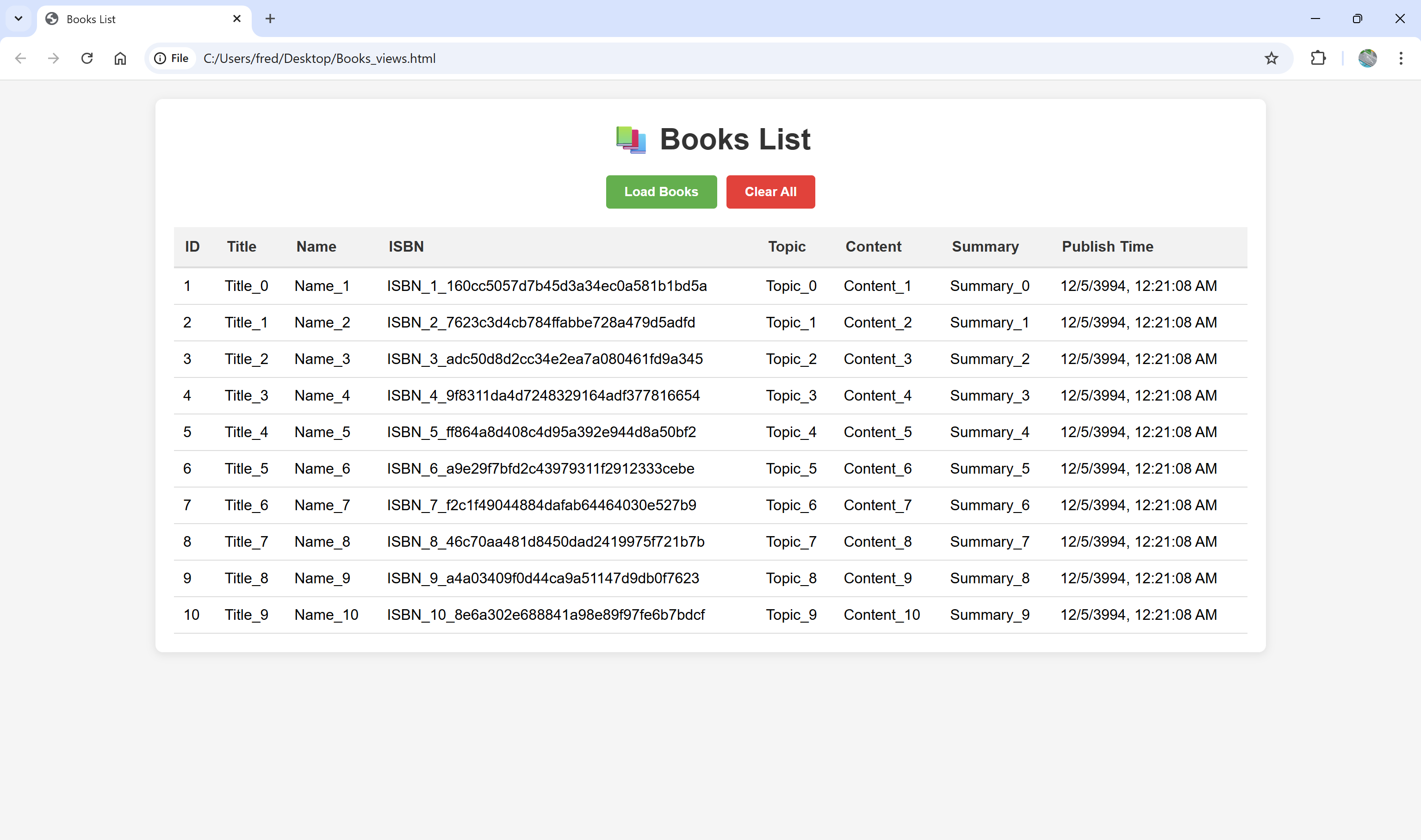
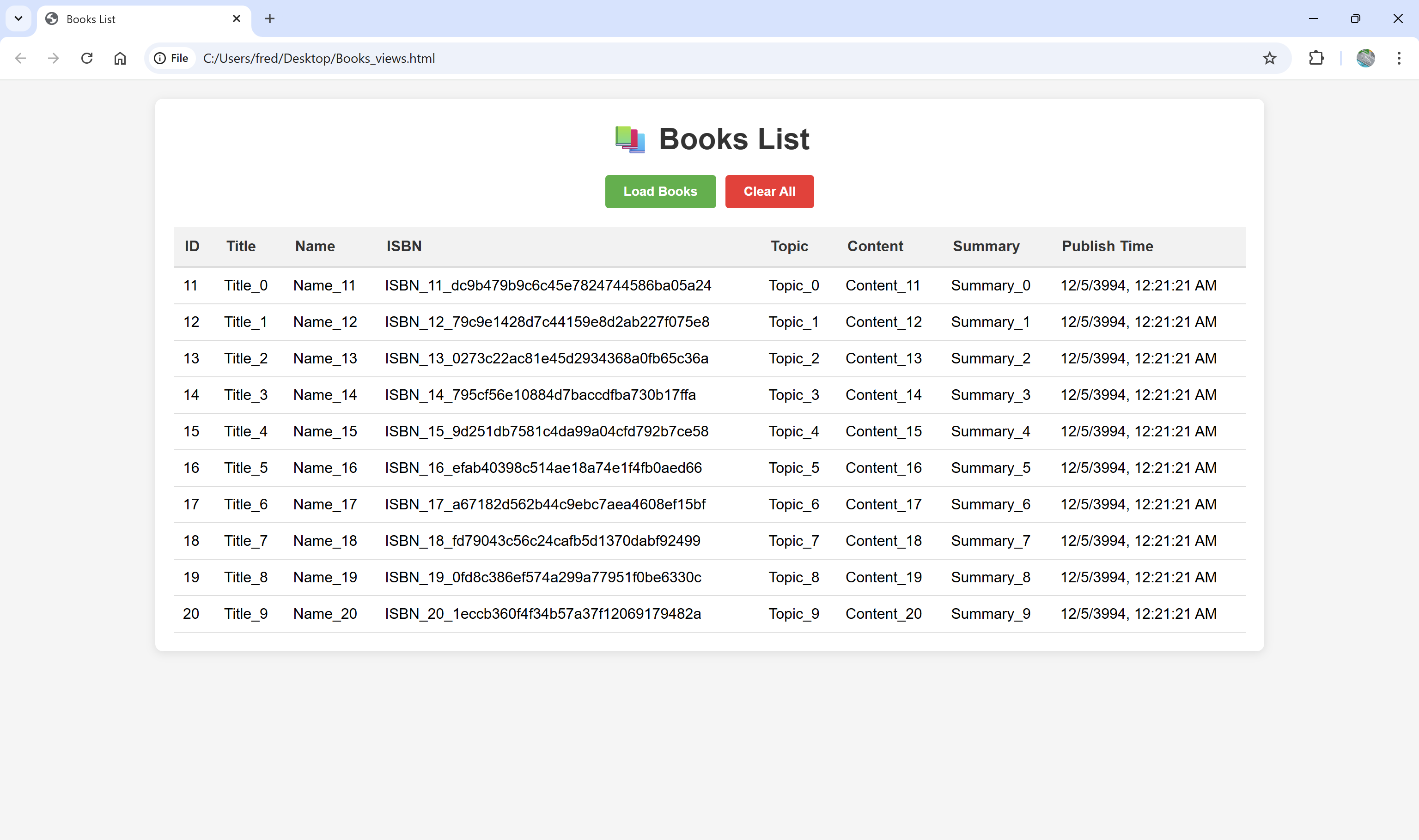
            for (int i = 0; i < 10; i++)
            {
                ++idx;
                booksList.Add(new Book()
                {
                    Id = idx,
                    Name = $"Name_{idx}",
                    ISBN = $"ISBN_{idx}_{Guid.NewGuid():N}",
                    Content = $"Content_{idx}",
                    PublishTime = $"{DateTime.UtcNow.Ticks}",
                    Summary = $"Summary_{i}",
                    Title = $"Title_{i}",
                    Topic = $"Topic_{i}"
                });
            }
            return Ok(booksList);
        }
    }
}


namespace BooksServices.Models
{
    public class Book
    {
        public int Id { get; set; }
        public string Name { get; set; }
        public string ISBN { get; set; }
        public string Content { get; set; }
        public string PublishTime { get; set; }
        public string Summary { get; set; }
        public string Title { get; set; }
        public string Topic { get; set; }
    }
}
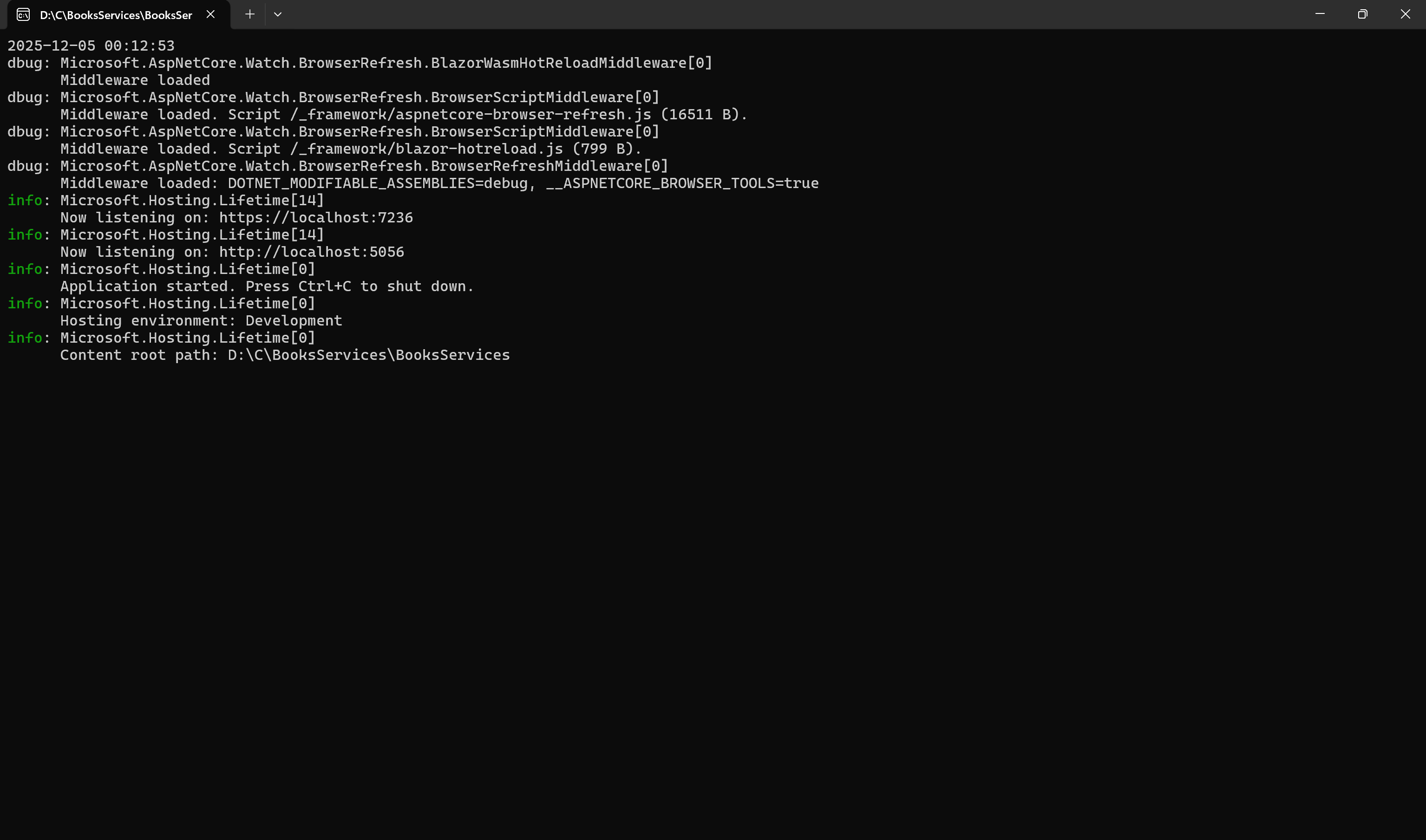
Run the service
2025-12-05 00:12:53
dbug: Microsoft.AspNetCore.Watch.BrowserRefresh.BlazorWasmHotReloadMiddleware[0]
      Middleware loaded
dbug: Microsoft.AspNetCore.Watch.BrowserRefresh.BrowserScriptMiddleware[0]
      Middleware loaded. Script /_framework/aspnetcore-browser-refresh.js (16511 B).
dbug: Microsoft.AspNetCore.Watch.BrowserRefresh.BrowserScriptMiddleware[0]
      Middleware loaded. Script /_framework/blazor-hotreload.js (799 B).
dbug: Microsoft.AspNetCore.Watch.BrowserRefresh.BrowserRefreshMiddleware[0]
      Middleware loaded: DOTNET_MODIFIABLE_ASSEMBLIES=debug, __ASPNETCORE_BROWSER_TOOLS=true
info: Microsoft.Hosting.Lifetime[14]
      Now listening on: https://localhost:7236
info: Microsoft.Hosting.Lifetime[14]
      Now listening on: http://localhost:5056
info: Microsoft.Hosting.Lifetime[0]
      Application started. Press Ctrl+C to shut down.
info: Microsoft.Hosting.Lifetime[0]
      Hosting environment: Development
info: Microsoft.Hosting.Lifetime[0]
      Content root path: D:\C\BooksServices\BooksServices
HTML+Javascript
<!DOCTYPE html>
<html lang="en">
<head>
    <meta charset="UTF-8">
    <meta name="viewport" content="width=device-width, initial-scale=1.0">
    <title>Books List</title>
    <style>
        * {
            margin: 0;
            padding: 0;
            box-sizing: border-box;
            font-family: Arial, sans-serif;
        }

        body {
            padding: 20px;
            background-color: #f5f5f5;
        }

        .container {
            max-width: 1200px;
            margin: 0 auto;
            background: white;
            padding: 20px;
            border-radius: 8px;
            box-shadow: 0 2px 10px rgba(0,0,0,0.1);
        }

        h1 {
            text-align: center;
            margin-bottom: 20px;
            color: #333;
        }

        .controls {
            display: flex;
            gap: 10px;
            margin-bottom: 20px;
            justify-content: center;
        }

        button {
            padding: 10px 20px;
            border: none;
            border-radius: 4px;
            cursor: pointer;
            font-size: 14px;
            font-weight: bold;
        }

        #loadBtn {
            background-color: #4CAF50;
            color: white;
        }

        #loadBtn:hover {
            background-color: #45a049;
        }

        #clearBtn {
            background-color: #f44336;
            color: white;
        }

        #clearBtn:hover {
            background-color: #d32f2f;
        }

        table {
            width: 100%;
            border-collapse: collapse;
            margin-top: 20px;
        }

        th {
            background-color: #f2f2f2;
            padding: 12px;
            text-align: left;
            border-bottom: 2px solid #ddd;
            font-weight: bold;
            color: #333;
        }

        td {
            padding: 10px;
            border-bottom: 1px solid #ddd;
            vertical-align: top;
        }

        tr:hover {
            background-color: #f9f9f9;
        }

        .loading {
            text-align: center;
            padding: 20px;
            color: #666;
            display: none;
        }

        .error {
            text-align: center;
            padding: 20px;
            color: #d32f2f;
            background-color: #ffebee;
            border-radius: 4px;
            margin: 10px 0;
            display: none;
        }

        .no-data {
            text-align: center;
            padding: 40px;
            color: #666;
            font-style: italic;
        }

        .summary-cell {
            max-width: 200px;
            overflow: hidden;
            text-overflow: ellipsis;
            white-space: nowrap;
        }

        .content-cell {
            max-width: 300px;
            overflow: hidden;
            text-overflow: ellipsis;
            white-space: nowrap;
        }
    </style>
</head>
<body>
    <div class="container">
        <h1>📚 Books List</h1>

        <div class="controls">
            <button id="loadBtn" onclick="loadBooks()">Load Books</button>
            <button id="clearBtn" onclick="clearBooks()">Clear All</button>
        </div>

        <div id="loading" class="loading">
            Loading books from API...
        </div>

        <div id="error" class="error">
            Failed to load books. Please check the API endpoint.
        </div>

        <div id="booksTable">
            <!-- Table will be dynamically inserted here -->
            <div class="no-data" id="noData">
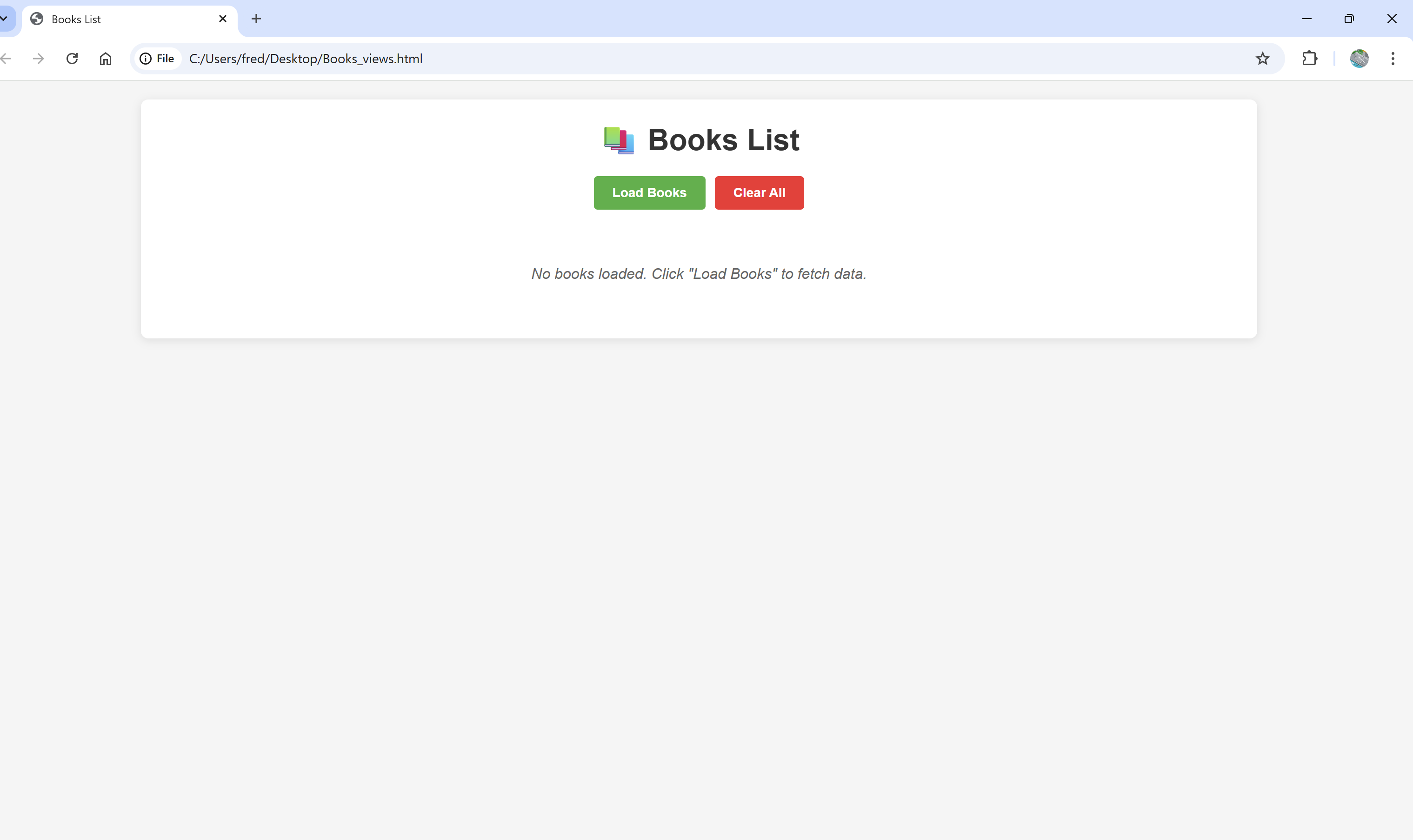
                No books loaded. Click "Load Books" to fetch data.
            </div>
        </div>
    </div>

    <script>
        const API_URL = 'http://localhost:5056/api/books';
        let books = [];

        async function loadBooks() {
            const loadingEl = document.getElementById('loading');
            const errorEl = document.getElementById('error');
            const noDataEl = document.getElementById('noData');

            // Show loading, hide error
            loadingEl.style.display = 'block';
            errorEl.style.display = 'none';
            noDataEl.style.display = 'none';

            try {
                const response = await fetch(API_URL);

                if (!response.ok) {
                    throw new Error(`HTTP ${response.status}`);
                }

                books = await response.json();
                displayBooks();
            } catch (error) {
                errorEl.style.display = 'block';
                errorEl.textContent = `Error: ${error.message}. Make sure API is running at ${API_URL}`;
                console.error('Failed to load books:', error);
            } finally {
                loadingEl.style.display = 'none';
            }
        }

        function displayBooks() {
            const container = document.getElementById('booksTable');

            if (books.length === 0) {
                container.innerHTML = '<div class="no-data" id="noData">No books loaded. Click "Load Books" to fetch data.</div>';
                return;
            }

            let tableHTML = `
                <table>
                    <thead>
                        <tr>
                            <th>ID</th>
                            <th>Title</th>
                            <th>Name</th>
                            <th>ISBN</th>
                            <th>Topic</th>
                            <th>Content</th>
                            <th>Summary</th>
                            <th>Publish Time</th>
                        </tr>
                    </thead>
                    <tbody>
            `;

            books.forEach(book => {
                tableHTML += `
                    <tr>
                        <td>${book.id}</td>
                        <td>${book.title || ''}</td>
                        <td>${book.name || ''}</td>
                        <td>${book.isbn || ''}</td>
                        <td>${book.topic || ''}</td>
                        <td class="content-cell" title="${book.content || ''}">${book.content || ''}</td>
                        <td class="summary-cell" title="${book.summary || ''}">${book.summary || ''}</td>
                        <td>${formatDate(book.publishTime)}</td>
                    </tr>
                `;
            });

            tableHTML += '</tbody></table>';
            container.innerHTML = tableHTML;
        }

        function clearBooks() {
            books = [];
            displayBooks();
        }

        function formatDate(timestamp) {
            try {
                const date = new Date(parseInt(timestamp) / 10000);
                return date.toLocaleString();
            } catch {
                return 'Invalid date';
            }
        }

        // Initialize
        document.addEventListener('DOMContentLoaded', displayBooks);
    </script>
</body>
</html>

 浙公网安备 33010602011771号