


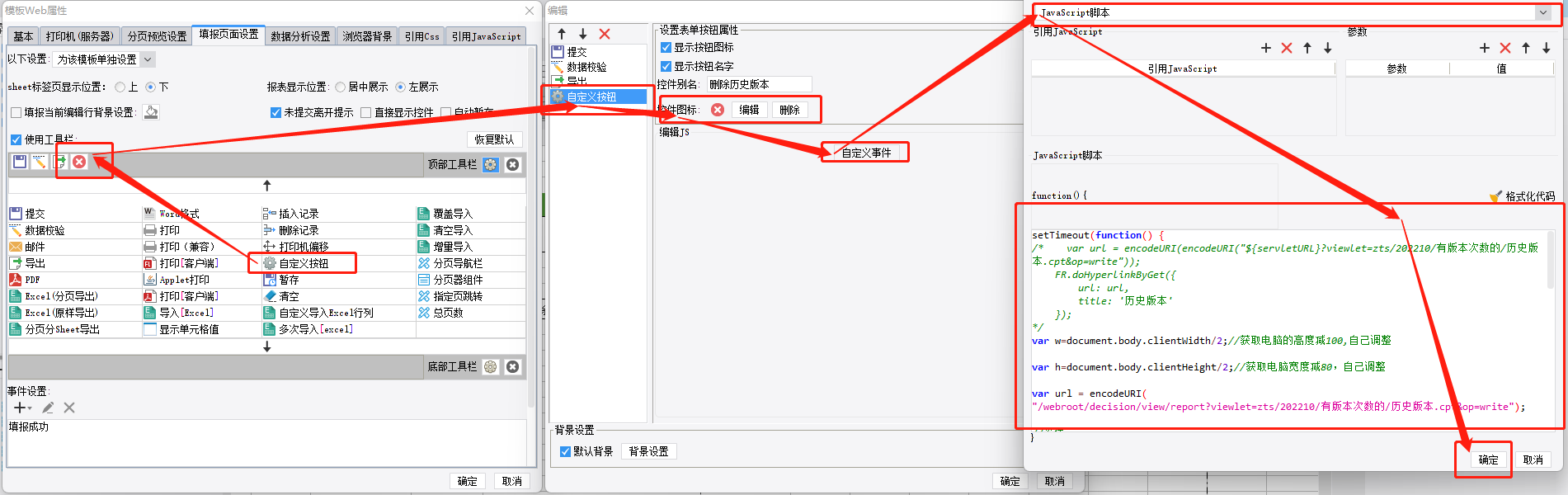
1、弹窗跳转
setTimeout(function() {
/*    var url = encodeURI(encodeURI("${servletURL}?viewlet=zts/202210/有版本次数的/历史版本.cpt&op=write"));
    FR.doHyperlinkByGet({
        url: url,
        title: '历史版本'
    });
*/
var w=document.body.clientWidth/2;//获取电脑的高度减100,自己调整

var h=document.body.clientHeight/2;//获取电脑宽度减80,自己调整

var url = encodeURI("/webroot/decision/view/report?viewlet=zts/202210/有版本次数的/历史版本.cpt&op=write");

//窗体

var $iframe = $("<iframe id='inp' name='inp' width='100%' height='100%' scrolling='no' frameborder='0'>");

//将窗体的src属性设置为模板路径

$iframe.attr("src", url);

//窗体的属性

var o = {

title: "历史版本",  //标题

 width: w,   //宽度

  height: h //高度

  //closable:true,    //是否显示关闭按钮,默认true,如果改为false就不显示关闭按钮了

    //confirm:true,     //是否添加确认取消按钮,默认false

    //draggable:true   //是否可拖动,默认true

 };

//弹出窗体

FR.showDialog(o.title, o.width, o.height, $iframe, o);

}, 500);//延迟5秒后跳转到收益分析联动报表
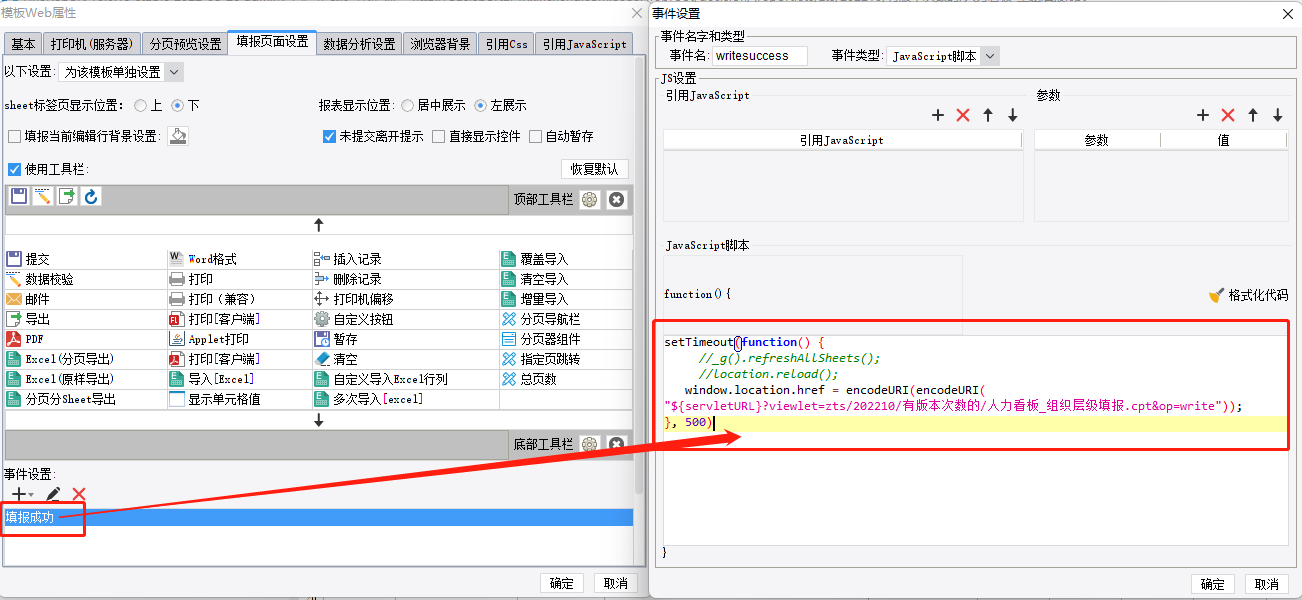
2、浏览器本页面刷新成新的页面
setTimeout(function() {
    //_g().refreshAllSheets();
    //location.reload();
   window.location.href = encodeURI(encodeURI("${servletURL}?viewlet=zts/202210/有版本次数的/人力看板_组织层级填报.cpt&op=write"));
}, 500)

 浙公网安备 33010602011771号