5ifree.eicp.net

瑞雪年

  博客园 :: 首页 :: 新随笔 :: 联系 :: 订阅 订阅 :: 管理 ::
  221 随笔 :: 0 文章 :: 358 评论 :: 0 引用

How to Use the "Enties Generator" tool to Create an entities project.

1. Download the "DACSetup.msi" from http://dac.codeplex.com/Release/ProjectReleases.aspx?ReleaseId=25412.

2. Start the "EntitiesGenerator.exe", then we can create database struct in the tool.
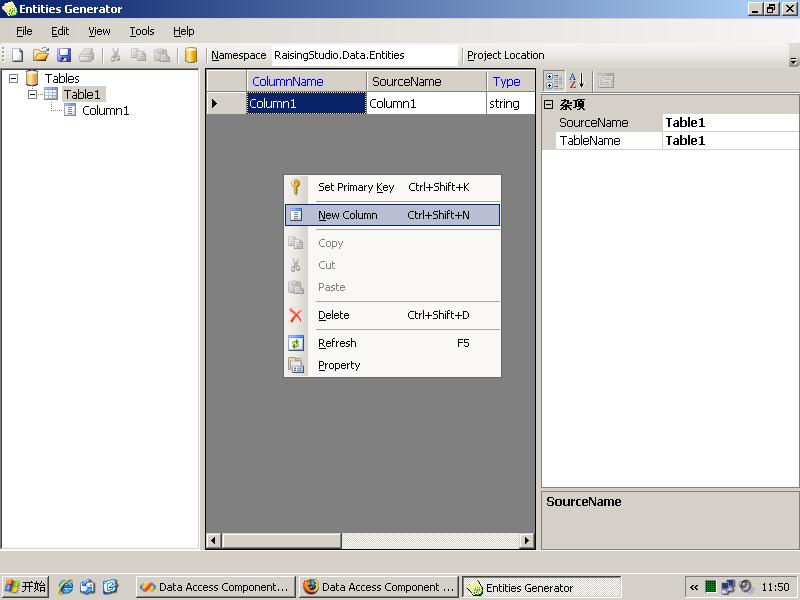
 

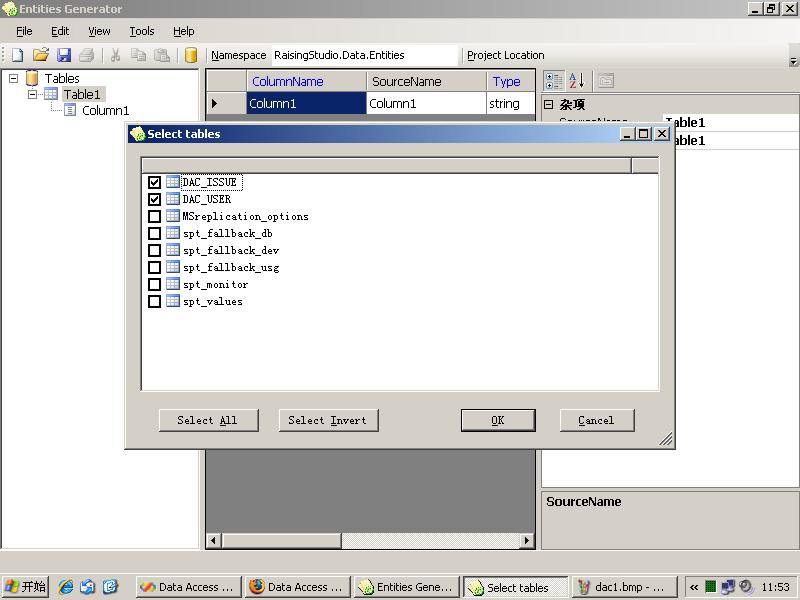
3. Or import database structs from the existing databases.

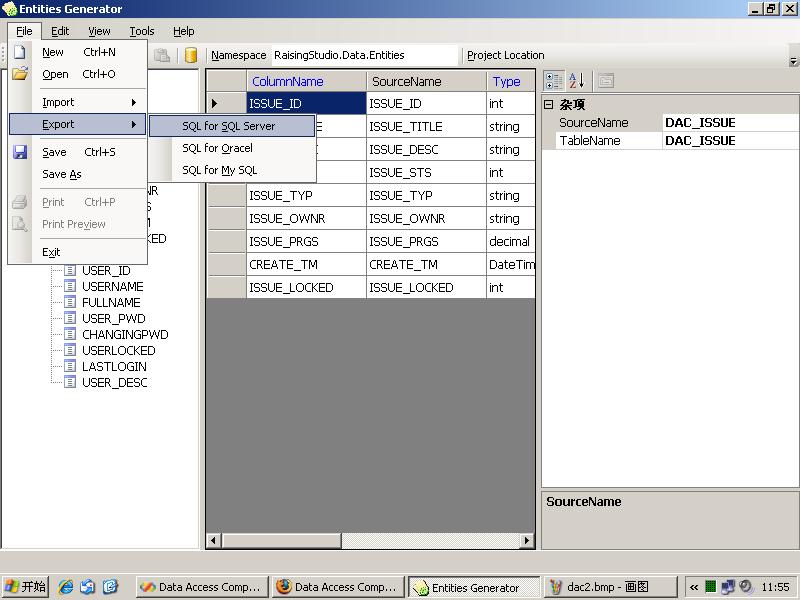
4. Then we can export the sql script for creating the database structs.
 

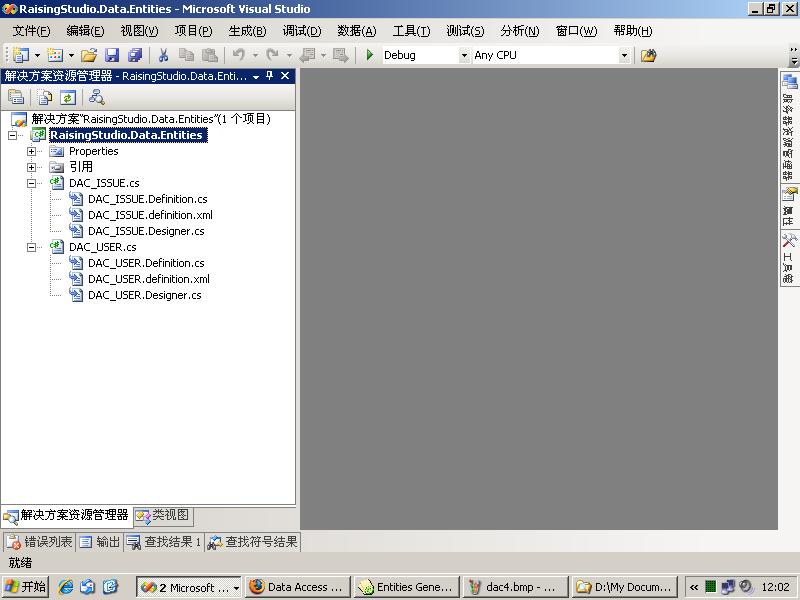
5.  And create the C# project of these entites.
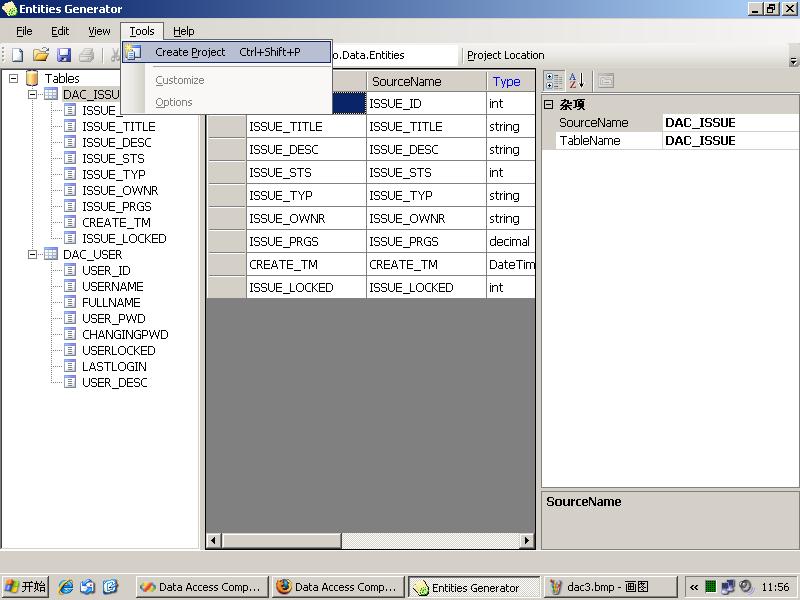
 

6. The entities project can be compiled directly in vs.net 2005 or vs.net 2008.

posted on 2009-04-05 12:26 瑞雪年 阅读(855) 评论(2) 编辑 收藏

评论

Congratulations your project is very good. I found these bugs,
When we have a field in the table with a name equal to a word reserved by c # gives us an error when trying to build the project.
Ex:

public static readonly RaisingStudio.Data.Expressions.ColumnExpression _ref = "ref";
public readonly RaisingStudio.Data.Expressions.ColumnExpression ref = _ref;


Also when we have a field with the same name of the table gives error when trying to build the project.

<Definition>
<DataTable TableName="Syncro" SourceName="Syncro">
<DataColumn ColumnName="Syncro" SourceName="Syncro" DataType="bool" AllowDBNull="false" />
</DataTable>
</Definition>


Thanks in advance and excuse my bad English
 回复 引用   

#2楼[楼主] 2009-05-03 17:01 瑞雪年      
@almircarj@hotmail.com

Thanks for your feedback!

About the first issue, since we can add an "@" before the "keywords" and use it in C# code, but I think it's a little bit complex to handle this in the DAC, so the easy way is, to change the "ColumnName" or "TableName" in the "Enties Generator" tool.
We have a "mapping" file in the DAC, so we can use a different name for Column or Table in C# code. it can be different from the "SourceName", the name of Column or Table in database.

The 2nd one, maybe there is no other way, choice one of them in the "Column" or "Table" to change it's name(the "ColumnName" or "TableName"), and we can keep the "SourceName" still be the same with the database side.

You can do this all in the "Enties Generator" tool, and regenerate the project again.

Thanks again!
 回复 引用 查看
