

shell+pyhon 实现内存|硬盘监控,超过阀值并发送告警邮件,定时监控
#!/usr/bin/bash

#memery monitor

#定义一个内存监控函数,超过阀值每小时发送一封警告邮件

function memerymonitor(){
while :
do
a=40
mem_use=`free | awk 'NR==2{print $6}'`
mem_total=`free | awk 'NR==2{print $2}'`
mem_per=`echo "scale=2;$mem_use/$mem_total" | bc -l | cut -d. -f2`
if [ $mem_per -ge $a ]
then
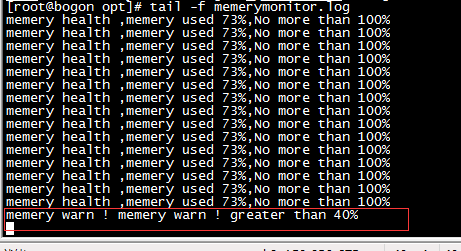
echo "memery warn ! memery warn ! greater than ${a}%"
python /opt/warnmail.py       ##调用python mail 发送警告邮件模块
sleep 3600
else
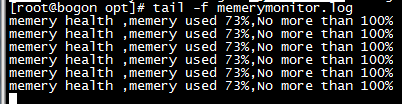
echo "memery health ,memery used ${mem_per}%,No more than ${a}%"
sleep 3

fi
done
}

#####调用内存监控函数
memerymonitor
###内存健康状态
####内存告警状态
############硬盘存储计算模块开始######################

#!/usr/bin/bash

#定义硬盘监控函数,超过阀值10 则发送告警邮件

function diskmon(){

while :
do
a=10
disk_total=`df | awk 'NR==4{print $2}'`
disk_use=`df | awk 'NR==4{print $3}'`
disk_compute=`echo "scale=2;$disk_use/$disk_total" | bc -l | cut -d. -f2`
if [ $disk_compute -ge $a ]
then
echo "!!!!!!!!!disk warn !!!!!!!!!!!!!!!!!disk warn alread use ${disk_compute}!!!!!!!! alread greater than ${a}" >> /opt/diskstoragemonitor.log  ##日志保存目录
sleep 3
python /opt/warnmail.py      #调用python Email 发送告警模块
sleep 360
else
echo "######## diskstorage health ,no greater than ${a}########"
sleep 3
fi
done

 }

调用函数

diskmon

############硬盘计算模块结束######################
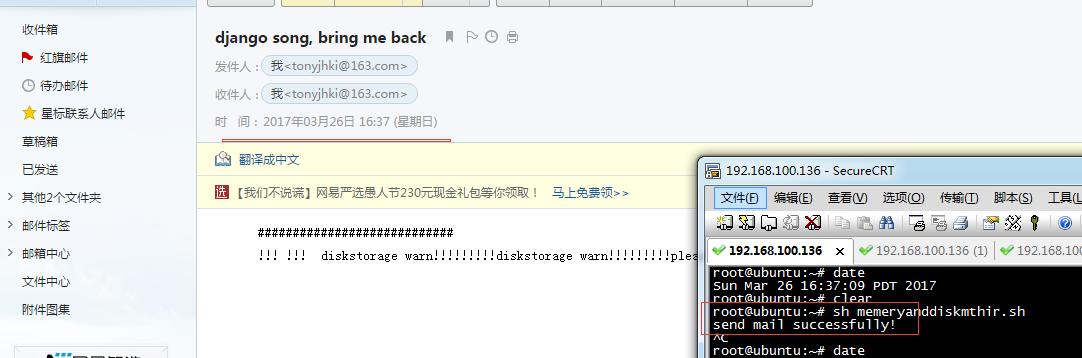
###硬盘监控邮件发送成功
#################### python告警邮件发送模块开始##############################

#!/usr/bin/python

# -*- coding: UTF-8 -*-
import smtplib
import email.mime.multipart
import email.mime.text

msg = email.mime.multipart.MIMEMultipart()

msg['Subject'] = 'django song, bring me back'
msg['From'] = 'tonyjhki@163.com'
msg['To'] = 'tonyjhki@163.com'
content = '''
############################
!!!!!! memery warn !!! disk warn !!!!
'''
txt = email.mime.text.MIMEText(content,_charset='utf-8')
msg.attach(txt)

smtp = smtplib.SMTP()
smtp.connect('smtp.163.com', '25')
smtp.login('tonyjhki', '123123QAZqazwsx')
smtp.sendmail('tonyjhki@163.com', 'tonyjhki@163.com', msg.as_string())
smtp.quit()
print('send mail successfully!')

###################告警邮件发送模块结束#############################
#####邮件发送测试:

##########执行告警邮件发送成功#############
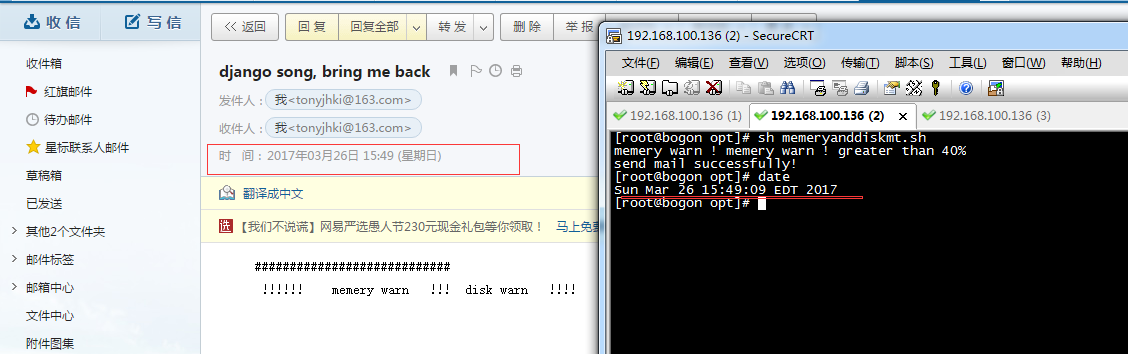
监控脚本 实时运行
用crontab 工具实现全天监控:
crontab -e -u root

* * * * * /opt/memeryanddiskmttwo.sh


 浙公网安备 33010602011771号