


一键图解iframe标签属性以及使用

这个是博主通过iframe 嵌套的一👇👇👇blog页面
对于iframe,你了解么?今天水香木鱼带你
图文解析iframe 标签一💫
<iframe src="#"></iframe>
我们来看一下iframe都有哪些属性吧!一💕
一🏖1、marginheight【顶部和底部空白边距】
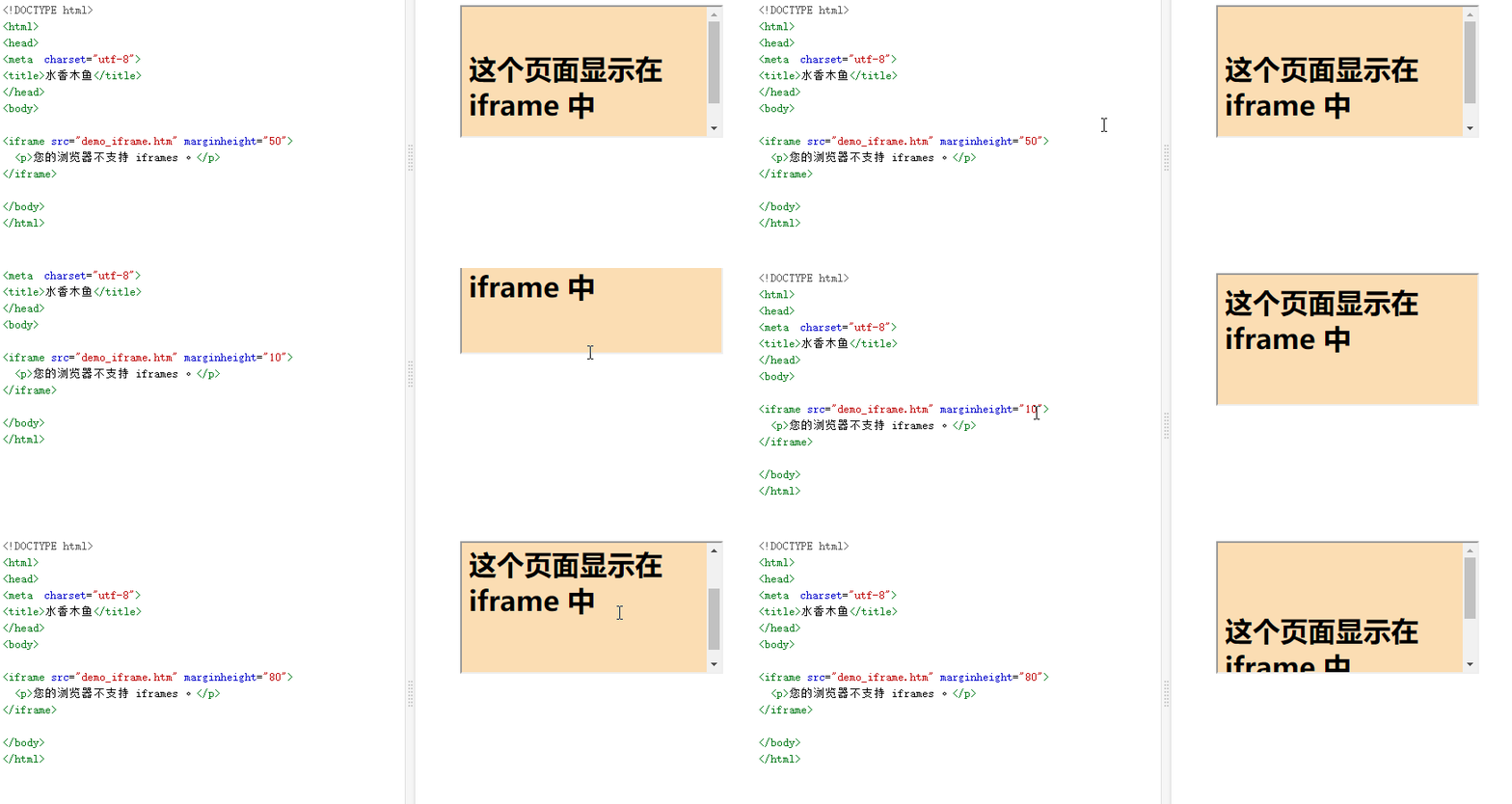
<iframe src="#" marginheight="80"></iframe>
| 属性值-string | 说明 |
|---|---|
| 10 | 间距小 |
| 20 | 间距中 |
| 50 | 间距大 |
其他 0-1000 可根据自己的需求去调整
一🏜2、align【对齐】
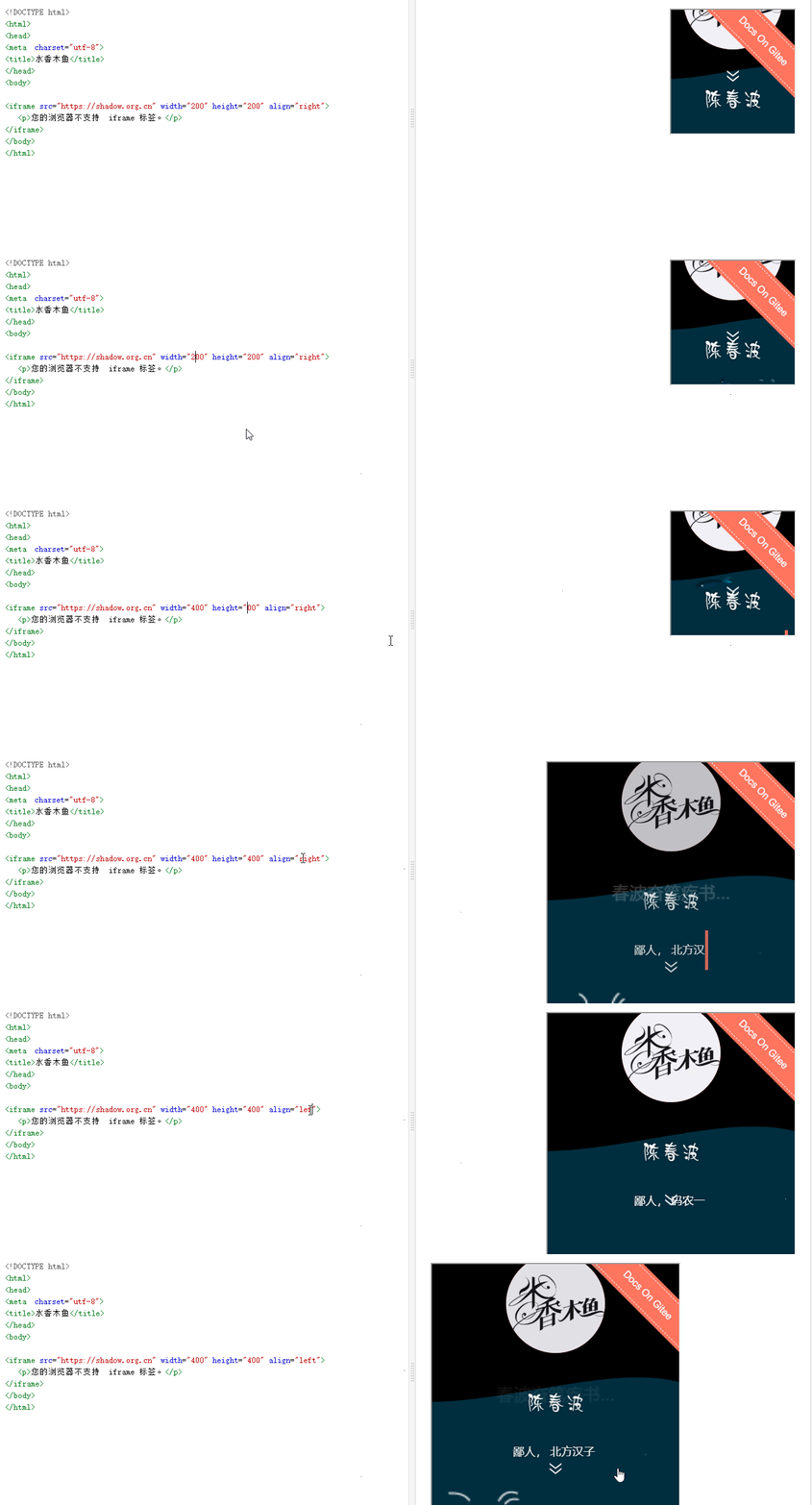
<iframe src="#" align="left|right|middle|top|bottom"></iframe>
| 属性值 | 说明 |
|---|---|
| left | 向左对齐 iframe。 |
| right | 向右对齐 iframe。 |
| middle | 居中对齐 iframe。 |
| top | 在顶部对齐 iframe。 |
| bottom | 在底部对齐 iframe。 |
一🏟3、frameborder【去除边框】
<iframe src="#" width="300" height="300" frameborder="0">
| 属性值-string | 说明 |
|---|---|
| 0 | 无边框 |
| 1 | 有边框 |
一🏡4、scrolling【滚动条】
<iframe src="#" width="200" height="200" scrolling="yes"></iframe>
| 属性值 | 说明 |
|---|---|
| yes | 始终显示滚动条(即使不需要) |
| no | 从不显示滚动条(即使需要) |
| auto | 在需要的情况下出现滚动条(默认值) |
一⛪5、name【根据名称跳转】
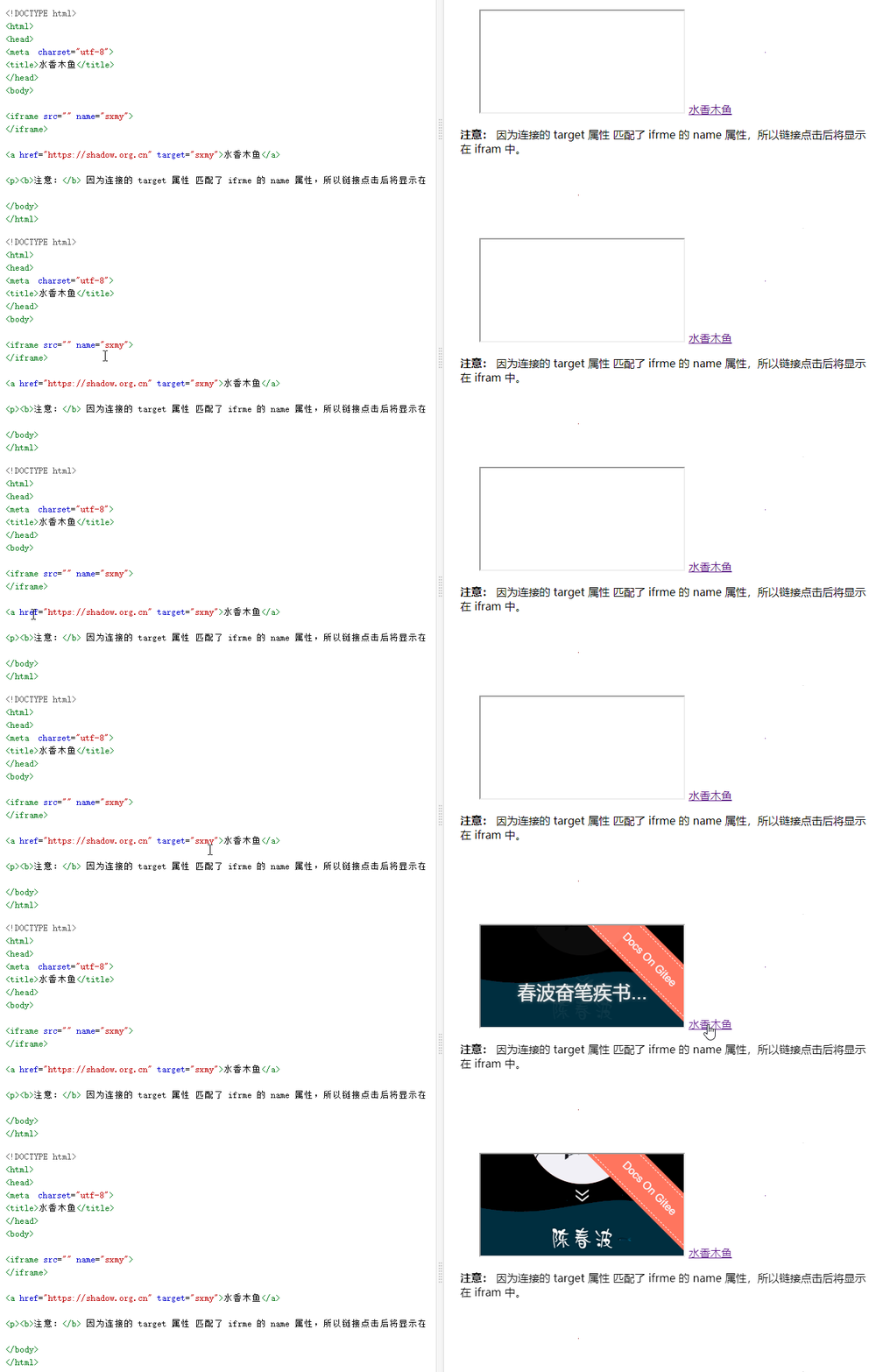
<iframe src="" name="sxmy"></iframe>
<!-- 根据name 值 跳转 到iframe 中显示-->
<a href="https://shadow.org.cn" target="sxmy">水香木鱼</a>
| 属性值 | 说明 |
|---|---|
| name | 可自定义命名 |
一🏦6、longdesc 【txt 网站描述文本】
<iframe src="https://shadow.org.cn" width="200" height="200" longdesc="shadow.org.cn/text.txt"></iframe>
| 属性值 | 说明 |
|---|---|
| URL | 1.绝对 URL路径 - 指向另一个网站(比如 longdesc=“https://shadow.org.cn/text.txt”)2.相对 URL路径 - 指向网站内的文件(比如 longdesc=“shadow.org.cn/text.txt”) |
一🏰7、sandbox【启动限制条件】
<iframe src="https://shadow.org.cn" sandbox="allow-scripts"></iframe>
| 属性值 | 说明 |
|---|---|
| “” | 启用所有限制条件 |
| allow-same-origin | 允许将内容作为普通来源对待。如果未使用该关键字,嵌入的内容将被视为一个独立的源。 |
| allow-top-navigation | 嵌入的页面的上下文可以导航(加载)内容到顶级的浏览上下文环境(browsing context)。如果未使用该关键字,这个操作将不可用。 |
| allow-forms | 允许表单提交。 |
| allow-scripts | 允许脚本执行。 |
一🌉8、onload 事件
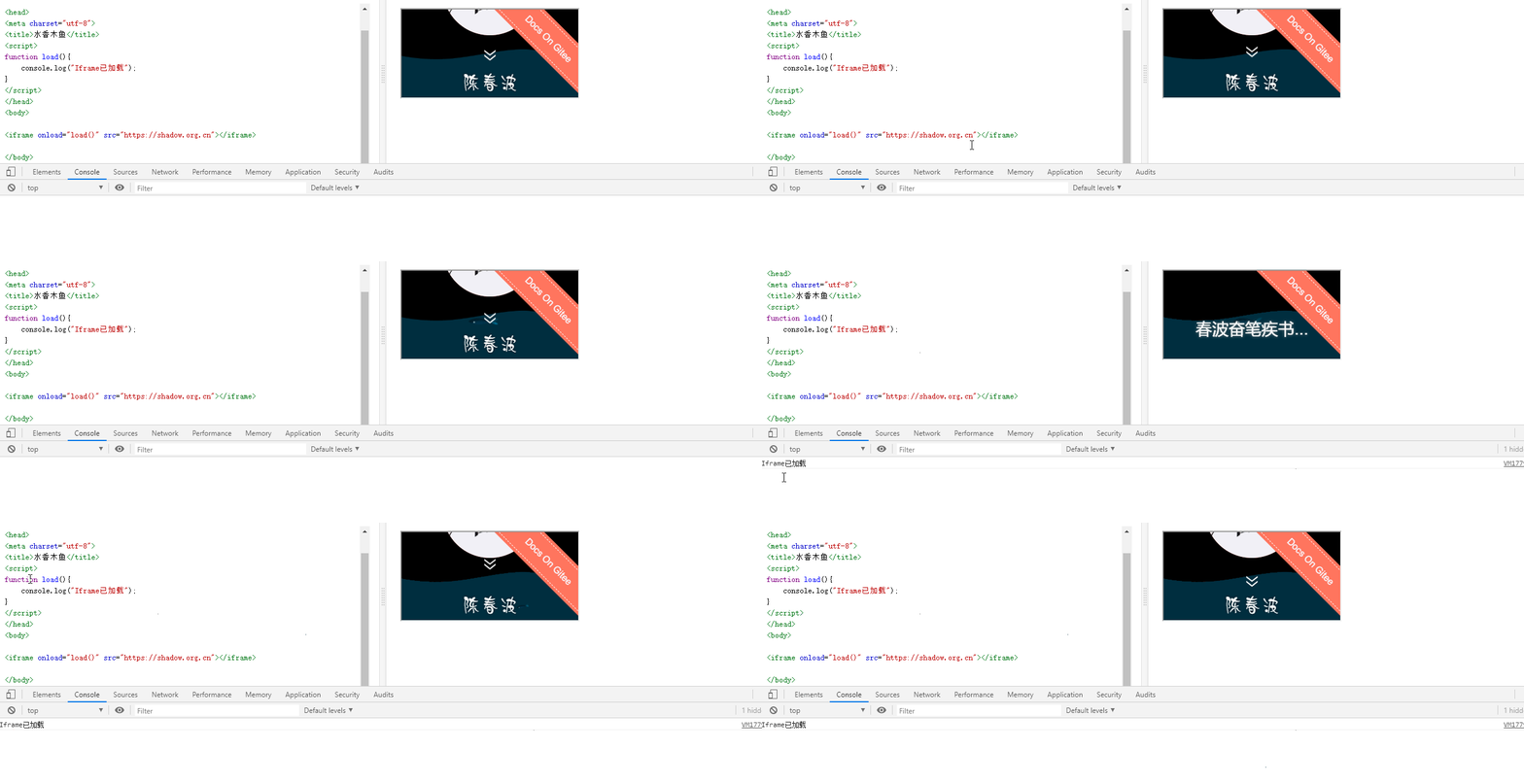
<iframe onload="load()" src="https://shadow.org.cn"></iframe>
<script>
function load(){
	console.log("Iframe已加载");
}
</script>
JS刷新
iframe的方法
<iframe id="myframe" width="100%" frameBorder="0" src="https://shadow.org.cn" scrolling="no"></iframe>
<input type="button" onclick="javascript:refreshFrame();" value="Refresh Frame" />
<script type="text/javascript">
function refreshFrame(){
    document.getElementById('myframe').contentWindow.location.reload(true);
}
</script>
一⛺9、contentWindow【修改背景色】
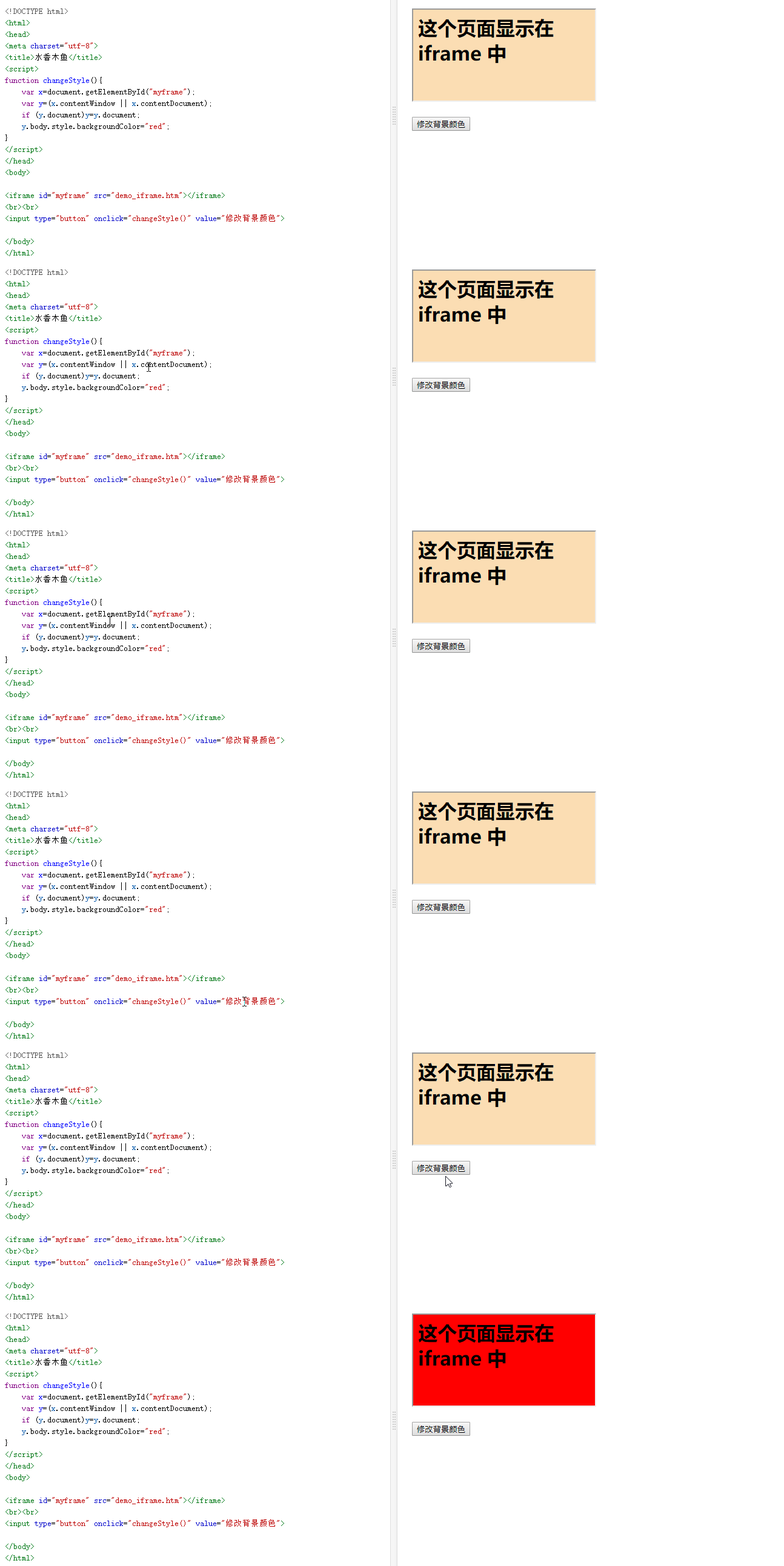
<iframe id="myframe" src="https://shadow.org.cn"></iframe>
<br><br>
<input type="button" onclick="changeStyle()" value="修改背景颜色">
<script>
function changeStyle(){
	var x=document.getElementById("myframe");
	var y=(x.contentWindow || x.contentDocument);
	if (y.document)y=y.document;
	y.body.style.backgroundColor="red";
}
</script>


 浙公网安备 33010602011771号