概述
Silverlight 2 Beta 1版本发布了,无论从Runtime还是Tools都给我们带来了很多的惊喜,如支持框架语言Visual Basic, Visual C#, IronRuby, Ironpython,对JSON、Web Service、WCF以及Sockets的支持等一系列新的特性。《一步一步学Silverlight 2系列》文章带您快速进入Silverlight 2开发。
本文为系列文章第二篇学习几个基本的控件。
在Silverlight 2中,提供了大量的控件,包括Button、、Calendar 、CheckBox 、DataGrid 、DatePicker 、GridSplitter 、HyperlinkButton 、ListBox 、RadioButton 、ScrollViewer 、Slider 、ToggleButton、ToolTip 、WatermarkedTextBox等,本文将讲述其中的几个控件之用法。
控件之ToggleButton
翻转效果在AJAX时代已经相当多了,Silverlight中内置了ToggleButton控件,可以使用如下XAML代码声明一个ToggleButton:
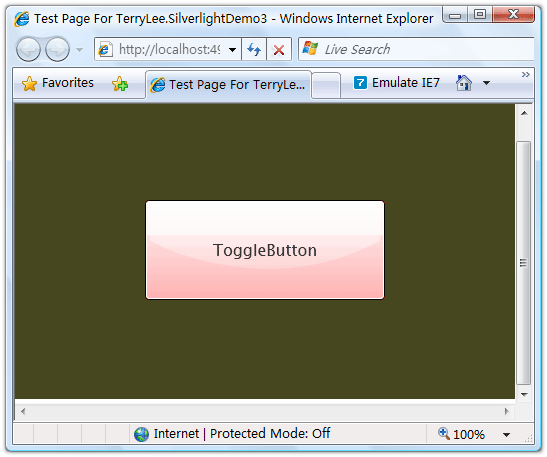
运行后界面如下:
单击按钮后,控件效果外观效果将会改变:
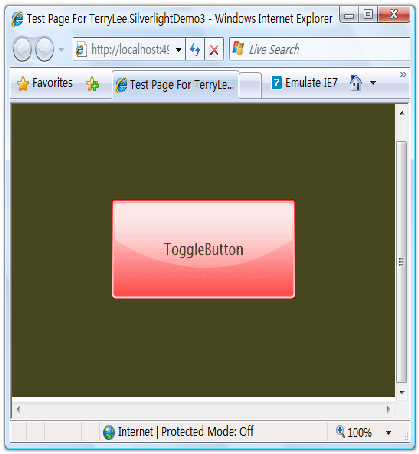
ToggleButton控件有一个很重要的属性IsThreeState,指示控件是否保持三种状态,如设为false,则只会保持两种状态。
控件之WatermarkedTextBox
WatermarkedTextBox即水印效果文本框,可以在文本框未获得焦点之前显示一段文字提示信息,也可以显示其它的控件。如下面的XAML中,在第一个WatermarkedTextBox中指定水印效果为显示一段文字提示“Please enter password”,而第二个则指定水印效果为一张图片:
运行后效果如下所示:
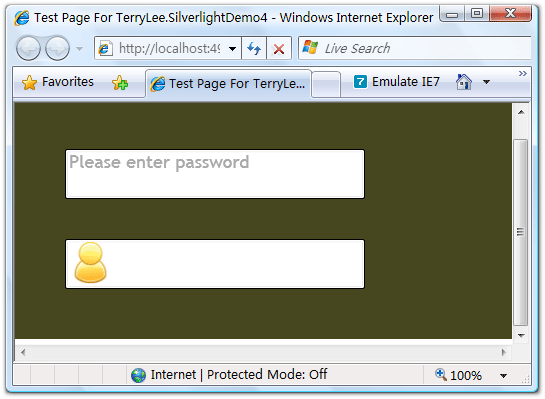
单击其中一个文本框:
控件之ScrollViewer
ScrollViewer控件使用非常简单,当其中显示的内容超过它自身的大小时,就会有滚动条出现。通过属性HorizontalScrollBarVisibility和VerticalScrollBarVisibility来控制纵向和横向滚动条是否出现:
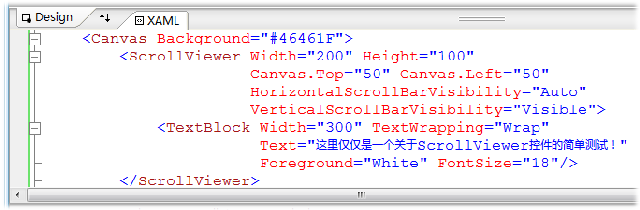
运行上面的示例:
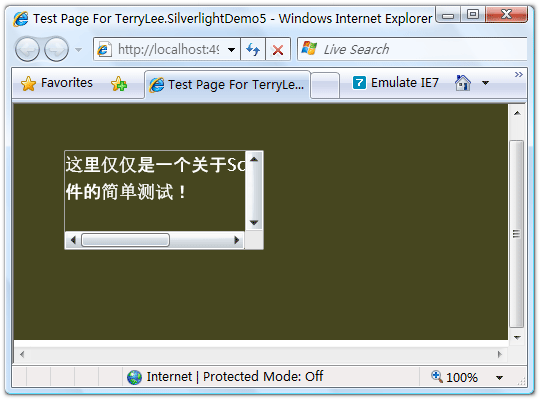
控件之ToolTip
ToolTip控件很多时候都用于其它控件的内嵌控件,如Button控件的ToolTip附加属性等。声明ToolTip控件如下面的XAML所示,当鼠标放上按钮时显示一个简单的信息提示:
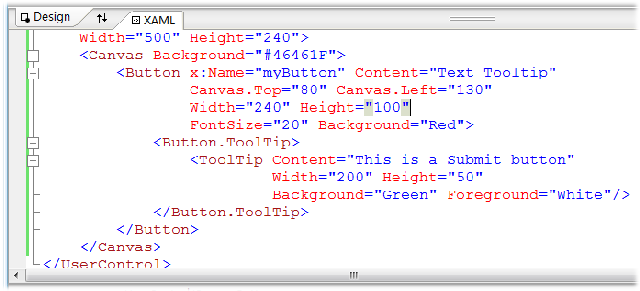
运行后鼠标放上按钮时效果:
结束语
本文简单的演示了Silverlight 2中的几个控件的使用,对于DataGrid和ListBox等控件一般用来显示列表数据,将会在后面的数据绑定中讲述,而其它的诸如Button、TextBlock等控件的使用非常简单,这里不再讲述。
下一篇:一步一步学Silverlight 2系列(3):界面布局
posted @ 2008-03-07 21:23
TerryLee 阅读(42767)
评论(120) 编辑 收藏
发表评论
@生鱼片
按照上面的目录结构,我那样引用也没出现问题啊
楼主: 我的也无法显示图片,配置和你一样!非常纳闷!
@一迷途
这样吧,你用一张.png格式的图片试试看,我用gif和jpg格式好像也显示不出来:)
我的图片也无法显示,格式用的png,结构跟 飞地 的一样
@JeffreyChen
怎么会这样呢?把你的那段代码贴出来看一下吧。
可以了,我是直接给一个gif格式的直接改扩展名变成的png,大哥速度太快了,跟不上呀,呵
@JeffreyChen
呵呵,直接修改的肯定不行了。
Beta1还是有很多问题,居然不支持jpg和gif格式的,唉。。。
不一定要放到Web项目中的,好久没搞过WEB开发了,呵
向TerryLee 大哥学习呀,一直在做winFrom,感觉做web要累些,呵
@junelee12112003
图片放在Silverlight项目中的
@JeffreyChen
谢谢:)
做Web要累些,这倒不见得吧,呵呵
@TerryLee
为什么在使用ToogleButton时只要设置他的IsThreeState属性时就会弹出错误提示,
===============
灾难性故障 (Exception from HRESULT: 0x8000FFFF (E_UNEXPECTED))
at MS.Internal.XcpImports.CreateObjectByTypeIndex(UInt32 typeIndex)
at System.Windows.DependencyObject..ctor(UInt32 nativeTypeIndex).....
======================================
不知道TerryLee有没遇到过这样的错误???
@tatung zhang
我这儿设置之后没有出现这样的问题啊
@TerryLee
那个问题我解决了一部分,我先用一个PNG的图片实验了一下,
OK,可以看到,然后用JPG的,搞定了,但是我换了一个GIF的,没有效果。
P.S.
忙了段时间,都更新到了32了,怀疑能否赶上楼主哦。
请问楼主:我运行程序后,再关闭刚打开的页面,为什么程序还处在运行状态?
谢谢!!
tatung zhang
@TerryLee
为什么在使用ToogleButton时只要设置他的IsThreeState属性时就会弹出错误提示,
===============
灾难性故障 (Exception from HRESULT: 0x8000FFFF (E_UNEXPECTED))
at MS.Internal.XcpImports.CreateObjectByTypeIndex(UInt32 typeIndex)
at System.Windows.DependencyObject..ctor(UInt32 nativeTypeIndex).....
======================================
不知道TerryLee有没遇到过这样的错误???
-----------------------------------------------------------------
有这样的问题
为什么在使用ToogleButton时只要设置他的IsThreeState属性时就会弹出错误提示,
------------------------------------------------------------
尽管有错,但是你别管,保存,关闭该页面,重新打开它,就没事了
===============
灾难性故障 (Exception from HRESULT: 0x8000FFFF (E_UNEXPECTED))
at MS.Internal.XcpImports.CreateObjectByTypeIndex(UInt32 typeIndex)
at System.Windows.DependencyObject..ctor(UInt32 nativeTypeIndex).....
======================================
这个错误我也出现了,不过后来也没出现,可能是SilverLight的一个小bug吧
--引用--------------------------------------------------
IT爱好者: ===============
灾难性故障 (Exception from HRESULT: 0x8000FFFF (E_UNEXPECTED))
at MS.Internal.XcpImports.CreateObjectByTypeIndex(UInt32 typeIndex)
at System.Windows.DependencyObject..ctor(UInt32 nativeTypeIndex).....
======================================
这个错误我也出现了,不过后来也没出现,可能是SilverLight的一个小bug吧
--------------------------------------------------------
我也出現過, 但保存,關閉該頁之后再打開,又可以了。
@tatung zhang
我也遇到了同样的问题。
那如果我要用动态数据怎么办,不能也把图片放在,sl项目里吧?
奇怪,貌似silverlight只支持PNG图片,呵呵
在beta2版本下好像没有WatermarkedTextBox和ToolTip,有ToolTipService.ToolTip
老大,我VS2008 beta1 + silverlight2 beta2,在工具箱中没有 WatermarkedTextBox 这个控件呀。并且我在代码中也没有,不知道是不是还需要引用其它的程序集?
@房客
Beta 2下移除了WatermarkedTextBox这个控件。。。
ToolTip也不见了,不过在WPF的System.Windows.Controls中可以看到该类,在Page.xaml.cs中,也引用了using System.Windows.Controls;
该程序集,但该控件还是不可以使用。不知何解?是不是连ToolTip也一并移除了?
这样优秀的控件为什么要移除呢?我想应该不会是涉及到安全因素吧,亦或者是有代替控件?
没有ToolTip, WatermarkedTextBox这两个控件,很好用为什么没有呢?
beta2中好像那个watermarkedTextBox没有了
@tatung zhang
我也遇到了灾难性故障
只是我没有toggleBotton
也没有isThreeState
不知道是什么地方引起的
现在beta2又出了,但是两者的兼容性好像不是太好 ,如果有介绍希望载入,
----贪得无厌的学者
来学习了。不过我现在用的还是vs2005。先做个记号吧。
我用Silverlight2.0怎么没有WatermarkedTextBox这个控件?
--引用--------------------------------------------------
001: 我用Silverlight2.0怎么没有WatermarkedTextBox这个控件?
--------------------------------------------------------
我也有同样的问题
@001
@straybird
现在已经移除了该控件。
您好楼主,刚发布的2.0里,Button中是不是不能包含<Button.ToolTip>了啊,我找了半天没找到
@liuhaitao
这么使用取消了,记得添加了一个ToolTipService之类的,你可以看一下:)
ToolTipService我找到了 谢谢楼主
我刚开始研究silverlight,还有一个问题:我怎么让1.aspx引用1.xaml中的内容,让2.aspx引用2.xaml中的内容呢?我建了两个xaml文件,但是在clientBin目录下只生成一个xap文件,我引用完这个文件后,就只显示1.xaml中内容
哎哟,正式版里,是不是微软的叔叔忘记了给textbox加watermark阿
@游乐儿
不是忘记添加,由于和WPF兼容的考虑WatermarkedTextBox被移除了,网上找找,有那个控件的,不过处理成第三方控件了
楼主,你处理SL控件设计是用Blend处理吗,有机会跟你学学,请教请教WCF的东西
@xuesky
嗯,大多数情况下我都不会用Blend,而是直接写XAML。
没问题,有时间大家可以一起讨论WCF。
--引用--------------------------------------------------
liuhaitao: ToolTipService我找到了 谢谢楼主
我刚开始研究silverlight,还有一个问题:我怎么让1.aspx引用1.xaml中的内容,让2.aspx引用2.xaml中的内容呢?我建了两个xaml文件,但是在clientBin目录下只生成一个xap文件,我引用完这个文件后,就只显示1.xaml中内容
--------------------------------------------------------
楼主,我也想问问这个问题
@love&tiger
我专门写过一篇文章解释这个问题啊,Silverlight中实现用户控件切换。
在我的里面写入<Button.ToolTip>标记,提示"The attachable property 'ToolTip' was not found in type 'Button'",是不是我的silverLight安装不正确呀!!!
<Button.ToolTip>在Silverlight 2正式版中已经不是这种写法了,可以是 :
<Button x:Name="uxMyButton" ToolTipService.ToolTip="這是一個按鈕" Content="按鈕1號"></Button>
也可以这样:
<Button x:Name="uxMyButton" Content="按鈕1號">
<ToolTipService.ToolTip>
<Image x:Name="uxMyImage" Source="Good.jpg" ></Image>
</ToolTipService.ToolTip>
</Button>
WatermarkedTextBox已经从Beta 2中去掉了,因为开发团队计划给TextBox添加一个Watermark属性,这么一来就没有必要再使用这个控件了,但遗憾的是在Beta 2中还没有完成这个属性的添加。
ToolTip似乎有问题,按照楼主的帖子一步步做下来,还是有错误,不会这个控件也被干掉了吧。
博主,有个问题请教
ScrollViewer里面的textBlock 换成textBox ,然后通过什么方法能使在页面在运行时鼠标一点击textBox就能自动清除原来的"这仅仅是一个关于。。。的测试"这样的字消失为空,以等待用户在textBox里输入?
你在43楼说textBox在RTM中会加上watermark属性,可是我这里没有啊....
初学silverlate就跑到楼主这边来啦。。
请教个问题:控件的大小,样式之类的,就只能通过width,height等等来指定么?没有其他方法?例如web里面的css样式。。
请问如何在silverlight2中实现创建一个下拉菜单呀?并实现一定的响应!谢谢了先!!
编译出错了,“'ToolTip'was not found in type 'Button' " 请问是什么原因呢?
这些都是最简单的,请问哪里有专门这方面的资料可以参考呢?
电子版的有没有?
可以不可以发我一份??
@xue
在RTW版本中有些变化,ToolTip由ToolTipService来提供。
@love&tiger
@love&tiger
<asp:ScriptManager ID="ScriptManager1" runat="server">
</asp:ScriptManager>
<asp:Silverlight InitParameters="control=SLCtrl1" Source="~/ClientBin/SilverlightApplication23.xap" ID="Silverlight1" runat="server" Height="100px" Width="100px">
</asp:Silverlight>
<asp:Silverlight InitParameters="control=SLCtrl2" Source="~/ClientBin/SilverlightApplication23.xap" ID="Silverlight2" runat="server" Height="100px" Width="100px">
</asp:Silverlight>
App.xaml, 修改Application_Startup:
private void Application_Startup(object sender, StartupEventArgs e)
{
// this.RootVisual = new Page();
if (e.InitParams["control"] == "SLCtrl1")
{
this.RootVisual = new SilverlightControl1();
}
else if (e.InitParams["control"] == "SLCtrl2")
{
this.RootVisual = new SilverlightControl2();
}
}
WatermarkedTextBox 在Silverlight 3没找到啊,是不是没了?也没有属性
为什么WatermarkedTextBox控件我这里没有?还有ToolTip控件也没有,我用的是silverlight 2
我想问一下,你这个系列教程跟你出的《Silverlight 2完美征程》有何区别,还是就是该书的网络版,谢谢。
我还想问一下,现在实际在用Silverlight做开发的多吗?还是?
首先感谢您写的文章,你写的东西让我受益非浅,在这里我想问个问题。
为什么我安装完silverlight后,vs2008在开发silverlight项目时特别的慢呢?请您支招.
<Button x:Name="myButton" Content="Text Tooltip"
Canvas.Top="80" Canvas.Left="130"
FontSize="20" Background="100">
<Button.TooTip>
</Button.TooTip>
</Button>
没这个属性<Button.TooTip>啊,
@Q玲珑
你用的不是Silverlight2,是比这个更高级的版本 这几个版本之间的兼容性很差的
我用的VS2010 button 里面没有 <Button.TooTip>
</Button.TooTip>
属性,我找了 也找不到,求解!谢谢.
楼主:
您好!非常感谢您的文章.
有个问题,我的环境是:
Microsoft Visual Studio 2008
Microsoft Silverlight 2 SDK Beta2
我看上面的朋友都问了,我也看了您的另一篇文章一步一步学Silverlight 2系列(35):升级Silverlight 2 Beta 1应用程序到Beta 2。按您写的,在 Beta 2中用TextBox替换WatermarkedTextBox,由于在Beta 2中,TextBox还未添加Watermark这个属性。
因此,我从网上下载了WatermarkedTextBox控件,添加引用后,还是不能使用,原来是没有添加到工具箱,添加到工具箱后,托到page.xaml中后,标记前为什么增加了"my:",代码片段如下:
<my:WatermarkedTextBox Canvas.Top="50" Canvas.Left="50"
Width="300" Height="50" FontSize="18"
Watermark="Please enter password">
</my:WatermarkedTextBox>
<my:WatermarkedTextBox Canvas.Top="140" Canvas.Left="50"
Width="300" Height="50">
<my:WatermarkedTextBox.Watermark>
<Image Source="smile_6.png" HorizontalAlignment="Left"/>
</my:WatermarkedTextBox.Watermark>
</my:WatermarkedTextBox>
在这段代码中,这两个WatermarkedTextBox的Watermark属性设置都看不到效果,即第一个WatermarkedTextBox的提示文字没有显示出来,第二个WatermarkedTextBox的图片没有显示出来(图片我是放在Silverlight工程的)
因此,我从网上下载了WatermarkedTextBox控件,添加引用后,还是不能使用,原来是没有添加到工具箱,添加到工具箱后,托到page.xaml中后,标记前为什么增加了"my:",代码片段如下:
<my:WatermarkedTextBox Canvas.Top="50" Canvas.Left="50"
Width="300" Height="50" FontSize="18"
Watermark="Please enter password">
</my:WatermarkedTextBox>
<my:WatermarkedTextBox Canvas.Top="140" Canvas.Left="50"
Width="300" Height="50">
<my:WatermarkedTextBox.Watermark>
<Image Source="smile_6.png" HorizontalAlignment="Left"/>
</my:WatermarkedTextBox.Watermark>
</my:WatermarkedTextBox>
__________________________________
I think this post is totally great. I gain some new informations that I've never heard before. It's very interesting and learningful at the same time.
best airline credit cards
very interesting post, thanks for sharing these helpful information.
OBDII scanner
I like this article very much. This article has a great writing style so the readers can understand the content easily. Also, the content has so many useful informations. It's nice to find out this one.
hard gun case
Writing a very classy. And you serve it well, so that, all readers can easily understand. free movies online
.
Textbox could make your text looks interesting. Many applications are available to decorate your textbox.
payday loans online
I've waited more than an hour, but apparently, your website still would not load. I always wondered, when this happens. I wanted to see the admin of this website.
pharmacy technician certification
This could be some kind of interesting website for those which has good technical skill as well as good chinese speaking ability. I need to see more then now.
tarps
Indeed we are all aware that the phone had been turned into a magical item. Now, we can even see the face each other when communicating with someone in the distance.
how to jump higher
This is so as to make a desktop application within a website. It's really interesting. I so feel really wanted to try it. Since I did explore this issue.
check this link
Basic learning is very needed for the beginner especially. Without the step by step tutorial, we could find some difficulties in the process.
best credit card air miles
