
Atlas学习手记(24):使用行为增强用户界面(四):Popup Behavior
Popup Behavior提供了Popup的功能,可以用来实现高级的Tooltip。
主要内容
1.Popup Behavior简介
2.完整示例
一.Popup Behavior简介
Popup Behavior提供了Popup的功能,可以用来实现高级的Tooltip。简单示例代码:
 <popupBehavior dataContext="source for data binding operations" id="identifier for looking up the component by name" parentElement="DOM element used as anchor for popup" positioningMode="Absolute|Center|BottomLeft|BottomRight|TopLeft|TopRight" x="0" y="0"> <bindings> <!-- bindings --> </bindings> <propertyChanged> <!-- other actions --> </propertyChanged></popupBehavior>
其中positioningMode指定了Popup元素显示的位置。
二.完整示例
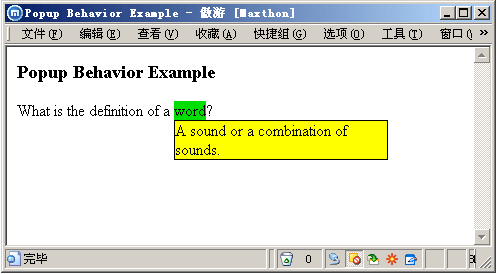
看一个完整的示例,这里用Popup Behavior和前面说过的Hover Behavior来实现一个Drop-Down Box。在ASPX页面中先加入HTML元素:
<div> <h3> Popup Behavior Example</h3> What is the definition of a <a id="hoverLink" class="hoverlabel">word</a>? <div id="popup" style="visibility: hidden; display: none; border: solid 1px black; background-color: Yellow;"> A sound or a combination of sounds. </div></div>用到的CSS如下:
 <style type="text/css">


 .hoverlabel {
 .hoverlabel CURSOR: pointer; BACKGROUND-COLOR: #00dd00
 }
} </style>
编写Atlas脚本,注意popupBehavior加在了Div元素上,而hoverBehavior加在了HyperLink上并使用了Show和Hide方法。
<script type="text/xml-script"> <page xmlns:script="http://schemas.microsoft.com/xml-script/2005"> <components> <control id="popup"> <behaviors> <popupBehavior id="popupBehavior" parentElement="hoverLink" positioningMode="BottomLeft"/> </behaviors> </control> <hyperLink id="hoverLink"> <behaviors> <hoverBehavior unhoverDelay="1000" hoverElement="popup"> <hover> <invokeMethod target="popupBehavior" method="show"/> </hover> <unhover> <invokeMethod target="popupBehavior" method="hide"/> </unhover> </hoverBehavior> </behaviors> </hyperLink> </components> </page></script>运行后如下:
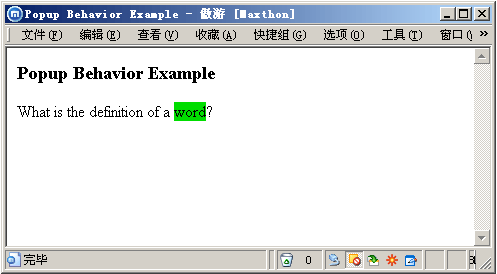
当鼠标移动到“word”上后:
完整示例下载:https://files.cnblogs.com/Terrylee/PopupBehaviorDemo.rar
支持TerryLee的创业产品Worktile
Worktile,新一代简单好用、体验极致的团队协同、项目管理工具,让你和你的团队随时随地一起工作。完全免费,现在就去了解一下吧。
https://worktile.com
Worktile,新一代简单好用、体验极致的团队协同、项目管理工具,让你和你的团队随时随地一起工作。完全免费,现在就去了解一下吧。
https://worktile.com

 浙公网安备 33010602011771号