


利用IDEA构建springboot应用-配置文件
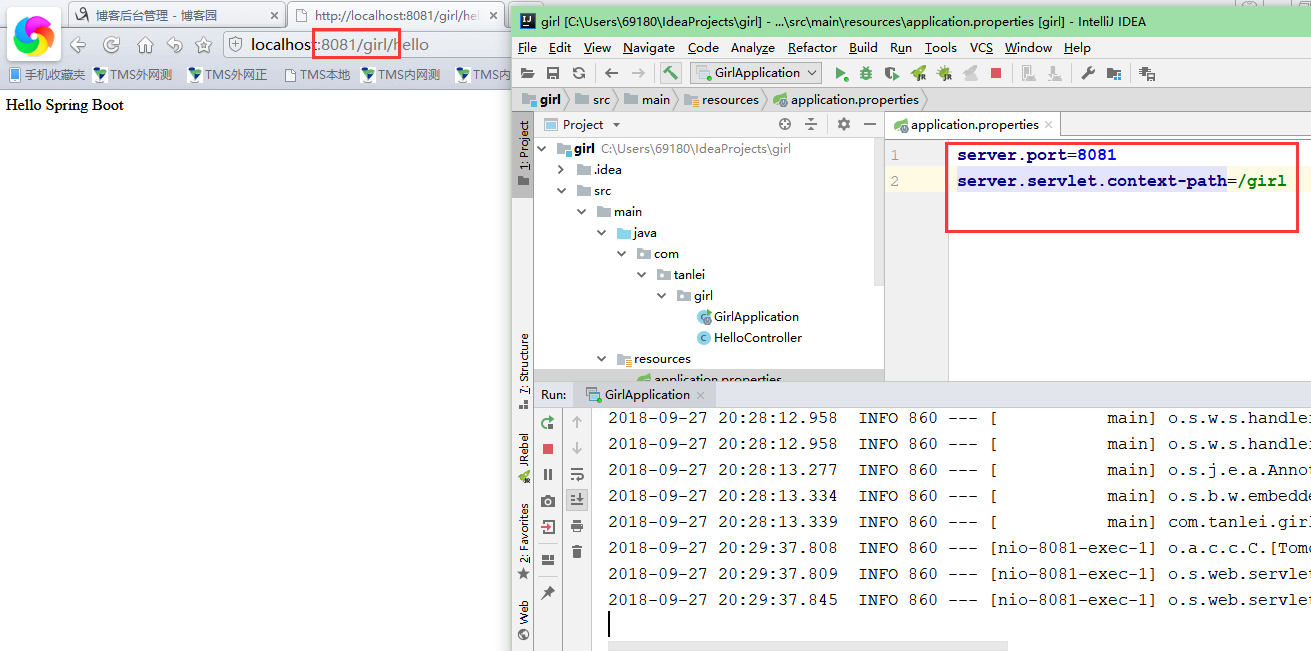
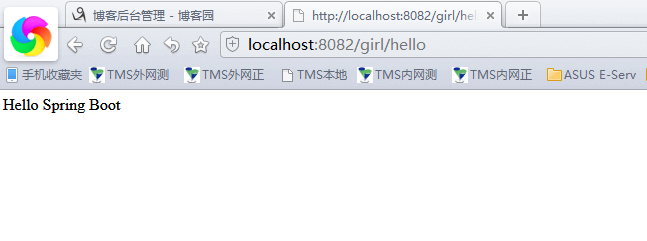
application.properties配置文件(不建议采用这种配置)
配置文件采用:application.yml文件会更简便,要带空格

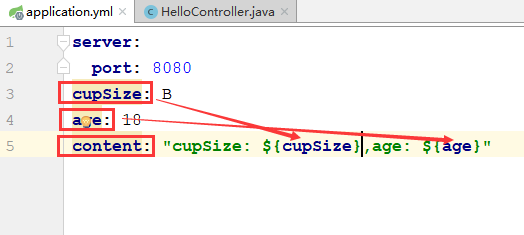
属性配置与类中取值


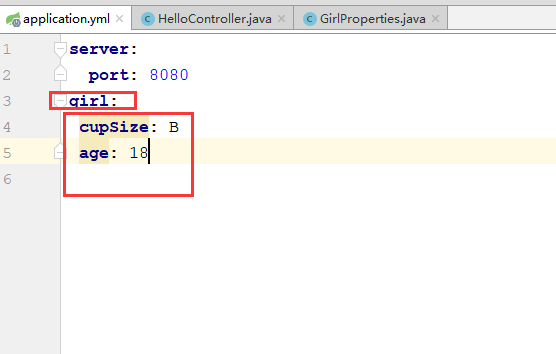
添加bean属性配置到一个类里面,采用Get/Set方法来调用
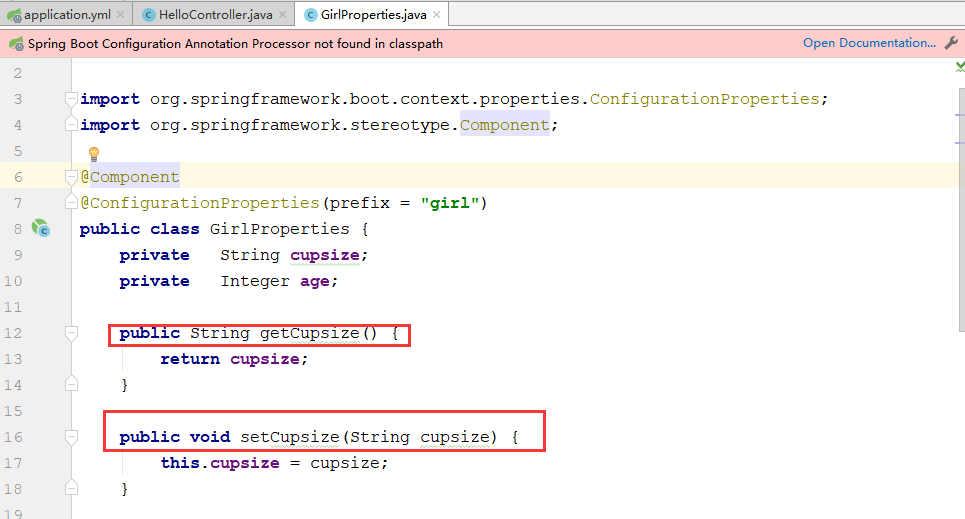
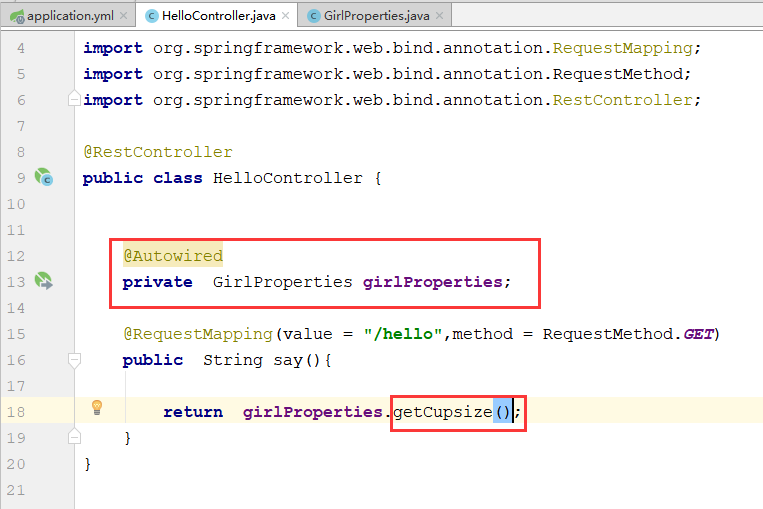
属性注解
application.properties
自定义属性与加载
我们在使用Spring Boot的时候,通常也需要定义一些自己使用的属性,我们可以如下方式直接定义:
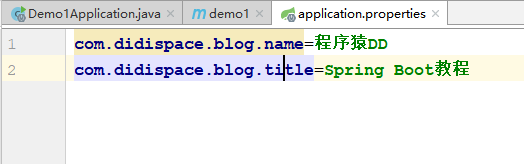
然后通过@Value("${属性名}")注解来加载对应的配置属性,具体如下:
@Value
package com.tanlei.demo1.entity;

import org.springframework.beans.factory.annotation.Value;

/**
 * @author:Mr.Tan
 * @Create:2018-10-18-13-19
 **/
public class ProDemo {
    @Value("${com.didispace.blog.name}")
    private String name;
    @Value("${com.didispace.blog.title}")
    private String title;

    public String getName() {
        return name;
    }

    public void setName(String name) {
        this.name = name;
    }

    public String getTitle() {
        return title;
    }

    public void setTitle(String title) {
        this.title = title;
    }
}
按照惯例,通过单元测试来验证ProDemo中的属性是否已经根据配置文件加载了
@RunWith(SpringJUnit4ClassRunner.class)
@SpringApplicationConfiguration(Application.class)
public class ApplicationTests {
	@Autowired
	private BlogProperties blogProperties;
	@Test
	public void getHello() throws Exception {
		Assert.assertEquals(blogProperties.getName(), "程序猿DD");
		Assert.assertEquals(blogProperties.getTitle(), "Spring Boot教程");
	}
}
@Component
@ConfigurationProperties

 浙公网安备 33010602011771号