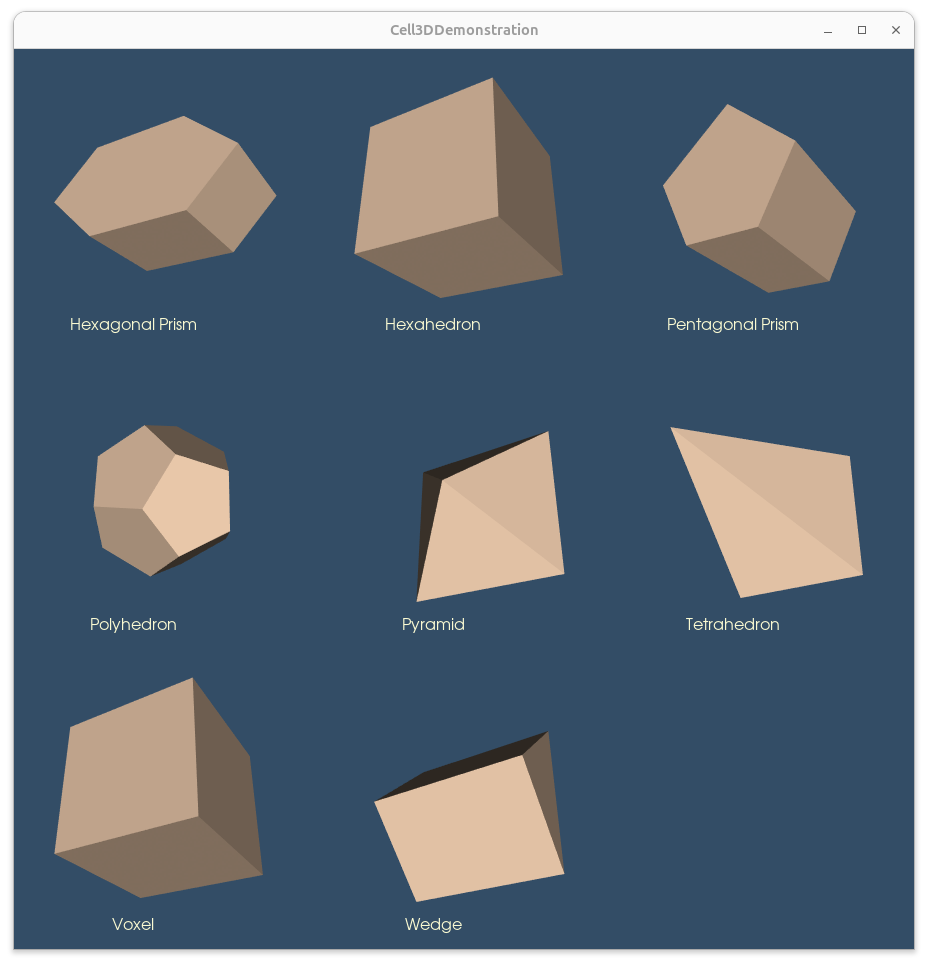
1,Cell3DDemonstration.py
点击查看代码
#!/usr/bin/env python

# noinspection PyUnresolvedReferences
import vtkmodules.vtkInteractionStyle
# noinspection PyUnresolvedReferences
import vtkmodules.vtkRenderingFreeType
# noinspection PyUnresolvedReferences
import vtkmodules.vtkRenderingOpenGL2
from vtkmodules.vtkCommonColor import vtkNamedColors
from vtkmodules.vtkCommonCore import (
    vtkIdList,
    vtkPoints
)
from vtkmodules.vtkCommonDataModel import (
    VTK_POLYHEDRON,
    VTK_TETRA,
    vtkCellArray,
    vtkHexagonalPrism,
    vtkHexahedron,
    vtkPentagonalPrism,
    vtkPyramid,
    vtkTetra,
    vtkUnstructuredGrid,
    vtkVoxel,
    vtkWedge
)
from vtkmodules.vtkIOImage import vtkPNGWriter
from vtkmodules.vtkRenderingCore import (
    vtkActor,
    vtkActor2D,
    vtkDataSetMapper,
    vtkRenderWindow,
    vtkRenderWindowInteractor,
    vtkRenderer,
    vtkTextMapper,
    vtkTextProperty,
    vtkWindowToImageFilter
)


def main():
    colors = vtkNamedColors()

    # Set the background color.
    colors.SetColor('BkgColor', [51, 77, 102, 255])

    titles = list()
    textMappers = list()
    textActors = list()

    uGrids = list()
    mappers = list()
    actors = list()
    renderers = list()

    uGrids.append(MakeHexagonalPrism())
    titles.append('Hexagonal Prism')
    uGrids.append(MakeHexahedron())
    titles.append('Hexahedron')
    uGrids.append(MakePentagonalPrism())
    titles.append('Pentagonal Prism')

    uGrids.append(MakePolyhedron())
    titles.append('Polyhedron')
    uGrids.append(MakePyramid())
    titles.append('Pyramid')
    uGrids.append(MakeTetrahedron())
    titles.append('Tetrahedron')

    uGrids.append(MakeVoxel())
    titles.append('Voxel')
    uGrids.append(MakeWedge())
    titles.append('Wedge')

    renWin = vtkRenderWindow()
    renWin.SetWindowName('Cell3DDemonstration')

    iRen = vtkRenderWindowInteractor()
    iRen.SetRenderWindow(renWin)

    # Create one text property for all
    textProperty = vtkTextProperty()
    textProperty.SetFontSize(16)
    textProperty.SetJustificationToCentered()
    textProperty.SetColor(colors.GetColor3d('LightGoldenrodYellow'))

    # Create and link the mappers actors and renderers together.
    for i in range(0, len(uGrids)):
        textMappers.append(vtkTextMapper())
        textActors.append(vtkActor2D())

        mappers.append(vtkDataSetMapper())
        actors.append(vtkActor())
        renderers.append(vtkRenderer())

        mappers[i].SetInputData(uGrids[i])
        actors[i].SetMapper(mappers[i])
        actors[i].GetProperty().SetColor(colors.GetColor3d('PeachPuff'))
        renderers[i].AddViewProp(actors[i])

        textMappers[i].SetInput(titles[i])
        textMappers[i].SetTextProperty(textProperty)

        textActors[i].SetMapper(textMappers[i])
        textActors[i].SetPosition(120, 16)
        renderers[i].AddViewProp(textActors[i])

        renWin.AddRenderer(renderers[i])

    gridDimensions = 3
    rendererSize = 300

    renWin.SetSize(rendererSize * gridDimensions,
                   rendererSize * gridDimensions)

    for row in range(0, gridDimensions):
        for col in range(0, gridDimensions):
            index = row * gridDimensions + col

            # (xmin, ymin, xmax, ymax)
            viewport = [
                float(col) * rendererSize /
                (gridDimensions * rendererSize),
                float(gridDimensions - (row + 1)) * rendererSize /
                (gridDimensions * rendererSize),
                float(col + 1) * rendererSize /
                (gridDimensions * rendererSize),
                float(gridDimensions - row) * rendererSize /
                (gridDimensions * rendererSize)]

            if index > len(actors) - 1:
                # Add a renderer even if there is no actor.
                # This makes the render window background all the same color.
                ren = vtkRenderer()
                ren.SetBackground(colors.GetColor3d('BkgColor'))
                ren.SetViewport(viewport)
                renWin.AddRenderer(ren)
                continue

            renderers[index].SetViewport(viewport)
            renderers[index].SetBackground(colors.GetColor3d('BkgColor'))
            renderers[index].ResetCamera()
            renderers[index].GetActiveCamera().Azimuth(30)
            renderers[index].GetActiveCamera().Elevation(-30)
            renderers[index].GetActiveCamera().Zoom(0.85)
            renderers[index].ResetCameraClippingRange()

    iRen.Initialize()
    renWin.SetWindowName('Cell3DDemonstration')
    renWin.Render()
    iRen.Start()


def MakeHexagonalPrism():
    """
      3D: hexagonal prism: a wedge with an hexagonal base.
      Be careful, the base face ordering is different from wedge.
    """

    numberOfVertices = 12

    points = vtkPoints()

    points.InsertNextPoint(0.0, 0.0, 1.0)
    points.InsertNextPoint(1.0, 0.0, 1.0)
    points.InsertNextPoint(1.5, 0.5, 1.0)
    points.InsertNextPoint(1.0, 1.0, 1.0)
    points.InsertNextPoint(0.0, 1.0, 1.0)
    points.InsertNextPoint(-0.5, 0.5, 1.0)

    points.InsertNextPoint(0.0, 0.0, 0.0)
    points.InsertNextPoint(1.0, 0.0, 0.0)
    points.InsertNextPoint(1.5, 0.5, 0.0)
    points.InsertNextPoint(1.0, 1.0, 0.0)
    points.InsertNextPoint(0.0, 1.0, 0.0)
    points.InsertNextPoint(-0.5, 0.5, 0.0)

    hexagonalPrism = vtkHexagonalPrism()
    for i in range(0, numberOfVertices):
        hexagonalPrism.GetPointIds().SetId(i, i)

    ug = vtkUnstructuredGrid()
    ug.InsertNextCell(hexagonalPrism.GetCellType(),
                      hexagonalPrism.GetPointIds())
    ug.SetPoints(points)

    return ug


def MakeHexahedron():
    """
      A regular hexagon (cube) with all faces square and three squares around
       each vertex is created below.

      Setup the coordinates of eight points
       (the two faces must be in counter clockwise
       order as viewed from the outside).

      As an exercise you can modify the coordinates of the points to create
       seven topologically distinct convex hexahedras.
    """
    numberOfVertices = 8

    # Create the points
    points = vtkPoints()
    points.InsertNextPoint(0.0, 0.0, 0.0)
    points.InsertNextPoint(1.0, 0.0, 0.0)
    points.InsertNextPoint(1.0, 1.0, 0.0)
    points.InsertNextPoint(0.0, 1.0, 0.0)
    points.InsertNextPoint(0.0, 0.0, 1.0)
    points.InsertNextPoint(1.0, 0.0, 1.0)
    points.InsertNextPoint(1.0, 1.0, 1.0)
    points.InsertNextPoint(0.0, 1.0, 1.0)

    # Create a hexahedron from the points
    hex_ = vtkHexahedron()
    for i in range(0, numberOfVertices):
        hex_.GetPointIds().SetId(i, i)

    # Add the points and hexahedron to an unstructured grid
    uGrid = vtkUnstructuredGrid()
    uGrid.SetPoints(points)
    uGrid.InsertNextCell(hex_.GetCellType(), hex_.GetPointIds())

    return uGrid


def MakePentagonalPrism():
    numberOfVertices = 10

    # Create the points
    points = vtkPoints()
    points.InsertNextPoint(11, 10, 10)
    points.InsertNextPoint(13, 10, 10)
    points.InsertNextPoint(14, 12, 10)
    points.InsertNextPoint(12, 14, 10)
    points.InsertNextPoint(10, 12, 10)
    points.InsertNextPoint(11, 10, 14)
    points.InsertNextPoint(13, 10, 14)
    points.InsertNextPoint(14, 12, 14)
    points.InsertNextPoint(12, 14, 14)
    points.InsertNextPoint(10, 12, 14)

    # Pentagonal Prism
    pentagonalPrism = vtkPentagonalPrism()
    for i in range(0, numberOfVertices):
        pentagonalPrism.GetPointIds().SetId(i, i)

    # Add the points and hexahedron to an unstructured grid
    uGrid = vtkUnstructuredGrid()
    uGrid.SetPoints(points)
    uGrid.InsertNextCell(pentagonalPrism.GetCellType(),
                         pentagonalPrism.GetPointIds())

    return uGrid


def MakePolyhedron():
    """
      Make a regular dodecahedron. It consists of twelve regular pentagonal
      faces with three faces meeting at each vertex.
    """
    # numberOfVertices = 20
    numberOfFaces = 12
    # numberOfFaceVertices = 5

    points = vtkPoints()
    points.InsertNextPoint(1.21412, 0, 1.58931)
    points.InsertNextPoint(0.375185, 1.1547, 1.58931)
    points.InsertNextPoint(-0.982247, 0.713644, 1.58931)
    points.InsertNextPoint(-0.982247, -0.713644, 1.58931)
    points.InsertNextPoint(0.375185, -1.1547, 1.58931)
    points.InsertNextPoint(1.96449, 0, 0.375185)
    points.InsertNextPoint(0.607062, 1.86835, 0.375185)
    points.InsertNextPoint(-1.58931, 1.1547, 0.375185)
    points.InsertNextPoint(-1.58931, -1.1547, 0.375185)
    points.InsertNextPoint(0.607062, -1.86835, 0.375185)
    points.InsertNextPoint(1.58931, 1.1547, -0.375185)
    points.InsertNextPoint(-0.607062, 1.86835, -0.375185)
    points.InsertNextPoint(-1.96449, 0, -0.375185)
    points.InsertNextPoint(-0.607062, -1.86835, -0.375185)
    points.InsertNextPoint(1.58931, -1.1547, -0.375185)
    points.InsertNextPoint(0.982247, 0.713644, -1.58931)
    points.InsertNextPoint(-0.375185, 1.1547, -1.58931)
    points.InsertNextPoint(-1.21412, 0, -1.58931)
    points.InsertNextPoint(-0.375185, -1.1547, -1.58931)
    points.InsertNextPoint(0.982247, -0.713644, -1.58931)

    # Dimensions are [numberOfFaces][numberOfFaceVertices]
    dodechedronFace = [
        [0, 1, 2, 3, 4],
        [0, 5, 10, 6, 1],
        [1, 6, 11, 7, 2],
        [2, 7, 12, 8, 3],
        [3, 8, 13, 9, 4],
        [4, 9, 14, 5, 0],
        [15, 10, 5, 14, 19],
        [16, 11, 6, 10, 15],
        [17, 12, 7, 11, 16],
        [18, 13, 8, 12, 17],
        [19, 14, 9, 13, 18],
        [19, 18, 17, 16, 15]
    ]

    dodechedronFacesIdList = vtkIdList()
    # Number faces that make up the cell.
    dodechedronFacesIdList.InsertNextId(numberOfFaces)
    for face in dodechedronFace:
        # Number of points in the face == numberOfFaceVertices
        dodechedronFacesIdList.InsertNextId(len(face))
        # Insert the pointIds for that face.
        [dodechedronFacesIdList.InsertNextId(i) for i in face]

    uGrid = vtkUnstructuredGrid()
    uGrid.InsertNextCell(VTK_POLYHEDRON, dodechedronFacesIdList)
    uGrid.SetPoints(points)

    return uGrid


def MakePyramid():
    """
      Make a regular square pyramid.
    """
    numberOfVertices = 5

    points = vtkPoints()

    p = [
        [1.0, 1.0, 0.0],
        [-1.0, 1.0, 0.0],
        [-1.0, -1.0, 0.0],
        [1.0, -1.0, 0.0],
        [0.0, 0.0, 1.0]
    ]
    for pt in p:
        points.InsertNextPoint(pt)

    pyramid = vtkPyramid()
    for i in range(0, numberOfVertices):
        pyramid.GetPointIds().SetId(i, i)

    ug = vtkUnstructuredGrid()
    ug.SetPoints(points)
    ug.InsertNextCell(pyramid.GetCellType(), pyramid.GetPointIds())

    return ug


def MakeTetrahedron():
    """
      Make a tetrahedron.
    """
    numberOfVertices = 4

    points = vtkPoints()
    points.InsertNextPoint(0, 0, 0)
    points.InsertNextPoint(1, 0, 0)
    points.InsertNextPoint(1, 1, 0)
    points.InsertNextPoint(0, 1, 1)

    tetra = vtkTetra()
    for i in range(0, numberOfVertices):
        tetra.GetPointIds().SetId(i, i)

    cellArray = vtkCellArray()
    cellArray.InsertNextCell(tetra)

    unstructuredGrid = vtkUnstructuredGrid()
    unstructuredGrid.SetPoints(points)
    unstructuredGrid.SetCells(VTK_TETRA, cellArray)

    return unstructuredGrid


def MakeVoxel():
    """
      A voxel is a representation of a regular grid in 3-D space.
    """
    numberOfVertices = 8

    points = vtkPoints()
    points.InsertNextPoint(0, 0, 0)
    points.InsertNextPoint(1, 0, 0)
    points.InsertNextPoint(0, 1, 0)
    points.InsertNextPoint(1, 1, 0)
    points.InsertNextPoint(0, 0, 1)
    points.InsertNextPoint(1, 0, 1)
    points.InsertNextPoint(0, 1, 1)
    points.InsertNextPoint(1, 1, 1)

    voxel = vtkVoxel()
    for i in range(0, numberOfVertices):
        voxel.GetPointIds().SetId(i, i)

    ug = vtkUnstructuredGrid()
    ug.SetPoints(points)
    ug.InsertNextCell(voxel.GetCellType(), voxel.GetPointIds())

    return ug


def MakeWedge():
    """
      A wedge consists of two triangular ends and three rectangular faces.
    """

    numberOfVertices = 6

    points = vtkPoints()

    points.InsertNextPoint(0, 1, 0)
    points.InsertNextPoint(0, 0, 0)
    points.InsertNextPoint(0, .5, .5)
    points.InsertNextPoint(1, 1, 0)
    points.InsertNextPoint(1, 0.0, 0.0)
    points.InsertNextPoint(1, .5, .5)

    wedge = vtkWedge()
    for i in range(0, numberOfVertices):
        wedge.GetPointIds().SetId(i, i)

    ug = vtkUnstructuredGrid()
    ug.SetPoints(points)
    ug.InsertNextCell(wedge.GetCellType(), wedge.GetPointIds())

    return ug


def WritePNG(renWin, fn, magnification=1):
    """
      Screenshot

      Write out a png corresponding to the render window.

      :param: renWin - the render window.
      :param: fn - the file name.
      :param: magnification - the magnification.
    """
    windowToImageFilter = vtkWindowToImageFilter()
    windowToImageFilter.SetInput(renWin)
    windowToImageFilter.SetMagnification(magnification)
    # Record the alpha (transparency) channel
    # windowToImageFilter.SetInputBufferTypeToRGBA()
    windowToImageFilter.SetInputBufferTypeToRGB()
    # Read from the back buffer
    windowToImageFilter.ReadFrontBufferOff()
    windowToImageFilter.Update()

    writer = vtkPNGWriter()
    writer.SetFileName(fn)
    writer.SetInputConnection(windowToImageFilter.GetOutputPort())
    writer.Write()


if __name__ == '__main__':
    main()
![image]()
2,CellTypeSource.py
点击查看代码
# !/usr/bin/env python
# -*- coding: utf-8 -*-

# noinspection PyUnresolvedReferences
import vtkmodules.vtkInteractionStyle
# noinspection PyUnresolvedReferences
import vtkmodules.vtkRenderingFreeType
# noinspection PyUnresolvedReferences
import vtkmodules.vtkRenderingOpenGL2
from vtkmodules.vtkCommonColor import (
    vtkColorSeries,
    vtkNamedColors
)
from vtkmodules.vtkCommonCore import (
    vtkIntArray,
    vtkLookupTable,
    vtkMinimalStandardRandomSequence,
    vtkPoints
)
from vtkmodules.vtkCommonDataModel import (
    VTK_CUBIC_LINE,
    VTK_HEXAHEDRON,
    VTK_LINE,
    VTK_PYRAMID,
    VTK_QUAD,
    VTK_QUADRATIC_EDGE,
    VTK_QUADRATIC_HEXAHEDRON,
    VTK_QUADRATIC_PYRAMID,
    VTK_QUADRATIC_QUAD,
    VTK_QUADRATIC_TETRA,
    VTK_QUADRATIC_TRIANGLE,
    VTK_QUADRATIC_WEDGE,
    VTK_TETRA,
    VTK_TRIANGLE,
    VTK_WEDGE,
    vtkCellTypes
)
from vtkmodules.vtkFiltersGeneral import (
    vtkShrinkFilter,
    vtkTessellatorFilter
)
from vtkmodules.vtkFiltersSources import vtkCellTypeSource
from vtkmodules.vtkRenderingCore import (
    vtkActor,
    vtkActor2D,
    vtkDataSetMapper,
    vtkRenderWindow,
    vtkRenderWindowInteractor,
    vtkRenderer,
    vtkTextMapper,
    vtkTextProperty
)


def main():
    cellName = get_program_parameters()

    # Store the cell class names in a dictionary.
    cellMap = dict()
    cellMap[vtkCellTypes.GetClassNameFromTypeId(VTK_LINE)] = VTK_LINE
    cellMap[vtkCellTypes.GetClassNameFromTypeId(VTK_QUADRATIC_EDGE)] = VTK_QUADRATIC_EDGE
    cellMap[vtkCellTypes.GetClassNameFromTypeId(VTK_CUBIC_LINE)] = VTK_CUBIC_LINE

    cellMap[vtkCellTypes.GetClassNameFromTypeId(VTK_TRIANGLE)] = VTK_TRIANGLE
    cellMap[vtkCellTypes.GetClassNameFromTypeId(VTK_QUADRATIC_TRIANGLE)] = VTK_QUADRATIC_TRIANGLE
    cellMap[vtkCellTypes.GetClassNameFromTypeId(VTK_QUAD)] = VTK_QUAD
    cellMap[vtkCellTypes.GetClassNameFromTypeId(VTK_QUADRATIC_QUAD)] = VTK_QUADRATIC_QUAD

    cellMap[vtkCellTypes.GetClassNameFromTypeId(VTK_TETRA)] = VTK_TETRA
    cellMap[vtkCellTypes.GetClassNameFromTypeId(VTK_HEXAHEDRON)] = VTK_HEXAHEDRON
    cellMap[vtkCellTypes.GetClassNameFromTypeId(VTK_WEDGE)] = VTK_WEDGE
    cellMap[vtkCellTypes.GetClassNameFromTypeId(VTK_PYRAMID)] = VTK_PYRAMID
    cellMap[vtkCellTypes.GetClassNameFromTypeId(VTK_QUADRATIC_WEDGE)] = VTK_QUADRATIC_WEDGE
    cellMap[vtkCellTypes.GetClassNameFromTypeId(VTK_QUADRATIC_PYRAMID)] = VTK_QUADRATIC_PYRAMID
    cellMap[vtkCellTypes.GetClassNameFromTypeId(VTK_QUADRATIC_HEXAHEDRON)] = VTK_QUADRATIC_HEXAHEDRON
    cellMap[vtkCellTypes.GetClassNameFromTypeId(VTK_QUADRATIC_TETRA)] = VTK_QUADRATIC_TETRA

    if cellName not in cellMap:
        print('Cell type ', cellName, ' is not supported.')
        return
    source = vtkCellTypeSource()
    source.SetCellType(cellMap[cellName])
    source.Update()
    print('Cell: ', cellName)

    originalPoints = source.GetOutput().GetPoints()
    points = vtkPoints()
    points.SetNumberOfPoints(source.GetOutput().GetNumberOfPoints())
    rng = vtkMinimalStandardRandomSequence()
    rng.SetSeed(5070)  # for testing
    for i in range(0, points.GetNumberOfPoints()):
        perturbation = [0.0] * 3
        for j in range(0, 3):
            rng.Next()
            perturbation[j] = rng.GetRangeValue(-0.1, 0.1)
        currentPoint = [0.0] * 3
        originalPoints.GetPoint(i, currentPoint)
        points.SetPoint(i, currentPoint[0] + perturbation[0],
                        currentPoint[1] + perturbation[1],
                        currentPoint[2] + perturbation[2])
    source.GetOutput().SetPoints(points)

    numCells = source.GetOutput().GetNumberOfCells()
    print('Number of cells: ', numCells)
    idArray = vtkIntArray()
    idArray.SetNumberOfTuples(numCells)
    for i in range(0, numCells):
        idArray.InsertTuple1(i, i + 1)
    idArray.SetName('Ids')
    source.GetOutput().GetCellData().AddArray(idArray)
    source.GetOutput().GetCellData().SetActiveScalars('Ids')

    shrink = vtkShrinkFilter()
    shrink.SetInputConnection(source.GetOutputPort())
    shrink.SetShrinkFactor(.8)

    tessellate = vtkTessellatorFilter()
    tessellate.SetInputConnection(shrink.GetOutputPort())
    tessellate.SetMaximumNumberOfSubdivisions(3)

    # Create a lookup table to map cell data to colors.
    lut = vtkLookupTable()

    colorSeries = vtkColorSeries()
    seriesEnum = colorSeries.BREWER_QUALITATIVE_SET3
    colorSeries.SetColorScheme(seriesEnum)
    colorSeries.BuildLookupTable(lut, colorSeries.ORDINAL)

    # Fill in a few known colors, the rest will be generated if needed.
    colors = vtkNamedColors()

    # Create a mapper and actor.
    mapper = vtkDataSetMapper()
    mapper.SetInputConnection(source.GetOutputPort())
    mapper.SetInputConnection(shrink.GetOutputPort())
    mapper.SetScalarRange(0, numCells + 1)
    mapper.SetLookupTable(lut)
    mapper.SetScalarModeToUseCellData()
    mapper.SetResolveCoincidentTopologyToPolygonOffset()
    if (source.GetCellType() == VTK_QUADRATIC_PYRAMID or
            source.GetCellType() == VTK_QUADRATIC_WEDGE):
        mapper.SetInputConnection(shrink.GetOutputPort())
    else:
        mapper.SetInputConnection(tessellate.GetOutputPort())
    actor = vtkActor()
    actor.SetMapper(mapper)
    actor.GetProperty().EdgeVisibilityOn()
    #  actor.GetProperty().SetLineWidth(3)

    textProperty = vtkTextProperty()
    textProperty.SetFontSize(20)
    textProperty.SetJustificationToCentered()
    textProperty.SetColor(colors.GetColor3d('Lamp_Black'))

    textMapper = vtkTextMapper()
    textMapper.SetInput(cellName)
    textMapper.SetTextProperty(textProperty)

    textActor = vtkActor2D()
    textActor.SetMapper(textMapper)
    textActor.SetPosition(320, 20)

    # Create a renderer, render window, and interactor.
    renderer = vtkRenderer()
    renderWindow = vtkRenderWindow()
    renderWindow.SetWindowName('CellTypeSource')
    renderWindow.AddRenderer(renderer)
    renderWindowInteractor = vtkRenderWindowInteractor()
    renderWindowInteractor.SetRenderWindow(renderWindow)

    # Add the actors to the scene.
    renderer.AddViewProp(textActor)
    renderer.AddActor(actor)
    renderer.SetBackground(colors.GetColor3d('Silver'))

    renderer.ResetCamera()
    renderer.GetActiveCamera().Azimuth(30)
    renderer.GetActiveCamera().Elevation(30)
    renderer.ResetCameraClippingRange()

    # Render and interact.
    renderWindow.SetSize(640, 480)
    renderWindow.Render()
    renderWindowInteractor.Start()


def get_program_parameters():
    import argparse
    description = 'Cell Type Source.'
    epilogue = '''
    You can supply an optional argument consisting of a vtkCell name e.g: vtkTriangle.
    The default is vtkTetra.
    '''
    parser = argparse.ArgumentParser(description=description, epilog=epilogue,
                                     formatter_class=argparse.RawDescriptionHelpFormatter)
    parser.add_argument('cell_name', nargs='?', const='vtkTetra', default='vtkTetra', type=str, help='The cell name.')
    args = parser.parse_args()
    return args.cell_name


if __name__ == '__main__':
    main()
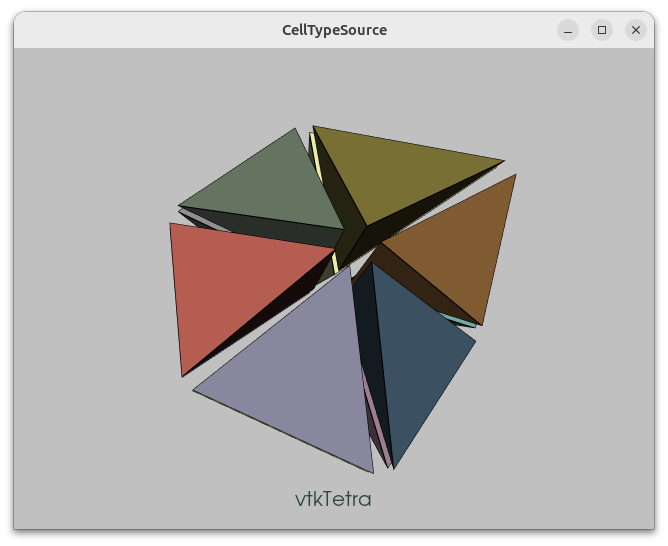
3,ConvexPointSet.py
点击查看代码
# !/usr/bin/env python
# -*- coding: utf-8 -*-

# noinspection PyUnresolvedReferences
import vtkmodules.vtkInteractionStyle
# noinspection PyUnresolvedReferences
import vtkmodules.vtkRenderingOpenGL2
from vtkmodules.vtkCommonColor import vtkNamedColors
from vtkmodules.vtkCommonCore import vtkPoints
from vtkmodules.vtkCommonDataModel import (
    vtkConvexPointSet,
    vtkPolyData,
    vtkUnstructuredGrid
)
from vtkmodules.vtkFiltersSources import vtkSphereSource
from vtkmodules.vtkRenderingCore import (
    vtkActor,
    vtkDataSetMapper,
    vtkGlyph3DMapper,
    vtkRenderWindow,
    vtkRenderWindowInteractor,
    vtkRenderer
)


def main():
    cps = vtkConvexPointSet()
    points = vtkPoints()
    points.InsertNextPoint(0, 0, 0)
    points.InsertNextPoint(1, 0, 0)
    points.InsertNextPoint(1, 1, 0)
    points.InsertNextPoint(0, 1, 0)
    points.InsertNextPoint(0, 0, 1)
    points.InsertNextPoint(1, 0, 1)
    points.InsertNextPoint(1, 1, 1)
    points.InsertNextPoint(0, 1, 1)
    points.InsertNextPoint(0.5, 0, 0)
    points.InsertNextPoint(1, 0.5, 0)
    points.InsertNextPoint(0.5, 1, 0)
    points.InsertNextPoint(0, 0.5, 0)
    points.InsertNextPoint(0.5, 0.5, 0)

    for i in range(0, 13):
        cps.GetPointIds().InsertId(i, i)

    ug = vtkUnstructuredGrid()
    ug.Allocate(1, 1)
    ug.InsertNextCell(cps.GetCellType(), cps.GetPointIds())
    ug.SetPoints(points)

    colors = vtkNamedColors()

    mapper = vtkDataSetMapper()
    mapper.SetInputData(ug)

    actor = vtkActor()
    actor.SetMapper(mapper)
    actor.GetProperty().SetColor(colors.GetColor3d("Tomato"))
    actor.GetProperty().SetLineWidth(3)
    actor.GetProperty().EdgeVisibilityOn()

    # Glyph the points
    sphere = vtkSphereSource()
    sphere.SetPhiResolution(21)
    sphere.SetThetaResolution(21)
    sphere.SetRadius(.03)

    # Create a polydata to store everything in
    polyData = vtkPolyData()
    polyData.SetPoints(points)

    pointMapper = vtkGlyph3DMapper()
    pointMapper.SetInputData(polyData)
    pointMapper.SetSourceConnection(sphere.GetOutputPort())

    pointActor = vtkActor()
    pointActor.SetMapper(pointMapper)
    pointActor.GetProperty().SetColor(colors.GetColor3d("Peacock"))

    # Create a renderer, render window, and interactor
    renderer = vtkRenderer()
    renderWindow = vtkRenderWindow()
    renderWindow.SetWindowName("ConvexPointSet")
    renderWindow.AddRenderer(renderer)
    renderWindowInteractor = vtkRenderWindowInteractor()
    renderWindowInteractor.SetRenderWindow(renderWindow)

    # Add the actors to the scene
    renderer.AddActor(actor)
    renderer.AddActor(pointActor)
    renderer.SetBackground(colors.GetColor3d("Silver"))

    renderer.ResetCamera()
    renderer.GetActiveCamera().Azimuth(210)
    renderer.GetActiveCamera().Elevation(30)
    renderer.ResetCameraClippingRange()

    # Render and interact
    renderWindow.SetSize(640, 480)
    renderWindow.Render()
    renderWindowInteractor.Start()


if __name__ == '__main__':
    main()
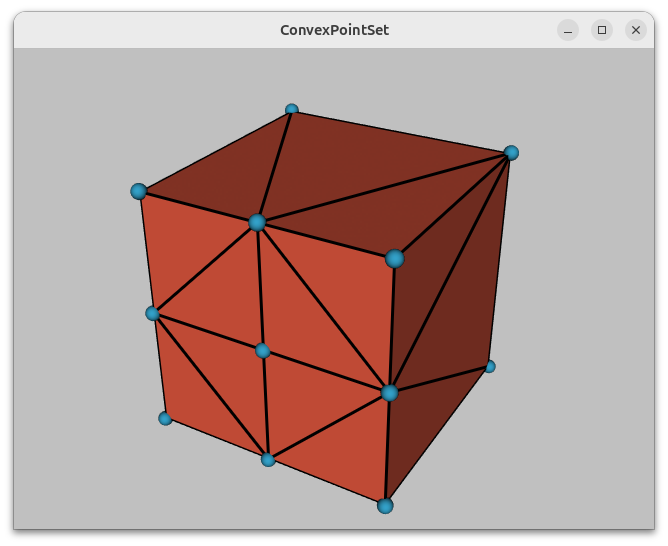
4,Hexahedron.py
点击查看代码
#!/usr/bin/env python
# -*- coding: utf-8 -*-

# noinspection PyUnresolvedReferences
import vtkmodules.vtkInteractionStyle
# noinspection PyUnresolvedReferences
import vtkmodules.vtkRenderingOpenGL2
from vtkmodules.vtkCommonColor import vtkNamedColors
from vtkmodules.vtkCommonCore import vtkPoints
from vtkmodules.vtkCommonDataModel import (
    vtkCellArray,
    vtkHexahedron,
    vtkUnstructuredGrid
)
from vtkmodules.vtkRenderingCore import (
    vtkActor,
    vtkDataSetMapper,
    vtkRenderWindow,
    vtkRenderWindowInteractor,
    vtkRenderer
)


def main():
    colors = vtkNamedColors()

    # Set the background color.
    colors.SetColor("BkgColor", [51, 77, 102, 255])

    # For the hexahedron setup the coordinates of eight points.
    # The two faces must be in counter clockwise order as viewed from the
    # outside.
    pointCoordinates = list()
    pointCoordinates.append([0.0, 0.0, 0.0])  # Face 1
    pointCoordinates.append([1.0, 0.0, 0.0])
    pointCoordinates.append([1.0, 1.0, 0.0])
    pointCoordinates.append([0.0, 1.0, 0.0])
    pointCoordinates.append([0.0, 0.0, 1.0])  # Face 2
    pointCoordinates.append([1.0, 0.0, 1.0])
    pointCoordinates.append([1.0, 1.0, 1.0])
    pointCoordinates.append([0.0, 1.0, 1.0])

    # Create the points.
    points = vtkPoints()

    # Create a hexahedron from the points.
    hexahedron = vtkHexahedron()

    for i in range(0, len(pointCoordinates)):
        points.InsertNextPoint(pointCoordinates[i])
        hexahedron.GetPointIds().SetId(i, i)

    # Add the hexahedron to a cell array.
    hexs = vtkCellArray()
    hexs.InsertNextCell(hexahedron)

    # Add the points and hexahedron to an unstructured grid.
    uGrid = vtkUnstructuredGrid()
    uGrid.SetPoints(points)
    uGrid.InsertNextCell(hexahedron.GetCellType(), hexahedron.GetPointIds())

    # Visualize.
    mapper = vtkDataSetMapper()
    mapper.SetInputData(uGrid)

    actor = vtkActor()
    actor.GetProperty().SetColor(colors.GetColor3d("PeachPuff"))
    actor.SetMapper(mapper)

    renderer = vtkRenderer()
    renderWindow = vtkRenderWindow()
    renderWindow.SetWindowName("Hexahedron")
    renderWindow.AddRenderer(renderer)
    renderWindowInteractor = vtkRenderWindowInteractor()
    renderWindowInteractor.SetRenderWindow(renderWindow)

    renderer.AddActor(actor)
    renderer.SetBackground(colors.GetColor3d("BkgColor"))
    renderer.ResetCamera()
    renderer.GetActiveCamera().Azimuth(30)
    renderer.GetActiveCamera().Elevation(30)

    renderWindow.Render()
    renderWindowInteractor.Start()


if __name__ == '__main__':
    main()
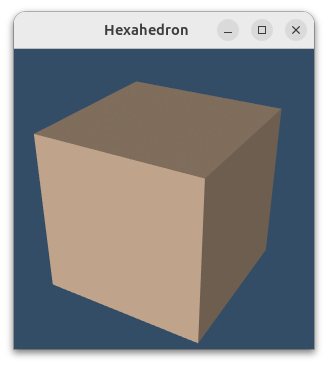
5,LinearCellsDemo.py
点击查看代码
# !/usr/bin/env python3

# noinspection PyUnresolvedReferences
import vtkmodules.vtkInteractionStyle
# noinspection PyUnresolvedReferences
import vtkmodules.vtkRenderingOpenGL2
from vtkmodules.vtkCommonColor import vtkNamedColors
from vtkmodules.vtkCommonCore import (
    vtkPoints,
    VTK_VERSION_NUMBER,
    vtkVersion
)
from vtkmodules.vtkCommonDataModel import (
    VTK_TETRA,
    vtkCellArray,
    vtkHexagonalPrism,
    vtkHexahedron,
    vtkLine,
    vtkPentagonalPrism,
    vtkPixel,
    vtkPolyLine,
    vtkPolyVertex,
    vtkPolygon,
    vtkPyramid,
    vtkQuad,
    vtkTetra,
    vtkTriangle,
    vtkTriangleStrip,
    vtkUnstructuredGrid,
    vtkVertex,
    vtkVoxel,
    vtkWedge
)
from vtkmodules.vtkFiltersSources import (
    vtkCubeSource,
    vtkSphereSource
)
from vtkmodules.vtkInteractionWidgets import (
    vtkCameraOrientationWidget,
    vtkOrientationMarkerWidget
)
from vtkmodules.vtkRenderingAnnotation import vtkAxesActor
from vtkmodules.vtkRenderingCore import (
    vtkActor,
    vtkActor2D,
    vtkDataSetMapper,
    vtkGlyph3DMapper,
    vtkLightKit,
    vtkPolyDataMapper,
    vtkProperty,
    vtkRenderWindow,
    vtkRenderWindowInteractor,
    vtkRenderer,
    vtkTextMapper,
    vtkTextProperty
)
from vtkmodules.vtkRenderingLabel import vtkLabeledDataMapper


def get_program_parameters():
    import argparse
    description = 'Demonstrate the linear cell types found in VTK.'
    epilogue = '''
         The numbers define the ordering of the points making the cell.
    '''
    parser = argparse.ArgumentParser(description=description, epilog=epilogue,
                                     formatter_class=argparse.RawDescriptionHelpFormatter)
    group1 = parser.add_mutually_exclusive_group()
    group1.add_argument('-w', '--wireframe', action='store_true',
                        help='Render a wireframe.')
    group1.add_argument('-b', '--backface', action='store_true',
                        help='Display the back face in a different colour.')

    parser.add_argument('-o', '--object_number', type=int, default=None,
                        help='The number corresponding to the object.')
    parser.add_argument('-n', '--no_plinth', action='store_true',
                        help='Remove the plinth.')
    args = parser.parse_args()
    return args.wireframe, args.backface, args.object_number, args.no_plinth


def main():
    wireframe_on, backface_on, object_num, plinth_off = get_program_parameters()

    objects = specify_objects()
    # The order here should match the order in specify_objects().
    object_order = list(objects.keys())

    # Check for a single object.
    single_object = None
    if object_num:
        if object_num in object_order:
            single_object = True
        else:
            print('Object not found.\nPlease enter the number corresponding to the object.')
            print('Available objects are:')
            for obj in object_order:
                print(f'{objects[obj]} (={str(obj)})')
            return

    colors = vtkNamedColors()

    # Create one sphere for all.
    sphere = vtkSphereSource()
    sphere.SetPhiResolution(21)
    sphere.SetThetaResolution(21)
    sphere.SetRadius(0.04)

    cells = get_unstructured_grids()
    # The text to be displayed in the viewport.
    names = list()
    # The keys of the objects selected for display.
    keys = list()
    if single_object:
        names.append(f'{objects[object_num]} (={str(object_num)})')
        keys.append(object_num)
    else:
        for obj in object_order:
            names.append(f'{objects[obj]} (={str(obj)})')
            keys.append(obj)

    add_plinth = (10, 11, 12, 13, 14, 15, 16,)
    lines = (3, 4)

    # Set up the viewports.
    grid_column_dimensions = 4
    grid_row_dimensions = 4
    renderer_size = 300
    if single_object:
        grid_column_dimensions = 1
        grid_row_dimensions = 1
        renderer_size = 1200
    window_size = (grid_column_dimensions * renderer_size, grid_row_dimensions * renderer_size)

    viewports = dict()
    blank = len(cells)
    blank_viewports = list()

    for row in range(0, grid_row_dimensions):
        if row == grid_row_dimensions - 1:
            last_row = True
        for col in range(0, grid_column_dimensions):
            if col == grid_column_dimensions - 1:
                last_col = True
            index = row * grid_column_dimensions + col
            # Set the renderer's viewport dimensions (xmin, ymin, xmax, ymax) within the render window.
            # Note that for the Y values, we need to subtract the row index from grid_rows
            #  because the viewport Y axis points upwards, and we want to draw the grid from top to down.
            viewport = (float(col) / grid_column_dimensions,
                        float(grid_row_dimensions - (row + 1)) / grid_row_dimensions,
                        float(col + 1) / grid_column_dimensions,
                        float(grid_row_dimensions - row) / grid_row_dimensions)

            if index < blank:
                viewports[keys[index]] = viewport
            else:
                s = f'vp_{col:d}_{row:d}'
                viewports[s] = viewport
                blank_viewports.append(s)

    ren_win = vtkRenderWindow()
    ren_win.SetSize(window_size)
    ren_win.SetWindowName('LinearCellsDemo')

    iren = vtkRenderWindowInteractor()
    iren.SetRenderWindow(ren_win)
    # Since we always import vtkmodules.vtkInteractionStyle we can do this
    # because vtkInteractorStyleSwitch is automatically imported:
    iren.GetInteractorStyle().SetCurrentStyleToTrackballCamera()

    renderers = dict()

    # Create and link the mappers, actors and renderers together.
    single_object_key = None
    for idx, key in enumerate(keys):
        print('Creating:', names[idx])

        if single_object:
            single_object_key = key

        text_property = get_text_property()
        if single_object:
            text_property.SetFontSize(renderer_size // 28)
        else:
            text_property.SetFontSize(renderer_size // 24)

        text_mapper = vtkTextMapper()
        text_mapper.SetTextProperty(text_property)
        text_mapper.SetInput(names[idx])
        text_actor = vtkActor2D()
        text_actor.SetMapper(text_mapper)
        text_actor.SetPosition(renderer_size / 2.0, 8)

        mapper = vtkDataSetMapper()
        mapper.SetInputData(cells[key][0])
        actor = vtkActor()
        actor.SetMapper(mapper)
        actor.SetProperty(get_actor_property())

        if wireframe_on or key in lines:
            actor.GetProperty().SetRepresentationToWireframe()
            actor.GetProperty().SetLineWidth(2)
            actor.GetProperty().SetOpacity(1)
            actor.GetProperty().SetColor(colors.GetColor3d('Black'))
        else:
            if backface_on:
                actor.SetBackfaceProperty(get_back_face_property())

        # Label the points.
        label_property = get_label_property()
        if single_object:
            label_property.SetFontSize(renderer_size // 36)
        else:
            label_property.SetFontSize(renderer_size // 16)

        label_mapper = vtkLabeledDataMapper()
        label_mapper.SetInputData(cells[key][0])
        label_mapper.SetLabelTextProperty(label_property)

        label_actor = vtkActor2D()
        label_actor.SetMapper(label_mapper)

        # Glyph the points.
        point_mapper = vtkGlyph3DMapper()
        point_mapper.SetInputData(cells[key][0])
        point_mapper.SetSourceConnection(sphere.GetOutputPort())
        point_mapper.ScalingOn()
        point_mapper.ScalarVisibilityOff()

        point_actor = vtkActor()
        point_actor.SetMapper(point_mapper)
        point_actor.SetProperty(get_point_actor_property())

        renderer = vtkRenderer()
        renderer.SetBackground(colors.GetColor3d('LightSteelBlue'))
        renderer.SetViewport(viewports[key])

        light_kit = vtkLightKit()
        light_kit.AddLightsToRenderer(renderer)

        renderer.AddActor(text_actor)
        renderer.AddActor(actor)
        renderer.AddActor(label_actor)
        renderer.AddActor(point_actor)
        if not plinth_off:
            # Add a plinth.
            if key in add_plinth:
                tile_actor = make_tile(cells[key][0].GetBounds(),
                                       expansion_factor=0.5, thickness_ratio=0.01, shift_y=-0.05)
                tile_actor.SetProperty(get_tile_property())
                renderer.AddActor(tile_actor)

        renderer.ResetCamera()
        renderer.GetActiveCamera().Azimuth(cells[key][1])
        renderer.GetActiveCamera().Elevation(cells[key][2])
        renderer.GetActiveCamera().Dolly(cells[key][3])
        renderer.ResetCameraClippingRange()

        renderers[key] = renderer
        ren_win.AddRenderer(renderers[key])

    for name in blank_viewports:
        viewport = viewports[name]
        renderer = vtkRenderer()
        renderer.SetBackground = colors.GetColor3d('LightSteelBlue')
        renderer.SetViewport(viewport)

        renderers[name] = renderer
        ren_win.AddRenderer(renderers[name])

    if single_object:
        if vtk_version_ok(9, 0, 20210718):
            try:
                cam_orient_manipulator = vtkCameraOrientationWidget()
                cam_orient_manipulator.SetParentRenderer(renderers[single_object_key])
                cam_orient_manipulator.SetInteractor(iren)
                # Enable the widget.
                cam_orient_manipulator.On()
            except AttributeError:
                pass
        else:
            axes = vtkAxesActor()
            widget = vtkOrientationMarkerWidget()
            rgba = [0.0, 0.0, 0.0, 0.0]
            colors.GetColor("Carrot", rgba)
            widget.SetOutlineColor(rgba[0], rgba[1], rgba[2])
            widget.SetOrientationMarker(axes)
            widget.SetInteractor(iren)
            widget.SetViewport(0.0, 0.0, 0.2, 0.2)
            widget.EnabledOn()
            widget.InteractiveOn()

    ren_win.Render()
    iren.Initialize()
    iren.Start()


def specify_objects():
    """
    Link the unstructured grid number to the unstructured grid name.

    :return: A dictionary: {index number: unstructured grid name}.
    """
    return {
        1: 'VTK_VERTEX',
        2: 'VTK_POLY_VERTEX',
        3: 'VTK_LINE',
        4: 'VTK_POLY_LINE',
        5: 'VTK_TRIANGLE',
        6: 'VTK_TRIANGLE_STRIP',
        7: 'VTK_POLYGON',
        8: 'VTK_PIXEL',
        9: 'VTK_QUAD',
        10: 'VTK_TETRA',
        11: 'VTK_VOXEL',
        12: 'VTK_HEXAHEDRON',
        13: 'VTK_WEDGE',
        14: 'VTK_PYRAMID',
        15: 'VTK_PENTAGONAL_PRISM',
        16: 'VTK_HEXAGONAL_PRISM',
    }


def get_unstructured_grids():
    """
    Get the unstructured grid names, the unstructured grid and initial orientations.

    :return: A dictionary: {index number: (unstructured grid, azimuth, elevation and dolly)}.
    """
    return {
        1: (make_vertex(), 30, -30, 0.1),
        2: (make_poly_vertex(), 30, -30, 0.8),
        3: (make_line(), 30, -30, 0.4),
        4: (make_polyline(), 30, -30, 1.0),
        5: (make_triangle(), 30, -30, 0.7),
        6: (make_triangle_strip(), 30, -30, 1.1),
        7: (make_polygon(), 0, -45, 1.0),
        8: (make_pixel(), 0, -45, 1.0),
        9: (make_quad(), 0, -45, 1.0),
        10: (make_tetra(), 20, 20, 1.0),
        11: (make_voxel(), -22.5, 15, 0.95),
        12: (make_hexahedron(), -22.5, 15, 0.95),
        13: (make_wedge(), -30, 15, 1.0),
        14: (make_pyramid(), -60, 15, 1.0),
        15: (make_pentagonal_prism(), -60, 10, 1.0),
        16: (make_hexagonal_prism(), -60, 15, 1.0)
    }


# These functions return an vtkUnstructured grid corresponding to the object.

def make_vertex():
    # A vertex is a cell that represents a 3D point.
    number_of_vertices = 1

    points = vtkPoints()
    points.InsertNextPoint(0, 0, 0)

    vertex = vtkVertex()
    for i in range(0, number_of_vertices):
        vertex.GetPointIds().SetId(i, i)

    ug = vtkUnstructuredGrid()
    ug.SetPoints(points)
    ug.InsertNextCell(vertex.GetCellType(), vertex.GetPointIds())

    return ug


def make_poly_vertex():
    # A polyvertex is a cell that represents a set of 0D vertices.
    number_of_vertices = 6

    points = vtkPoints()
    points.InsertNextPoint(0, 0, 0)
    points.InsertNextPoint(1, 0, 0)
    points.InsertNextPoint(0, 1, 0)
    points.InsertNextPoint(0, 0, 1)
    points.InsertNextPoint(1, 0, 0.4)
    points.InsertNextPoint(0, 1, 0.6)

    poly_vertex = vtkPolyVertex()
    poly_vertex.GetPointIds().SetNumberOfIds(number_of_vertices)

    for i in range(0, number_of_vertices):
        poly_vertex.GetPointIds().SetId(i, i)

    ug = vtkUnstructuredGrid()
    ug.SetPoints(points)
    ug.InsertNextCell(poly_vertex.GetCellType(), poly_vertex.GetPointIds())

    return ug


def make_line():
    # A line is a cell that represents a 1D point.
    number_of_vertices = 2

    points = vtkPoints()
    points.InsertNextPoint(0, 0, 0)
    points.InsertNextPoint(0.5, 0.5, 0)

    line = vtkLine()
    for i in range(0, number_of_vertices):
        line.GetPointIds().SetId(i, i)

    ug = vtkUnstructuredGrid()
    ug.SetPoints(points)
    ug.InsertNextCell(line.GetCellType(), line.GetPointIds())

    return ug


def make_polyline():
    # A polyline is a cell that represents a set of 1D lines.
    number_of_vertices = 5

    points = vtkPoints()
    points.InsertNextPoint(0, 0.5, 0)
    points.InsertNextPoint(0.5, 0, 0)
    points.InsertNextPoint(1, 0.3, 0)
    points.InsertNextPoint(1.5, 0.4, 0)
    points.InsertNextPoint(2.0, 0.4, 0)

    polyline = vtkPolyLine()
    polyline.GetPointIds().SetNumberOfIds(number_of_vertices)

    for i in range(0, number_of_vertices):
        polyline.GetPointIds().SetId(i, i)

    ug = vtkUnstructuredGrid()
    ug.SetPoints(points)
    ug.InsertNextCell(polyline.GetCellType(), polyline.GetPointIds())

    return ug


def make_triangle():
    # A triangle is a cell that represents a triangle.
    number_of_vertices = 3

    points = vtkPoints()
    points.InsertNextPoint(0, 0, 0)
    points.InsertNextPoint(0.5, 0.5, 0)
    points.InsertNextPoint(.2, 1, 0)

    triangle = vtkTriangle()
    for i in range(0, number_of_vertices):
        triangle.GetPointIds().SetId(i, i)

    ug = vtkUnstructuredGrid()
    ug.SetPoints(points)
    ug.InsertNextCell(triangle.GetCellType(), triangle.GetPointIds())

    return ug


def make_triangle_strip():
    # A triangle strip is a cell that represents a triangle strip.
    number_of_vertices = 10

    points = vtkPoints()
    points.InsertNextPoint(0, 0, 0)
    points.InsertNextPoint(1, -.1, 0)
    points.InsertNextPoint(0.5, 1, 0)
    points.InsertNextPoint(2.0, -0.1, 0)
    points.InsertNextPoint(1.5, 0.8, 0)
    points.InsertNextPoint(3.0, 0, 0)
    points.InsertNextPoint(2.5, 0.9, 0)
    points.InsertNextPoint(4.0, -0.2, 0)
    points.InsertNextPoint(3.5, 0.8, 0)
    points.InsertNextPoint(4.5, 1.1, 0)

    triangle_strip = vtkTriangleStrip()
    triangle_strip.GetPointIds().SetNumberOfIds(number_of_vertices)
    for i in range(0, number_of_vertices):
        triangle_strip.GetPointIds().SetId(i, i)

    ug = vtkUnstructuredGrid()
    ug.SetPoints(points)
    ug.InsertNextCell(triangle_strip.GetCellType(), triangle_strip.GetPointIds())

    return ug


def make_polygon():
    # A polygon is a cell that represents a polygon.
    number_of_vertices = 6

    points = vtkPoints()
    points.InsertNextPoint(0, 0, 0)
    points.InsertNextPoint(1, -0.1, 0)
    points.InsertNextPoint(0.8, 0.5, 0)
    points.InsertNextPoint(1, 1, 0)
    points.InsertNextPoint(0.6, 1.2, 0)
    points.InsertNextPoint(0, 0.8, 0)

    polygon = vtkPolygon()
    polygon.GetPointIds().SetNumberOfIds(number_of_vertices)
    for i in range(0, number_of_vertices):
        polygon.GetPointIds().SetId(i, i)

    ug = vtkUnstructuredGrid()
    ug.SetPoints(points)
    ug.InsertNextCell(polygon.GetCellType(), polygon.GetPointIds())

    return ug


def make_pixel():
    # A pixel is a cell that represents a pixel
    number_of_vertices = 4

    pixel = vtkPixel()
    pixel.GetPoints().SetPoint(0, 0, 0, 0)
    pixel.GetPoints().SetPoint(1, 1, 0, 0)
    pixel.GetPoints().SetPoint(2, 0, 1, 0)
    pixel.GetPoints().SetPoint(3, 1, 1, 0)

    for i in range(0, number_of_vertices):
        pixel.GetPointIds().SetId(i, i)

    ug = vtkUnstructuredGrid()
    ug.SetPoints(pixel.GetPoints())
    ug.InsertNextCell(pixel.GetCellType(), pixel.GetPointIds())

    return ug


def make_quad():
    # A quad is a cell that represents a quad
    number_of_vertices = 4

    quad = vtkQuad()
    quad.GetPoints().SetPoint(0, 0, 0, 0)
    quad.GetPoints().SetPoint(1, 1, 0, 0)
    quad.GetPoints().SetPoint(2, 1, 1, 0)
    quad.GetPoints().SetPoint(3, 0, 1, 0)

    for i in range(0, number_of_vertices):
        quad.point_ids.SetId(i, i)

    ug = vtkUnstructuredGrid()
    ug.SetPoints(quad.GetPoints())
    ug.InsertNextCell(quad.GetCellType(), quad.GetPointIds())

    return ug


def make_tetra():
    # Make a tetrahedron.
    number_of_vertices = 4

    points = vtkPoints()
    # points.InsertNextPoint(0, 0, 0)
    # points.InsertNextPoint(1, 0, 0)
    # points.InsertNextPoint(1, 1, 0)
    # points.InsertNextPoint(0, 1, 1)

    # Rotate the above points -90° about the X-axis.
    points.InsertNextPoint((0.0, 0.0, 0.0))
    points.InsertNextPoint((1.0, 0.0, 0.0))
    points.InsertNextPoint((1.0, 0.0, -1.0))
    points.InsertNextPoint((0.0, 1.0, -1.0))

    tetra = vtkTetra()
    for i in range(0, number_of_vertices):
        tetra.GetPointIds().SetId(i, i)

    cell_array = vtkCellArray()
    cell_array.InsertNextCell(tetra)

    ug = vtkUnstructuredGrid()
    ug.SetPoints(points)
    ug.SetCells(VTK_TETRA, cell_array)

    return ug


def make_voxel():
    # A voxel is a representation of a regular grid in 3-D space.
    number_of_vertices = 8

    points = vtkPoints()
    points.InsertNextPoint(0, 0, 0)
    points.InsertNextPoint(1, 0, 0)
    points.InsertNextPoint(0, 1, 0)
    points.InsertNextPoint(1, 1, 0)
    points.InsertNextPoint(0, 0, 1)
    points.InsertNextPoint(1, 0, 1)
    points.InsertNextPoint(0, 1, 1)
    points.InsertNextPoint(1, 1, 1)

    voxel = vtkVoxel()
    for i in range(0, number_of_vertices):
        voxel.GetPointIds().SetId(i, i)

    ug = vtkUnstructuredGrid()
    ug.SetPoints(points)
    ug.InsertNextCell(voxel.GetCellType(), voxel.GetPointIds())

    return ug


def make_hexahedron():
    """
    A regular hexagon (cube) with all faces square and three squares
     around each vertex is created below.

    Set up the coordinates of eight points, (the two faces must be
     in counter-clockwise order as viewed from the outside).

    :return:
    """

    number_of_vertices = 8

    # Create the points.
    points = vtkPoints()
    points.InsertNextPoint(0, 0, 0)
    points.InsertNextPoint(1, 0, 0)
    points.InsertNextPoint(1, 1, 0)
    points.InsertNextPoint(0, 1, 0)
    points.InsertNextPoint(0, 0, 1)
    points.InsertNextPoint(1, 0, 1)
    points.InsertNextPoint(1, 1, 1)
    points.InsertNextPoint(0, 1, 1)

    # Create a hexahedron from the points.
    hexahedron = vtkHexahedron()
    for i in range(0, number_of_vertices):
        hexahedron.GetPointIds().SetId(i, i)

    # Add the points and hexahedron to an unstructured grid
    ug = vtkUnstructuredGrid()
    ug.SetPoints(points)
    ug.InsertNextCell(hexahedron.GetCellType(), hexahedron.GetPointIds())

    return ug


def make_wedge():
    # A wedge consists of two triangular ends and three rectangular faces.

    number_of_vertices = 6

    points = vtkPoints()

    # points.InsertNextPoint(0, 1, 0)
    # points.InsertNextPoint(0, 0, 0)
    # points.InsertNextPoint(0, 0.5, 0.5)
    # points.InsertNextPoint(1, 1, 0)
    # points.InsertNextPoint(1, 0.0, 0.0)
    # points.InsertNextPoint(1, 0.5, 0.5)

    # Rotate the above points -90° about the X-axis
    #  and translate -1 along the Y-axis.
    points.InsertNextPoint(0.0, 0.0, 0.0)
    points.InsertNextPoint(0.0, 0, 1.0)
    points.InsertNextPoint(0.0, 0.5, 0.5)
    points.InsertNextPoint(1.0, 0.0, 0.0)
    points.InsertNextPoint(1.0, 0, 1.0)
    points.InsertNextPoint(1.0, 0.5, 0.5)

    wedge = vtkWedge()
    for i in range(0, number_of_vertices):
        wedge.GetPointIds().SetId(i, i)

    ug = vtkUnstructuredGrid()
    ug.SetPoints(points)
    ug.InsertNextCell(wedge.GetCellType(), wedge.GetPointIds())

    return ug


def make_pyramid():
    # Make a regular square pyramid.
    number_of_vertices = 5

    points = vtkPoints()

    # p0 = [1.0, 1.0, 0.0]
    # p1 = [-1.0, 1.0, 0.0]
    # p2 = [-1.0, -1.0, 0.0]
    # p3 = [1.0, -1.0, 0.0]
    # p4 = [0.0, 0.0, 1.0]

    # Rotate the above points -90° about the X-axis.
    p0 = (1.0, 0, -1.0)
    p1 = (-1.0, 0, -1.0)
    p2 = (-1.0, 0, 1.0)
    p3 = (1.0, 0, 1.0)
    p4 = (0.0, 2.0, 0)

    points.InsertNextPoint(p0)
    points.InsertNextPoint(p1)
    points.InsertNextPoint(p2)
    points.InsertNextPoint(p3)
    points.InsertNextPoint(p4)

    pyramid = vtkPyramid()
    for i in range(0, number_of_vertices):
        pyramid.GetPointIds().SetId(i, i)

    ug = vtkUnstructuredGrid()
    ug.SetPoints(points)
    ug.InsertNextCell(pyramid.GetCellType(), pyramid.GetPointIds())

    return ug


def make_pentagonal_prism():
    number_of_vertices = 10

    pentagonal_prism = vtkPentagonalPrism()

    scale = 2.0
    pentagonal_prism.GetPoints().SetPoint(0, 11 / scale, 10 / scale, 10 / scale)
    pentagonal_prism.GetPoints().SetPoint(1, 13 / scale, 10 / scale, 10 / scale)
    pentagonal_prism.GetPoints().SetPoint(2, 14 / scale, 12 / scale, 10 / scale)
    pentagonal_prism.GetPoints().SetPoint(3, 12 / scale, 14 / scale, 10 / scale)
    pentagonal_prism.GetPoints().SetPoint(4, 10 / scale, 12 / scale, 10 / scale)
    pentagonal_prism.GetPoints().SetPoint(5, 11 / scale, 10 / scale, 14 / scale)
    pentagonal_prism.GetPoints().SetPoint(6, 13 / scale, 10 / scale, 14 / scale)
    pentagonal_prism.GetPoints().SetPoint(7, 14 / scale, 12 / scale, 14 / scale)
    pentagonal_prism.GetPoints().SetPoint(8, 12 / scale, 14 / scale, 14 / scale)
    pentagonal_prism.GetPoints().SetPoint(9, 10 / scale, 12 / scale, 14 / scale)

    for i in range(0, number_of_vertices):
        pentagonal_prism.point_ids.SetId(i, i)

    ug = vtkUnstructuredGrid()
    ug.SetPoints(pentagonal_prism.GetPoints())
    ug.InsertNextCell(pentagonal_prism.GetCellType(), pentagonal_prism.GetPointIds())

    return ug


def make_hexagonal_prism():
    number_of_vertices = 12

    hexagonal_prism = vtkHexagonalPrism()

    scale = 2.0
    hexagonal_prism.GetPoints().SetPoint(0, 11 / scale, 10 / scale, 10 / scale)
    hexagonal_prism.GetPoints().SetPoint(1, 13 / scale, 10 / scale, 10 / scale)
    hexagonal_prism.GetPoints().SetPoint(2, 14 / scale, 12 / scale, 10 / scale)
    hexagonal_prism.GetPoints().SetPoint(3, 13 / scale, 14 / scale, 10 / scale)
    hexagonal_prism.GetPoints().SetPoint(4, 11 / scale, 14 / scale, 10 / scale)
    hexagonal_prism.GetPoints().SetPoint(5, 10 / scale, 12 / scale, 10 / scale)
    hexagonal_prism.GetPoints().SetPoint(6, 11 / scale, 10 / scale, 14 / scale)
    hexagonal_prism.GetPoints().SetPoint(7, 13 / scale, 10 / scale, 14 / scale)
    hexagonal_prism.GetPoints().SetPoint(8, 14 / scale, 12 / scale, 14 / scale)
    hexagonal_prism.GetPoints().SetPoint(9, 13 / scale, 14 / scale, 14 / scale)
    hexagonal_prism.GetPoints().SetPoint(10, 11 / scale, 14 / scale, 14 / scale)
    hexagonal_prism.GetPoints().SetPoint(11, 10 / scale, 12 / scale, 14 / scale)

    for i in range(0, number_of_vertices):
        hexagonal_prism.point_ids.SetId(i, i)

    ug = vtkUnstructuredGrid()
    ug.SetPoints(hexagonal_prism.GetPoints())
    ug.InsertNextCell(hexagonal_prism.GetCellType(), hexagonal_prism.GetPointIds())

    return ug


def make_tile(bounds, expansion_factor=0.5, thickness_ratio=0.05, shift_y=-0.05):
    """
    Make a tile slightly larger or smaller than the bounds in the
      X and Z directions and thinner or thicker in the Y direction.

    A thickness_ratio of zero reduces the tile to an XZ plane.

    :param bounds: The bounds for the tile.
    :param expansion_factor: The expansion factor in the XZ plane.
    :param thickness_ratio: The thickness ratio in the Y direction, >= 0.
    :param shift_y: Used to shift the centre of the plinth in the Y-direction.
    :return: An actor corresponding to the tile.
    """

    d_xyz = (
        bounds[1] - bounds[0],
        bounds[3] - bounds[2],
        bounds[5] - bounds[4]
    )
    thickness = d_xyz[2] * abs(thickness_ratio)
    center = ((bounds[1] + bounds[0]) / 2.0,
              bounds[2] - thickness / 2.0 + shift_y,
              (bounds[5] + bounds[4]) / 2.0)
    x_length = bounds[1] - bounds[0] + (d_xyz[0] * expansion_factor)
    z_length = bounds[5] - bounds[4] + (d_xyz[2] * expansion_factor)
    plane = vtkCubeSource()
    plane.SetCenter(center)
    plane.SetXLength(x_length)
    plane.SetYLength(thickness)
    plane.SetZLength(z_length)

    plane_mapper = vtkPolyDataMapper()
    plane_mapper.SetInputConnection(plane.GetOutputPort())

    tile_actor = vtkActor()
    tile_actor.SetMapper(plane_mapper)

    return tile_actor


def get_text_property():
    colors = vtkNamedColors()

    pty = vtkTextProperty()
    pty.BoldOn()
    pty.SetJustificationToCentered()
    pty.SetColor(colors.GetColor3d('Black'))
    return pty


def get_label_property():
    colors = vtkNamedColors()

    pty = vtkTextProperty()
    pty.BoldOn()
    pty.ShadowOn()
    pty.SetJustificationToCentered()
    pty.SetColor(colors.GetColor3d('DeepPink'))
    return pty


def get_back_face_property():
    colors = vtkNamedColors()

    pty = vtkProperty()
    pty.SetAmbientColor(colors.GetColor3d('LightSalmon'))
    pty.SetDiffuseColor(colors.GetColor3d('OrangeRed'))
    pty.SetSpecularColor(colors.GetColor3d('White'))
    pty.SetSpecular(0.2)
    pty.SetDiffuse(1.0)
    pty.SetAmbient(0.2)
    pty.SetSpecularPower(20.0)
    pty.SetOpacity(1.0)
    return pty


def get_actor_property():
    colors = vtkNamedColors()

    pty = vtkProperty()
    pty.SetAmbientColor(colors.GetColor3d('DarkSalmon'))
    pty.SetDiffuseColor(colors.GetColor3d('Seashell'))
    pty.SetSpecularColor(colors.GetColor3d('White'))
    pty.SetSpecular(0.5)
    pty.SetDiffuse(0.7)
    pty.SetAmbient(0.5)
    pty.SetSpecularPower(20.0)
    pty.SetOpacity(0.8)
    pty.EdgeVisibilityOn()
    pty.SetLineWidth(3)
    return pty


def get_point_actor_property():
    colors = vtkNamedColors()

    pty = vtkProperty()
    pty.SetAmbientColor(colors.GetColor3d('Gold'))
    pty.SetDiffuseColor(colors.GetColor3d('Yellow'))
    pty.SetSpecularColor(colors.GetColor3d('White'))
    pty.SetSpecular(0.5)
    pty.SetDiffuse(0.7)
    pty.SetAmbient(0.5)
    pty.SetSpecularPower(20.0)
    pty.SetOpacity(1.0)
    return pty


def get_tile_property():
    colors = vtkNamedColors()

    pty = vtkProperty()
    pty.SetAmbientColor(colors.GetColor3d('SteelBlue'))
    pty.SetDiffuseColor(colors.GetColor3d('LightSteelBlue'))
    pty.SetSpecularColor(colors.GetColor3d('White'))
    pty.SetSpecular(0.5)
    pty.SetDiffuse(0.7)
    pty.SetAmbient(0.5)
    pty.SetSpecularPower(20.0)
    pty.SetOpacity(0.8)
    pty.EdgeVisibilityOn()
    pty.SetLineWidth(1)
    return pty


def vtk_version_ok(major, minor, build):
    """
    Check the VTK version.

    :param major: Major version.
    :param minor: Minor version.
    :param build: Build version.
    :return: True if the requested VTK version is greater or equal to the actual VTK version.
    """
    needed_version = 10000000000 * int(major) + 100000000 * int(minor) + int(build)
    try:
        vtk_version_number = VTK_VERSION_NUMBER
    except AttributeError:  # as error:
        ver = vtkVersion()
        vtk_version_number = 10000000000 * ver.GetVTKMajorVersion() + 100000000 * ver.GetVTKMinorVersion() \
                             + ver.GetVTKBuildVersion()
    if vtk_version_number >= needed_version:
        return True
    else:
        return False


if __name__ == '__main__':
    main()
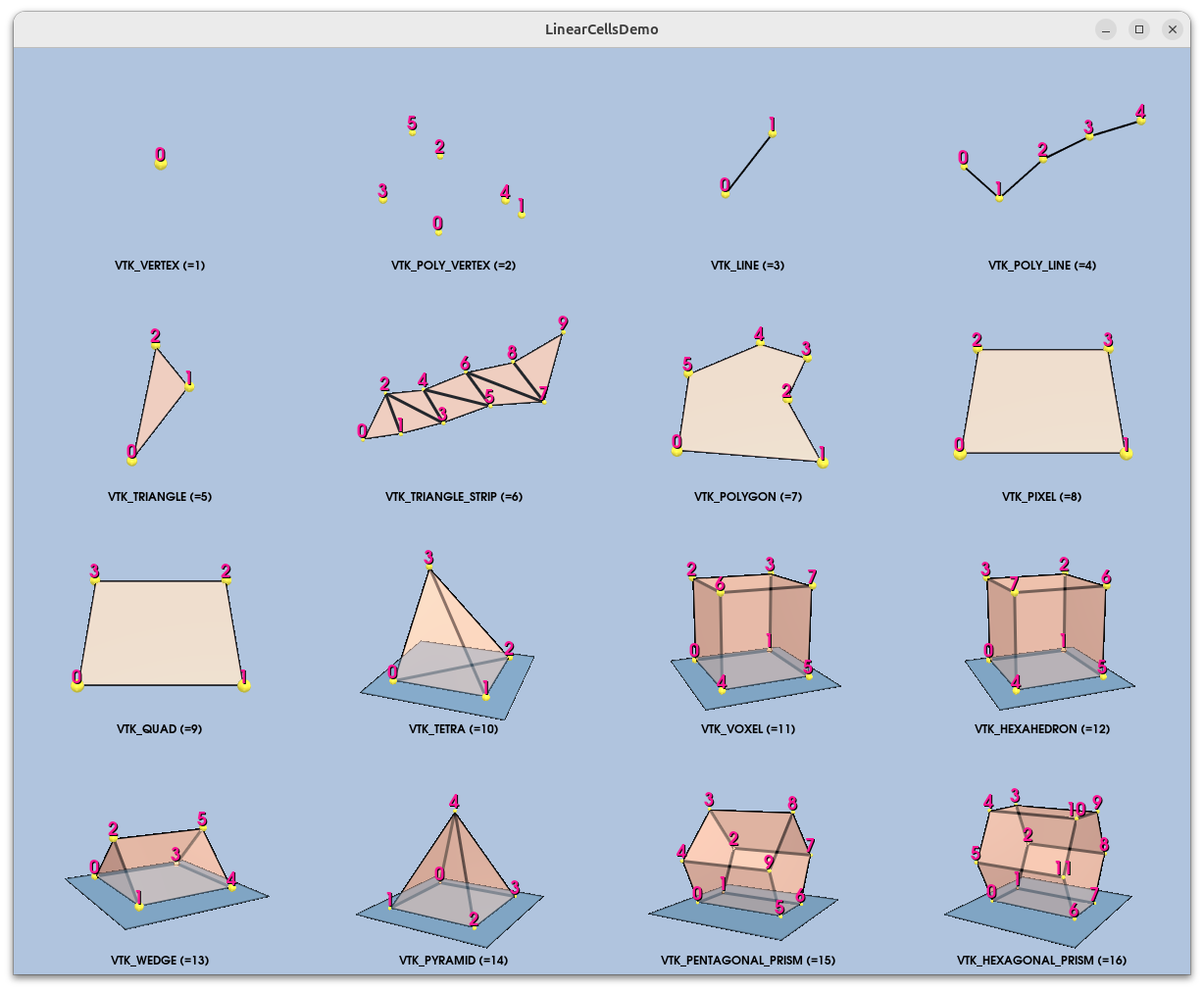
6,LongLine.py
点击查看代码
#!/usr/bin/env python
# -*- coding: utf-8 -*-

# noinspection PyUnresolvedReferences
import vtkmodules.vtkInteractionStyle
# noinspection PyUnresolvedReferences
import vtkmodules.vtkRenderingOpenGL2
from vtkmodules.vtkCommonColor import vtkNamedColors
from vtkmodules.vtkCommonCore import vtkPoints
from vtkmodules.vtkCommonDataModel import (
    vtkCellArray,
    vtkLine,
    vtkPolyData
)
from vtkmodules.vtkRenderingCore import (
    vtkActor,
    vtkPolyDataMapper,
    vtkRenderWindow,
    vtkRenderWindowInteractor,
    vtkRenderer
)


def main():
    # Create five points.
    origin = [0.0, 0.0, 0.0]
    p0 = [1.0, 0.0, 0.0]
    p1 = [0.0, 1.0, 0.0]
    p2 = [0.0, 1.0, 2.0]
    p3 = [1.0, 2.0, 3.0]

    # Create a vtkPoints object and store the points in it
    points = vtkPoints()
    points.InsertNextPoint(origin)
    points.InsertNextPoint(p0)
    points.InsertNextPoint(p1)
    points.InsertNextPoint(p2)
    points.InsertNextPoint(p3)

    # Create a cell array to store the lines in and add the lines to it
    lines = vtkCellArray()

    for i in range(0, 3):
        line = vtkLine()
        line.GetPointIds().SetId(0, i)
        line.GetPointIds().SetId(1, i + 1)
        lines.InsertNextCell(line)

    # Create a polydata to store everything in
    linesPolyData = vtkPolyData()

    # Add the points to the dataset
    linesPolyData.SetPoints(points)

    # Add the lines to the dataset
    linesPolyData.SetLines(lines)

    # Setup actor and mapper
    colors = vtkNamedColors()

    mapper = vtkPolyDataMapper()
    mapper.SetInputData(linesPolyData)

    actor = vtkActor()
    actor.SetMapper(mapper)
    actor.GetProperty().SetLineWidth(4)
    actor.GetProperty().SetColor(colors.GetColor3d('Peacock'))

    # Setup render window, renderer, and interactor
    renderer = vtkRenderer()
    renderWindow = vtkRenderWindow()
    renderWindow.SetWindowName('LongLine')
    renderWindow.AddRenderer(renderer)
    renderWindowInteractor = vtkRenderWindowInteractor()
    renderWindowInteractor.SetRenderWindow(renderWindow)
    renderer.AddActor(actor)

    renderer.ResetCamera()
    renderer.GetActiveCamera().Azimuth(30)
    renderer.GetActiveCamera().Elevation(30)
    renderer.ResetCameraClippingRange()

    renderer.SetBackground(colors.GetColor3d('Silver'))
    renderWindow.Render()
    renderWindowInteractor.Start()


if __name__ == '__main__':
    main()
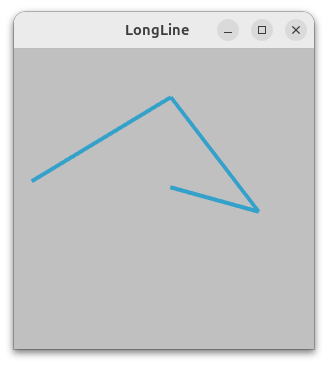
7,PolyLine.py
点击查看代码
#!/usr/bin/env python
# -*- coding: utf-8 -*-

# noinspection PyUnresolvedReferences
import vtkmodules.vtkInteractionStyle
# noinspection PyUnresolvedReferences
import vtkmodules.vtkRenderingOpenGL2
from vtkmodules.vtkCommonColor import vtkNamedColors
from vtkmodules.vtkCommonCore import vtkPoints
from vtkmodules.vtkCommonDataModel import (
    vtkCellArray,
    vtkPolyData,
    vtkPolyLine
)
from vtkmodules.vtkRenderingCore import (
    vtkActor,
    vtkPolyDataMapper,
    vtkRenderWindow,
    vtkRenderWindowInteractor,
    vtkRenderer
)


def main():
    colors = vtkNamedColors()

    # Create five points.
    origin = [0.0, 0.0, 0.0]
    p0 = [1.0, 0.0, 0.0]
    p1 = [0.0, 1.0, 0.0]
    p2 = [0.0, 1.0, 2.0]
    p3 = [1.0, 2.0, 3.0]

    # Create a vtkPoints object and store the points in it
    points = vtkPoints()
    points.InsertNextPoint(origin)
    points.InsertNextPoint(p0)
    points.InsertNextPoint(p1)
    points.InsertNextPoint(p2)
    points.InsertNextPoint(p3)

    polyLine = vtkPolyLine()
    polyLine.GetPointIds().SetNumberOfIds(5)
    for i in range(0, 5):
        polyLine.GetPointIds().SetId(i, i)

    # Create a cell array to store the lines in and add the lines to it
    cells = vtkCellArray()
    cells.InsertNextCell(polyLine)

    # Create a polydata to store everything in
    polyData = vtkPolyData()

    # Add the points to the dataset
    polyData.SetPoints(points)

    # Add the lines to the dataset
    polyData.SetLines(cells)

    # Setup actor and mapper
    mapper = vtkPolyDataMapper()
    mapper.SetInputData(polyData)

    actor = vtkActor()
    actor.SetMapper(mapper)
    actor.GetProperty().SetColor(colors.GetColor3d('Tomato'))

    # Setup render window, renderer, and interactor
    renderer = vtkRenderer()
    renderWindow = vtkRenderWindow()
    renderWindow.SetWindowName('PolyLine')
    renderWindow.AddRenderer(renderer)
    renderWindowInteractor = vtkRenderWindowInteractor()
    renderWindowInteractor.SetRenderWindow(renderWindow)
    renderer.AddActor(actor)
    renderer.SetBackground(colors.GetColor3d('DarkOliveGreen'))

    renderWindow.Render()
    renderWindowInteractor.Start()


if __name__ == '__main__':
    main()
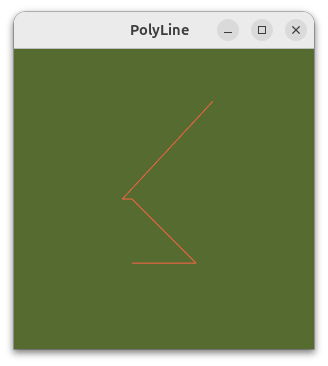
8.Polygon.py
点击查看代码
#!/usr/bin/env python

# noinspection PyUnresolvedReferences
import vtkmodules.vtkInteractionStyle
# noinspection PyUnresolvedReferences
import vtkmodules.vtkRenderingOpenGL2
from vtkmodules.vtkCommonColor import vtkNamedColors
from vtkmodules.vtkCommonCore import vtkPoints
from vtkmodules.vtkCommonDataModel import (
    vtkCellArray,
    vtkPolyData,
    vtkPolygon
)
from vtkmodules.vtkRenderingCore import (
    vtkActor,
    vtkPolyDataMapper,
    vtkRenderWindow,
    vtkRenderWindowInteractor,
    vtkRenderer
)


def main():
    colors = vtkNamedColors()

    # Setup four points
    points = vtkPoints()
    points.InsertNextPoint(0.0, 0.0, 0.0)
    points.InsertNextPoint(1.0, 0.0, 0.0)
    points.InsertNextPoint(1.0, 1.0, 0.0)
    points.InsertNextPoint(0.0, 1.0, 0.0)

    # Create the polygon
    polygon = vtkPolygon()
    polygon.GetPointIds().SetNumberOfIds(4)  # make a quad
    polygon.GetPointIds().SetId(0, 0)
    polygon.GetPointIds().SetId(1, 1)
    polygon.GetPointIds().SetId(2, 2)
    polygon.GetPointIds().SetId(3, 3)

    # Add the polygon to a list of polygons
    polygons = vtkCellArray()
    polygons.InsertNextCell(polygon)

    # Create a PolyData
    polygonPolyData = vtkPolyData()
    polygonPolyData.SetPoints(points)
    polygonPolyData.SetPolys(polygons)

    # Create a mapper and actor
    mapper = vtkPolyDataMapper()
    mapper.SetInputData(polygonPolyData)

    actor = vtkActor()
    actor.SetMapper(mapper)
    actor.GetProperty().SetColor(colors.GetColor3d('Silver'))

    # Visualize
    renderer = vtkRenderer()
    renderWindow = vtkRenderWindow()
    renderWindow.SetWindowName('Polygon')
    renderWindow.AddRenderer(renderer)
    renderWindowInteractor = vtkRenderWindowInteractor()
    renderWindowInteractor.SetRenderWindow(renderWindow)

    renderer.AddActor(actor)
    renderer.SetBackground(colors.GetColor3d('Salmon'))
    renderWindow.Render()
    renderWindowInteractor.Start()


if __name__ == '__main__':
    main()
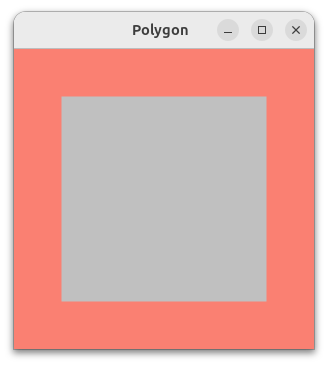
9,Polyhedron.py
点击查看代码
#!/usr/bin/env python
# -*- coding: utf-8 -*-

# noinspection PyUnresolvedReferences
import vtkmodules.vtkInteractionStyle
# noinspection PyUnresolvedReferences
import vtkmodules.vtkRenderingOpenGL2
from vtkmodules.vtkCommonColor import vtkNamedColors
from vtkmodules.vtkCommonCore import (
    vtkIdList,
    vtkPoints
)
from vtkmodules.vtkCommonDataModel import (
    VTK_POLYHEDRON,
    vtkUnstructuredGrid
)
from vtkmodules.vtkIOXML import vtkXMLUnstructuredGridWriter
from vtkmodules.vtkRenderingCore import (
    vtkActor,
    vtkDataSetMapper,
    vtkRenderWindow,
    vtkRenderWindowInteractor,
    vtkRenderer
)


def main():
    colors = vtkNamedColors()

    # create polyhedron (cube)
    # The point Ids are: [0, 1, 2, 3, 4, 5, 6, 7]

    points = vtkPoints()
    points.InsertNextPoint(-1.0, -1.0, -1.0)
    points.InsertNextPoint(1.0, -1.0, -1.0)
    points.InsertNextPoint(1.0, 1.0, -1.0)
    points.InsertNextPoint(-1.0, 1.0, -1.0)
    points.InsertNextPoint(-1.0, -1.0, 1.0)
    points.InsertNextPoint(1.0, -1.0, 1.0)
    points.InsertNextPoint(1.0, 1.0, 1.0)
    points.InsertNextPoint(-1.0, 1.0, 1.0)

    # These are the point ids corresponding to each face.
    faces = [[0, 3, 2, 1], [0, 4, 7, 3], [4, 5, 6, 7], [5, 1, 2, 6], [0, 1, 5, 4], [2, 3, 7, 6]]
    faceId = vtkIdList()
    faceId.InsertNextId(6)  # Six faces make up the cell.
    for face in faces:
        faceId.InsertNextId(len(face))  # The number of points in the face.
        [faceId.InsertNextId(i) for i in face]

    ugrid = vtkUnstructuredGrid()
    ugrid.SetPoints(points)
    ugrid.InsertNextCell(VTK_POLYHEDRON, faceId)

    # Here we write out the cube.
    writer = vtkXMLUnstructuredGridWriter()
    writer.SetInputData(ugrid)
    writer.SetFileName('polyhedron.vtu')
    writer.SetDataModeToAscii()
    writer.Update()

    # Create a mapper and actor
    mapper = vtkDataSetMapper()
    mapper.SetInputData(ugrid)

    actor = vtkActor()
    actor.SetMapper(mapper)
    actor.GetProperty().SetColor(
        colors.GetColor3d('Silver'))

    # Visualize
    renderer = vtkRenderer()
    renderWindow = vtkRenderWindow()
    renderWindow.SetWindowName('Polyhedron')
    renderWindow.AddRenderer(renderer)
    renderWindowInteractor = vtkRenderWindowInteractor()
    renderWindowInteractor.SetRenderWindow(renderWindow)

    renderer.AddActor(actor)
    renderer.SetBackground(colors.GetColor3d('Salmon'))
    renderer.ResetCamera()
    renderer.GetActiveCamera().Azimuth(30)
    renderer.GetActiveCamera().Elevation(30)
    renderWindow.Render()
    renderWindowInteractor.Start()


if __name__ == '__main__':
    main()
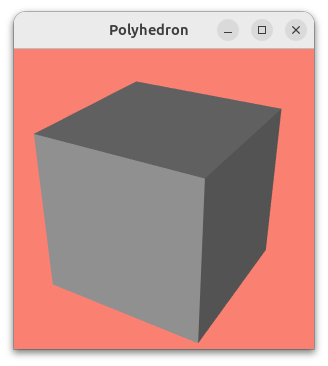
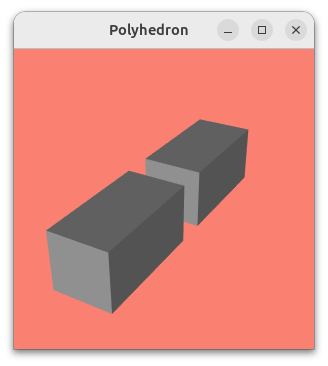
10,PolyhedronAndHexahedron.py
点击查看代码
#!/usr/bin/env python
# -*- coding: utf-8 -*-

# noinspection PyUnresolvedReferences
import vtkmodules.vtkInteractionStyle
# noinspection PyUnresolvedReferences
import vtkmodules.vtkRenderingOpenGL2
from vtkmodules.vtkCommonColor import vtkNamedColors
from vtkmodules.vtkCommonCore import (
    vtkPoints,
    vtkUnsignedCharArray
)
from vtkmodules.vtkCommonDataModel import (
    VTK_HEXAHEDRON,
    VTK_POLYHEDRON,
    vtkCellArray,
    vtkUnstructuredGrid
)
from vtkmodules.vtkIOXML import vtkXMLUnstructuredGridWriter
from vtkmodules.vtkRenderingCore import (
    vtkActor,
    vtkDataSetMapper,
    vtkRenderWindow,
    vtkRenderWindowInteractor,
    vtkRenderer
)


def main():
    colors = vtkNamedColors()

    # create polyhedron (cube)

    ## Create points in an arbitrary order
    points = vtkPoints()
    points.InsertNextPoint(-5.0, -5.0, -10.0)
    points.InsertNextPoint(-5.0, -5.0, 10.0)
    points.InsertNextPoint(-5.0, 5.0, -10.0)
    points.InsertNextPoint(-5.0, 5.0, 10.0)
    points.InsertNextPoint(5.0, -5.0, -10.0)
    points.InsertNextPoint(5.0, -5.0, 10.0)
    points.InsertNextPoint(5.0, 5.0, -10.0)
    points.InsertNextPoint(5.0, 5.0, 10.0)

    ## The ID of the points that compose the polyhedron cell
    pointIds = [ 0, 1, 2, 3, 4, 5, 6, 7 ]

    ## The ID of the points that compose each individual faces
    faces = vtkCellArray()
    face0 = [ 0, 2, 6, 4 ]
    face1 = [ 1, 3, 7, 5 ]
    face2 = [ 0, 1, 3, 2 ]
    face3 = [ 4, 5, 7, 6 ]
    face4 = [ 0, 1, 5, 4 ]
    face5 = [ 2, 3, 7, 6 ]

    ## Insert each face
    faces.InsertNextCell(4, face0)
    faces.InsertNextCell(4, face1)
    faces.InsertNextCell(4, face2)
    faces.InsertNextCell(4, face3)
    faces.InsertNextCell(4, face4)
    faces.InsertNextCell(4, face5)

    ## Add the IDs of the faces for the polyhedron cell
    faceLocations = vtkCellArray()
    faceIds = [ 0, 1, 2, 3, 4, 5 ]
    faceLocations.InsertNextCell(6, faceIds)

    ## Insert the polyhedron cell
    cells = vtkCellArray()
    cells.InsertNextCell(8, pointIds)

    ## Insert the type of the cell
    cellTypes = vtkUnsignedCharArray()
    cellTypes.InsertNextValue(VTK_POLYHEDRON);

    # Create hexahedron

    ## Create points in hexahedron order
    points.InsertNextPoint(-5.0, -5.0, 15.0)
    points.InsertNextPoint(5.0, -5.0, 15.0)
    points.InsertNextPoint(5.0, 5.0, 15.0)
    points.InsertNextPoint(-5.0, 5.0, 15.0)
    points.InsertNextPoint(-5.0, -5.0, 35.0)
    points.InsertNextPoint(5.0, -5.0, 35.0)
    points.InsertNextPoint(5.0, 5.0, 35.0)
    points.InsertNextPoint(-5.0, 5.0, 35.0)

    ## The ID of the points of the hexahedron
    pointIds = [ 8, 9, 10, 11, 12, 13, 14, 15 ]

    ## Add the ID of the "faces" for the hexahedon, its empty because hexahedron does not need faces
    ## But we still need faceLocations to have the same size as the number of cells
    faceLocations.InsertNextCell(0)

    ## Insert the hexahedron
    cells.InsertNextCell(8, pointIds)

    ## Insert the cell type
    cellTypes.InsertNextValue(VTK_HEXAHEDRON);

    ## Set points and polyhedral cells
    ugrid0 = vtkUnstructuredGrid()
    ugrid0.SetPoints(points);
    ugrid0.SetPolyhedralCells(cellTypes, cells, faceLocations, faces);

    # Create a mapper and actor
    mapper = vtkDataSetMapper()
    mapper.SetInputData(ugrid0)

    actor = vtkActor()
    actor.SetMapper(mapper)
    actor.GetProperty().SetColor(
        colors.GetColor3d('Silver'))

    # Visualize
    renderer = vtkRenderer()
    renderWindow = vtkRenderWindow()
    renderWindow.SetWindowName('Polyhedron')
    renderWindow.AddRenderer(renderer)
    renderWindowInteractor = vtkRenderWindowInteractor()
    renderWindowInteractor.SetRenderWindow(renderWindow)

    renderer.AddActor(actor)
    renderer.SetBackground(colors.GetColor3d('Salmon'))
    renderer.ResetCamera()
    renderer.GetActiveCamera().Azimuth(30)
    renderer.GetActiveCamera().Elevation(30)
    renderWindow.Render()
    renderWindowInteractor.Start()


if __name__ == '__main__':
    main()


 浙公网安备 33010602011771号